
Introducing the all-new azure stack HCI sizing tool (preview)!

As Azure Stack HCI has grown, we have been working on ways to help you have an enjoyable, straight forward experience. Our new web-based, customer driven sizing tool is among the suite of tools we have created to supplement existing documentation about Azure Stack HCI. The motivation for creating this tool purely stems from our customers – you said you needed help with sizing, and we listened. Leave the heavy lifting to us - tell us your needs and we’ll suggest what to purchase.

Sizing is an ongoing process
When creating the tool, we heavily relied on our customers – we did research, made customer calls, and used several conferences to help us decide how to build the tool. We discovered that sizing is an ongoing, continuous process and we wanted to make sure that our tool reflected that. When you launch the sizer, you are immediately taken to the sign-up page. Creating an account is quick, easy, and free – it allows you to save your work and come back to it later.

Sizing projects
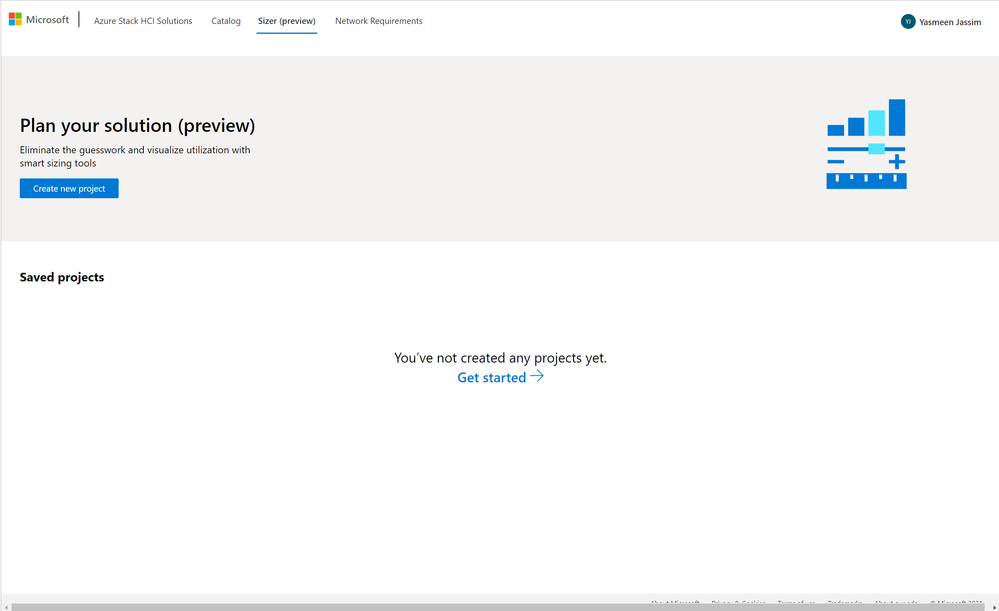
Your business may have several projects that all have different requirements. The sizer allows you to create multiple projects, thus reflecting your various business needs. You can create as many projects as you want, and each project can be edited or deleted. Environmental inputs and workloads in each project can be different and you can make changes at any stage of sizing.

Environmental preferences
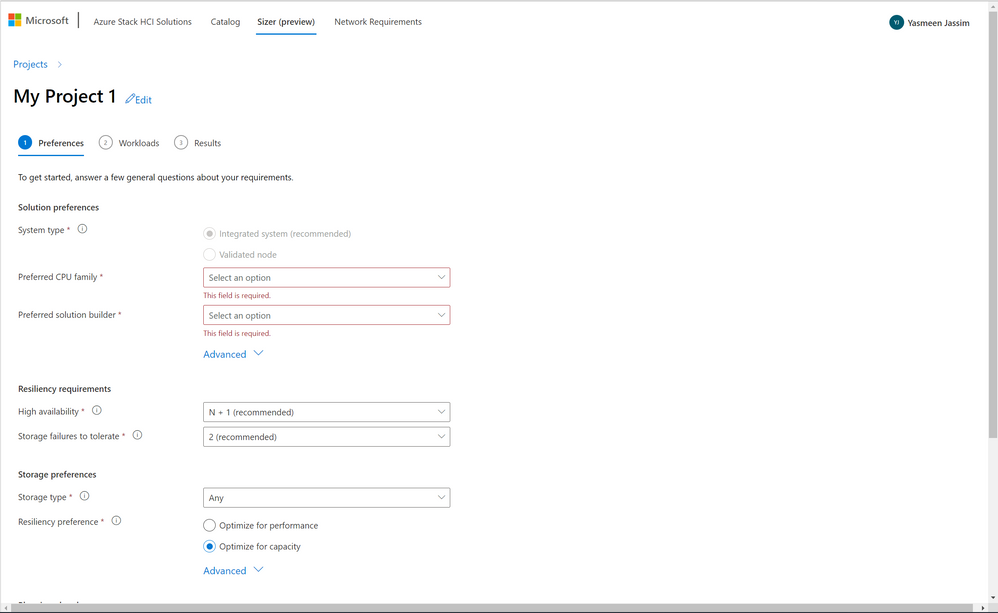
Step 1 of the sizer asks you for preferences that will stay consistent across your project. Preferred system type, CPU family and solution builder help us filter through hardware that fulfills your preferences. Your organization may have an existing relationship or preference for a specific OEM, and we ensure to account for that by asking upfront. Your high availability scenario tells us whether you would like us to account for cases where 1 or 2 nodes may be down, thus ensuring that our hardware suggestion can keep your workloads running in emergency cases. Input fields like storage failures to tolerate and resiliency preferences help us account for best practices in storage spaces direct. We also give you the option to plan for future growth by telling us what percentage of your hardware you would like to reserve for future growth scenarios and whether you’d like to keep some bays empty for future memory and storage expandability. We also allow you to choose Software Defined Networking and specify the number of VMs you require for SDN. Since SDN components run inside VMs, extra resources are consumed, and we account for this in our calculations.
Workloads
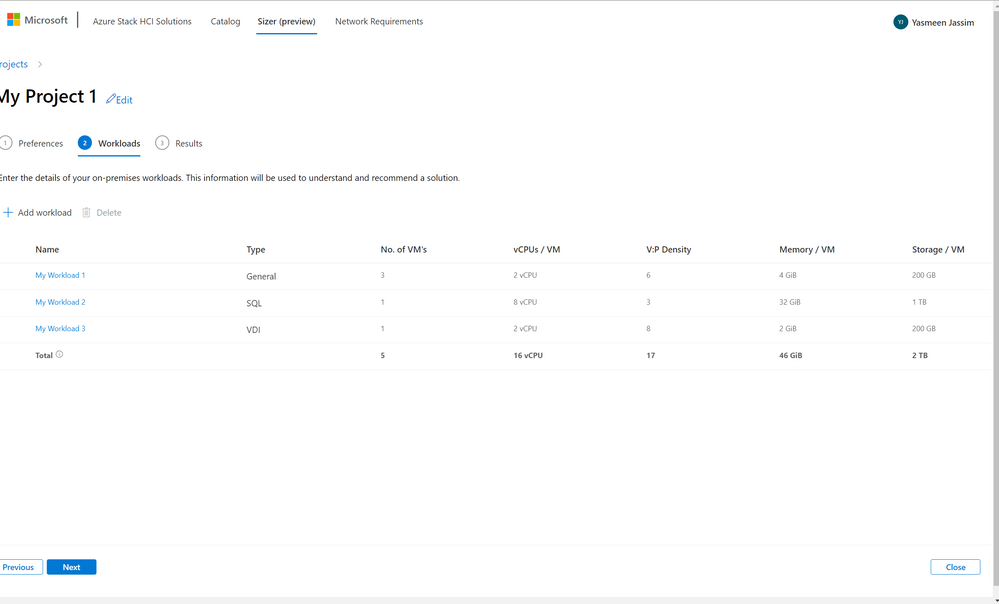
Step 2 of the sizer asks for your workloads. You can create as many workloads as you want within a given project. We account for several workload types including General Purpose, VDI and SQL. Specifying VM details tells us how many vCPUs you need per VM, how many virtual cores you need to pack into each physical core and how much memory and storage you require per VM. We use this information to decide what hardware would satisfy your needs.

Results
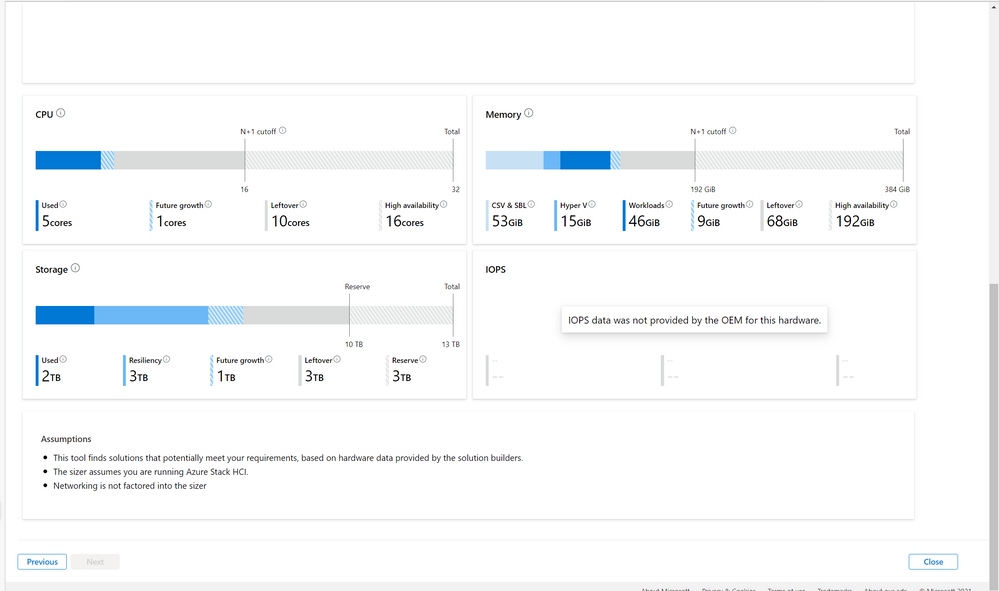
Hooray! At this stage, you’ve completed all the steps and can see what hardware we recommend for your workloads. If you notice anything odd about your results, you can go back and edit your environmental preferences as well as your workloads from the results page. Our suggestion tells you the exact model, number of nodes and node level recommendations that would satisfy your needs. We also include utilization bars for cpu, memory and storage which shows you resource consumption and help you understand how we arrived at our recommendation.

Future plans
This is just the beginning of Sizer. We plan to update the tool regularly with more dimensions and features that will help you size your Azure Stack HCI. If you have feedback, please send it to [email protected]!
May your year ahead be filled with happiness, adventure and a better sizing experience!
Until next time,
Yasmeen :)
Published on:
Learn moreRelated posts
Public Preview of Azure Migrate from VMware to Azure Stack HCI
Today, we are thrilled to announce the public preview of the Azure Migrate functionality to migrate VMs from VMware to Azure Stack HCI, a sign...
Sneak peek at new Azure edge infrastructure at Hannover Messe 2024
Written by Cosmos Darwin, Principal Group Manager on the Azure Edge & Platform team This week is Hannover Messe 2024, the world’s biggest ...
Apply critical update for Azure Stack HCI VMs to maintain Azure verification
Azure verification for VMs on Azure Stack HCI makes it possible for Azure-exclusive benefits to work outside of the cloud and in on-premises a...
Logical Networks in Azure Portal for HCI: Setting the Stage for Software Defined Networking
At this past Microsoft Ignite 2023, we officially announced the public preview of logical networks in Azure Portal for Azure Stack HCI. These ...
Introducing Azure Virtual Desktop workload in Azure Stack HCI Sizer!
Earlier in February 2024, we announced the general availability of Azure Virtual Desktop for Azure Stack HCI which extends the capabilities of...
Hyper-V VM Migration to Azure Stack HCI, version 23H2
Written by Kerim Hanif, Senior Program Manager on the Azure Edge & Platform team Azure Migrate is a unified platform t...
Possible MAC address assignment strategies for tenant VMs running on Stack-HCI environment
Azure Stack HCI is a hyperconverged infrastructure (HCI) cluster solution consists of windows servers (Hyper-V), Storage Spaces Direct, a...
Azure Stack HCI version 23H2 is generally available
Written by Cosmos Darwin, Principal PM Manager on the Azure Edge & Platform team Today we’re announcing the general availab...
AKS enabled by Azure Arc is now available on Azure Stack HCI 23H2
Azure Kubernetes Service (AKS) allows you to run a managed Kubernetes solution at the edge wherever you need it, with built-in support...
MAC address assignment strategies for tenant VMs running on Stack-HCI environment
Azure Stack HCI is a hyperconverged infrastructure (HCI) cluster solution consists of windows servers (Hyper-V), Storage Spaces Direct, a...