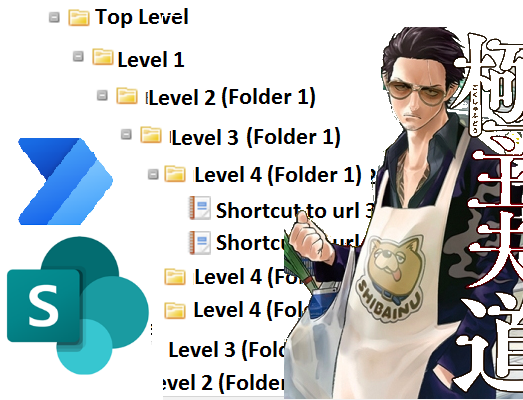
Automatically Create SharePoint Subfolders Using Cloud Flow and Environment Variable (Part 4 of 8)
This is the fourth post in a series of Automating SharePoint Integration with Dataverse using Power Automate. You can check out the other ...
Stay ahead in the realm of finance and operations with our curated collection of blogs dedicated to Microsoft Dynamics 365 Finance and Operations. Gain valuable insights, best practices, and industry updates to optimize your financial and operational processes.
This is the fourth post in a series of Automating SharePoint Integration with Dataverse using Power Automate. You can check out the other ...
This is the sixth post in a series of Automating SharePoint Integration with Dataverse using Power Automate. You can check out the other p...
This is the fifth post in a series of Automating SharePoint Integration with Dataverse using Power Automate. You can check out the other p...
This is the seventh post in a series of Automating SharePoint Integration with Dataverse using Power Automate. You can check out the other...
This is the eighth post in a series of Automating SharePoint Integration with Dataverse using Power Automate. You can check out the other ...
In this post, the author addresses a question that is frequently asked by those who are exploring Microsoft certification for the first time. ...
One of the topics I get asked about frequently by those taking or exploring Microsoft certification for the first time is exam questions and w...
Many customers have asked for the ability to send attachments with Dynamics 365 Marketing. While this is on the roadmap I’d like to call...
In this informative post, you'll take a stroll down memory lane as you explore the history and evolution of custom security attributes in Azur...
You use Cron Jobs to schedule various IT tasks. In addition, Cron Jobs allows you to automate specific commands or scripts on your server to c...
Azure
Microsoft 365 Sharepoint
Newsletter
A curated digest of community blogs, product news, videos, and podcasts — delivered without the noise.