
Refreshing the OneNote app on Android mobile


We’re excited to announce the upcoming refresh to the OneNote app on Android Mobile to help you quickly capture what’s important to you and remember with confidence.
The new Home tab on your OneNote Mobile app allows you to:
- Capture naturally with text, voice, ink, and camera
- Remember with ease with rich note preview cards
The Home page displays your recent Notebook pages, Sticky Notes, and Samsung Notes from all your signed-in accounts in a single unified view. You can tap on a note card to view or edit the note or long press on it to take a quick action.
You can switch between Grid view to see more notes at the same time) and List view (to see more detail on each note card) to select your preferred view.
NOTE: Learn how to connect your Samsung Notes to OneNote here.
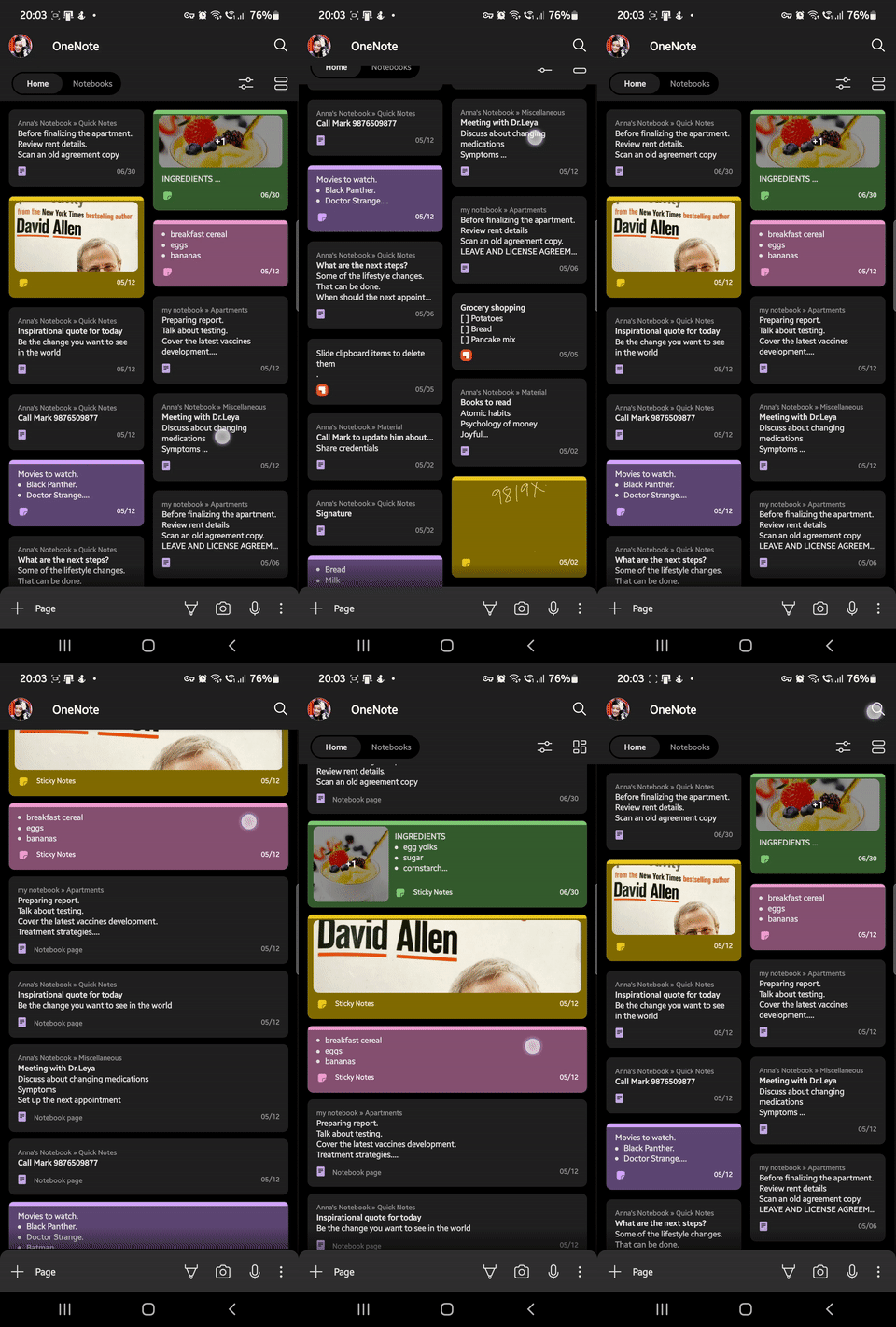
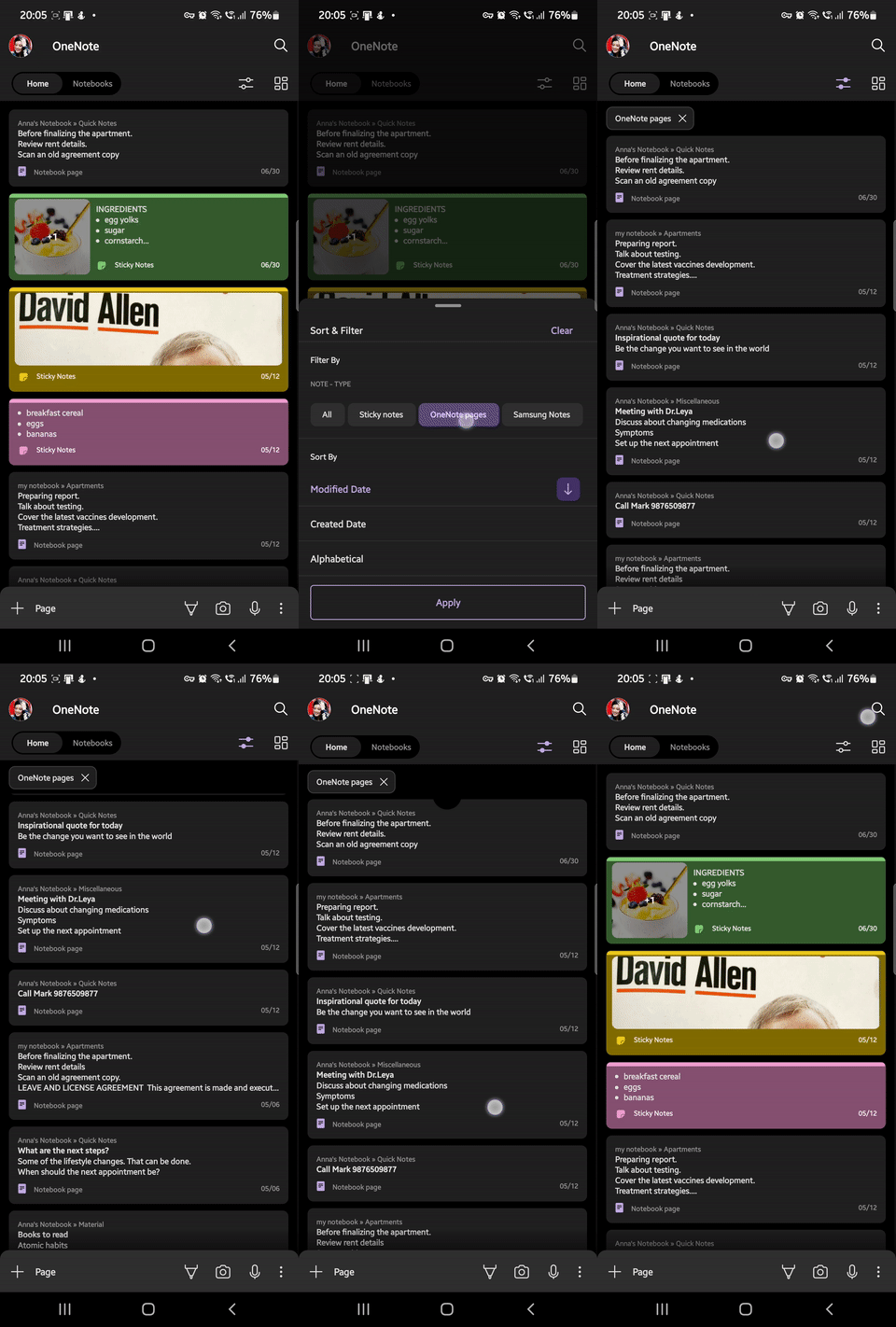
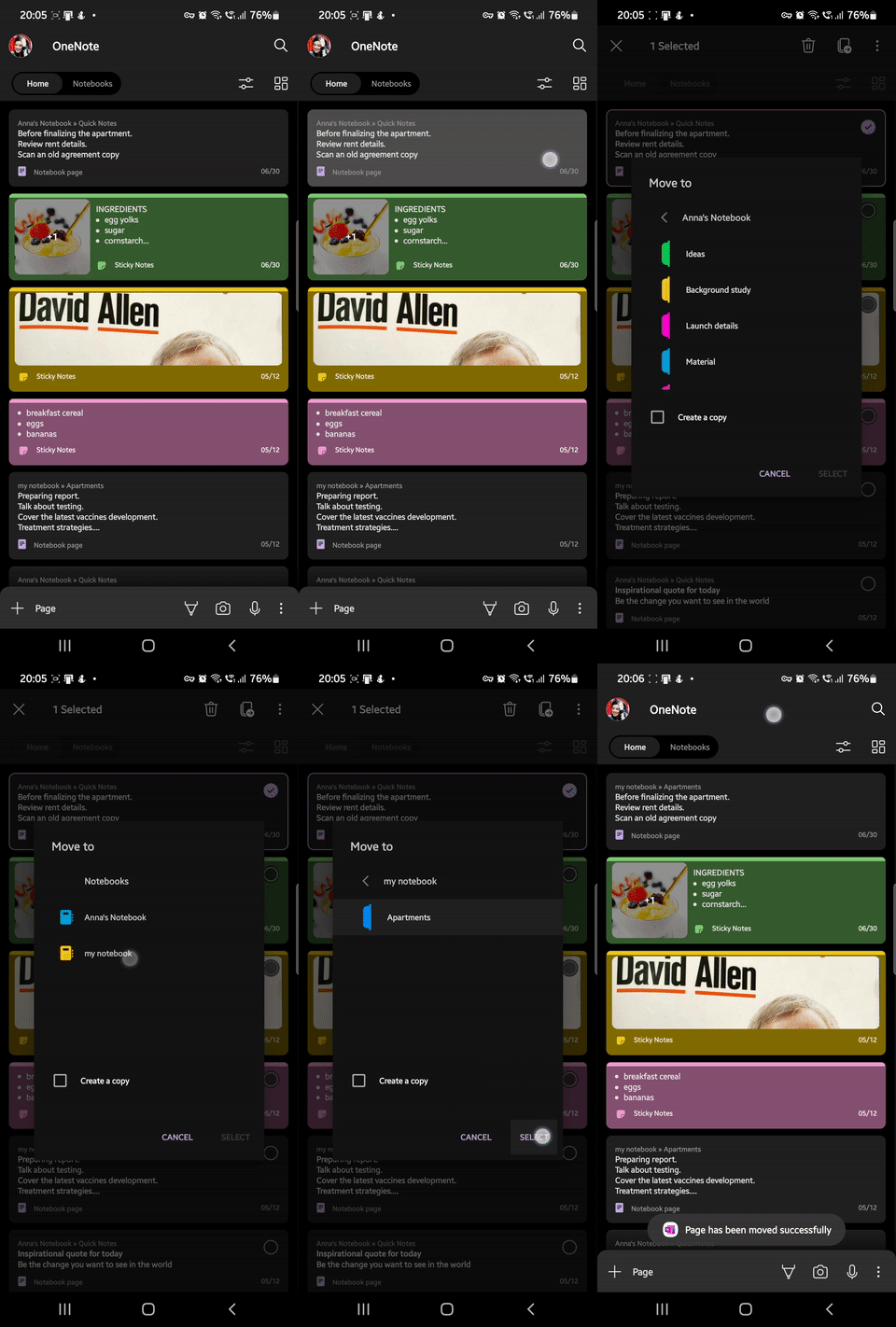
You can now use intuitive gestures within the OneNote mobile app to do more. Swipe down to sync your notes and long press the note cards to take quick actions, such as deleting, moving, copying, sharing, or adding notes to your mobile device's home screen.
The new quick capture bar at the bottom of the page allows you to easily take notes within the mobile app in your preferred modality with a single click.
A few features on the quick capture bar include:
- The upgraded Microsoft Lens integration to allow you to choose from a range of new filters and image editing tools.
- You can scan a document and extract text directly onto your note.
- Voice dictation allows you to dictate your notes in a number of languages (9 official, 18 preview). Learn more here.
- You can also use voice commands to format your notes.
- Clicking on the overflow menu (three vertical dots button) allows you to take a Sticky Note directly from the Home tab.

As a new mobile user, you can now seamlessly sign into your OneNote mobile app with a new, simplified single sign-on (SSO) experience. We've also introduced a brand-new onboarding experience to help you navigate your way through the app.
Availability
These features are currently being rolled out in stages on Android mobile build 16.0.15128.20270 and later (not available on tablets or dual-screen phones).
Feedback
If you have any feedback or suggestions, you can do so within the app by tapping Settings > Send Feedback, and then select I like something, I don’t like something, or I have an idea. You can also email us with your feedback at [email protected].
Continue the conversation by joining us in the Microsoft 365 Tech Community! Whether you have product questions or just want to stay informed with the latest updates on new releases, tools, and blogs, Microsoft 365 Tech Community is your go-to resource to stay connected!
Published on:
Learn moreRelated posts
Announcing the General Availability of the Microsoft 365 Document Collaboration Partner Program
Empowering Seamless Collaboration for Modern Workforces We are thrilled to announce the general availability of the Microsoft 365 Docume...
Favorite Microsoft 365 Copilot Prompts
(Amber Plumb interviewing Michael Morales and Allison Sweet) The power of M365 Copilot is transforming the way our support team operates...
Favorite Copilot Prompts
(Amber Plumb interviewing Michael Morales and Allison Sweet) The power of M365 Copilot is transforming the way our support team operates...
Boost digital event engagement with Voting and Archiving in Teams Q&A
Managing and delivering effective town halls is key to enabling two-way dialogue with leaders in today’s hybrid world. Microsoft Teams Q&A...
Prepare now for key end of support moments in 2025
One year from today, on October 14, 2025, support will end for all Office 2016 and 2019 suites, standalone apps, and servers. This includes:&n...
Everything you should know about Visio 2016 and Visio 2019 end of support
On October 14, 2025, Visio 2016 and Visio 2019 will reach end of support. After this date, Visio 2016 and Visio 2019 will no longer receive se...
Limit frontline worker access to Teams when off shift
We’re excited to announce that the frontline working time feature is now generally available! This feature allows admins to block or warn acce...
We are removing Feed on Microsoft 365 (Office)
As part of our ongoing efforts to streamline and enhance user experiences, we will be retiring the Feed feature (shown in figure 1 below) on t...
NOW ON DEMAND | Microsoft Loop Learning Series [Six webinars]
UPDATE | All parts of the Loop Learning Series have aired and are now available to watch on demand, playable below in this blog post. Ar...
Leveraging Partner Apps to Deliver on the Promise of AI-Led Productivity
The advent of generative AI is driving a rethink of what outcomes we deserve from our productivity software – from gains in efficiency to more...