
PowerPoint Live in Microsoft Teams is for everyone!
In today’s world of hybrid working and learning, PowerPoint Live in Teams makes storytelling more compelling for you – whether you are the presenter or in the audience.
As a presenter, you can
- Read the room by monitoring raised hands, chat activity, and the audience members’ camera feeds, while still having easy access to speaker notes and slide thumbnail preview, all in one view.
- Point, circle, and annotate your slides as you talk.
- Effortlessly pass on the presenter control to your co-presenter. No more asking for “next slide, please”.
- Feel confident that your story is accessible to all audience members.
As an audience member, you can
- Return to a previous slide or scan ahead without affecting what anyone else sees.
- Use slide translation to consume content in your preferred language.
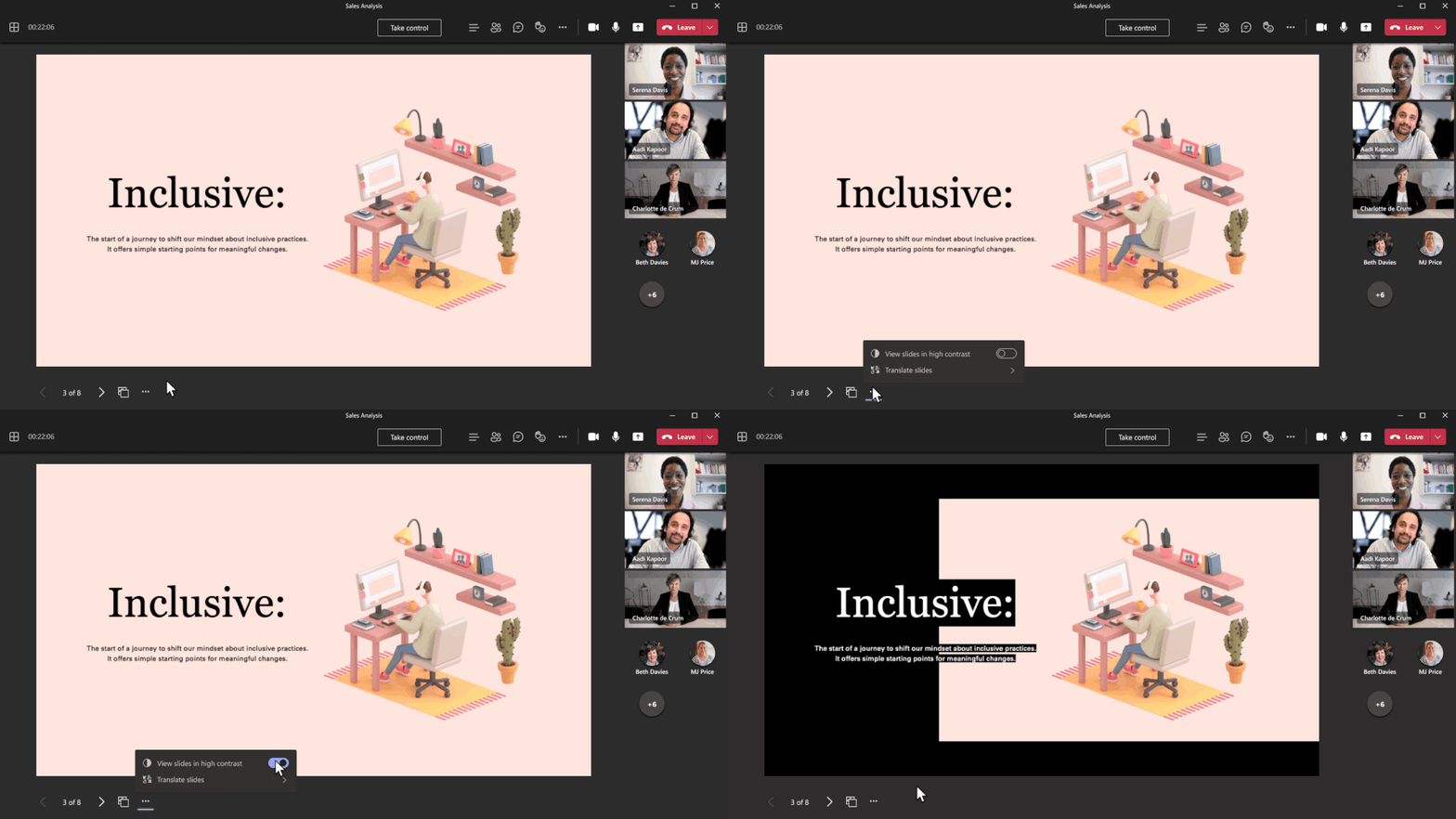
- Convert slides into high contrast colors, or leverage a screen reader, to ensure you never miss what’s on the screen.
Today, we are excited to announce additional enhancements in PowerPoint Live in Teams:
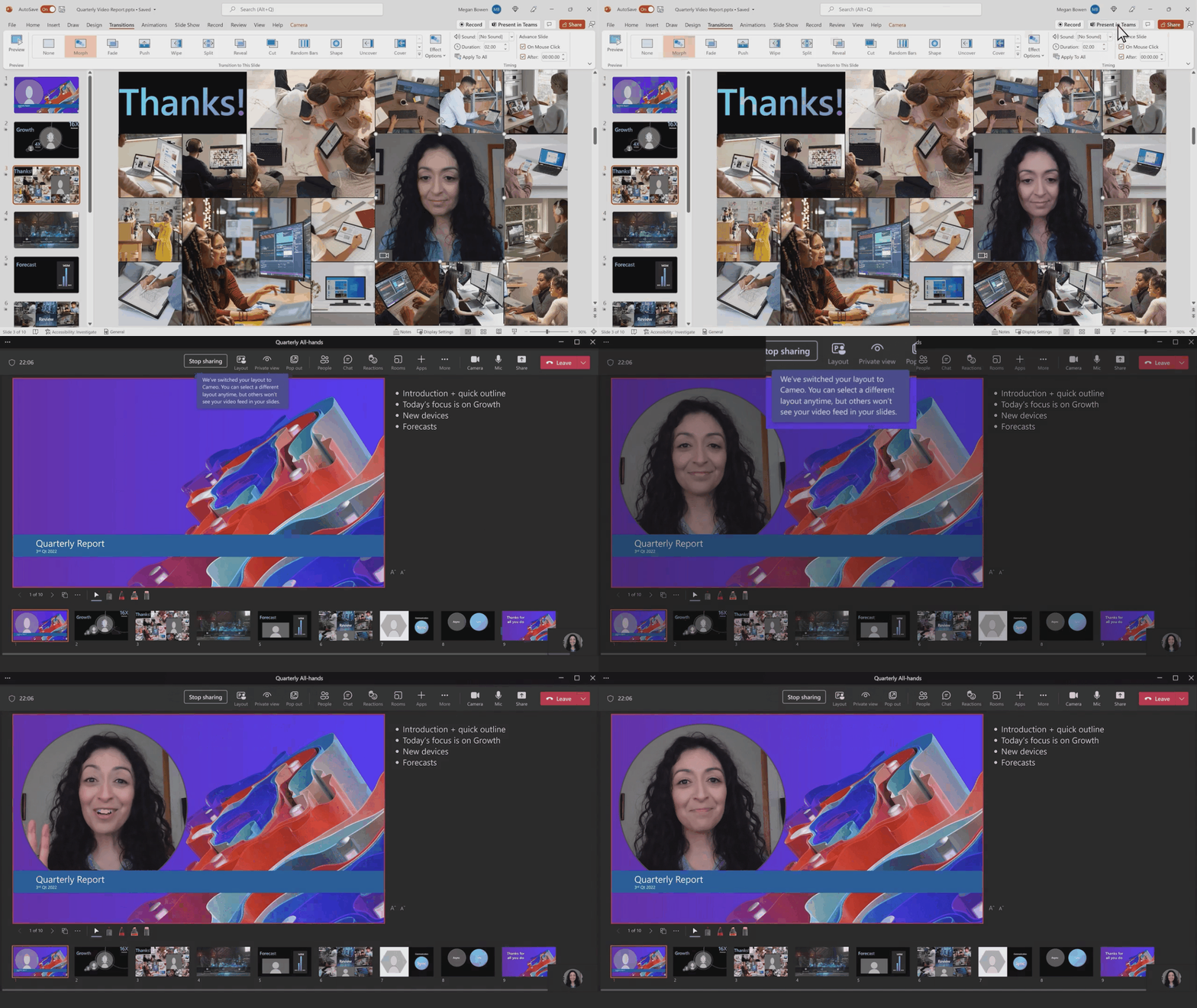
Cameo in PowerPoint Live is now generally available. Cameo is a new PowerPoint experience that helps you integrate your live camera feed into your presentations. The combined power of cameo in PowerPoint Live and Teams helps you easily create personalized and engaging presentations. PowerPoint cameo empowers full customization of how and where you want to appear on each of your slides. It helps you communicate effectively with audiences whether they are in-person or remote. Soon, you’ll also be able to choose built-for-cameo templates like this one in the PowerPoint app and take advantage of the Continuity Camera on your iPhone for video feeds with higher quality.
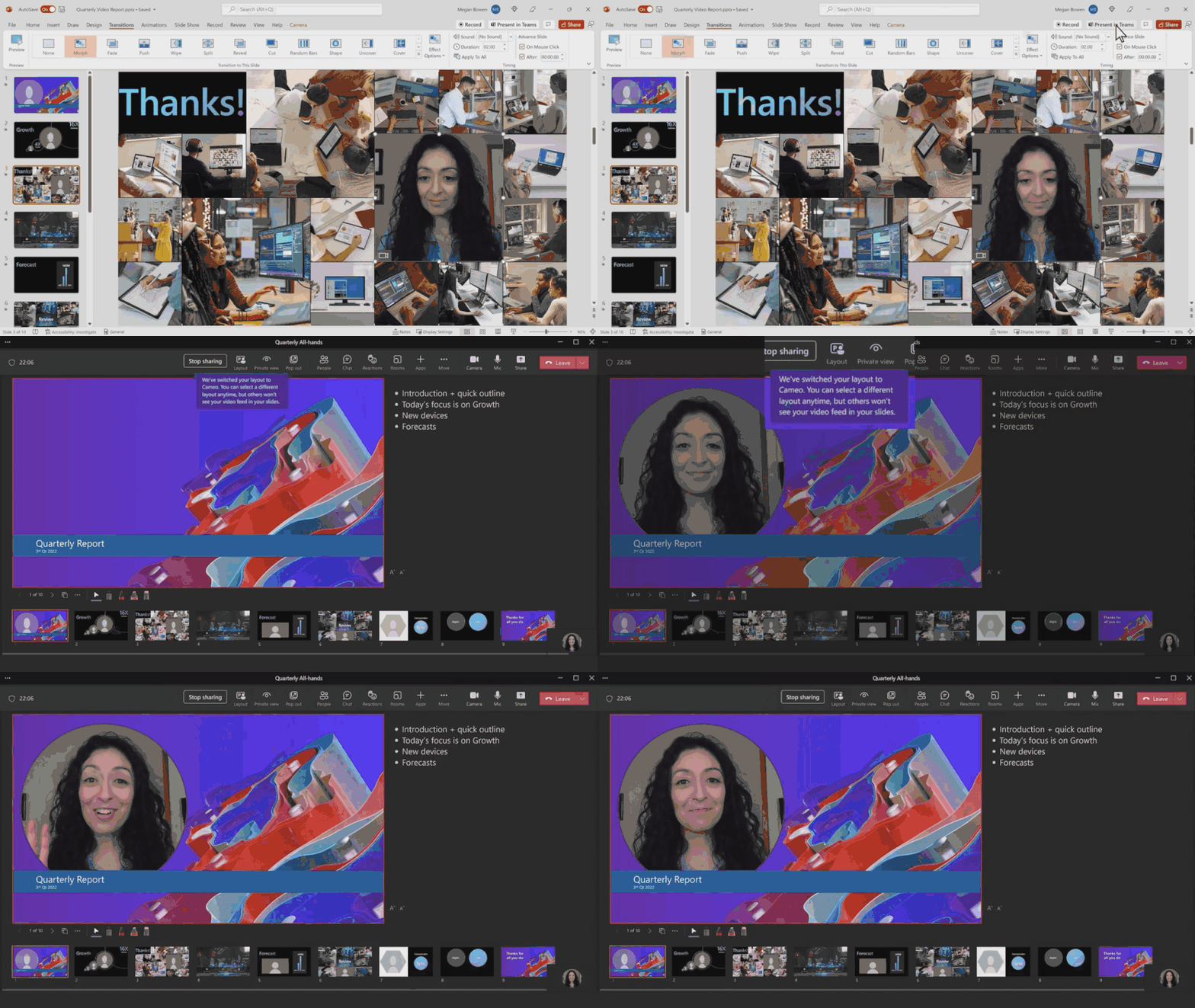
Magnifier will soon enable you as an audience member to privately zoom into a part of the slide for better readability in full content fidelity, without impacting other people. The presenter will also be able to leverage the tool to focus the audience on a specific zoomed in area on the slide.
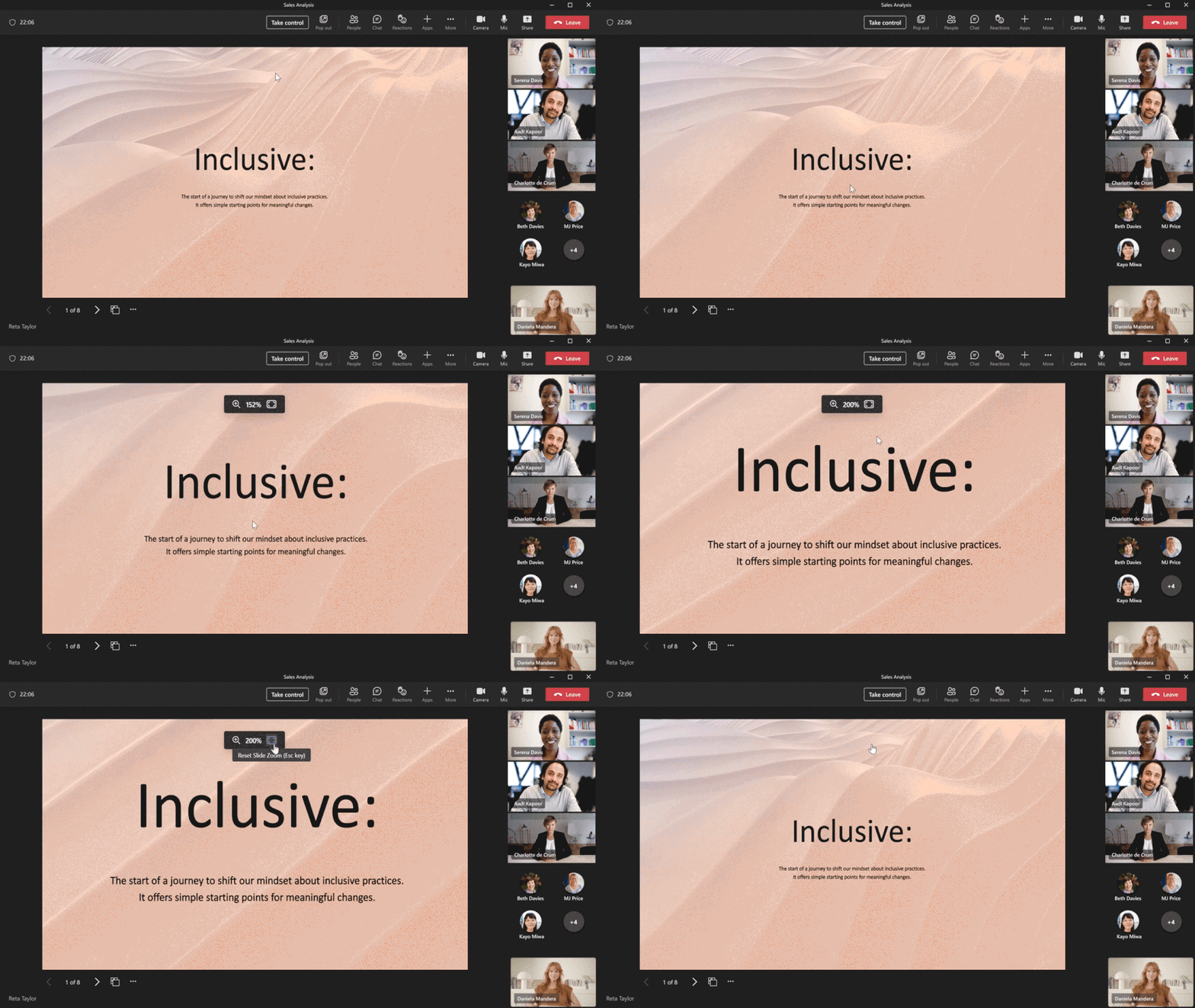
Your closed captions will soon be supported in PowerPoint Live, so that people with hearing impairment can easily follow along when you play the embedded videos on your slides.
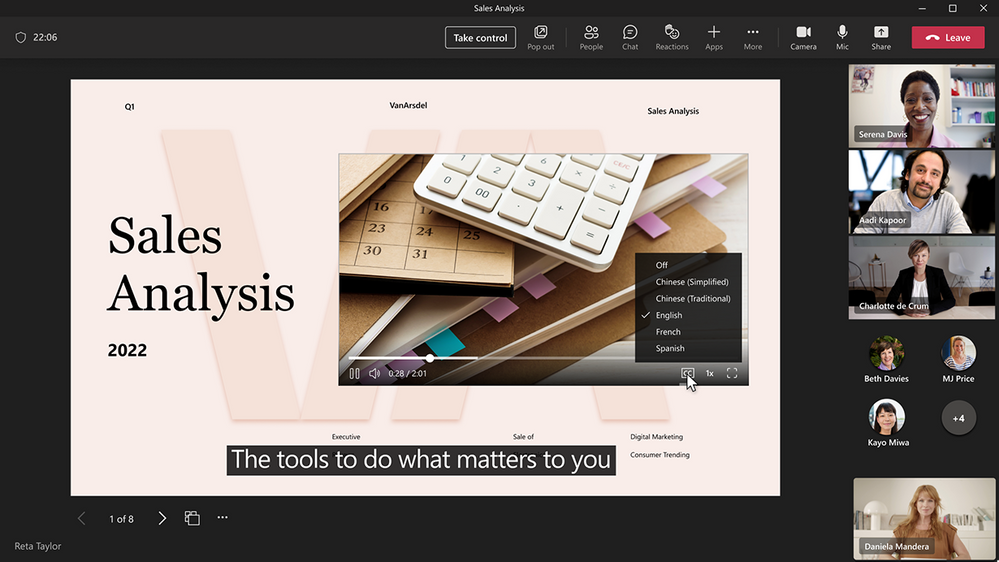
The latest improvement to the high contrast slide conversion is also coming soon, to ensure text content is always visible after the conversion, even if it is on top of a light image.
PowerPoint Live in Teams combines the best parts of presenting in PowerPoint with the connection and collaboration of Microsoft Teams meetings. More importantly, it’s all about you, every single one of you, to tell an engaging story confidently and effectively, to consume a story in ways tailored to your preference, and to effortlessly participate in the discussions and get your voice heard. It’s your smart choice for hybrid working and learning.
Continue the conversation by joining us in the Microsoft 365 community! Want to share best practices or join community events? Become a member by "Joining" the Microsoft 365 community. For tips & tricks or to stay up to date on the latest news and announcements directly from the product teams, make sure to Follow or Subscribe to the Microsoft 365 Blog space!
Published on:
Learn moreRelated posts
Announcing the General Availability of the Microsoft 365 Document Collaboration Partner Program
Empowering Seamless Collaboration for Modern Workforces We are thrilled to announce the general availability of the Microsoft 365 Docume...
Favorite Microsoft 365 Copilot Prompts
(Amber Plumb interviewing Michael Morales and Allison Sweet) The power of M365 Copilot is transforming the way our support team operates...
Favorite Copilot Prompts
(Amber Plumb interviewing Michael Morales and Allison Sweet) The power of M365 Copilot is transforming the way our support team operates...
Boost digital event engagement with Voting and Archiving in Teams Q&A
Managing and delivering effective town halls is key to enabling two-way dialogue with leaders in today’s hybrid world. Microsoft Teams Q&A...
Prepare now for key end of support moments in 2025
One year from today, on October 14, 2025, support will end for all Office 2016 and 2019 suites, standalone apps, and servers. This includes:&n...
Everything you should know about Visio 2016 and Visio 2019 end of support
On October 14, 2025, Visio 2016 and Visio 2019 will reach end of support. After this date, Visio 2016 and Visio 2019 will no longer receive se...
Limit frontline worker access to Teams when off shift
We’re excited to announce that the frontline working time feature is now generally available! This feature allows admins to block or warn acce...
We are removing Feed on Microsoft 365 (Office)
As part of our ongoing efforts to streamline and enhance user experiences, we will be retiring the Feed feature (shown in figure 1 below) on t...
NOW ON DEMAND | Microsoft Loop Learning Series [Six webinars]
UPDATE | All parts of the Loop Learning Series have aired and are now available to watch on demand, playable below in this blog post. Ar...
Leveraging Partner Apps to Deliver on the Promise of AI-Led Productivity
The advent of generative AI is driving a rethink of what outcomes we deserve from our productivity software – from gains in efficiency to more...