
Tips for leveraging free text invoice templates
Business scenario: A company such as ABC Inc. generates invoices for its customers for a variety of services, fees, or charges that must be itemized and posted to specific ledger accounts. These ledger accounts must also have dedicated financial dimensions at invoice line level. There is, however, a relatively high number of invoices generated each day. In order to ease out their employees' daily tasks, businesses want to automate the invoice generation process.
Solution approach: Dynamics 365 Finance Free Text invoice is the best suitable approach considering the given business scenario to support Create FT invoice by using the predefined templates Observations: Dynamics 365 Finance & Operations product version 10.0.28 (10.0.1265.60) & Update52 (7.0.6441.74) does support Free text invoice templates functionality to define number of invoice lines along with dimensions.
Despite the fact that there are multiple invoice lines in the template, the user can only set a single value for the financial dimension (perhaps a bug).
- User cannot define a dedicated dimension at the invoice line in the template form
- If the user creates an FT invoice with multiple lines with dedicated dimension and save the record as a template then financial dimension is not visible in the template form
As Microsoft's support team works to resolve this issue, the following approach/workaround can be utilized by Dynamics 365 Finance consultants to define dedicated financial dimensions on individual invoice lines using FT invoice templates.
Workaround: DRAFT Free Text invoices can be created to generate the required FT Invoice template, and later on you can clean the draft records and leverage the already generated templates.
Here is a step-by-step explanation of the approach/workaround.
Test Data Preparation in USMF LE:

- Go to Accounts receivable > Invoices > All free text invoices.
- Click New.
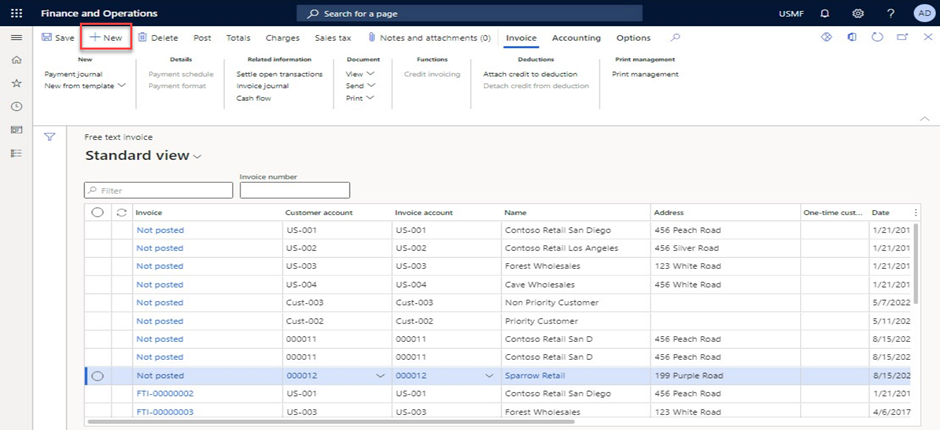
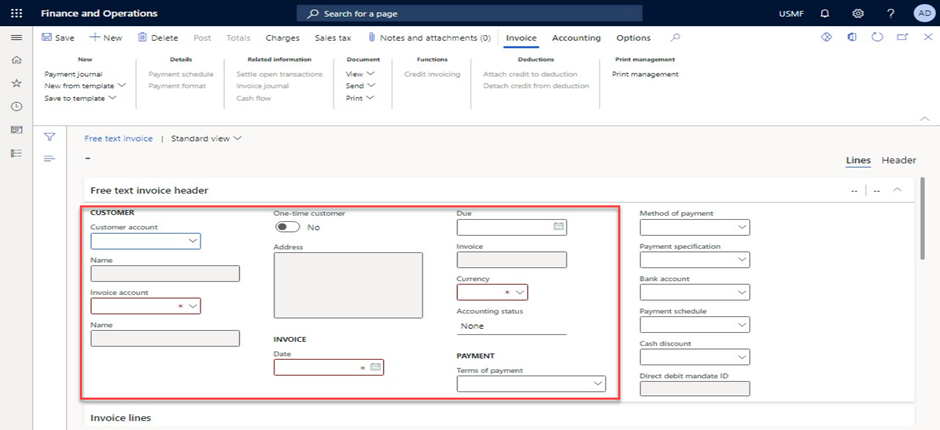
- In the Customer account field, enter or select a value.
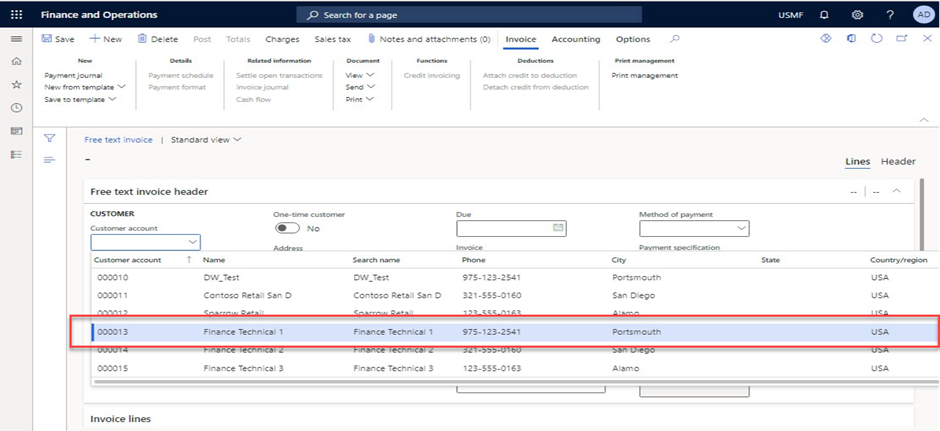
- In the list, select customer & system will create FT header record.
- Navigate to Invoice lines fast tab.
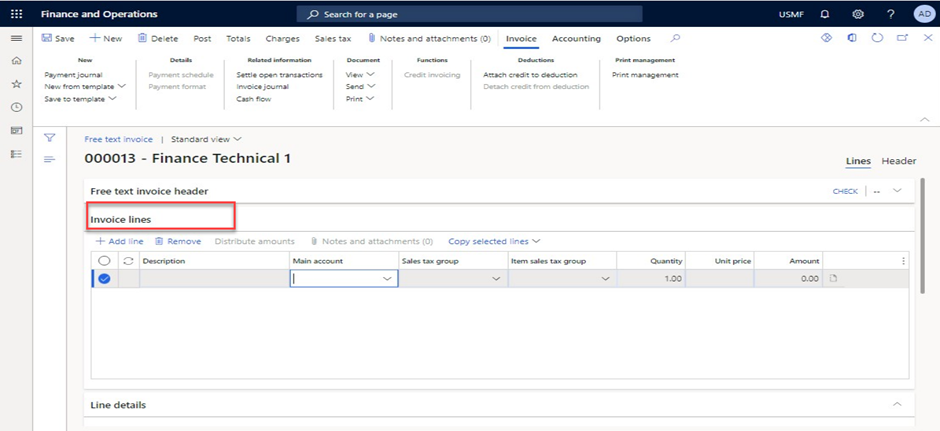
- In the Main account field, specify the desired values.
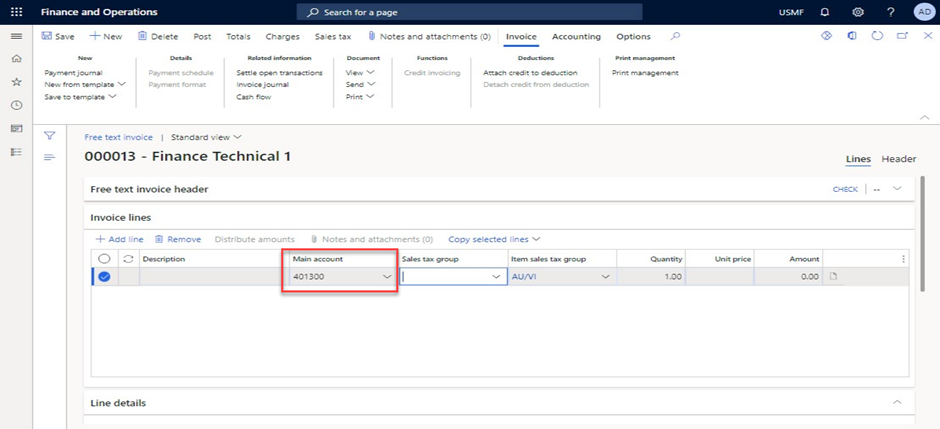
- In the Sales tax group field, enter or select a value or leave blank.
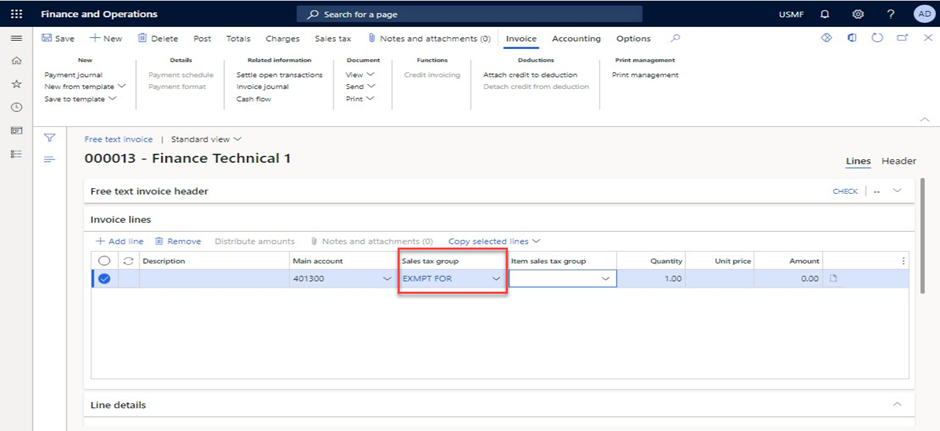
- In the Item sales tax group field, type a value, if required
- In the Amount field, enter a number.
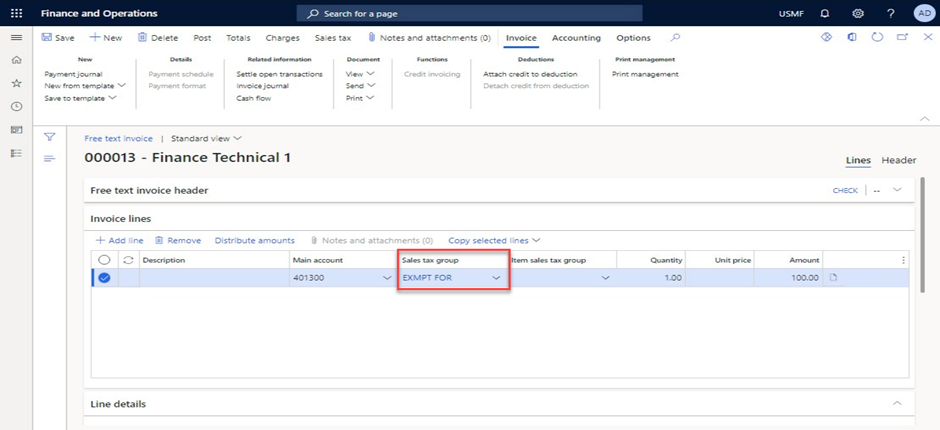
- Click Add line option to create another line.
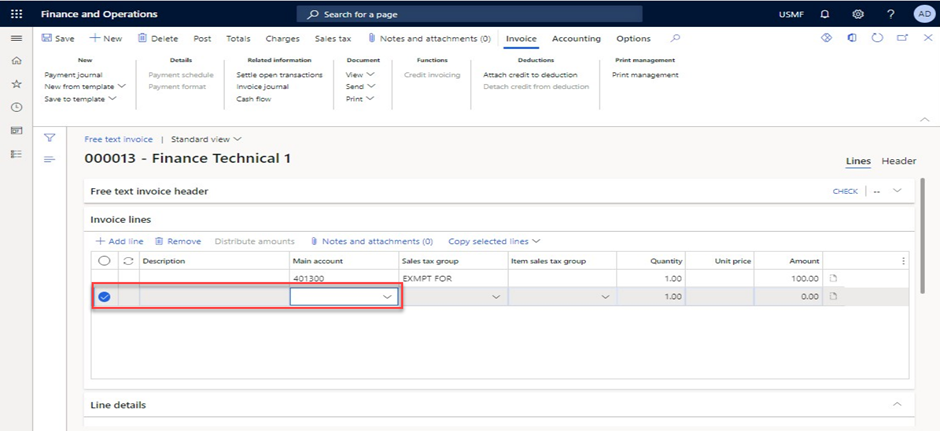
- In the Main account field, specify the desired values.
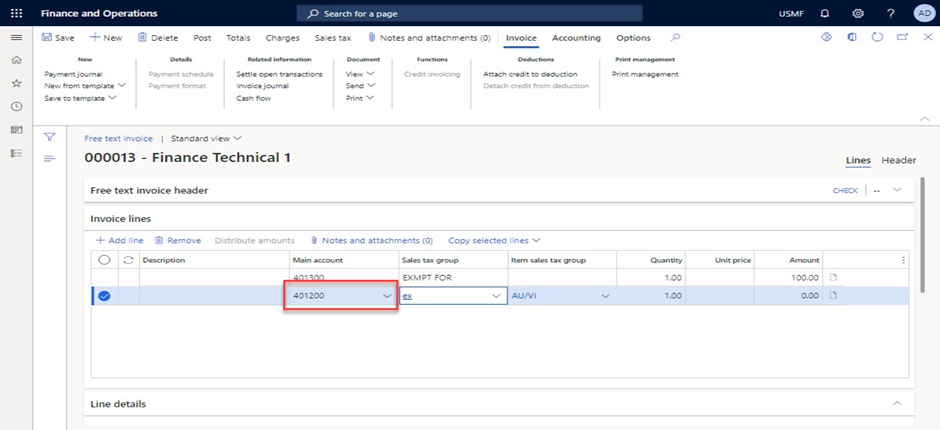
- In the Sales tax group field, enter or select a value.
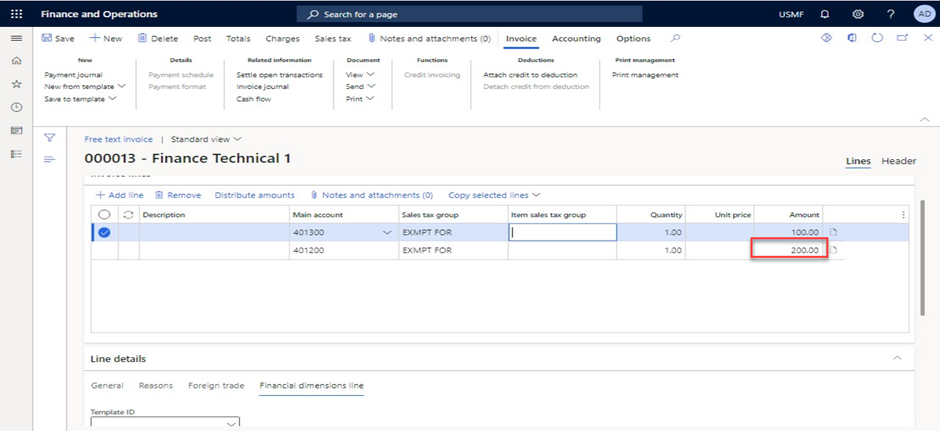
- In the Amount field, enter a number.
- In the BusinessUnit value field, enter or select a value for the first invoice line.
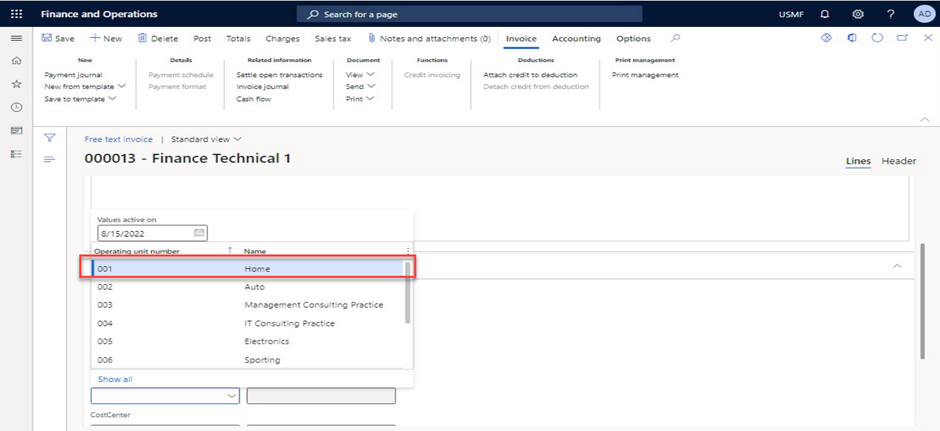
- In the CostCenter value field, enter or select a value.
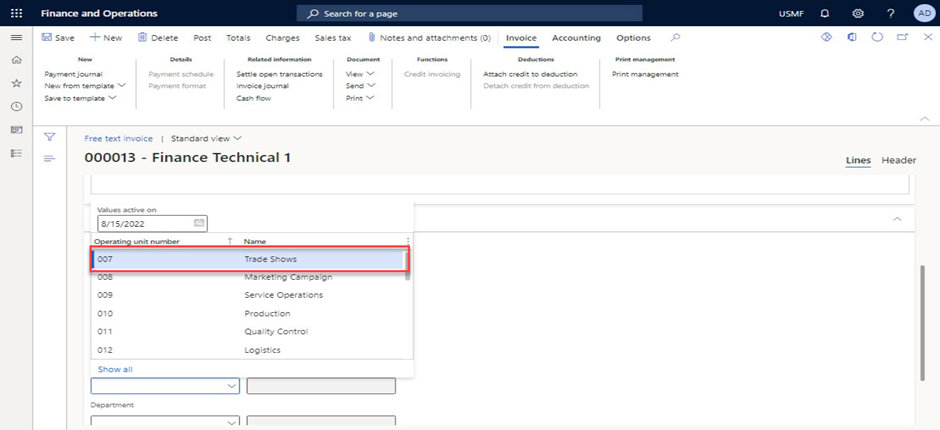
- In the list, select second invoice line.
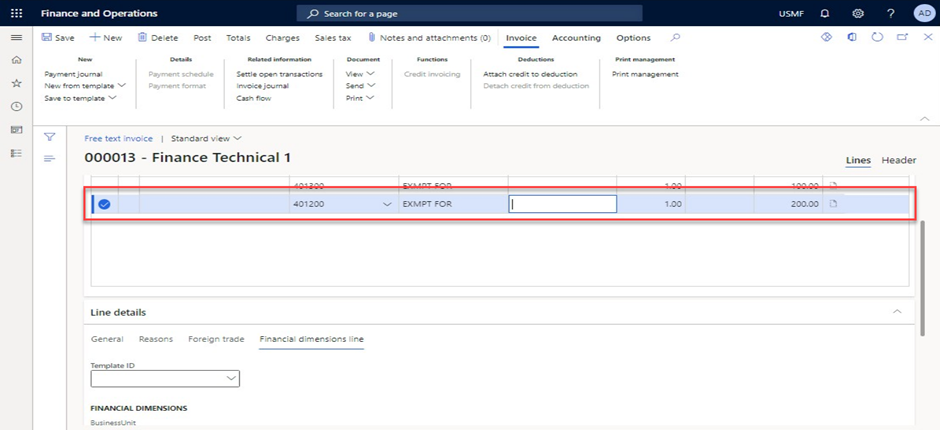
- In the BusinessUnit value field for second invoice line, enter or select a value
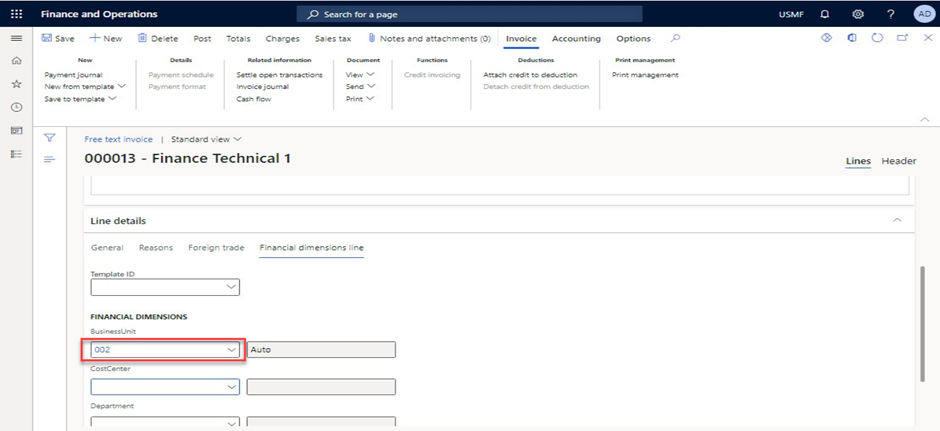
- In the CostCenter value field for second invoice line, enter or select a value.
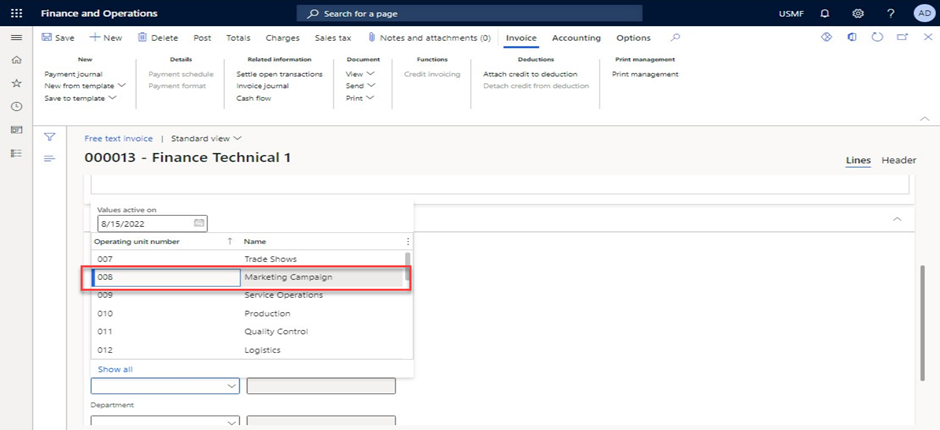
- Click on Save to template option and enter the template name and description to save the template
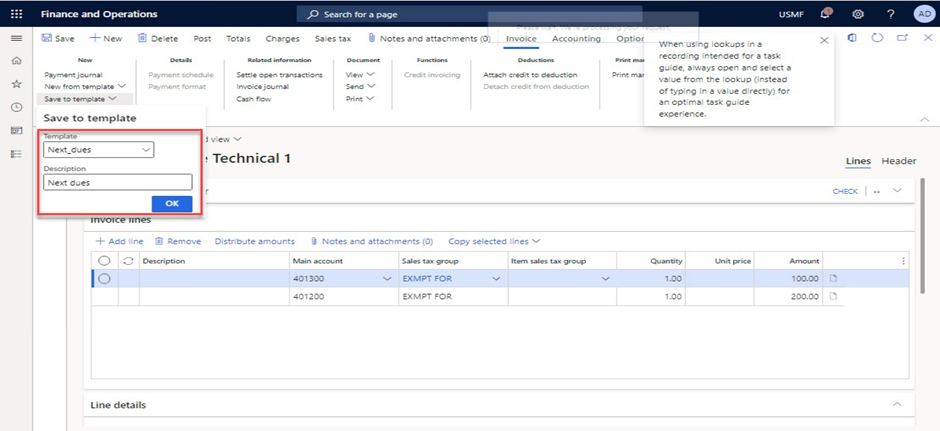
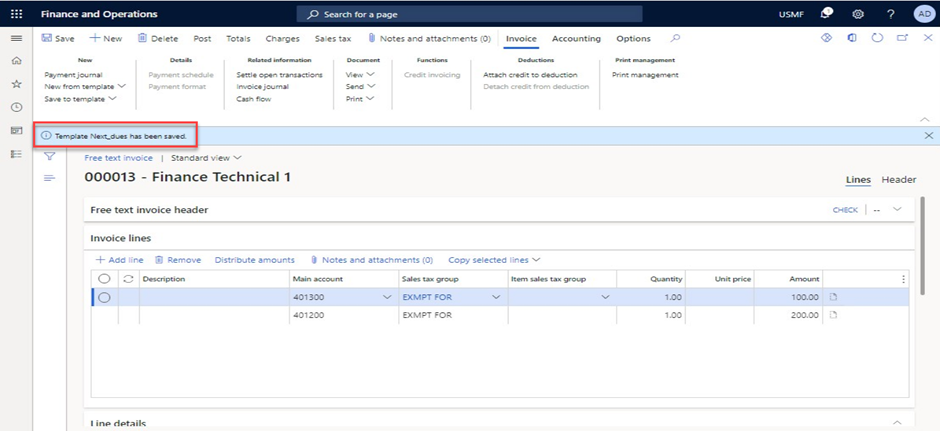
- Go to Accounts receivable > Invoices > Recurring invoices > Free text invoice templates.
- In the list, find and select the newly created template record.
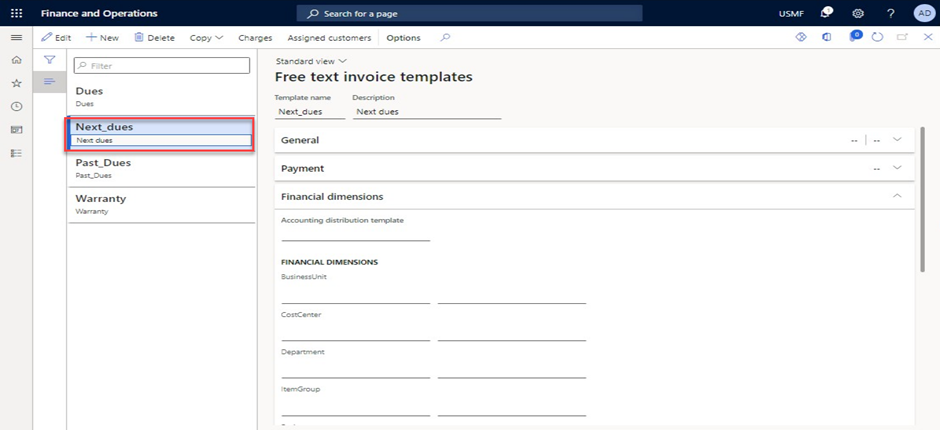
- Validate invoice lines & Dimensions (dimension values are empty).
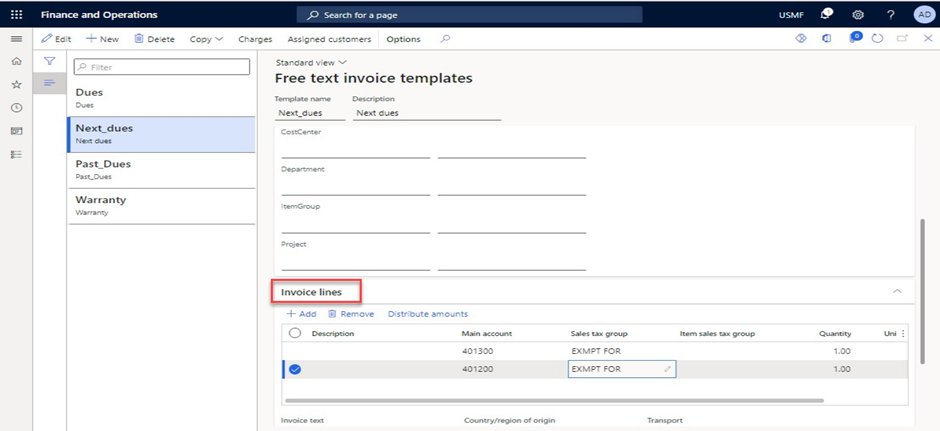
- Go to Accounts receivable > Invoices > All free text invoices.
- Click New from template to open the drop dialog.
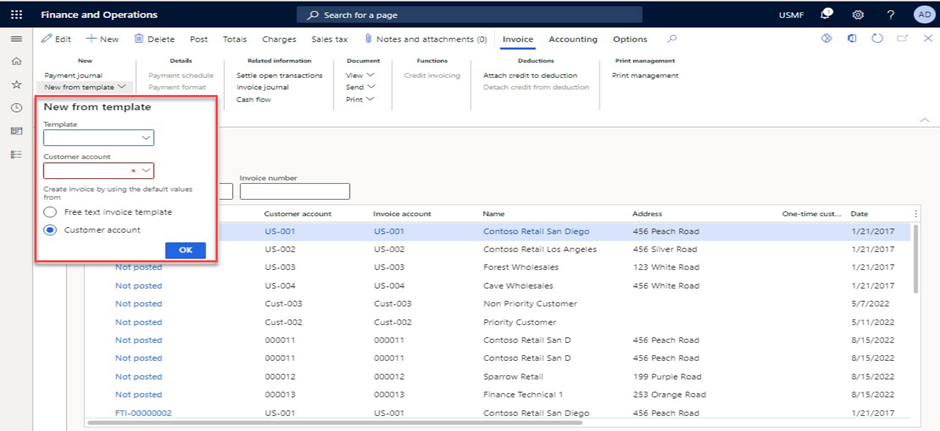
- In the Template & Customer account field, enter or select a value.
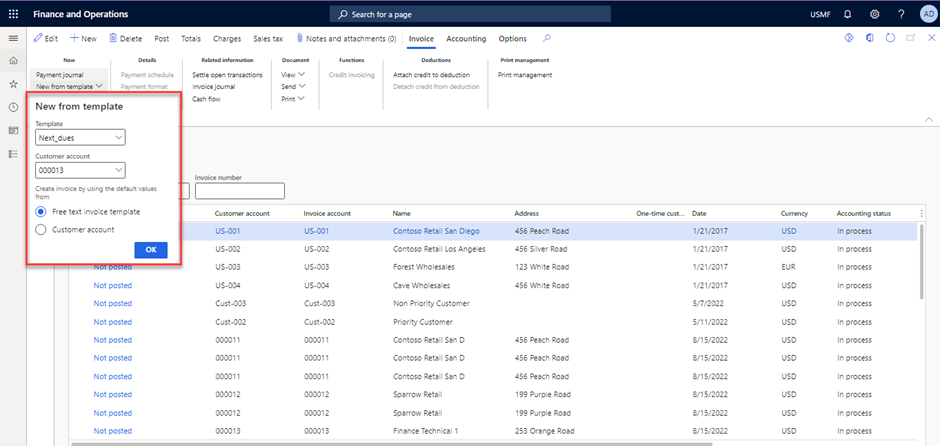
- Click OK.
- Validate the dimension values which got created through template.
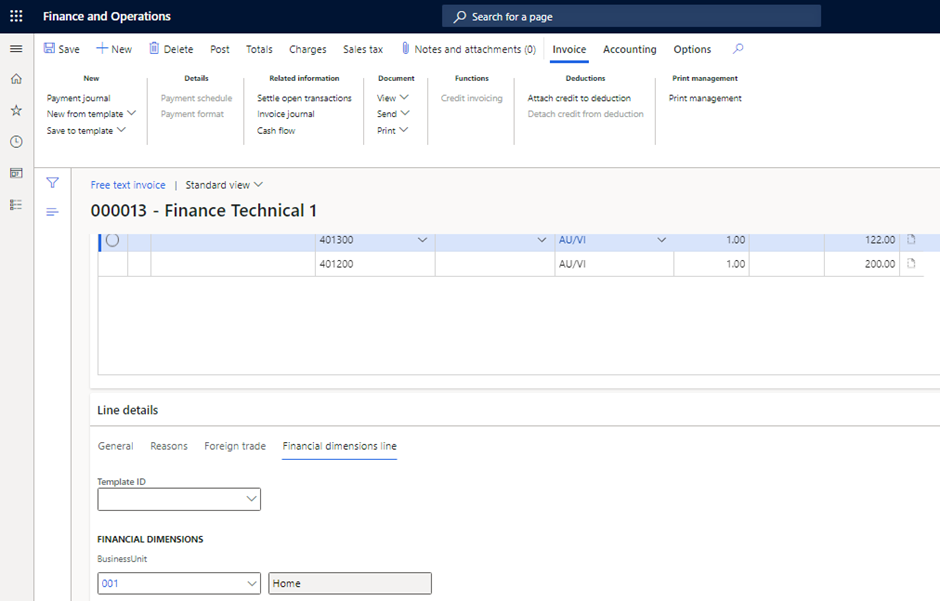
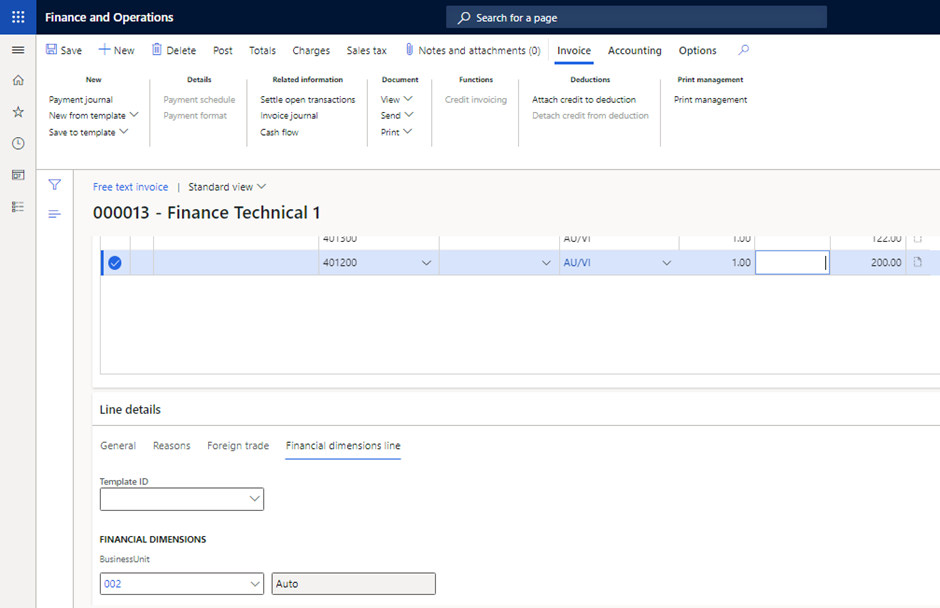
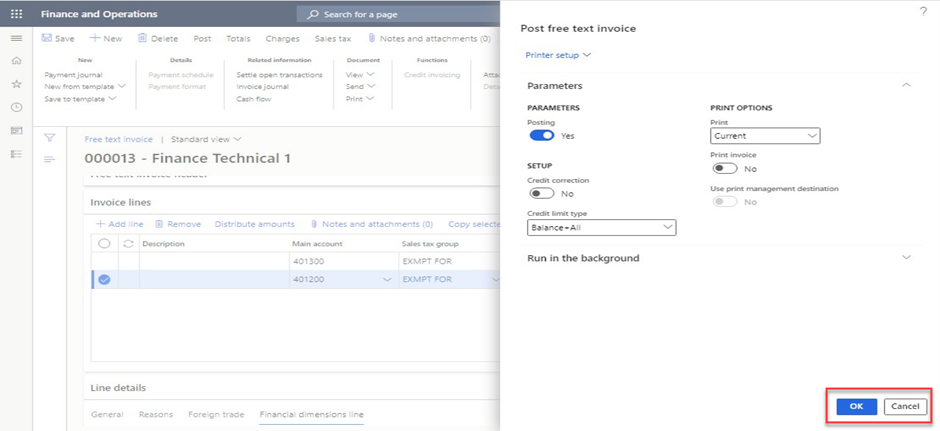
- Click Post.
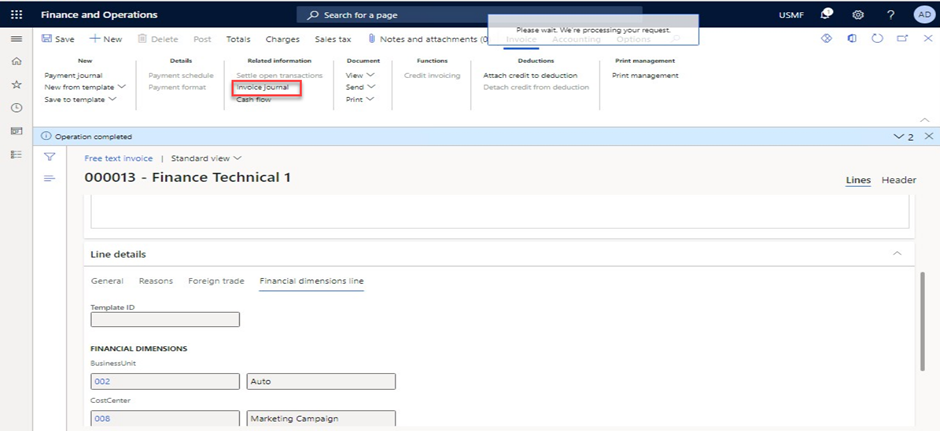
- Click Invoice journal.
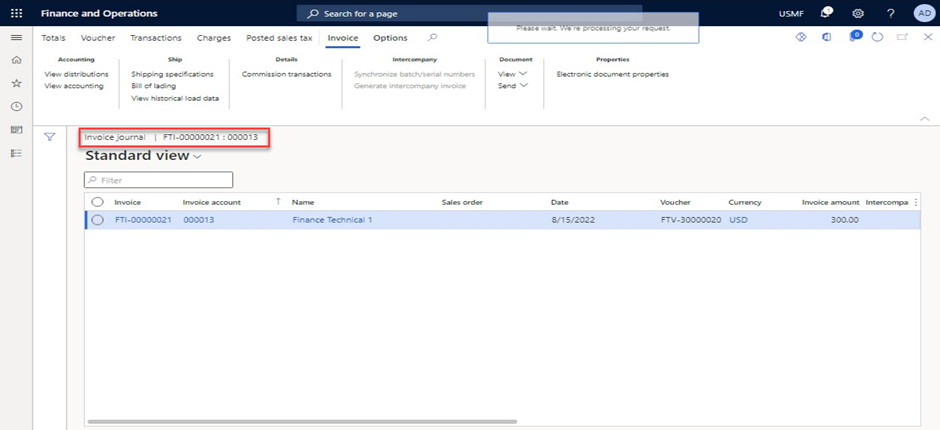
- Click View accounting.
- Click Voucher.
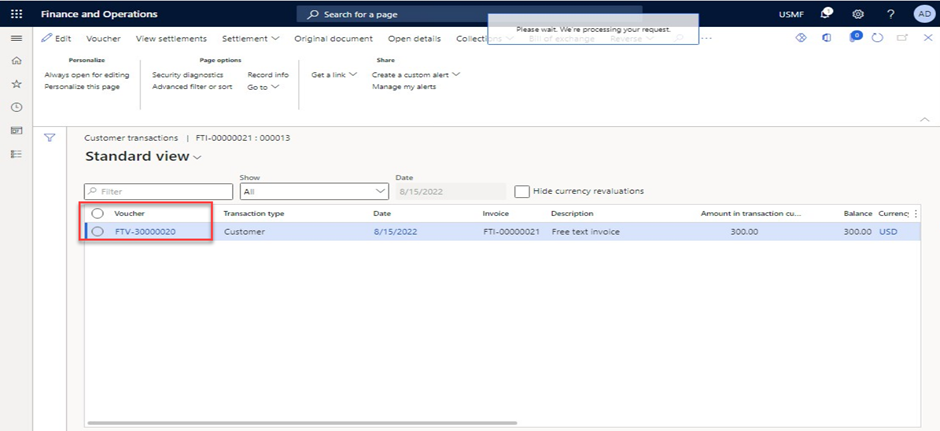
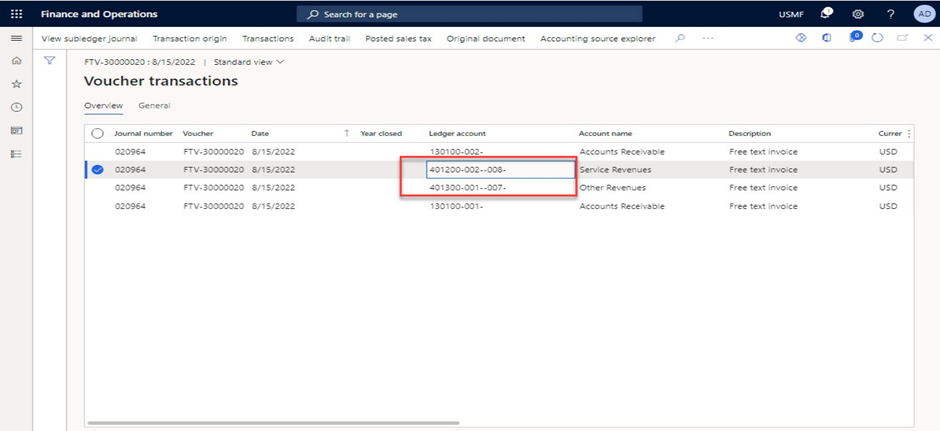
- Validate posted voucher transactions with correct dimension values.
Conclusion
The above workaround/suggestion could also be utilized when you create a Free Text invoice using the template feature, if you wanted to take it a step further.
Thank you for Reading - Let's Connect!
Enjoy my blog? For more such awesome blog articles - follow, subscribe and let's connect on LinkedIn , Twitter ,YouTube
Stay tuned!
Published on:
Learn moreRelated posts
"Fix ‘This is Not a Unified Environment’ Error in D365 FO – Why Metadata Download Fails in Visual Studio"
🚨 “This is not a unified environment…” - A Story Every Dynamics 365 Finance & Operations Developer Should Hear Let me start with a real story...
PPAC Unlocked: Deploying Dynamics 365 ERP Environments with and without Demo Data
Let me start with a story… A few months ago, I was working with a customer who was planning to implement Dynamics 365 ERP. Their approach was ...
My Experience with AB-100: Earning the Microsoft Certified AI Business Solutions Architect Badge
The AI space is evolving rapidly, but very few certifications truly reflect how AI is designed, governed, and delivered in real business envir...
Demystifying the Copilot Sidecar Architecture in Dynamics 365 Finance and Operations ERP: A Solution Architect’s Guide
Welcome to the future of enterprise resource planning! If you're exploring the world of Dynamics 365 Finance and Operations (F&O), you've like...
Accelerate Your Development with Dynamics 365 FO Custom Batch Framework Templates
No matter the complexity of Dynamics 365 FO implementation, developing custom batch jobs is always necessary to accommodate tailored business ...
Improve Dynamics 365 FO Non-continuous Number sequence Performance: Tips and Strategies for Success!
Navigating performance issues in Dynamics 365 FO can be quite a challenge. There are numerous factors and considerations to take into account ...
How do we analyze Dynamics 365 FO Golden Copy configurations across the environments?
In the ever-evolving Dynamics 365 FO ecosystem, maintaining Golden Copy configurations remains one of the most discussed and reimagined aspect...
My Top 10 Learning of Copilot for Dynamics 365 Finance & Supply Chain Management
Hey Learners, 👏It seems that Microsoft Copilot, the AI-powered assistant, is gaining popularity worldwide. Customers and partners are trying ...
6 Prompts for resolving Tier 1 ERP table mapping challenges with Dynamics 365 Finance & Supply chain
Wouldn't it be great if we could simplify a few complex tasks to boost Dynamics 365 FO implementation productivity?There have been a number of...
Architecting For File Security : Solution Design Approaches to Encrypting and Decrypting File Data in Dynamics 365 Finance - Part I
The security of data is one of the most pressing concerns in the digital age. Whether you're sharing sensitive information over the internet, ...