
Office cloud policy service gets a new look

Today we are pleased to announce an update to the Office cloud policy service, one of many planned for this year as we work to improve usability and add additional features to make it easier to manage policies for Microsoft 365 Apps for enterprise, as well as other Microsoft 365 products and services.
Note: If you are not familiar with the Office cloud policy service and you use Group Policy Management to manage Microsoft 365 Apps for enterprise, take a look at these articles to understand how moving from Group Policy Manager to the Office cloud policy service can help you modernize your management capabilities:
In this update we have included the following improvements:
- A new wizard to guide you through the process of creating a policy configuration with improved slicing and filtering capabilities
- Added support for including in-line hyperlinks to additional documentation in policy descriptions where available
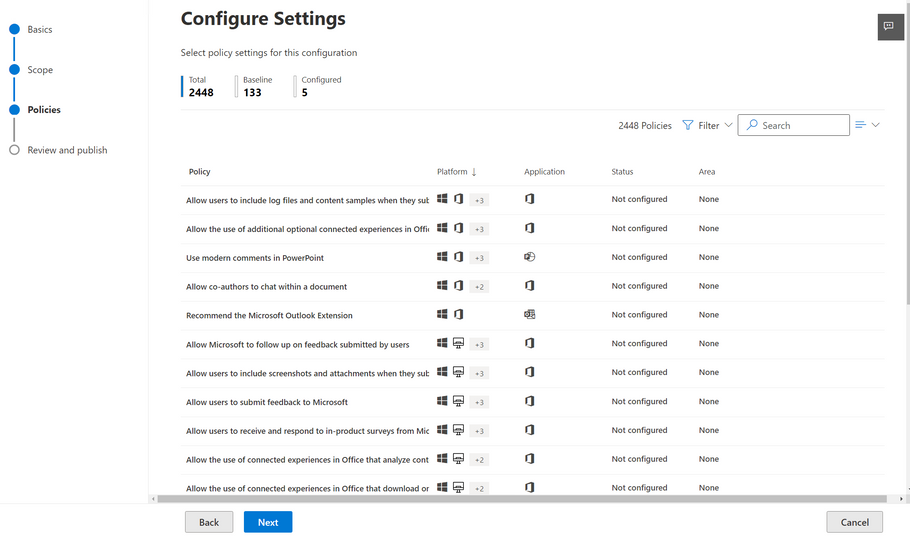
When you create or edit a policy configuration you will be greeted by an updated experience which provides a step-by-step approach to policy configuration. The updated policy list provides new slicers and filters to help you find the policies you are looking for, including a dedicated slicer for security baseline policies and filtering based on supported platform.
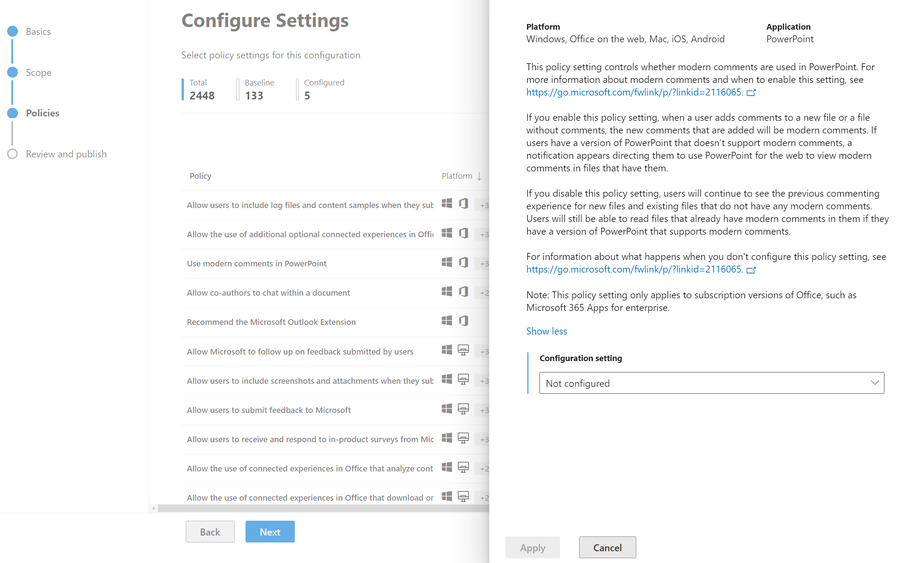
When you find the policy that interests you, the policy configuration flyout has a new layout to help you focus on the configuration options available for that policy while also providing you with links to additional documentation directly in the policy descriptions to make it easier for you to find the associated documentation for that policy.
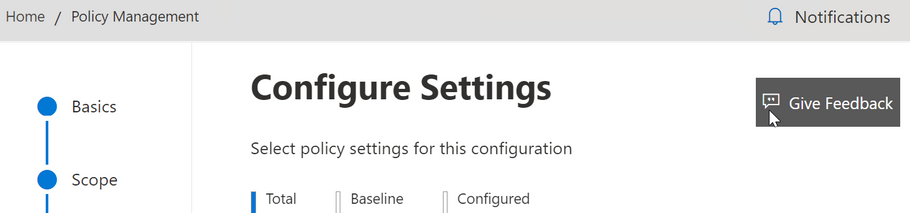
Give it a try and let us know what you think. Don’t be shy. There’s in-product feedback to let us know what you like, where things could improve, and any feature suggestions you would like to share. We review it all.
Continue the conversation by joining us in the Microsoft 365 Tech Community! Whether you have product questions or just want to stay informed with the latest updates on new releases, tools, and blogs, Microsoft 365 Tech Community is your go-to resource to stay connected!
Published on:
Learn moreRelated posts
Announcing the General Availability of the Microsoft 365 Document Collaboration Partner Program
Empowering Seamless Collaboration for Modern Workforces We are thrilled to announce the general availability of the Microsoft 365 Docume...
Favorite Microsoft 365 Copilot Prompts
(Amber Plumb interviewing Michael Morales and Allison Sweet) The power of M365 Copilot is transforming the way our support team operates...
Favorite Copilot Prompts
(Amber Plumb interviewing Michael Morales and Allison Sweet) The power of M365 Copilot is transforming the way our support team operates...
Boost digital event engagement with Voting and Archiving in Teams Q&A
Managing and delivering effective town halls is key to enabling two-way dialogue with leaders in today’s hybrid world. Microsoft Teams Q&A...
Prepare now for key end of support moments in 2025
One year from today, on October 14, 2025, support will end for all Office 2016 and 2019 suites, standalone apps, and servers. This includes:&n...
Everything you should know about Visio 2016 and Visio 2019 end of support
On October 14, 2025, Visio 2016 and Visio 2019 will reach end of support. After this date, Visio 2016 and Visio 2019 will no longer receive se...
Limit frontline worker access to Teams when off shift
We’re excited to announce that the frontline working time feature is now generally available! This feature allows admins to block or warn acce...
We are removing Feed on Microsoft 365 (Office)
As part of our ongoing efforts to streamline and enhance user experiences, we will be retiring the Feed feature (shown in figure 1 below) on t...
NOW ON DEMAND | Microsoft Loop Learning Series [Six webinars]
UPDATE | All parts of the Loop Learning Series have aired and are now available to watch on demand, playable below in this blog post. Ar...
Leveraging Partner Apps to Deliver on the Promise of AI-Led Productivity
The advent of generative AI is driving a rethink of what outcomes we deserve from our productivity software – from gains in efficiency to more...