
Create DNS alias for dedicated SQL pool in Synapse workspace for disaster recovery

This blog will walk through the details on how to enable custom DNS (Domain Name System) entries on an Azure Synapse dedicated pool inside an Azure Synapse workspace in case of disaster recovery.
The DNS alias provides a translation layer that can redirect your client programs to different servers. This layer spares you the difficulties of having to find and edit all the clients and their connection strings (in disaster recovery implementation). This is not supported out-of-box, so we need to take extra steps to enable this feature. There are some limitations, so please read these steps carefully.
Background
Custom DNS (Domain Name System) is supported on Synapse SQL dedicated pool (previously known as Azure SQL Data Warehouse) but is not natively supported when a dedicated pool is created in a Synapse workspace.
For the purpose of this blog, we need to be aware of the differences between a ‘connected’ workspace (sometimes known as workspace lite or workspace experience) and a Synapse workspace.
A ‘connected’ workspace is when an existing SQL dedicated pool (previously known as SQL DW) is migrated/upgraded to the Synapse workspace experience. To learn more, check out Enabling Synapse workspace features on an existing dedicated SQL pool (formerly SQL DW)
Differences between Synapse workspace and connected workspace:
|
Item |
Connected Workspace |
Synapse Workspace |
|
Firewall |
SQL server and Workspace |
Workspace |
|
DNS Alias support |
yes |
No |
|
Rename Database |
yes |
No |
|
TLS 1.2 |
Optional |
Required |
|
Connection policy |
Proxy or Redirect |
Default |
Note: This proposed workaround is only tested on Synapse dedicated SQL Pools, it has not been tested on the Synapse workspaces or serverless SQL pools. This workaround has been tested and works with private endpoints.
Create a dedicated SQL pool with DNS Alias
1. Create a Dedicated SQL pool (formerly SQL DW)
2. Restore the SQL pool inside the Synapse workspace into SQLDW with connected workspace.
Note: This step needs to be followed only in case of an existing SQL pool within workspace. For Greenfield use case ignore this step.
3. Update/Migrate the SQLDW to a connected workspace.
4. Create DNS Alias
Full workaround steps – including a DNS switch
- Create a dedicated pool outside of workspace (Former SQL DW).
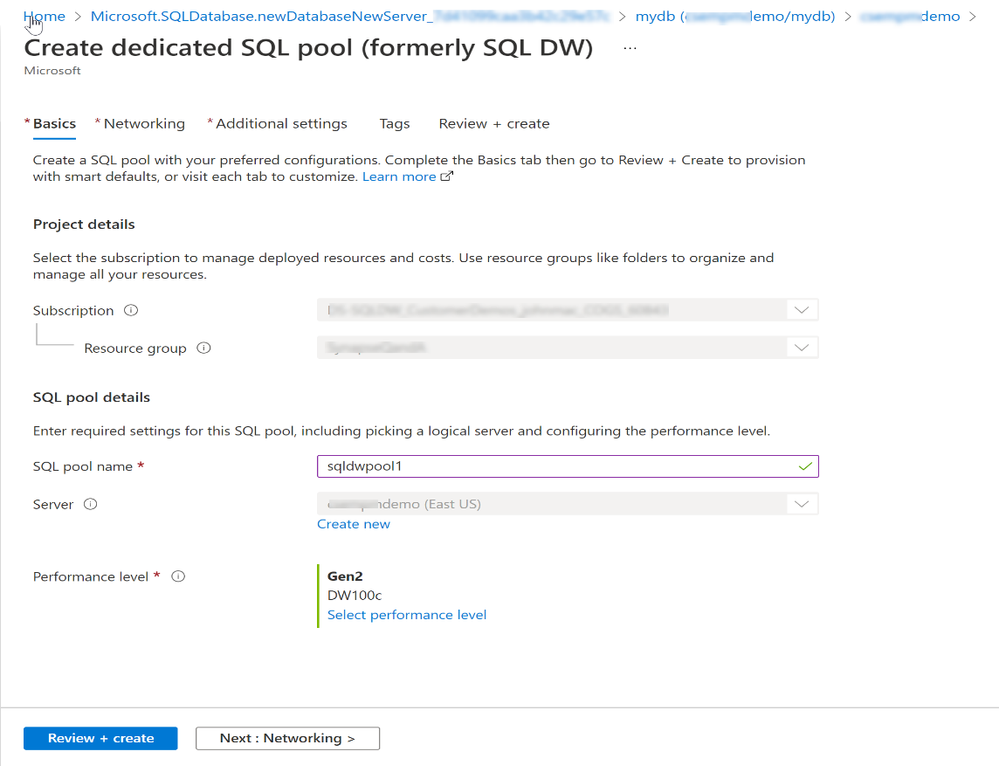
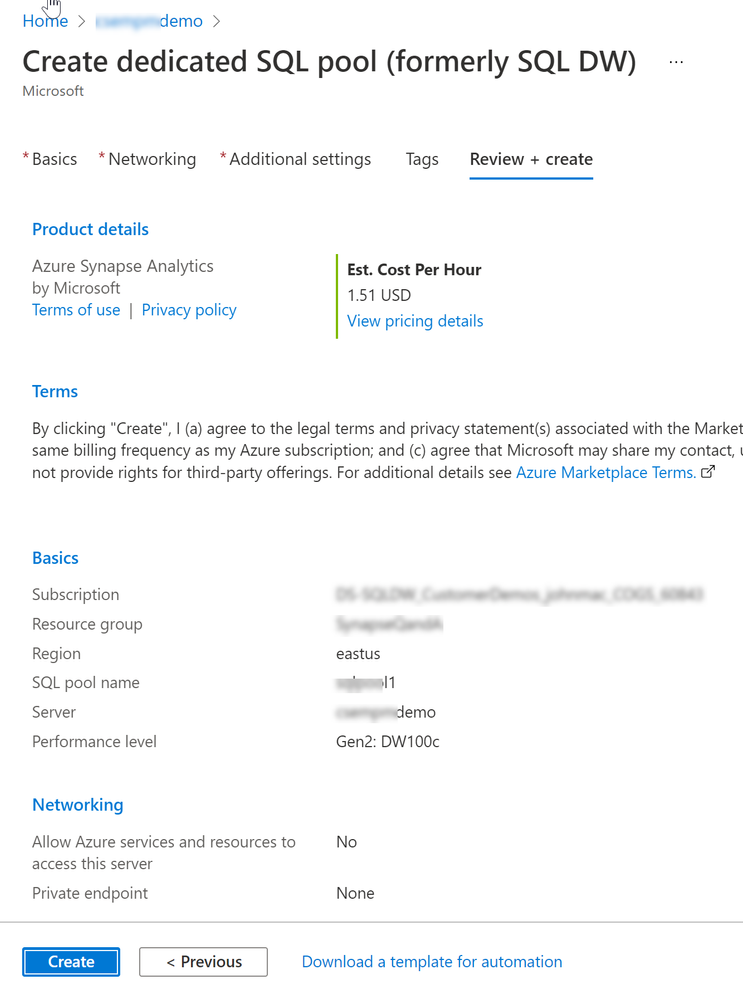
Note: Enable AAD authentication on SQL DW.
- Restore the SQL pool inside the Synapse workspace into SQLDW with connected workspace.
Note: This step needs to be followed only in case of already existing SQL pool within a workspace. For Greenfield use case ignore this step.
- Take Geo back up for the dedicated SQL pool.
- Migrate SQL DW to synapse workspace.

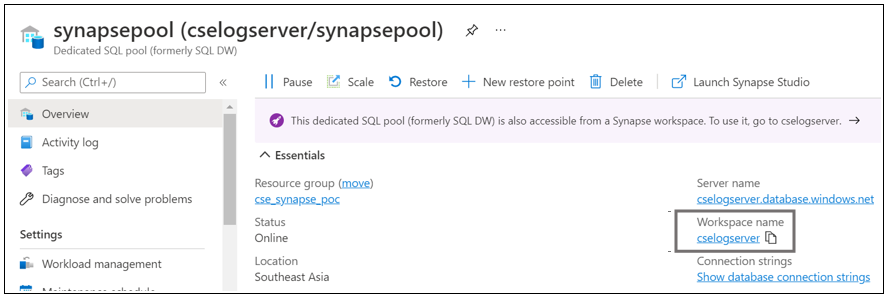
Note: As you can see, SQL DW is now assigned a workspace - cselogserver
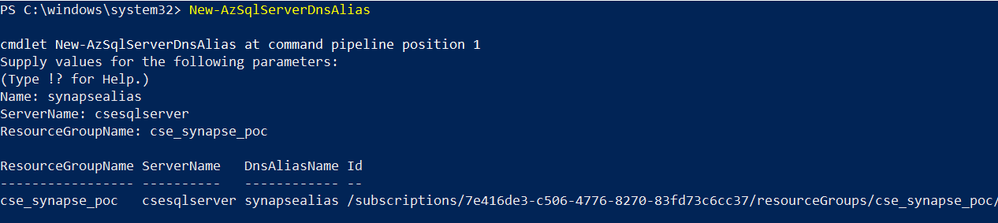
5. Assign a DNS alias via PowerShell command:
a.) Check for existing alias

b.) Create DNS Alias on the server
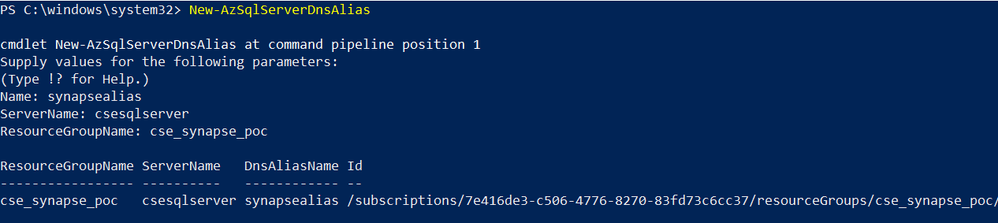
- Now, create a target SQL DW and enable workspace in a similar way. (Repeat Step 1 to 5 for Target SQL DW)
- Restore the Geo backup for the source pool in the target workspace (created in some other region for Disaster Recovery) via PowerShell script:

8. Move the DNS alias from server 1 to server 2:
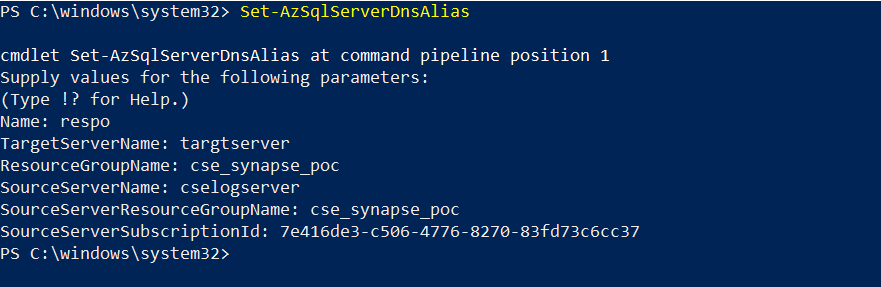
9. Get the alias on server 2:

- Now, we can login to the restored pool using DNS alias – “respo” as shown:
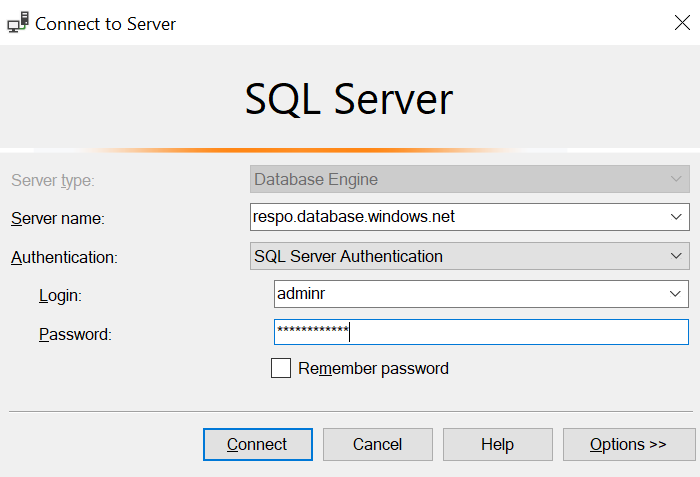

Note: This works with both SQL Server Auth and AAD.
Our team publishes blog(s) each week and you can find all these blogs here: https://aka.ms/synapsecseblog
For deeper level understanding of Synapse implementation best practices, please refer our success by design site: https://Aka.ms/Synapse-Success-By-Design
Published on:
Learn moreRelated posts
We're moving!
We’re moving to the Analytics on Azure Tech Community! All new Azure Synapse Analytics content will be published there. In the next few days a...
Upgrade to Azure Synapse runtimes for Apache Spark 3.4 & previous runtimes deprecation
It is important to stay ahead of the curve and keep services up to date. That's why we encourage all Azure Synapse customers with Apache ...
ADF\Synapse Analytics - Replace Columns names using Rule based mapping in Mapping data flows
In real time, the column names from source might not be uniform, some columns will have a space in it, some other columns will not. For exampl...
Interpreting Script activity output json with Azure Data Factory\Synapse analytics
Script activity in Azure Data Factory\ Synapse analytics is very helpful to run queries against data sources mentioned here in this document.&...
Synapse Connectivity Series Part #4 - Advanced network troubleshooting and network trace analysis
Continuing the series of this blog posts I would like to go more advanced on troubleshooting connectivity issues. I would like to thank also&n...
Boost your CICD automation for Synapse SQL Serverless by taking advantage of SSDT and SqlPackage CLI
Introduction Azure Synapse Analytics Serverless SQL is a query service mostly used over the data in your data lake, for data discovery,...
Metadata-Based Ingestion in Synapse with Delta Lake
Overview The crucial first step in any ETL (extract, transform, load) process or data engineering program is ingestion, w...
Missing Fields Added to Dedicated SQL pool Diagnostic Settings Logs
Over the past year, customers have informed the team there were a set of key columns missing in the standalone Dedicated SQL pools (formerly S...
Using Azure DevOps with Synapse Workspaces to create hot fixes in production environments
Have you ever deployed a release to production only to find out a bug has escaped your testing process and now users are being severely impact...
Azure Synapse MVP Corner - March 2023
About this blog series Microsoft Most Valuable Professionals, or MVPs, are technology experts who passionately share their knowledge with the ...