
Multi-tenant organization capabilities now available in Microsoft 365
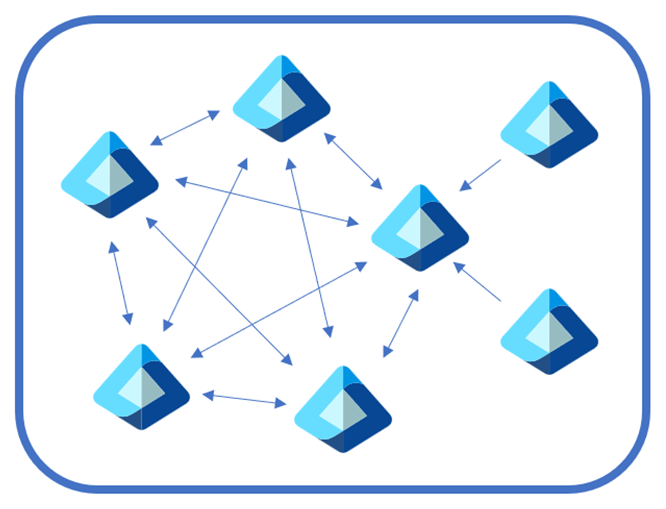
Today we're thrilled to announce a robust set of multi-tenant organization (MTO) capabilities within Microsoft 365, now generally available to enhance your organization's collaboration, communication, and administration across multiple tenants. These capabilities span Microsoft 365 People Search, Microsoft Teams, Viva Engage and Microsoft Defender XDR, which can be enabled via the Microsoft 365 admin center or Microsoft Entra admin center.
A tenant is a digital representation of your organization, which provides a reliable architectural foundation that allows for security, reliability, productivity, collaboration, and compliance at scale, that protects data by default. While many organizations start their journey with a single tenant, factors including organic growth, regulatory compliance, mergers, acquisitions, and divestitures can all contribute to how many tenants an organization will own and manage, and how users are segmented in those tenants. This segmentation can cause frustration when users need to communicate and collaborate across tenant boundaries, whilst IT admins need to perform the same set of administrative tasks per tenant to maintain their organization.
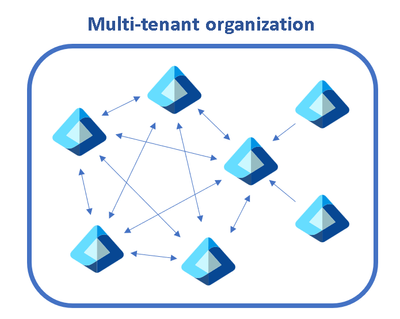
The capabilities we discuss below help multi-tenant organizations address these complexities, while staying compliant and secure:
- Find people across organizations easily: Search for and communicate with colleagues in a unified manner with improved people search. Every search now returns a single, accurate result, simplifying how you connect with the right colleague.
- Streamlined workforce collaboration: Engage in calls, chats, and meetings across tenants without the barriers of meeting lobbies. Enjoy immediate access to meeting content and collaborative tools in real time.
- Unlock new ways for employees and leaders to connect: We've broadened the capabilities in Viva Engage, facilitating cross-tenant announcements and enabling community interaction and campaign participation that extend beyond tenant boundaries.
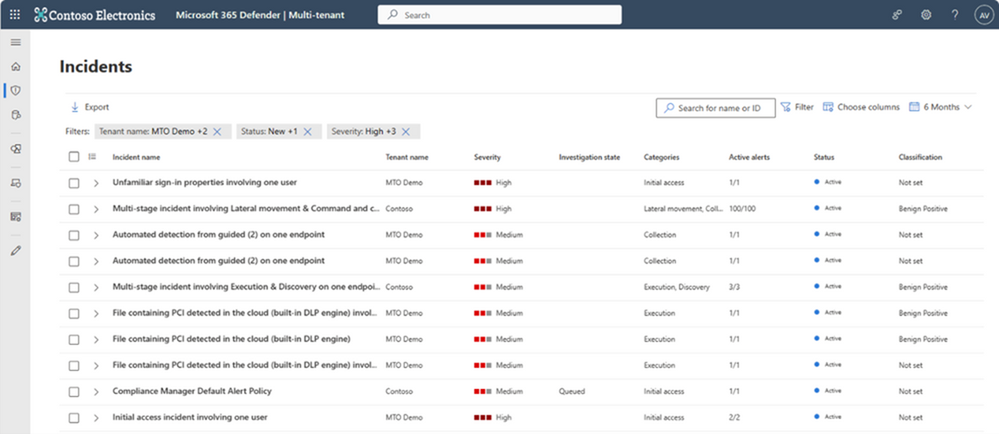
- Manage incidents across tenants: Microsoft Defender XDR provides a single, unified view of all tenants your organization manages, allowing for swift incident investigation and advanced threat hunting without the need to switch between tenant views.
- Simplify multi-tenant management: The newly defined multi-tenant organization boundary in Microsoft Entra ID P1 simplifies the enablement, configuration and management of the capabilities above. Whether through Microsoft Graph APIs or the Microsoft 365 Admin Center, setting up is intuitive and straightforward.
Let’s look at these capabilities in a bit more detail.
Find people across organizations easily with People Search
The multi-tenant organization (MTO) People Search is a collaboration feature that enables search and discovery of people across multiple tenants. A tenant admin can enable cross-tenant synchronization that allows users to be synced to another tenant and be discoverable in its global address list. Once enabled, users can search and discover synced user profiles from the other tenant and view their corresponding people cards.
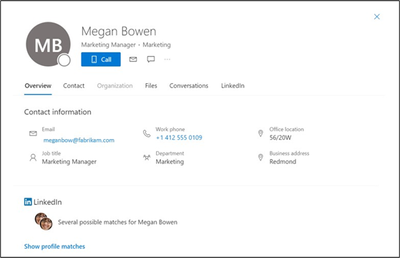
To learn more, visit Microsoft 365 multi-tenant Organization People Search.
Streamline workforce collaboration with Microsoft Teams
Once administrators form a multi-tenant organization in the Entra ID platform (generally available today), organizations with the new Teams desktop client will automatically receive the Teams MTO features with no additional configuration.
Users can now join a meeting, chat, call, or collaborate in a channel hosted in another tenant, and simultaneously compose chat messages in their own tenant. Users can receive cross-tenant notifications for all accounts and tenants added to the Teams client, no matter which one is currently in focus.
People search is also improved. Searches for coworkers in a multi-tenant organization could often return multiple results for the same person. With the new MTO capabilities in the new Teams client, searching for a coworker in an MTO will return a single result, helping you to identify the correct colleague and keep your conversations in one place.
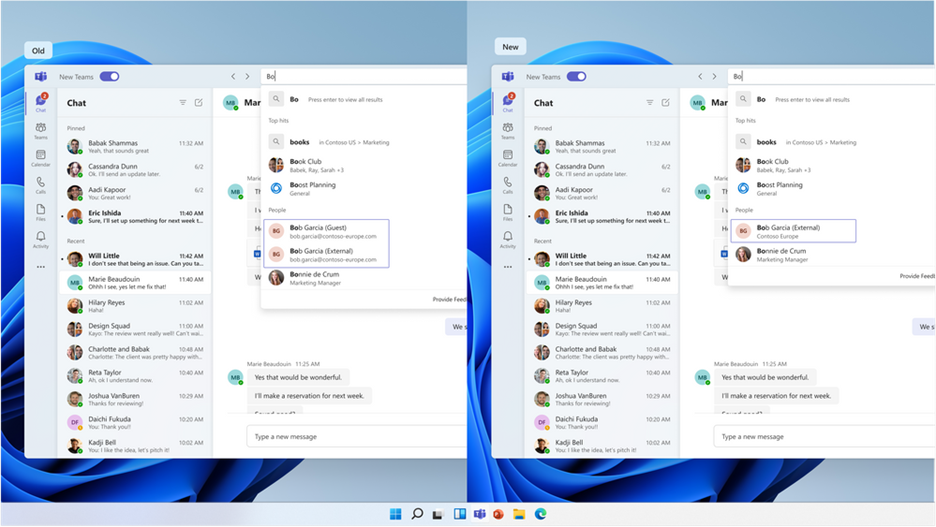
Users that join a meeting in another tenant can now bypass the meeting lobby, have access to all in-meeting content and resources and can collaborate in real time. Learn more about Teams multi-tenant capabilities here.
Unlock new ways for employees and leaders to connect using Viva Engage
Last year, Viva Engage introduced the ability to send announcements and storyline posts across tenants, and now we’re excited to expand the multitenant (MTO) capabilities within Engage to unlock new ways for employees and leaders to connect, share, and measure participation beyond their tenant boundaries. Learn more about how Viva Engage uses the hub & spoke model for MTO.
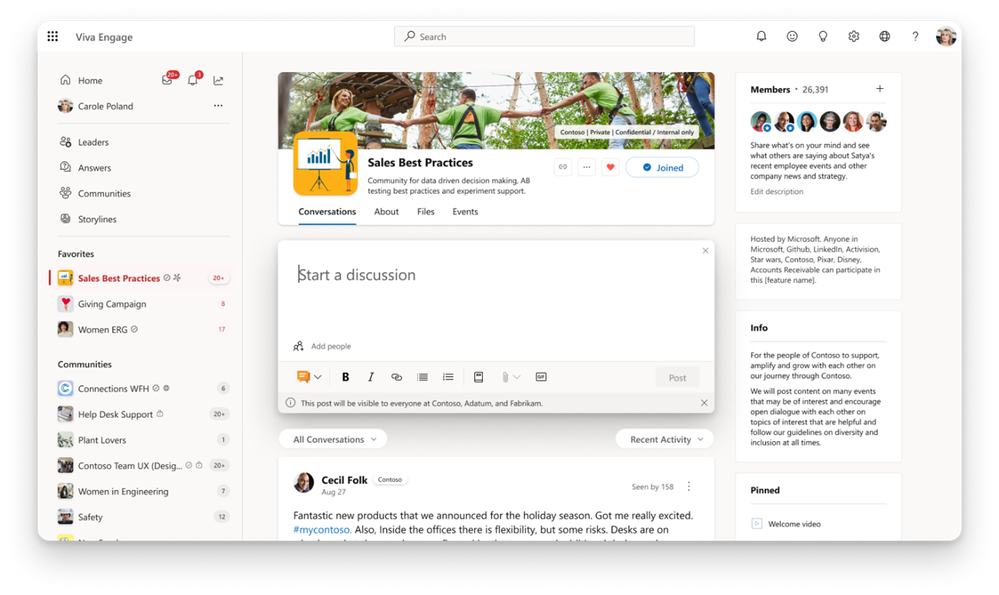
MTO Communities – Now communities can include employees from other tenants to view content, post, reply, and participate within that community. This is in preview now and will be fully available in June.
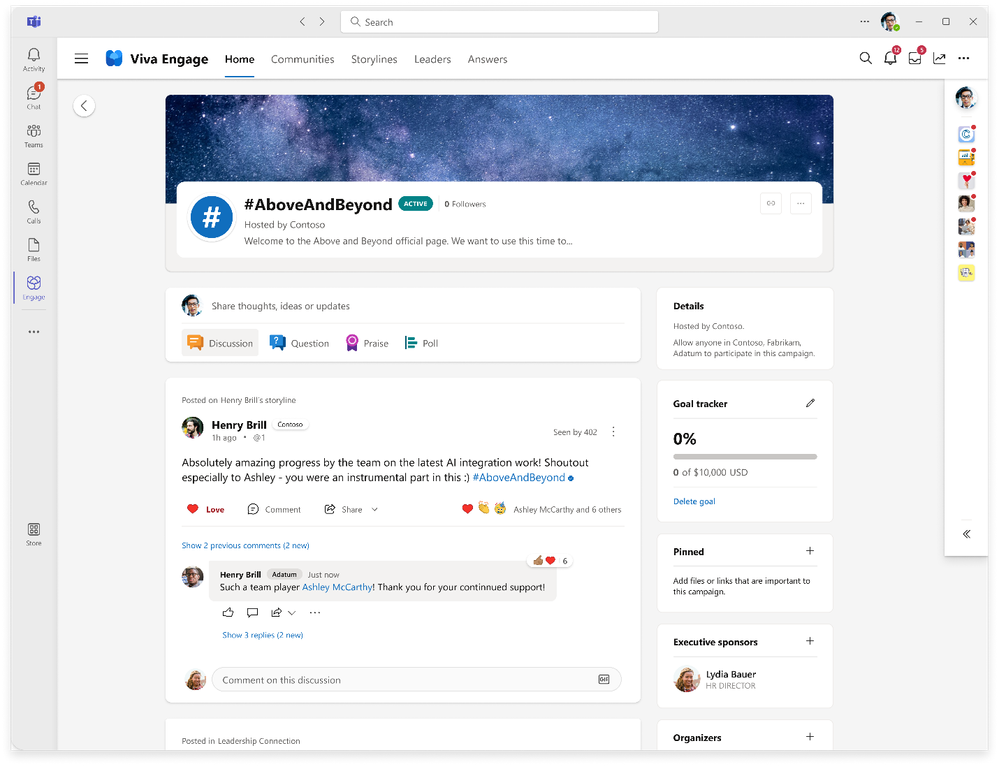
MTO Campaigns – Create official campaigns that are available for all employees to join in. This new feature allows employees to follow and take part in the conversations and help drive the campaign forward, regardless of their tenant. This is in preview now and will be available in June.
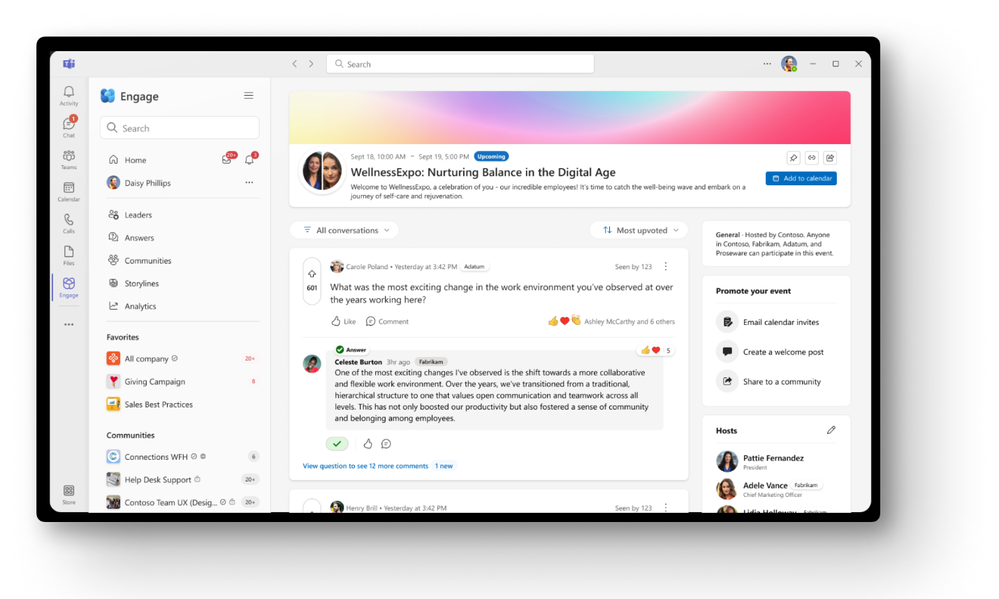
MTO AMAs & Events – Bring all employees together to participate in Ask Me Anything (AMAs) across tenant boundaries with leaders. This feature will be available in preview in June. Later this year, employees will also be to join live events via communities or Viva Engage events so leaders can host townhalls and company-wide meetings beyond their own tenant to include all stakeholders.
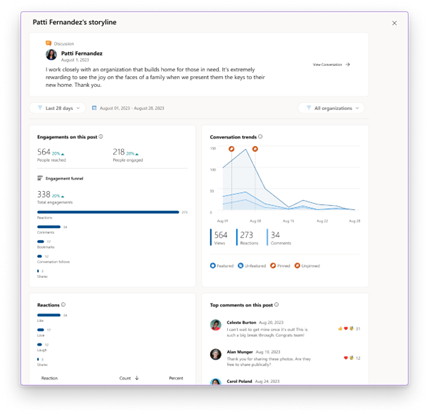
MTO Analytics – Get a horizontal view of engagement across all workloads and tenants so you can understand the reach and engagement of employees. Once available, this provides detailed metrics for communities, campaigns, events, and AMAs. MTO Analytics are already available for announcements and storyline posts.
Please note: MTO capabilities in Viva Engage require a Viva suite license or an Employee Communications & Communities (C&C) license.
Manage incidents across tenants with Microsoft Defender XDR
Security operations teams that work with multiple tenants need a reliable and comprehensive security solution that can keep up with modern threats and provide unified and connected experience to enhance their security operations. Microsoft Defender XDR now delivers unified investigation and response experience for multi-tenant organizations alongside native protection across endpoints, identities, email, collaboration tools, cloud apps, and data.
With multi-tenant management in Microsoft Defender XDR, security operations teams can quickly investigate incidents and perform advanced hunting across data from multiple tenants, removing the need for administrators to log in and out of each individual tenant. Learn more about Microsoft Defender XDR and multi-tenant capabilities here.
Enable Microsoft 365 multi-tenant capabilities with Microsoft Entra ID
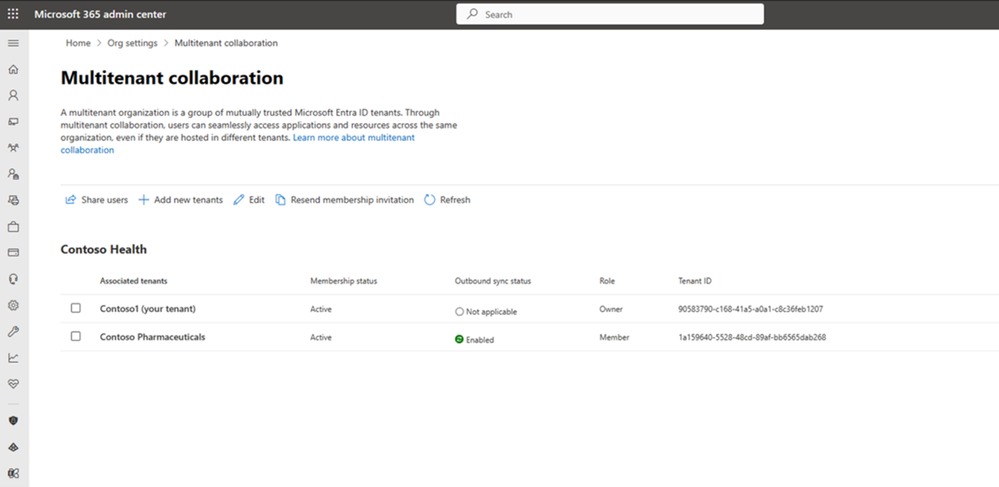
Multi-tenant organization platform capabilities are now rolling out to standard production tenants in Microsoft 365. To deliver the above capabilities, administrators can enable multi-tenant capabilities in the Microsoft 365 admin center and configure which users in the organization can take advantage of multi-tenant capabilities using either Microsoft 365 admin center or Microsoft Entra admin center.
This approach allows you to define a boundary around the Entra ID tenants that your organization owns, facilitated by an invite-and-accept flow between tenant administrators. Learn more about the process in the Microsoft 365 admin center here and using Microsoft Graph API’s here. We recommend the use of the Microsoft 365 admin center to simplify the setup experience and to view your newly created MTO:
Following the formation of the multi-tenant organization, Microsoft offers two methods to provision employees into neighboring multi-tenant organization tenants at scale.
For a simplified experience, stay in the Microsoft 365 admin center to sync users into multiple tenants in your multi-tenant organization. We recommend this method for smaller multi-tenant organizations who plan on all employees receiving access to all multi-tenant organization tenants.
For a customizable sync experience, head over to Entra ID cross-tenant synchronization. Cross-tenant synchronization is highly configurable and allows the provisioning of any multi-hub multi-spoke identity landscape. We recommend this method for enterprise organizations of complex identity landscapes. Either method works. Choose the one that works best for your specific organization!
If you already have your own at-scale user provisioning engine, you can enjoy the new multi-tenant organization benefits while continuing to use your own engine to manage the lifecycle of your employees. Learn more about the optional use of cross-tenant synchronization here.
Conclusion
Multi-tenant capabilities simplify the process for organizations to arrange their tenants as secure, autonomous entities connected by common policies and foundational services to move their collective mission forward. With the release of multi-tenant capabilities for Microsoft 365, administrators can now connect people and organizations without impacting collaboration whilst respecting security & compliance boundaries.
Get started with multi-tenant organization by using the links above, and don’t forget to review the Entra ID multi-tenant documentation and list of limitations. Provide us with feedback about your MTO experience here, and look out for more announcements in the coming months as we continue to invest in product and capability enhancements across Microsoft 365 that make these changes easier for all customers, regardless of size and complexity.
Published on:
Learn moreWe can help you with Multi-tenant organization capabilities now available in Microsoft 365
If you want help implementing, troubleshooting, or improving this product, contact us and we’ll point you in the right direction.
Related posts
Announcing the General Availability of the Microsoft 365 Document Collaboration Partner Program
Empowering Seamless Collaboration for Modern Workforces We are thrilled to announce the general availability of the Microsoft 365 Docume...
Favorite Microsoft 365 Copilot Prompts
(Amber Plumb interviewing Michael Morales and Allison Sweet) The power of M365 Copilot is transforming the way our support team operates...
Favorite Copilot Prompts
(Amber Plumb interviewing Michael Morales and Allison Sweet) The power of M365 Copilot is transforming the way our support team operates...
Boost digital event engagement with Voting and Archiving in Teams Q&A
Managing and delivering effective town halls is key to enabling two-way dialogue with leaders in today’s hybrid world. Microsoft Teams Q&A...
Prepare now for key end of support moments in 2025
One year from today, on October 14, 2025, support will end for all Office 2016 and 2019 suites, standalone apps, and servers. This includes:&n...
Everything you should know about Visio 2016 and Visio 2019 end of support
On October 14, 2025, Visio 2016 and Visio 2019 will reach end of support. After this date, Visio 2016 and Visio 2019 will no longer receive se...
Limit frontline worker access to Teams when off shift
We’re excited to announce that the frontline working time feature is now generally available! This feature allows admins to block or warn acce...
We are removing Feed on Microsoft 365 (Office)
As part of our ongoing efforts to streamline and enhance user experiences, we will be retiring the Feed feature (shown in figure 1 below) on t...
NOW ON DEMAND | Microsoft Loop Learning Series [Six webinars]
UPDATE | All parts of the Loop Learning Series have aired and are now available to watch on demand, playable below in this blog post. Ar...
Leveraging Partner Apps to Deliver on the Promise of AI-Led Productivity
The advent of generative AI is driving a rethink of what outcomes we deserve from our productivity software – from gains in efficiency to more...