Power Automate: ticks Function
How to use the Power Automate "ticks "function? First, I'll explore the basics, tips, and tricks on using it efficiently in your Flows.
Explore the possibilities of building dynamic web pages with ease through our curated collection of Microsoft Power Pages blogs. Stay informed about the latest updates, tips, and best practices to unlock the full potential of Power Pages for creating engaging and interactive web experiences.
How to use the Power Automate "ticks "function? First, I'll explore the basics, tips, and tricks on using it efficiently in your Flows.
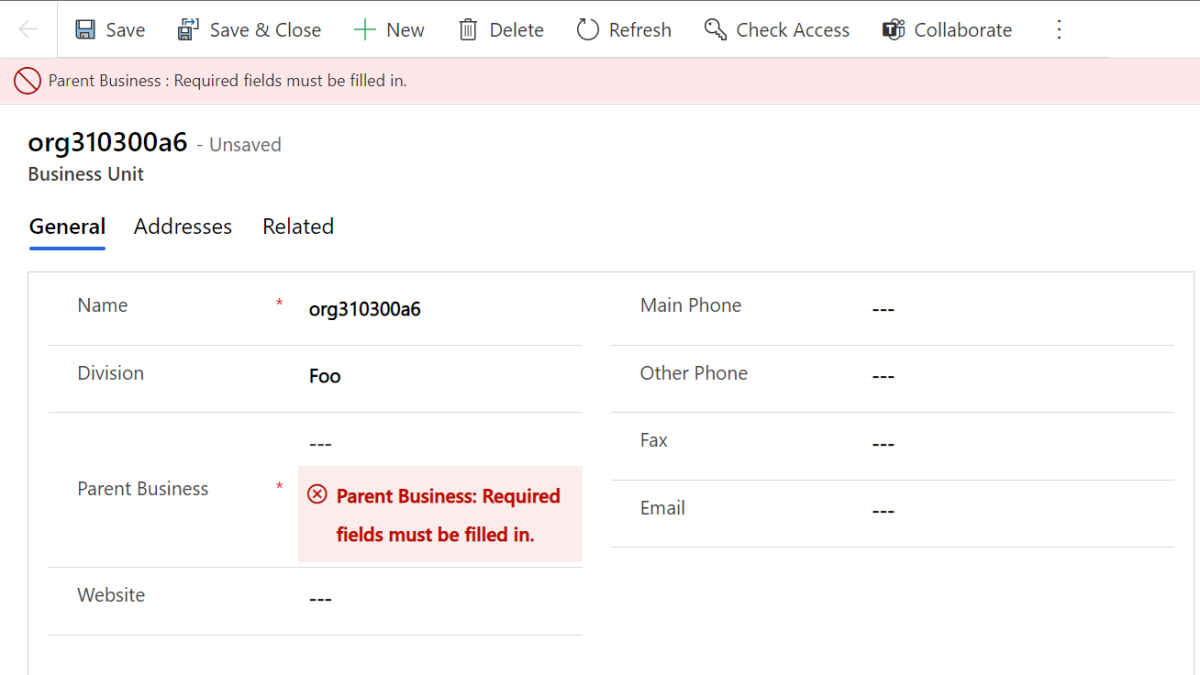
Something small, but yet useful. Thank you Tanguy for the tip🤗 As you probably figured out the Default Business unit name is something you ca...
In recent years, Microsoft has made significant strides in increasing accessibility to its Power Platform, particularly through the release of...
We are excited to announce the public preview of autoscaling and new functionality via 2021-11-01-preview API. This release follows our initia...
Dataverse will soon be removing the deprecated OData v2.0 endpoint, which is also known as the Organization Data Service. This change is curre...
In our previous blog post about how to ensure the best RDP experience for lab users, we talked about the Microsoft Remote Desktop Connection (...
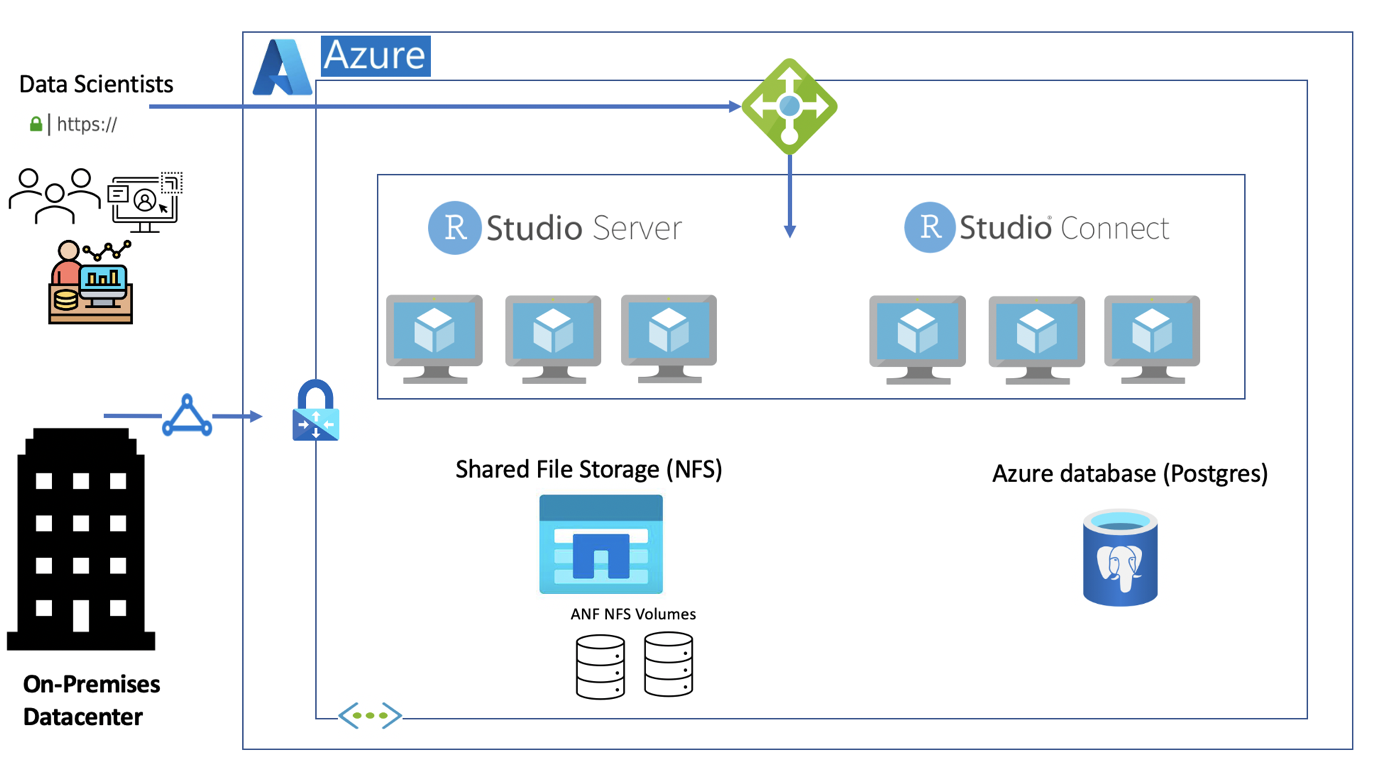
R is an open-source language used for statistical computing and graphics. It's used in the statistical analysis of genetics, natural lang...
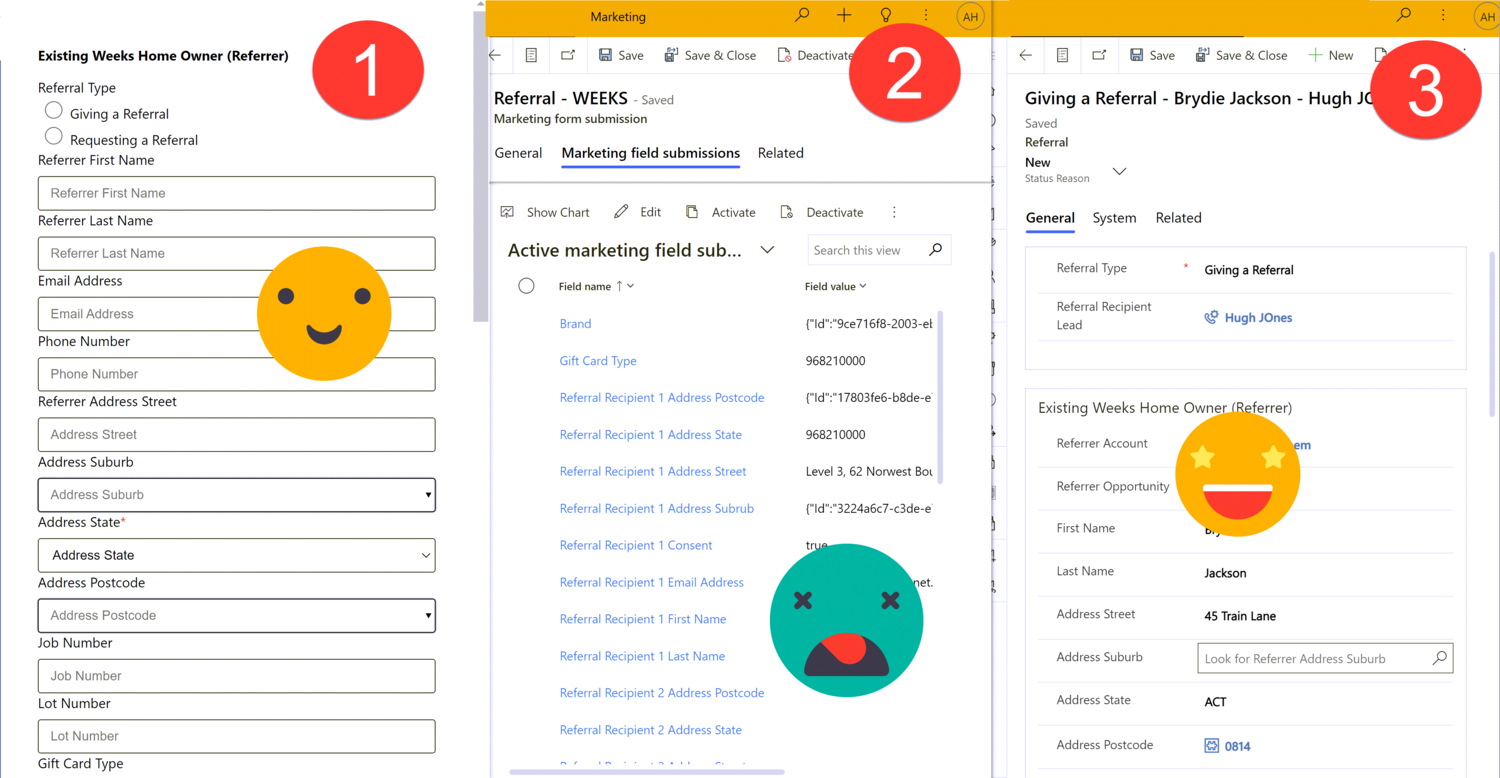
Marketing forms in Dynamics 365 are great for creating and updating contact and/or lead records, but not much else. The documented way to han...
At some point, over the last few months, a change was introduced to the Power Platform CLI such that if you have the ESLint VS Code add-in ins...
Azure
Microsoft 365 Sharepoint
Newsletter
A curated digest of community blogs, product news, videos, and podcasts — delivered without the noise.