
Power Apps : permanently delete users
Introduction
When a user is deleted from the Microsoft 365 admin center, the user isn't removed from Dataverse environments in which it is active. Instead, the user's status is set to Disabled in the Power Platform. And you do have the possibility to delete it.
As a consequence many disabled users can pile up in the Power Platform.
With the feature 'Delete Disabled Users' Microsoft has introduced the possibility to permanently delete disabled users from the Power Platform.
After deleting a disabled user some storage will free up and you will be able to use the license for other users within the environment.
Tutorial
You first have to enable the feature Delete disabled users in your Power Platform environment. By default this setting is disabled.
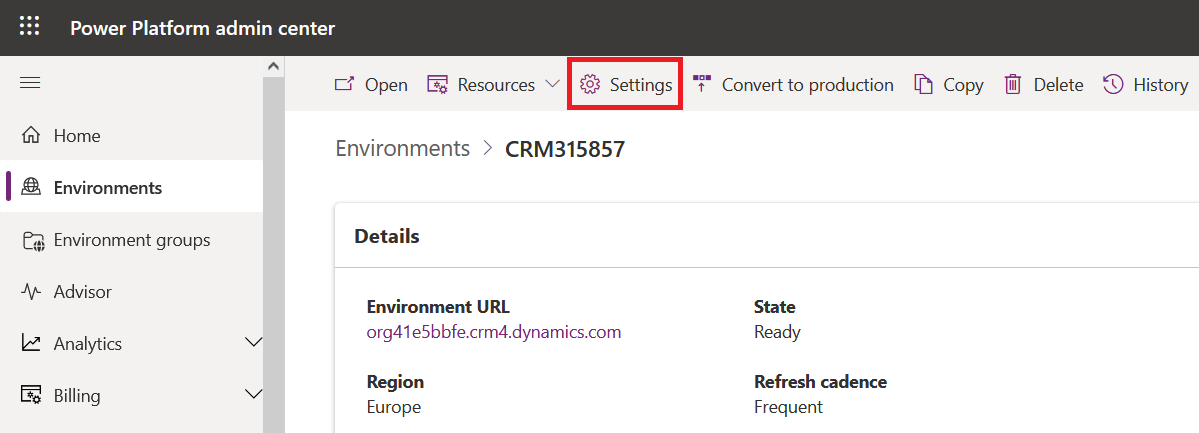
Connect to Power Platform Admin Center (https://admin.powerplatform.microsoft.com/environments) , select the environment for which you want to enable the feature and click on Settings in the command bar.
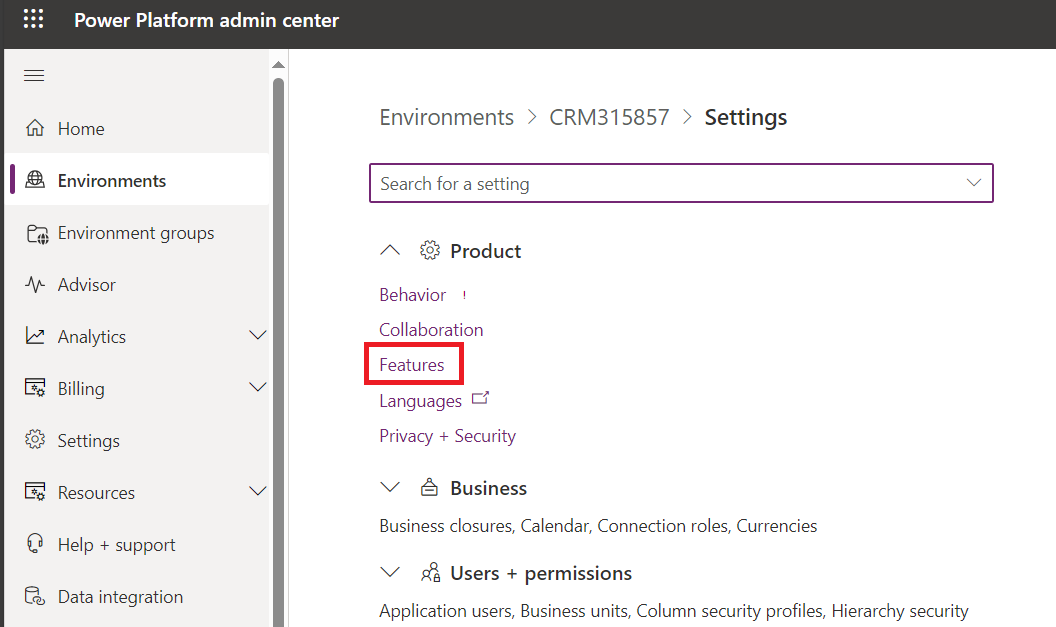
Then expand Product section and go to Features.
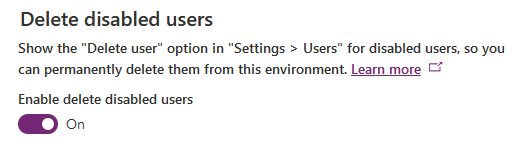
Then scroll down until you find Delete disabled users option. It is turned off by default.

Turn it on and click on Save.
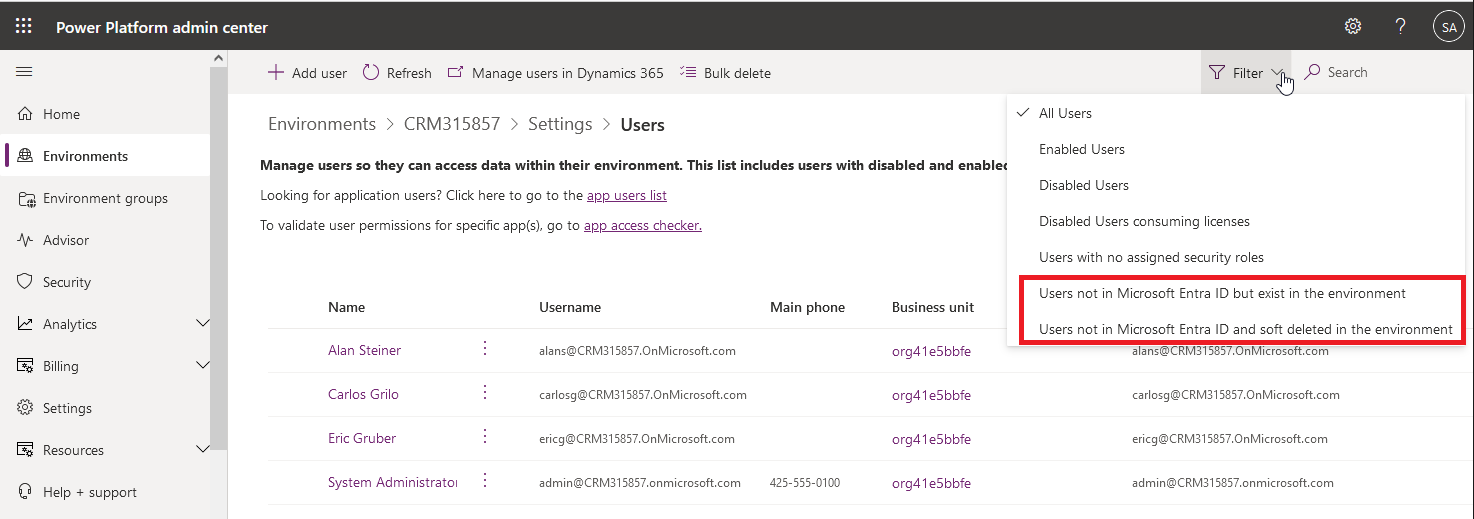
Now if you have a look to the users views in Power Platform Admin Center, you will see that two views have been added:
- Users not in Microsoft Entra ID but exist in the environment
- Users not in Microsoft Entra ID and soft deleted in the environment
Now open Microsoft Entra ID in Azure Portal and delete a user (Eric Gruber in my example).
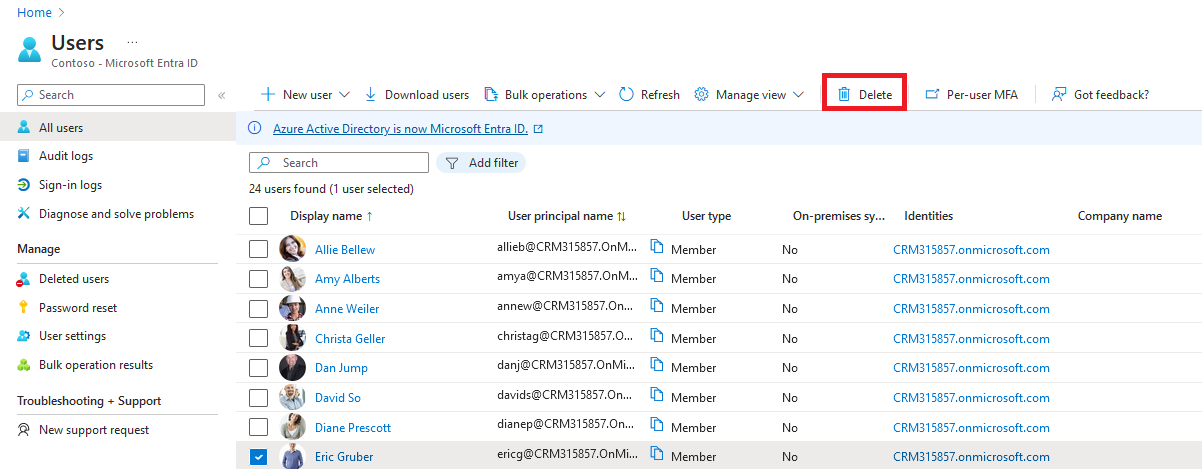
Note that the deleted user and its data can be restored up to 30 days : it is a soft delete (opposed to permanent delete).
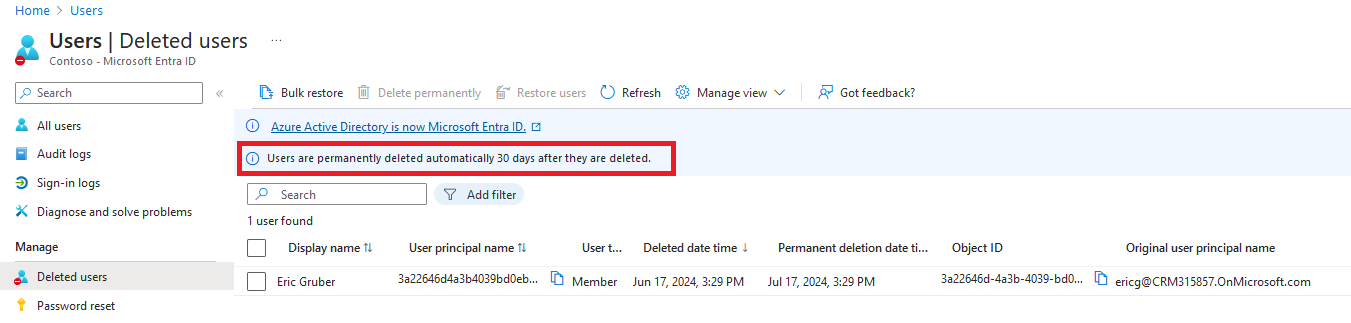
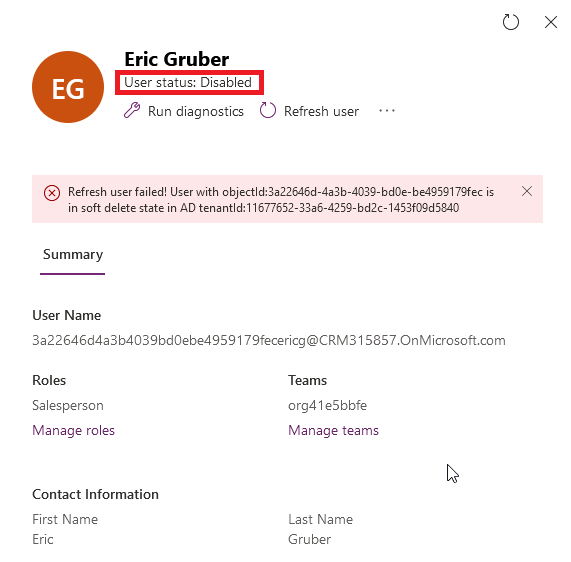
In Power Platform Admin Center we can see that user account has been disabled and that user is in soft delete state in Azure AD.
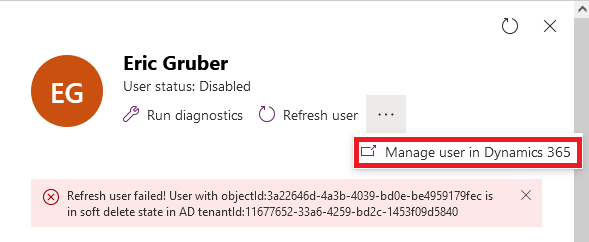
Then let's try to delete the user in Dynamics: click on the 3 dots and select Manager user in Dynamics 365.
Then in the form click on Delete in the ribbon : you will get an error that something went wrong while deleting the user.
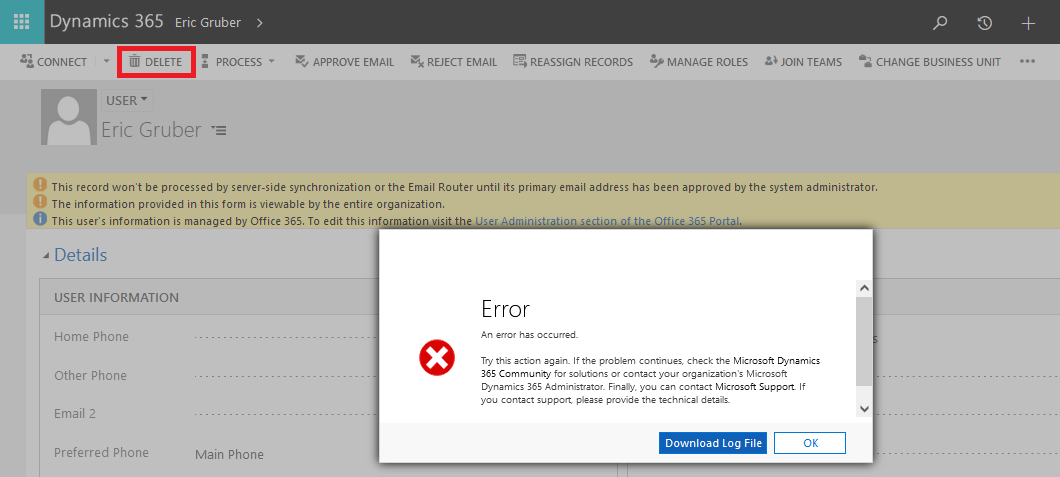
Download the log file and open it. At the end of the file you get details on the error: user is present in Azure AD with state SoftDeleted.
Indeed it is not possible to delete in Dynamics a user that is in SoftDeleted state in Azure AD.

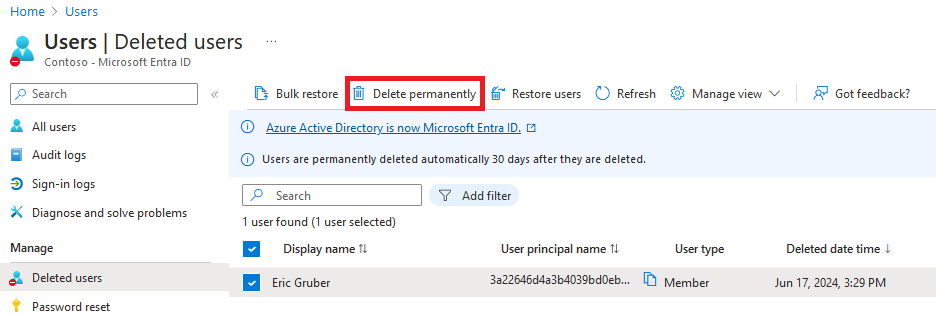
Now let's delete permanently the user in Azure AD : in Entra ID click on 'Deleted users' in the left pane, select the user (Eric Gruber) and click on Delete permanently.
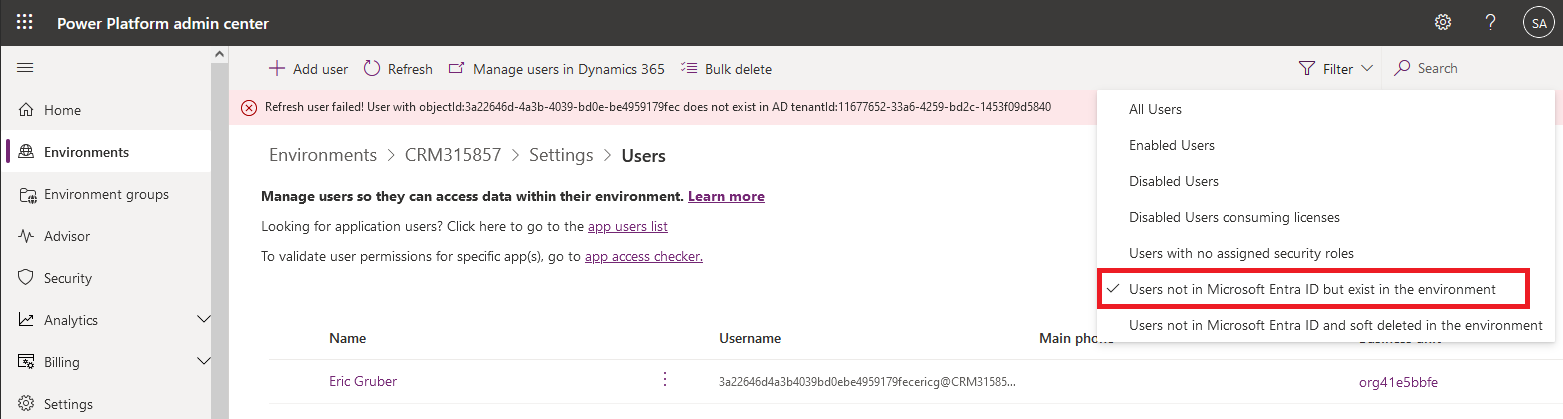
Within Power Platform Admin Center we can see that user record has been moved to the view Users not in Microsoft Entra ID but exist in the environment and we get the message that user Eric Gruber does not exist in Azure AD.
Let's try to delete the user record in Dynamics again.
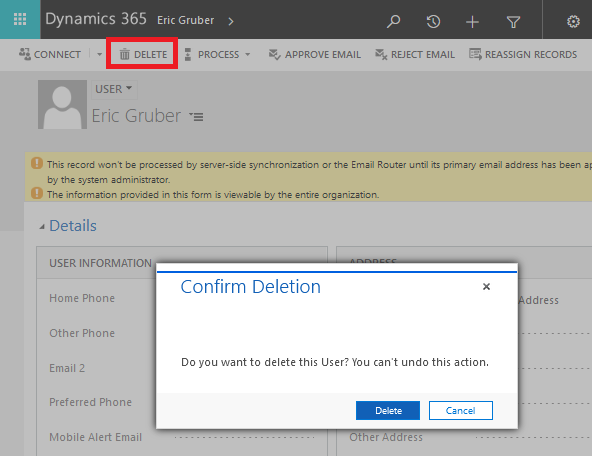
This time we don't get any error : user has been deleted... but like in Entra ID it is not a permanent delete but a soft delete.
In Power Platform Admin Center open the view Users not in Microsoft Entra ID and soft deleted in the environment : you can see the user.
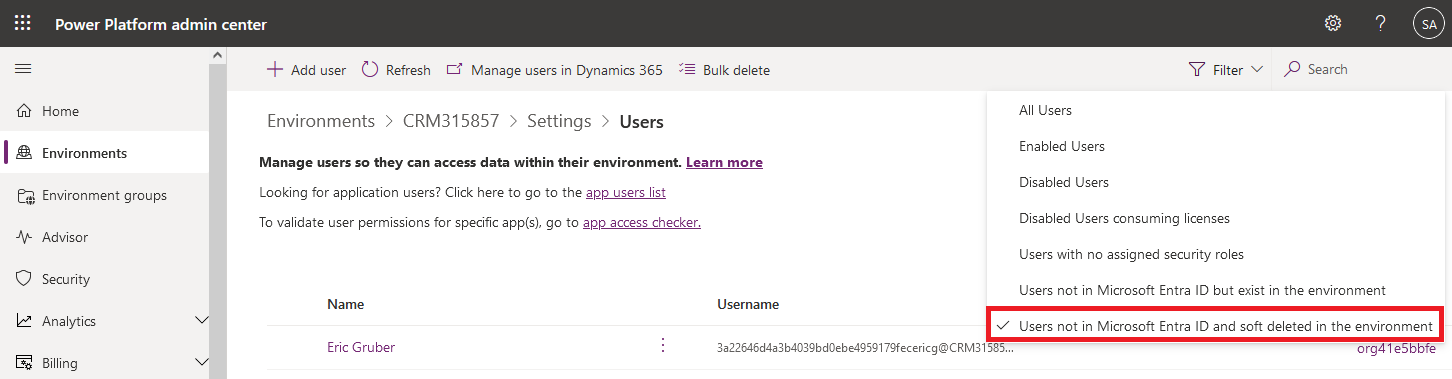
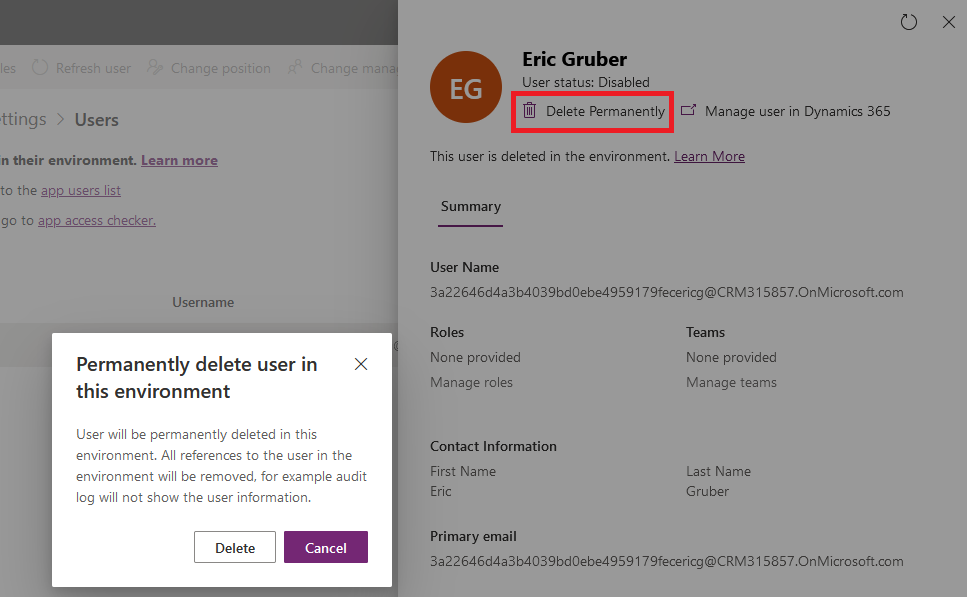
Similar to Microsoft Entra ID, now we get the option to permanently delete the user from Power Platform Admin Center : button Delete permanently is displayed.
Click on it : you get a warning that user will be permanently deleted.
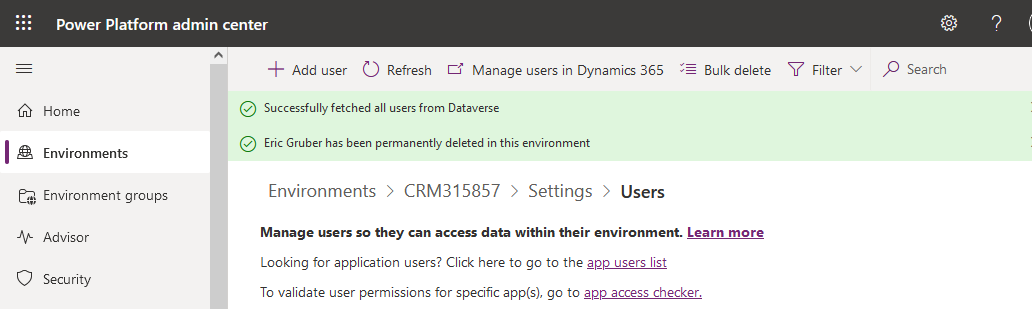
As you can see below message 'User has been permanently deleted in this environment' is displayed.
Published on:
Learn more