
Synapse Database Templates for airlines & travel services plus seven industries are now GA
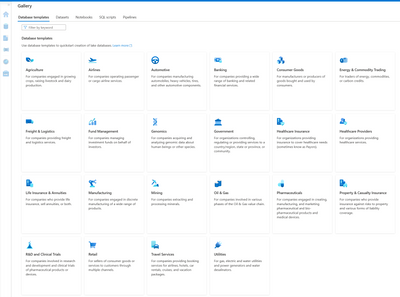
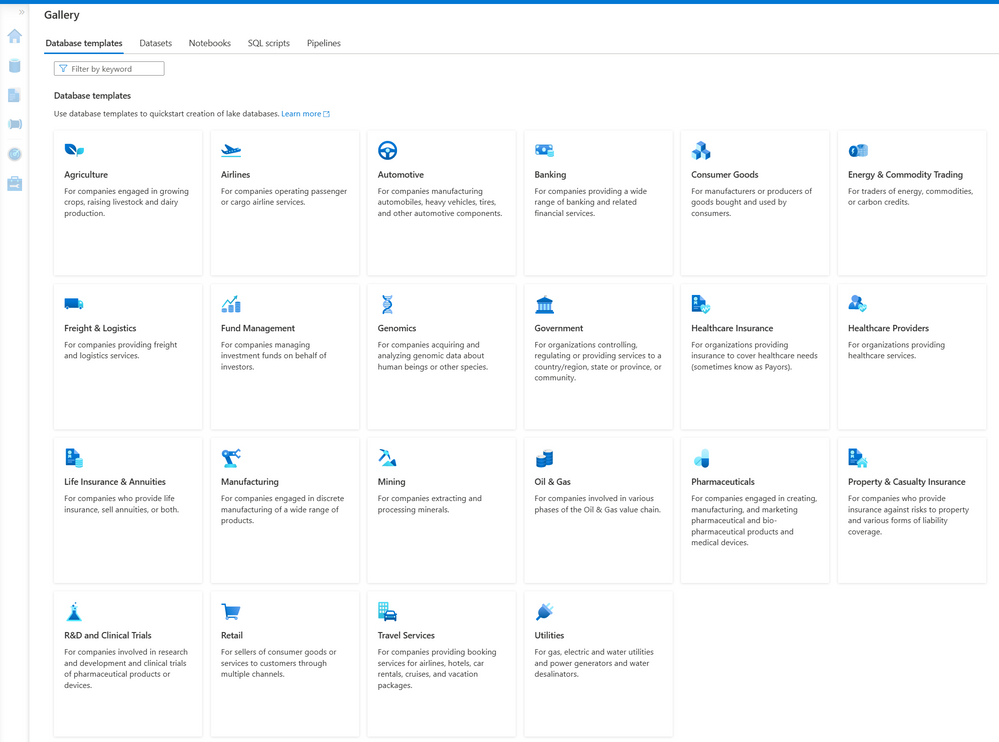
In response to continued enthusiastic adoption of the twenty previously published Synapse Database Templates (SDTs), we’re pleased to announce today that we are releasing two Industry Data Models (IDMs), for Airlines and for Travel Services, that have not previously been published as SDTs, along with enhanced versions of seven previously published SDTs.
The IDM for Airlines is a comprehensive data model that addresses the typical data requirements of organizations operating one or more airlines for passengers and/or cargo. The IDM for Travel Services is a comprehensive data model that addresses the typical data requirements of organizations providing booking services and/or hospitality services for airlines, hotels, car rentals, cruises, and vacation packages.
We have released two new SDTs for Travel Services and Airlines, in addition to updated versions of the previously released SDTs for Automotive Industries, Consumer Packaged Goods, Healthcare Insurance, Healthcare Service Providers, Manufacturing, Retail, and Utilities. All twenty-two SDTs can now be accessed in Azure Synapse, either through the Gallery or by creating a new lake database from the Data tab and selecting '+ Table', and then 'From template'.
We have also continued to expand the scope and content of the previously published seven SDTs by releasing new versions. Additionally, we are working to ensure that our customers and partners who use selected Microsoft solution offerings can fully integrate their application data into relevant subsets of a data lake created using the new versions of SDTs.
The new versions for Healthcare Insurance and Healthcare Providers have been fully mapped from Microsoft’s Industry Cloud for Healthcare to ensure customers can land all their data from our Healthcare Cloud into the relevant subset of a data lake published using the applicable SDT to make it easier for our customers to land data from Microsoft’s Healthcare Cloud, along with data from their organization’s many other applications and data sources, into a comprehensive integrated and harmonized lake database deployed using the SDTs. We have also expanded the IDMs for healthcare to enable customers to provision the specific clinical data content required to support OMOP consumption in the gold layer of their Azure data lake if that is of interest.
We’ve expanded the IDM for Retail to accommodate smart store and shopper journey data generated by solutions from key Microsoft smart store partners such as AiFI in support of current and anticipated future smart store analytics use cases. Similarly, the expanded IDM for Utilities provides full data support for data sourced from Microsoft’s 24x7 Sustainability offering. We’ve also expanded the IDMs for Automotive, Consumer Packaged Goods, and Manufacturing to provide full alignment with the recently announced Microsoft Supply Chain Center solution offering. Each of the SDTs that is part of this latest release also benefits from enhanced and expanded support for readings and data streams acquired from leading edge IoT devices and sensors used in each of those industries.
SDTs contain coverage of many different “business areas”, some very industry-specific and others cross-industry, that together comprise each of these very large IDMs. For example, in addition to comprehensive industry-specific business areas (such as Reservations, Ticketing, and Cargo and Departure Control Services for the Airline industry), most SDTs also include cross-industry business areas such as Accounting & Financial Reporting, Human Resources, Inventory, and an Emissions business area which provides support for data used to report greenhouse gas emissions (including scope 1, scope 2, and scope 3 emissions), combining to provide unparalleled coverage of the data typically found in the integrated data estates of large organizations in specific industries, thereby providing comprehensive best practices based accelerators as our customers continue to move their enterprise data estates to the cloud.
To learn more, check out the following:
- Overview of database templates.
- How to get started with database templates and lake databases.
- Learn more about lake databases.
Published on:
Learn moreWe can help you with Synapse Database Templates for airlines & travel services plus seven industries are now GA
If you want help implementing, troubleshooting, or improving this product, contact us and we’ll point you in the right direction.
Related posts
We're moving!
We’re moving to the Analytics on Azure Tech Community! All new Azure Synapse Analytics content will be published there. In the next few days a...
Upgrade to Azure Synapse runtimes for Apache Spark 3.4 & previous runtimes deprecation
It is important to stay ahead of the curve and keep services up to date. That's why we encourage all Azure Synapse customers with Apache ...
ADF\Synapse Analytics - Replace Columns names using Rule based mapping in Mapping data flows
In real time, the column names from source might not be uniform, some columns will have a space in it, some other columns will not. For exampl...
Interpreting Script activity output json with Azure Data Factory\Synapse analytics
Script activity in Azure Data Factory\ Synapse analytics is very helpful to run queries against data sources mentioned here in this document.&...
Synapse Connectivity Series Part #4 - Advanced network troubleshooting and network trace analysis
Continuing the series of this blog posts I would like to go more advanced on troubleshooting connectivity issues. I would like to thank also&n...
Boost your CICD automation for Synapse SQL Serverless by taking advantage of SSDT and SqlPackage CLI
Introduction Azure Synapse Analytics Serverless SQL is a query service mostly used over the data in your data lake, for data discovery,...
Metadata-Based Ingestion in Synapse with Delta Lake
Overview The crucial first step in any ETL (extract, transform, load) process or data engineering program is ingestion, w...
Missing Fields Added to Dedicated SQL pool Diagnostic Settings Logs
Over the past year, customers have informed the team there were a set of key columns missing in the standalone Dedicated SQL pools (formerly S...
Using Azure DevOps with Synapse Workspaces to create hot fixes in production environments
Have you ever deployed a release to production only to find out a bug has escaped your testing process and now users are being severely impact...
Azure Synapse MVP Corner - March 2023
About this blog series Microsoft Most Valuable Professionals, or MVPs, are technology experts who passionately share their knowledge with the ...