How to calculate the difference between two dates in Power Automate
How to calculate the difference between two dates in Power Automate with formulas for days, hours, minutes, and seconds.
The Purview Compliance portal has recently unveiled a new and improved Audit Search UI Preview experience. ...
In this article learn to how use D365 batch jobs to automate and offload recurring tasks to the server. This will allow your employees to be m...
Power Fx, the formula language of Power Apps, has taken a leap forward with the addition of reliable error handling in its preview version. Wi...
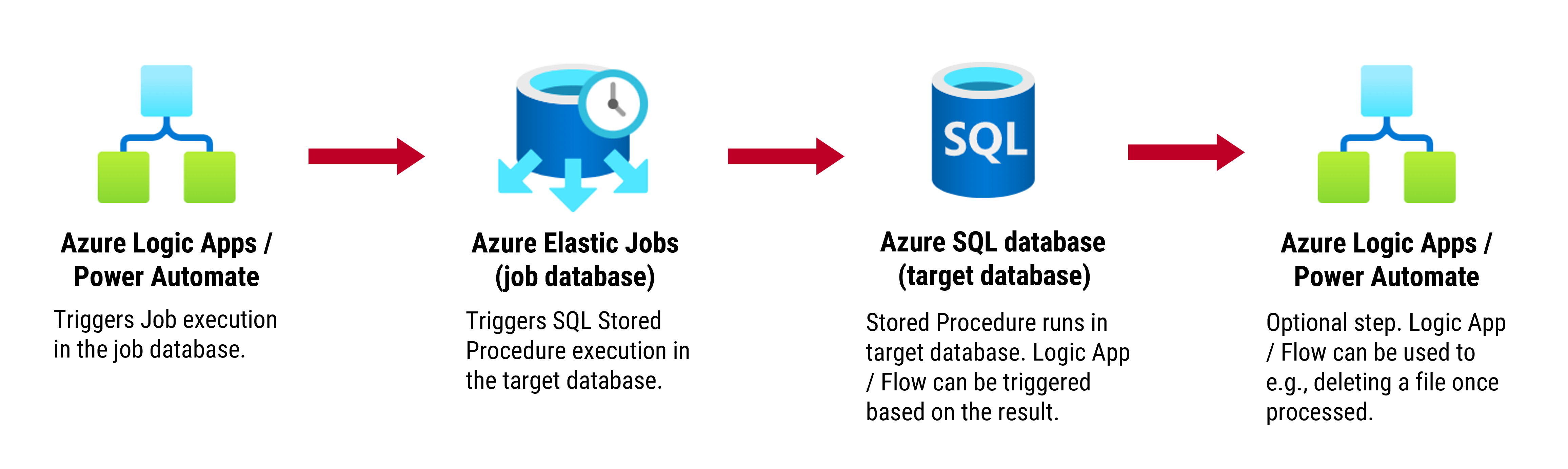
For those using the SQL Server connector in Power Automate & Logic Apps, the 110-second timeout for queries can be quite limiting. However, th...
Power Automate offers a rich experience when it comes to connecting to other services. With a toolkit of over 780 connectors, cloud flows can ...
Business scenario: A company such as ABC Inc. generates invoices for its customers for a variety of services, fees, or charges that must be it...
I spotted something very exciting in my M365 tenant a new PREVIEW action in Power Automate & Azure Logic Apps for Syntex content assembly...
Debug compose actions and condition steps can be difficult as flow runs will only show...
Azure
Microsoft 365 Sharepoint
Newsletter
A curated digest of community blogs, product news, videos, and podcasts — delivered without the noise.