
Generally available: Simplify management and operations with Azure Automanage Machine Best Practices
We are thrilled to announce that Azure Automanage Machine Best Practices is now generally available for Azure VMs and Arc-enabled servers!
Azure Automanage machine best practices is a consolidated management solution that simplifies daily server management through effortless automation by handling the initial setup and configuration of Azure best practice services such as Azure Monitor, Backup, Microsoft Defender, Update Management, etc. Automanage continuously monitors machines across their entire lifecycle automatically bringing them back into conformance should they drift from the desired state.
With Automanage machine best practices, you can take advantage of built-in configuration profiles that support production or dev/test machines. We also offer the flexibility to create your own custom profiles by selecting the set of services and settings you want Automanage to configure and monitor for you. This can be done in Azure or hybrid environments through Azure Arc with point-and-click simplicity using the Azure portal or at-scale using Azure Policy or ARM templates.
Automanage machine best practices handles onboarding and configuration, it remediates drift and works across both Windows and Linux. It supports VMs in Azure but also virtual or physical machines on-premises and even VMs in other hyperscale clouds. In addition, Automanage machine best practices is free to use—you only pay for the services you enable, just as you would if you were doing it all manually.
Let’s dive into the new capabilities and show you how you can get started with optimizing your IT operations with Azure Automanage.
What’s new for Azure Automanage machine best practices
Automanage supports new customization options and more operating systems including Windows 10/11 as well as Red Hat Enterprise Linux, Canonical Ubuntu, SUSE Linux Enterprise Server. You can take advantage of additional customization using c with support for enhanced backup settings. You now have the ability to apply different auditing modes for Azure Compute Security Baselines through the custom profile. For Log Analytics, Automanage supports custom workspaces and the ability to apply custom tags consistently across servers to aid with tag-based governance policies. Automanage also supports more Arc-enabled services such as Microsoft Antimalware.
Unique capabilities for Windows Server
Azure Automanage for Windows Server offers unique capabilities that improve uptime of Windows Server VMs in Azure, offer secure connectivity to edge file servers, and simplify migration:
- Hotpatch for Windows Server is a new way to install updates on supported Windows Server Azure Edition VMs that doesn’t require a reboot
- SMB over QUIC provides secure, reliable connectivity to edge file servers over untrusted networks like the Internet
- Azure Extended Network preserves on-premises IP addresses when moving machines to Azure
Get started
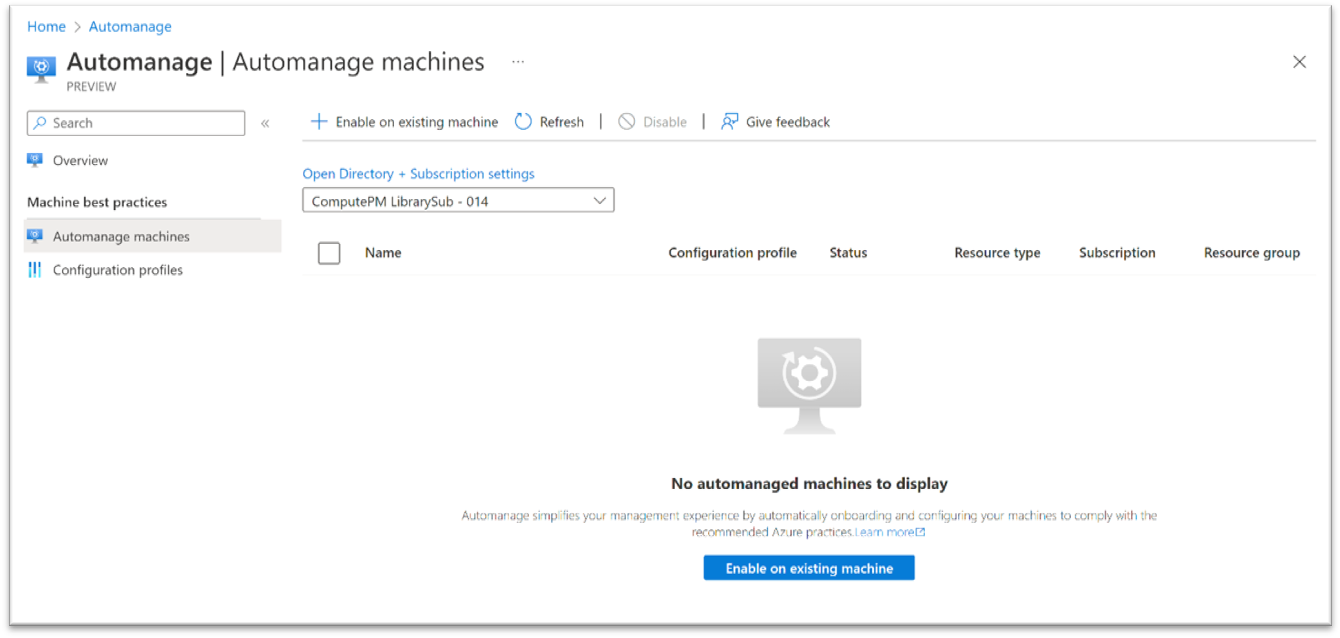
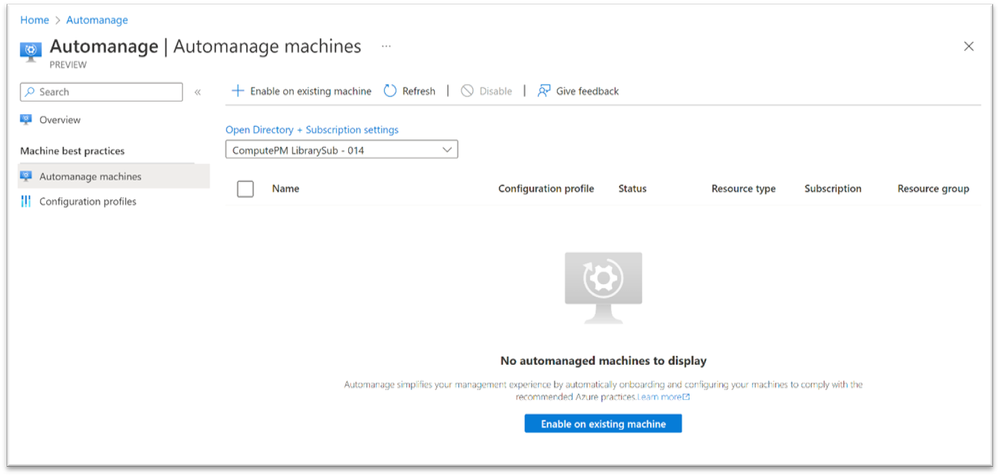
- To enable Azure Automanage for servers in Azure and Arc-enabled servers, start by browsing to the Automanage portal and click “Enable on existing machine”.
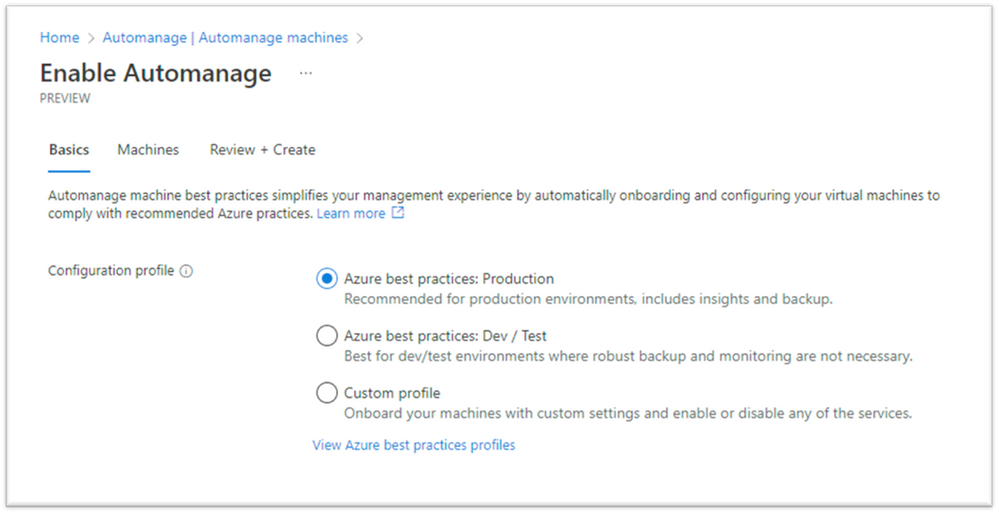
- Then select a built-in profile/or create a custom configuration profile in the Configuration profile selection option.
- After you choose/create your profile, select the Azure virtual machines and/or Arc-enabled servers that you want your custom profile applied to.
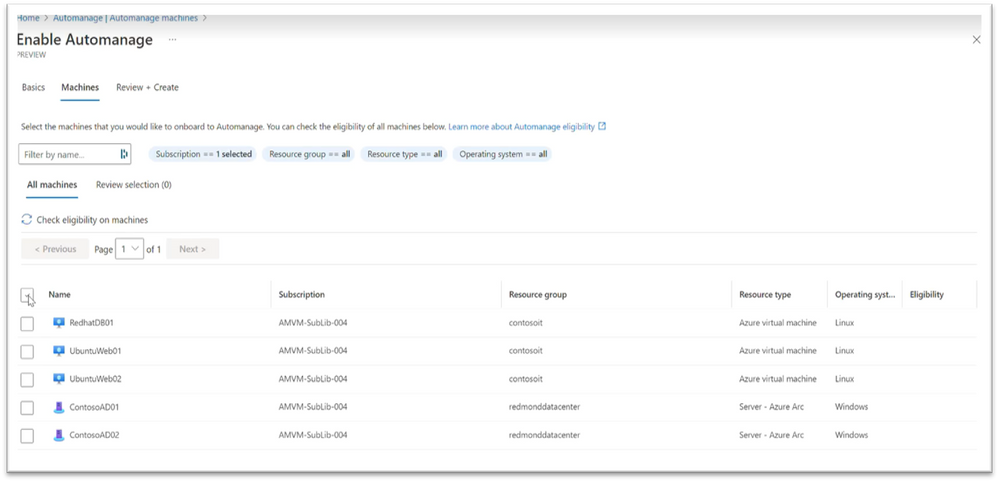
- Once you have selected the machines, you can click on “Review + Create”. This will initiate the Configuration profile assignment process. Automanage has now configured your machines with the best practices services. You can click on the status column to get the latest Automanage status report for your machines.

- You can also click on the configuration profile name to see details about the services configured on your machine.
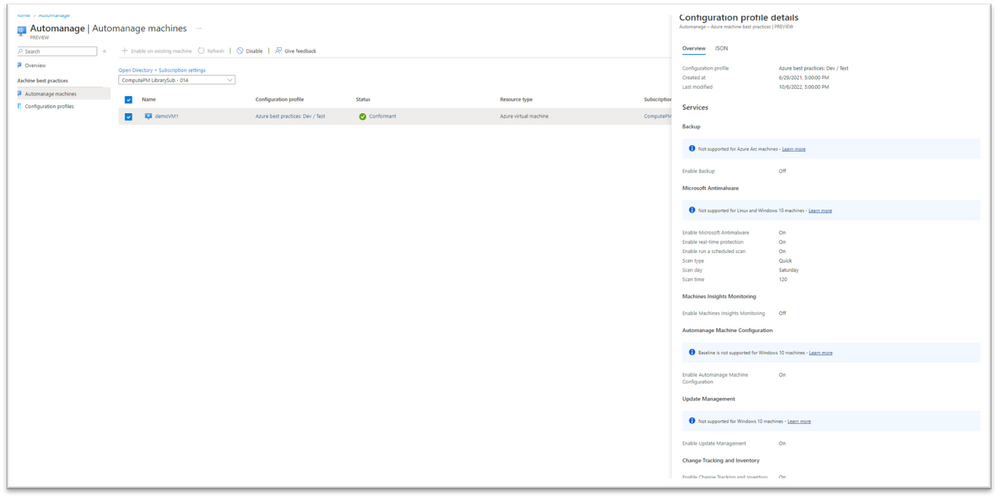
Additionally, we have integrated new options to help you easily onboard your machine to Automanage:
- Through the Azure Virtual Machine view in the Azure portal
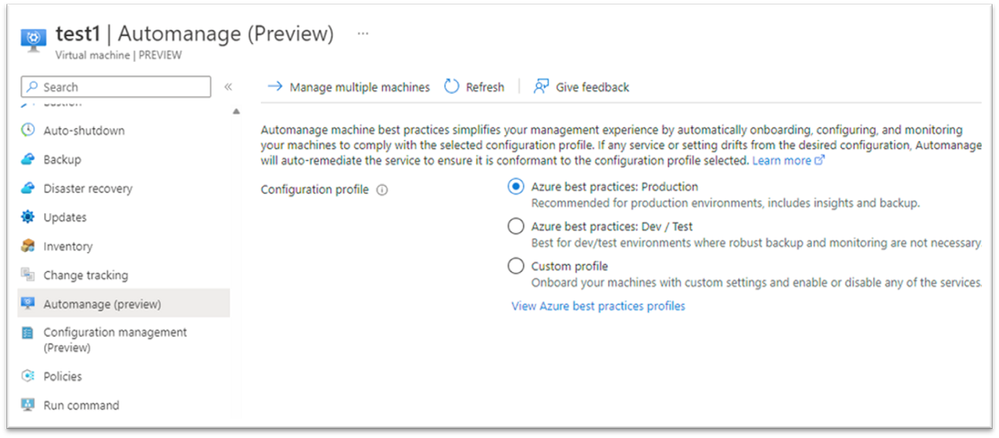
- Through the Azure Arc-enabled server view in the Azure portal

Related resources
To keep learning about the exciting new capabilities of Azure Automanage:
- Get started with Azure Automanage | Microsoft Azure
- Learn more about Automanage machine best practices
To follow along at Ignite, watch our sessions on Azure Automanage:
- Increase your business agility and resilience with the latest Azure infrastructure solutions
- Innovate on your terms using Azure Arc to bring cloud-native technologies anywhere from cloud to edge
Published on:
Learn moreRelated posts
Azure Landing Zones - Policy Refresh Q1 FY25
ALZ - Policy Refresh Q1 FY25 is here! As you may be aware, the ALZ team release cadence is now on quarterly basis to help customers and partne...
Custom Policy- Reusable Logs Templates
Reusable Templates for Sending Logs to Log Analytics Workspace Challenge: When it comes to developing custom policies for sendin...
Enhancements to Azure Monitor Baseline Alerts for Azure Landing Zones
Introduction Welcome to our latest blog post where we dive into a number of exciting new key updates, highlight the new portal accelera...
Introducing the Azure Policy Community Repo
Introducing the Azure Policy Community Repo What is the Azure Policy Community Repo? The Azure Policy Community Repo is a collaborativ...
General Availability: Vaulted backups for Azure Blob Storage
We are excited to announce the general availability of vaulted backups for Azure Blob Storage. Vaulted backups can help you achieve complete p...
Azure Update Manager to support CIS hardened images among other images
What’s coming in by end of July 2024: Azure Update Manager will add support for 35 CIS hardened images. This is the first time that Update Man...
Mastering your cloud journey: Essentials to Innovating, Migrating and Modernizing, on Azure
We are living during a time of rapid growth in AI technologies and seeing cloud complexity increase as a result of those advanced workloads, w...
Public Preview Announcement: Azure Policy Built-in Versioning
Welcome to a new era of policy management, where policy definitions are more agile, adaptable, and accessible than ever before! We are thrille...
Announcing Azure Monitoring Agent support in Azure Landing Zones
Introduction Hello and welcome to another blog post about Azure Landing Zones, the best practice framework for accelerating your cloud...
Announcing the General Availability of Change Actor
Change Analysis Identifying who made a change to your Azure resources and how the change was made just became easier! With Change Analys...