
How to deal with many to many relationships in Dataverse

While building an app that stores data in Dataverse, I came across a not easy to resolve problem. If you already follow me for a bit longer, you may assume that this is about ProvisionGenie, and so I will use this use case of provisioning Microsoft Teams teams and storing data about that as an example. To explain the issue, we first need to understand some basics, which I will cover here first:
What is Dataverse
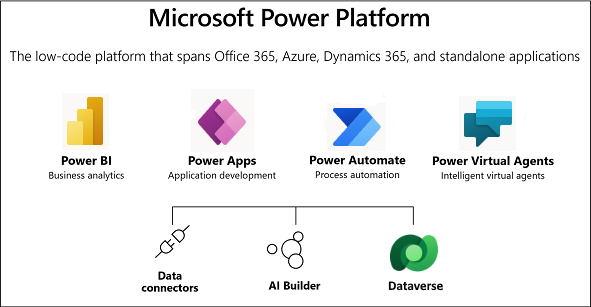
Dataverse is a is a secure and scalable SaaS data service, that sits right in Power Platform. Datverse’s database is Azure SQL, and often, people refer to Dataverse just as ‘a database’, but it is so much more:
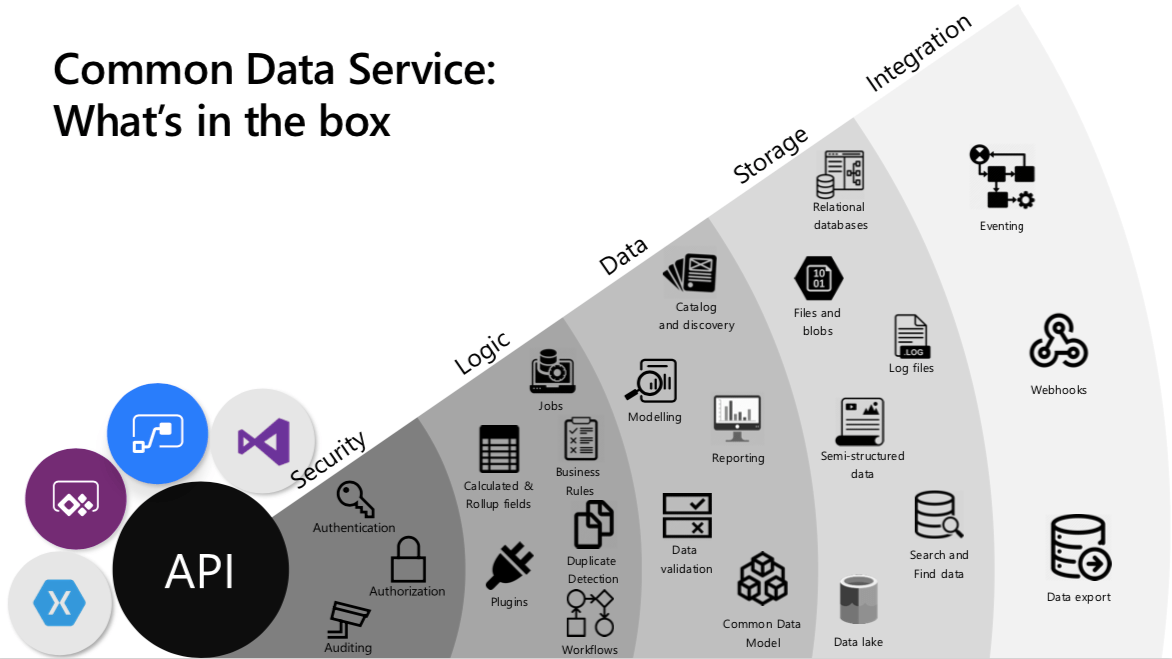
I will not go into full detail in this blog post, but cover something that people with a background in Microsoft 365/SharePoint might not be aware of:
How does Dataverse distinguish from SharePoint lists and what makes it a ‘real database’?
In Dataverse, we store data in tables, we can either use predefined ones or we can creates our own tables. We can choose from different kind of column types to store data just as needed. The beautiful thing that get our Dynamics 365 colleagues excited is, that Dataverse can serve as a ‘relational database’, which means that we can create all kinds of relationships between data, which gives us a better overview on data as we can put data into context.
Also, we have role-based access control (RBAC), which means that we can granularly control who can view, edit, delete etc. data, while this isn’t possible with SharePoint lists. If we use a list as data source for a Power Apps, we need to share the entire list with all users of that application, which means that users can even bypass the app and manipulate and delete data directly on the SharePoint site.
Now you may ask, what is it about relationships in Dataverse that makes it so special?
What kind of relationships do exist in Dataverse?

1-to-many relationship
In a 1:N (1-to-many) relationship we associate a (1) row of a table to many other rows in a related table with a lookup column. We can see a list of the related rows that are associated with our primary table.
You will come across the term ‘N:1(many-to-1)’ as well - it is the same thing as a 1:N relationship- just viewed from the related table, not from the parent/primary table.
As an example, please imagine a table Teams Requests and another related table Teams Channels. Each Team can have many channels, but a channel can be only associated with one Team (represented in the Teams Request table). This means, that we need to have a 1:N relationship between Teams Requests table and the Teams Channels table. We reference this like this:
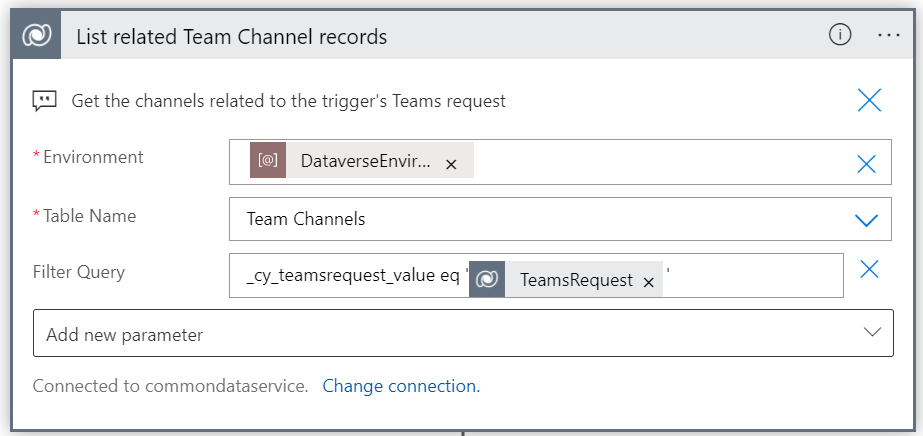
We get the correct environment, fetch the table Team Channels and filter by TeamsRequestId so that only the related channels to that Teams request will be returned.
Many-to-many relationships
An N:N (many-to-many) relationship depends on a special relationship table (intersect table), so that many rows of one table can be related to many rows of another table.
We can see a list of all rows in the related table that our primary table is associated with.
As an example, please image now the Teams Requests table again that needs to be related to a Teams Users table. In this Teams Users table we want to store information on members and owners of the teams in the Teams Requests table.
A Teams can have many users as members, and each user can be a member of different Teams.
Also, a team can have many users as owners and these users can be owners of several different teams.
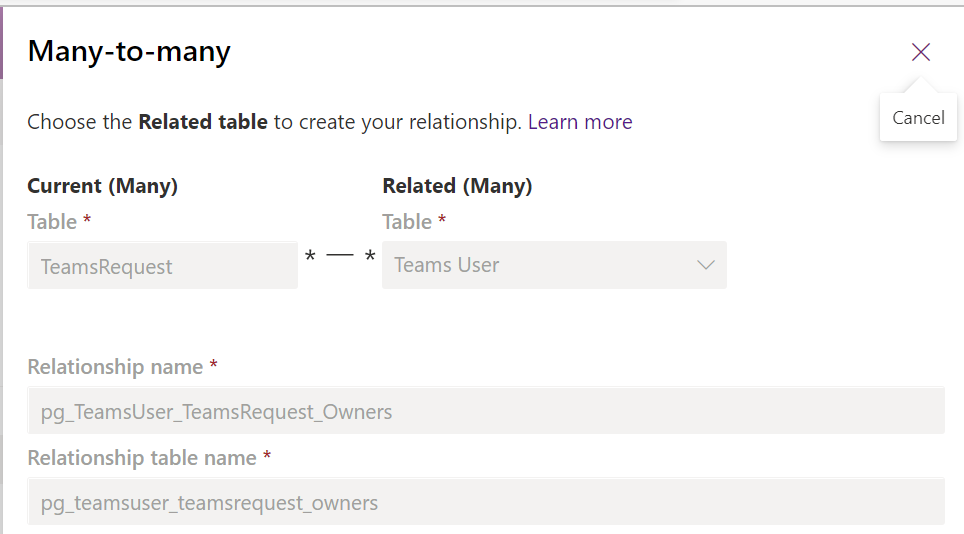
This means, that we need to have two N:N relationships between teams Requests table and Teams Users table.
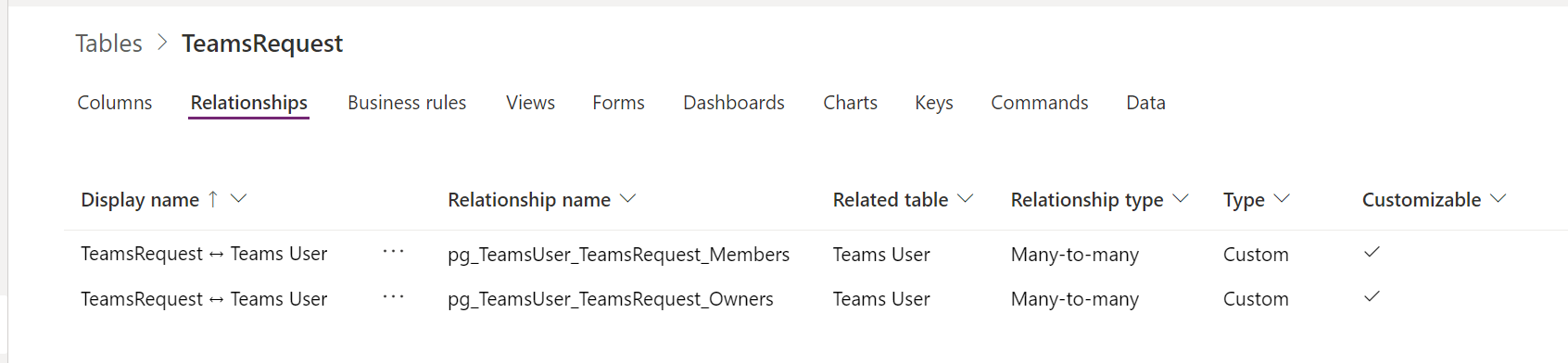
Now the intersection tables come into play: They make sure that we can associate many rows of the related table to the primary table.
In Dataverse, we don’t get to see these intersection tables. but we can customize their name:
How can you reference Many-to-Many Relationships in Azure Logic Apps?
Now that the distinguishing element between an Owner of a Team and a Member of that Team is in the relationship, we need to reference that intersection table in a Logic App flow in order to fetch the right rows from the Teams User table to add them with the correct role to the Team that we want to provision.
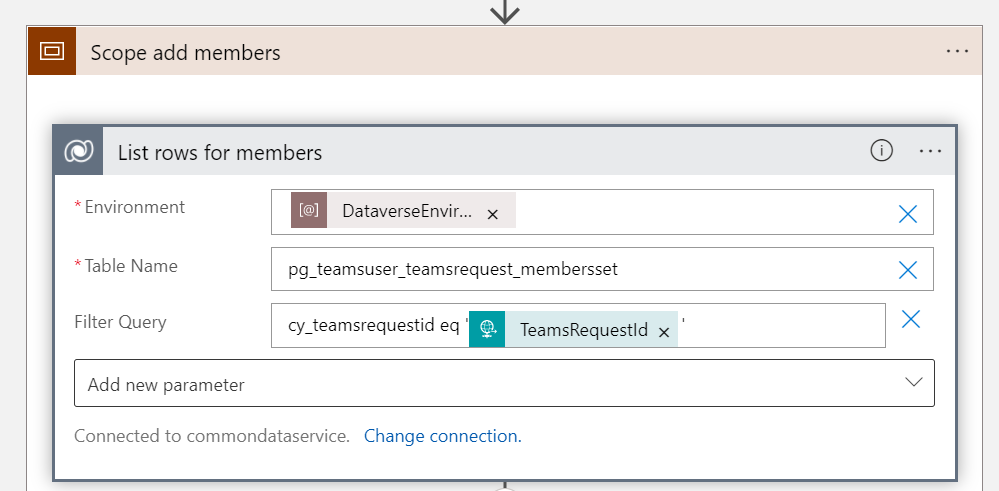
In order to do so, we select the correct environment, and type the name of the relationship table followed by a set, then we filter for the correct Teams Request ID so that only members for that specific team will be returned.
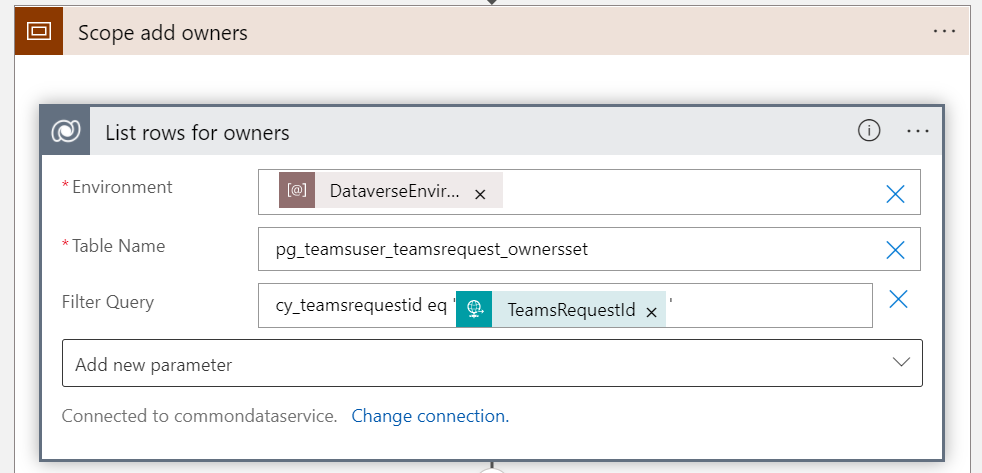
The very same applies to the relationship table for the owners.
Conclusion
Before you build your Power Platform solution, its absolutely worth it to spend a couple of thoughts on the data model. If you
- need more relationships than a simple lookup column
- need granular control who can access which rows
- a performant place to store data
- a highly scalable solution
then its very likely, that Dataverse is a service that you should consider.
In order to take full advantage of Dataverse’s capabilities in terms of being a ‘relational database’ its worth it to understand what is an intersection table and how you can reference it. Let me know what you think in the comments
Published on:
Learn moreRelated posts
You are holding GitHub Copilot Wrong!
Most developers think that one can’t really use GitHub Copilot wrong. There is a chat interface that lets you also choose a model, so th...
You are holding GitHub Copilot Wrong!
Part 0 showed why constant prompting, re-prompting, and steering GitHub Copilot feels fragile. Not because Copilot is unreliable, but because ...
Building a Multi-Hierarchy Ticket Classification System (Because Keywords Aren't Enough)
Look, I love a good keyword-based system as much as the next developer. They’re fast, predictable, and when your user says “VPN,&r...
Secretless cross-tenant dataverse access
Client secrets are like hiding your house key under the mat; easy to grab and impossible to audit. Certificates are just slightly better, beca...
How Azure CLI handles your tokens and what you might be ignoring
Running az login feels like magic. A browser pops up, you pick an account, and from then on, everything just works. No more passwords, no more...
How Dev Proxy teaches you to make your apps more resilient
I added Microsoft Dev Proxy to my Mermaid → Dataverse converter, because I wanted to test how it handled rate limits and API errors. What I go...
Building Azure functions that never store secrets — ever
What if your function could hit Microsoft Graph with no client secrets, no certs, and no Key Vault entries? That is exactly what a Managed id...
Introducing Mermaid to Dataverse Converter
Why diagrams matter (and why they usually fail us) Entity-Relationship Diagrams (ERDs) are the universal shorthand for talking about data mode...
It’s OK to be seen trying
It’s OK to be seen trying Somewhere along the way, we started believing that you’re only allowed to speak after you’ve figured everything out....
Stuck in pilot - Part 1: no foundations, no future
“We just need to test the AI. We’ll figure out the data later.” That sentence has quietly killed more AI pilots than any model failure ever ...