
Generate strong passwords with Microsoft Authenticator

I’m excited to announce the general availability of strong password generation in Microsoft Authenticator! We get tons of great feedback from you on the Authenticator – which now has over 75M active users and is poised to become the most popular authentication method for enterprises using Azure AD. This feedback has led directly to cool capabilities like location-based access control, authentication context, seeing your login history right in the app, and – of course – password management capabilities.
In this blog, Rajat Luthra is going to walk you through the latest and greatest in the Authenticator – the ability to generate a strong, random password for you. The most common way passwords are compromised is by trying common passwords (like “Password123!”) against long lists of accounts (called “Password Spray”). Rainbow table and dictionary attacks also depend on common words and phrases in passwords. Strong, randomly generated passwords disrupt these attacks. As always – and as Rajat points out below – passwordless authentication is best, and always enable MFA where possible. But if you must use a password, strong, randomly generated passwords are best. Here’s Rajat to tell you how the Authenticator can help!
Stay safe, and as always, we’d love to hear from you!
Alex Weinert (Twitter: @Alex_T_Weinert)
----------------
Hello everyone! I’m Rajat Luthra, a product manager in the Microsoft Authenticator team, and I’m delighted to share these new capabilities with you!
Microsoft Authenticator secures users with passwordless authentication, push notifications, time-based one-time passwords (TOTPs) and security alerts. It also helps users remember and autofill passwords and other personal info for any app or website. While all Microsoft accounts support passwordless authentication (the preferred way to authenticate!), we understand not all identity providers do. To better protect users, Microsoft Authenticator now helps generate complex and unique passwords directly in the app. You can now generate, sync, store and autofill passwords for all your online accounts (e.g., social media, shopping, productivity, and gaming) on your mobile device.
On Android, Authenticator will offer to generate a new strong password when you need it on an app or a website.

On iOS, while you’re on an app or website, you can use the keyboard to open Authenticator and create a new strong password.

If you haven't already synced your passwords on your mobile device, all you need to do is open Microsoft Authenticator, go to the Passwords tab, and start syncing your data using your Microsoft Account. Make sure you select Authenticator as your default autofill provider.
If you use Google Chrome on your desktop, you can generate strong passwords using the Microsoft Autofill Extension, available on the Google Chrome web store. Generated and saved passwords will sync and autofill across devices logged in with the same Microsoft Account, including mobile devices with Microsoft Authenticator app, and desktop with Microsoft Edge and Microsoft Autofill Extension for Google Chrome.
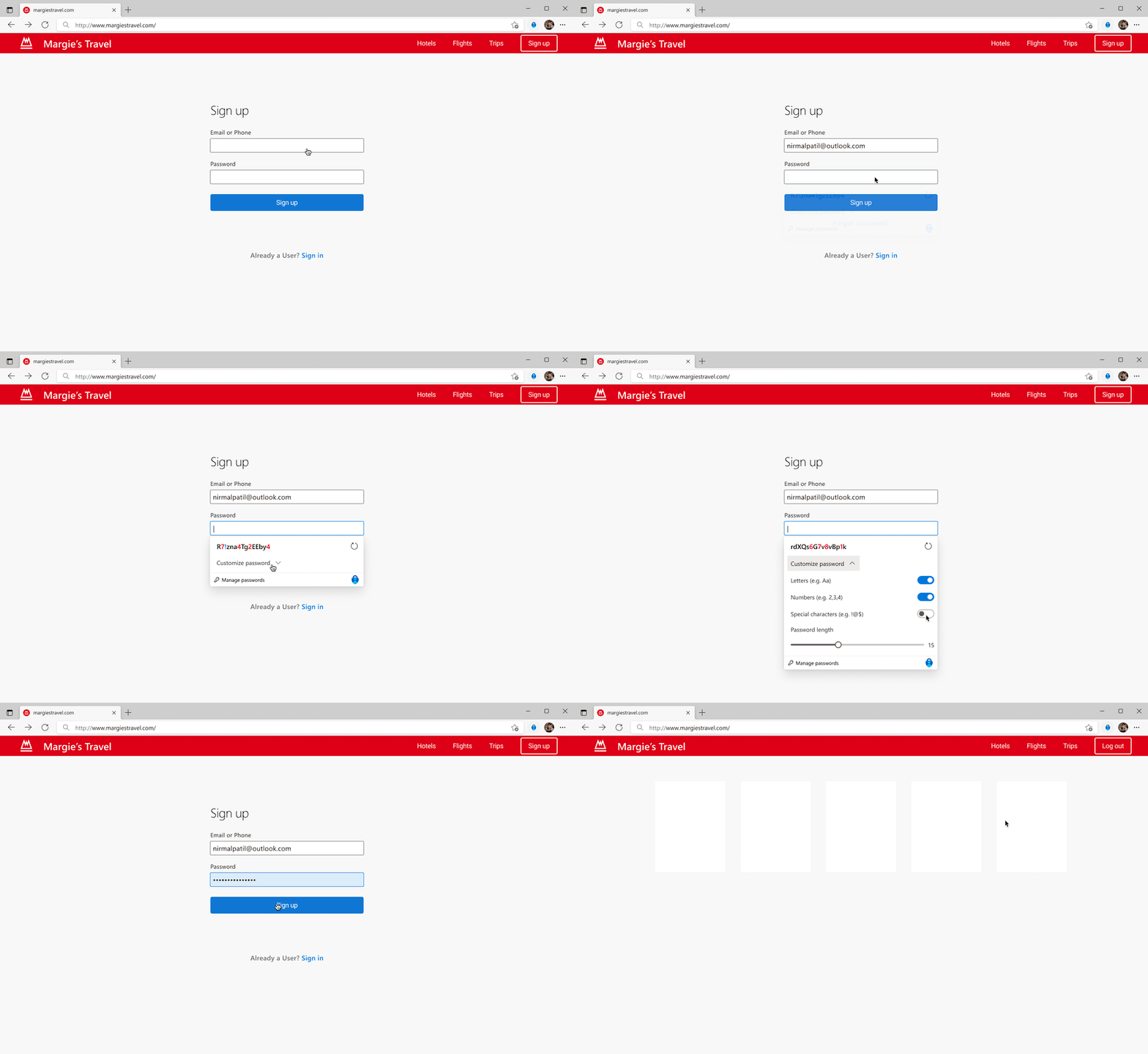
All new passwords are generated using an enterprise-grade password generation algorithm and have built-in randomness.
Note: Autofill syncs data using your personal Microsoft account. It does not sync data with your work or school account (i.e., Azure Active Directory). If you don’t see the Passwords, Payments, or Addresses tabs in Microsoft Authenticator, your organization may have turned off personal Microsoft Account-based autofill for its users.
To learn more, click here. As always, we’d love to hear your thoughts on how we can make the Authenticator work even better for you. To share how we can improve the product, please take this short survey.
Thanks!
Rajat Luthra (Twitter: @_LuthraRajat)
Learn more about Microsoft identity:
- Related Articles: Autofill your addresses and payment info with Microsoft Authenticator - Microsoft Tech Community, Securely manage and autofill passwords across all your mobile devices with Microsoft Authenticator - Microsoft Tech Community
- Return to the Azure Active Directory Identity blog home
- Join the conversation on Twitter and LinkedIn
- Share product suggestions on the Azure Feedback Forum
Published on:
Learn moreRelated posts
Sync identities from Rippling to Microsoft Entra ID
Today, we’re thrilled to announce that customers using Rippling HCM can now automatically provision users to on-premises Active Directory and ...
Microsoft Entra ID Governance for government
I’m pleased to announce that as of November 1, 2024, Microsoft Entra ID Governance is available for federal agencies, state and local governme...
Update to security defaults
As part of the Secure Future Initiative, we’ve evolved our security approach to align with three security principles: secure by design, secure...
Meet Microsoft Entra at Ignite 2024: November 18-22
Microsoft Ignite is just around the corner, taking place from Monday, November 18, 2024 through Friday, November 22, 2024, in Chicago, Illinoi...
Manage Microsoft Entra ID role assignments with Microsoft Entra ID Governance
I’m excited to announce that we now support Microsoft Entra role assignments in Microsoft Entra ID Governance's Entitlement Management feature...
The latest enhancements in Microsoft Authenticator
Hi folks, I'm thrilled to announce three major Microsoft Entra ID advancements that will help you protect your users with phishing-resi...
Microsoft Security announcements and demos at Authenticate 2024
The Microsoft Security team is excited to connect with you next week at Authenticate 2024 Conference, taking place October 14 to 16 in Carlsba...
What's new in Microsoft Entra - September 2024
We’re excited to announce the general availability of Microsoft Entra Suite—one of the industry’s most comprehensive secure access solutions f...
Explore the key benefits of Microsoft Entra Private Access
The traditional network security models are becoming increasingly ineffective in a world where remote work and cloud services are the norm. Co...
Join us at the Microsoft Entra Suite Showcase!
This fall, we are bringing the Microsoft Entra Suite Showcase to cities worldwide. Join us to explore how our latest advancements in secure id...