
Introducing the new Defender for Identity Health Alert API
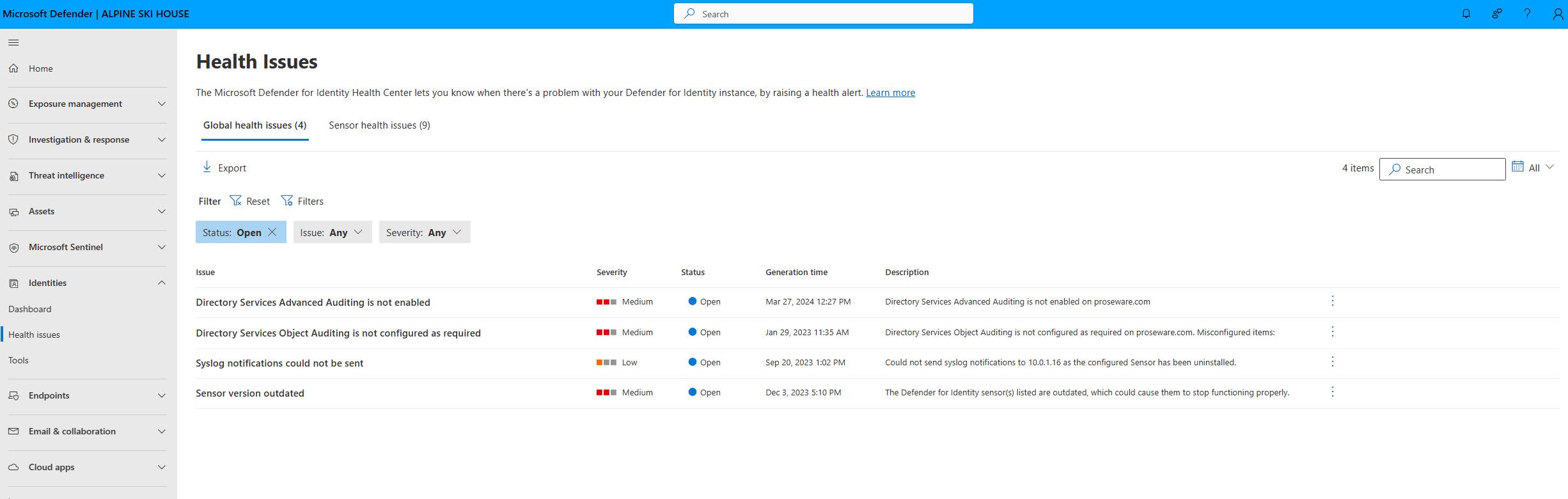
Microsoft Defender for Identity (MDI) is a cloud-based security solution that helps monitor and protect identities and infrastructure across your organization. MDI is a core component of Microsoft Defender XDR, leveraging signals from both on-premises Active Directory and cloud identities to help you better identify, detect, and investigate advanced cyberthreats directed at your organization.
Recently, Defender for Identity (MDI) introduced Graph based API to view Defender for Identity Health issues.
Understanding Health Alerts
MDI Health alerts notify you of any problems or issues within your Defender for Identity workspace and are essential for maintaining a secure environment.
MDI health alerts fall into two areas:
- Domain-related or aggregated health issues, listed on the Global health issues tab in the Microsoft 365 portal.
- Sensor-specific health issues, listed on the Sensor health issues tab in the Microsoft 365 portal.
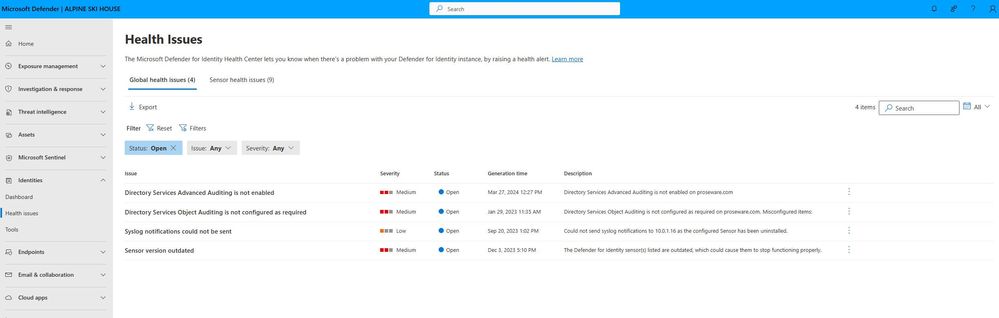
For more information on MDI Health alerts see, https://learn.microsoft.com/en-us/defender-for-identity/health-alerts.
Benefits of the Health API
- Dashboarding –Using this new API, customers can now pull/surface the MDI health alerts information to their dashboarding tool of choice.
- Automation – For customers who use ticketing systems for IT support, this new API will allow for the automatic creation of tickets when a new health alert is opened. For example, a new IT help ticket would automatically be opened when an outdated sensor is detected.
- Update the status of a health alert. MDI will automatically close a health alert when it detects that the issue has been resolved. You can also suppress the health alert for 7 days if you are aware of the issue that might last for a few days. For example, if a domain controller has been taken offline for maintenance, you will receive a Sensor stopped communicating health alert. As you have taken this domain controller offline this is expected, so you can use the API to change the status from open to suppress. After the sensor is brought back online you can change the status back to open and let MDI automatically close the health alert.
Getting Started with MDI Health Alerts APIs
Requirements:
- Permissions: user requires at a minimum M365 role permission: Authorization and settings --> System Setting --> Read only (Defender for Office, Defender for Identity).
- Entra ID Enterprise Application consent permissions for Graph Explorer.
- SecurityIdenitiesHeath
- SecurityIdentitiesHealth.Read.All
- SecurityIdentitiesHealthRead Write.All (only required to update the status of a health alert.)
- SecurityIdenitiesHeath


Sample API Queries:
The easiest way to start to use the MDI Health Alert API is using the Graph Explorer, Graph Explorer | Try Microsoft Graph APIs - Microsoft Graph.
Login in with a user who has the minimum permissions, copy a query from below and paste it in the query bar in Graph Explorer.
Note: If you are using a query that is based on DNSName or SensorDNSName make sure to change the text with the name of your domain DNS name.

See all open health alerts - https://graph.microsoft.com/beta/security/identities/healthIssues?$filter=Status eq 'open'
See open Global health alerts - https://graph.microsoft.com/beta/security/identities/healthIssues?$filter=Status eq 'open' and healthIssueType eq 'global'
See open sensor health alerts - https://graph.microsoft.com/beta/security/identities/healthIssues?$filter=Status eq 'open' and healthIssueType eq 'sensor'
See open health alerts by severity -
https://graph.microsoft.com/beta/security/identities/healthIssues?$filter=Status eq 'open' and severity eq 'medium'
https://graph.microsoft.com/beta/security/identities/healthIssues?$filter=Status eq 'open' and severity eq 'low'
See open global health alerts that domain name ends with contoso.com -https://graph.microsoft.com/beta/security/identities/healthissues?$filter=Status eq 'open' and healthIssueType eq 'global' and domainNames/any(s:endswith(s,'contoso.com'))
See open global health alerts that sensor DNS name ends with contoso.com -https://graph.microsoft.com/beta/security/identities/healthissues?$filter=Status eq 'open' and healthIssueType eq 'global' and sensorDNSNames/any(s:endswith(s,'contoso.com'))
See open sensor health alerts with sensor DNS name ends with consoto.com -https://graph.microsoft.com/beta/security/identities/healthissues?$filter=Status eq 'open' and healthIssueType eq 'sensor' and sensorDNSNames/any(s:endswith(s,'contoso.corp'))
Keep your Defender for Identity deployment healthy and secure!
Published on:
Learn moreWe can help you with Introducing the new Defender for Identity Health Alert API
If you want help implementing, troubleshooting, or improving this product, contact us and we’ll point you in the right direction.
Related posts
Monthly news - November 2024
Microsoft Defender XDRMonthly newsNovember 2024 Edition This is our monthly "What's new" blog post, summarizing product updates and v...
Monthly news - August 2024
Microsoft Defender XDRMonthly newsAugust 2024 Edition This is our monthly "What's new" blog post, summarizing product updates and var...
Defender for Identity: the critical role of identities in automatic attack disruption
In today's digital landscape, cyber-threats are becoming increasingly sophisticated and frequent. Advanced attacks are often multi-workload an...
New Security Copilot skill: Identity Summary
“Can you summarize Defender insights about this user over the last two days?” Microsoft’s latest innovation for Copilot for Security, sim...
Demystify potential data leaks with Insider Risk Management insights in Defender XDR
In today's complex security landscape, understanding and mitigating data exfiltration risks is more critical than ever. Earlier this year, we ...
Monthly news - October 2024
Microsoft Defender XDRMonthly newsOctober 2024 Edition This is our monthly "What's new" blog post, summarizing product updates and va...
AI-Driven Guided Response for SOCs with Microsoft Copilot for Security
In today's evolving cybersecurity landscape, security operation centers (SOCs) are constantly bombarded with incidents ranging from minor aler...
Identity Summary: New Security Copilot skill within Defender XDR
“Can you summarize Defender insights about this user over the last two days?” Microsoft’s latest innovation for Copilot for Security, sim...
Detecting browser anomalies to disrupt attacks early
Detecting browser anomalies is crucial for early identification and prevention of cyber threats, preventing data breaches and attacks by monit...
Microsoft Defender for Identity: the critical role of identities in automatic attack disruption
In today's digital landscape, cyber-threats are becoming increasingly sophisticated and frequent. Advanced attacks are often multi-workload an...