
Azure portal September 2021 updates

Azure Resource Mover > Move across region dashboard
Compute > Virtual Machines
Compute > Virtual Machines
Intune
Let’s look at each of these updates in greater detail.
Azure Resource Mover > Move across region dashboard
Move across region dashboard and monitor summary of resources across regions using Azure Resource Mover.
You can now monitor the summary of your resources across regions using the Move Across Region Dashboard page. You can monitor the percentage and number of resources in each state. The dashboard also highlights existing errors that are impacting your move which needs to be resolved by you.
Learn more at the Azure Resource Mover documentation.
Accessing the Azure Resource Mover
- From the Azure portal home screen, search for Azure Resource Mover, select it

- You will land on the Azure Resource Mover | Overview page. You can toggle between the Getting started and Move across region dashboard tabs.
- The Getting started tab provides options to move your resources across subscriptions, across resource groups, or across regions.
- The Move across region dashboard tab consolidates all monitoring information of your move across regions in a single place.

Compute>Virtual Machines
Azure VM Inspector Private Preview Announcement
The VM Inspector is a self-diagnostic tool that helps customers troubleshoot OS-related issues affecting a Window or Linux virtual machine (VM). By leveraging this tool, customers can troubleshoot and resolve VM OS related issues easily and quickly without creating a support ticket. For more details on Azure VM Inspector, please refer to VM Inspector for Azure Virtual Machines (Preview) - Virtual Machines | Microsoft Docs.
How to Run VM Inspector on your VM
VM Inspector is available to run for both Windows and Linux VMs. To run VM Inspector, follow these steps:
- From the Azure portal home screen, select Virtual machines in the left-hand navigation.
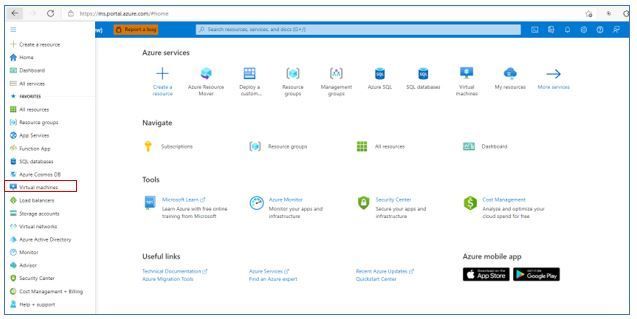
- In the list of VM names, select the VM on which you want to run VM Inspector. For example, in the below screenshot I have selected VM “hdksfh”.

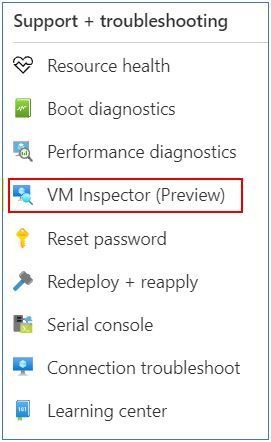
- In the right-side column of commands, select VM Inspector.
Compute > Virtual Machines
Azure VM RDP Guided Troubleshooter Private Preview Announcement
There is now a VM RDP Guided Troubleshooter, which features an interactive way of diagnosing users' technical issues underneath the Azure Portal Diagnose and Solve option. The new solution will allow users to follow steps of running diagnostics and providing inputs to questions, before diagnosing and providing personalized solutions to their issue. Since it is in Private Preview and still being enhanced, the guided troubleshooter will cover the most common virtual machine (VM) RDP problems, which involves troubleshooting a specific VM RDP or no-boot error, troubleshooting VM connectivity issues caused by unhealthy configuration or settings, troubleshooting VM RDP issues due to performance restrictions, and providing guidance on special VM RDP scenarios. The feature is currently available to Microsoft internal Azure portal users only and will be available to external Azure portal users next month.
How to Access the VM RDP Guided Troubleshooter
1. Login to the Azure portal

2. Click on Virtual Machines or type in the search box for the VM name

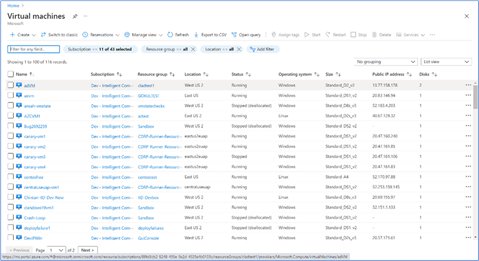
3. It will bring up a list of your VM machines -> select the VM you want to run an analysis of RDP issues.
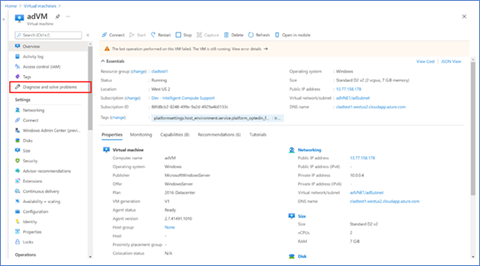
4. After you select the VM you want to analysis you will see the screen below:
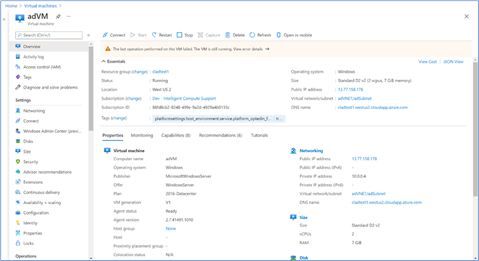
5. Navigate to Diagnose and solve problems in the left-hand navigation -> then select the common problem Cannot Connect to VM

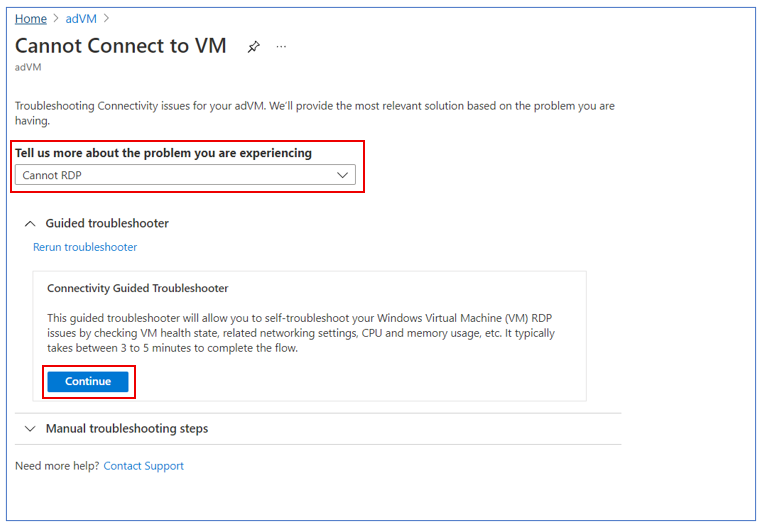
6. You will see a screen that looks like the below for all 3 options -> select one of the options for Tell us more about the problem you are experiencing -> then click on Continue to start troubleshooting.
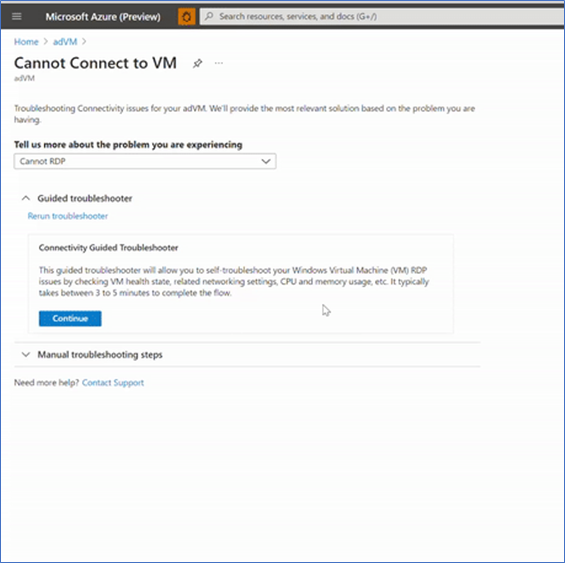
7. Follow through the guided troubleshooter steps by answering questions and learning about the checks we run during each step.
Intune
The Microsoft Intune team has been hard at work on updates as well. You can find the full list of updates to Intune on the What's new in Microsoft Intune page, including changes that affect your experience using Intune.
Azure portal “how to” video series
Have you checked out our Azure portal “how to” video series yet? The videos highlight specific aspects of the portal so you can be more efficient and productive while deploying your cloud workloads from the portal. Check out our most recently published videos:
- How to get a visualization view of your resources
- How to manage applications in Azure Kubernetes Service
- How to get started in Azure using the Azure Quickstart Center
Next steps
The Azure portal has a large team of engineers that wants to hear from you, so please keep providing us your feedback in the comments section below or on Twitter @AzurePortal.
Sign in to the Azure portal now and see for yourself everything that’s new. Download the Azure mobile app to stay connected to your Azure resources anytime, anywhere. See you next month!
Published on:
Learn moreRelated posts
Azure Landing Zones - Policy Refresh Q1 FY25
ALZ - Policy Refresh Q1 FY25 is here! As you may be aware, the ALZ team release cadence is now on quarterly basis to help customers and partne...
Custom Policy- Reusable Logs Templates
Reusable Templates for Sending Logs to Log Analytics Workspace Challenge: When it comes to developing custom policies for sendin...
Enhancements to Azure Monitor Baseline Alerts for Azure Landing Zones
Introduction Welcome to our latest blog post where we dive into a number of exciting new key updates, highlight the new portal accelera...
Introducing the Azure Policy Community Repo
Introducing the Azure Policy Community Repo What is the Azure Policy Community Repo? The Azure Policy Community Repo is a collaborativ...
General Availability: Vaulted backups for Azure Blob Storage
We are excited to announce the general availability of vaulted backups for Azure Blob Storage. Vaulted backups can help you achieve complete p...
Azure Update Manager to support CIS hardened images among other images
What’s coming in by end of July 2024: Azure Update Manager will add support for 35 CIS hardened images. This is the first time that Update Man...
Mastering your cloud journey: Essentials to Innovating, Migrating and Modernizing, on Azure
We are living during a time of rapid growth in AI technologies and seeing cloud complexity increase as a result of those advanced workloads, w...
Public Preview Announcement: Azure Policy Built-in Versioning
Welcome to a new era of policy management, where policy definitions are more agile, adaptable, and accessible than ever before! We are thrille...
Announcing Azure Monitoring Agent support in Azure Landing Zones
Introduction Hello and welcome to another blog post about Azure Landing Zones, the best practice framework for accelerating your cloud...
Announcing the General Availability of Change Actor
Change Analysis Identifying who made a change to your Azure resources and how the change was made just became easier! With Change Analys...