
Azure Best Practices delivered to machines anywhere with new Azure Arc and Automanage integration.
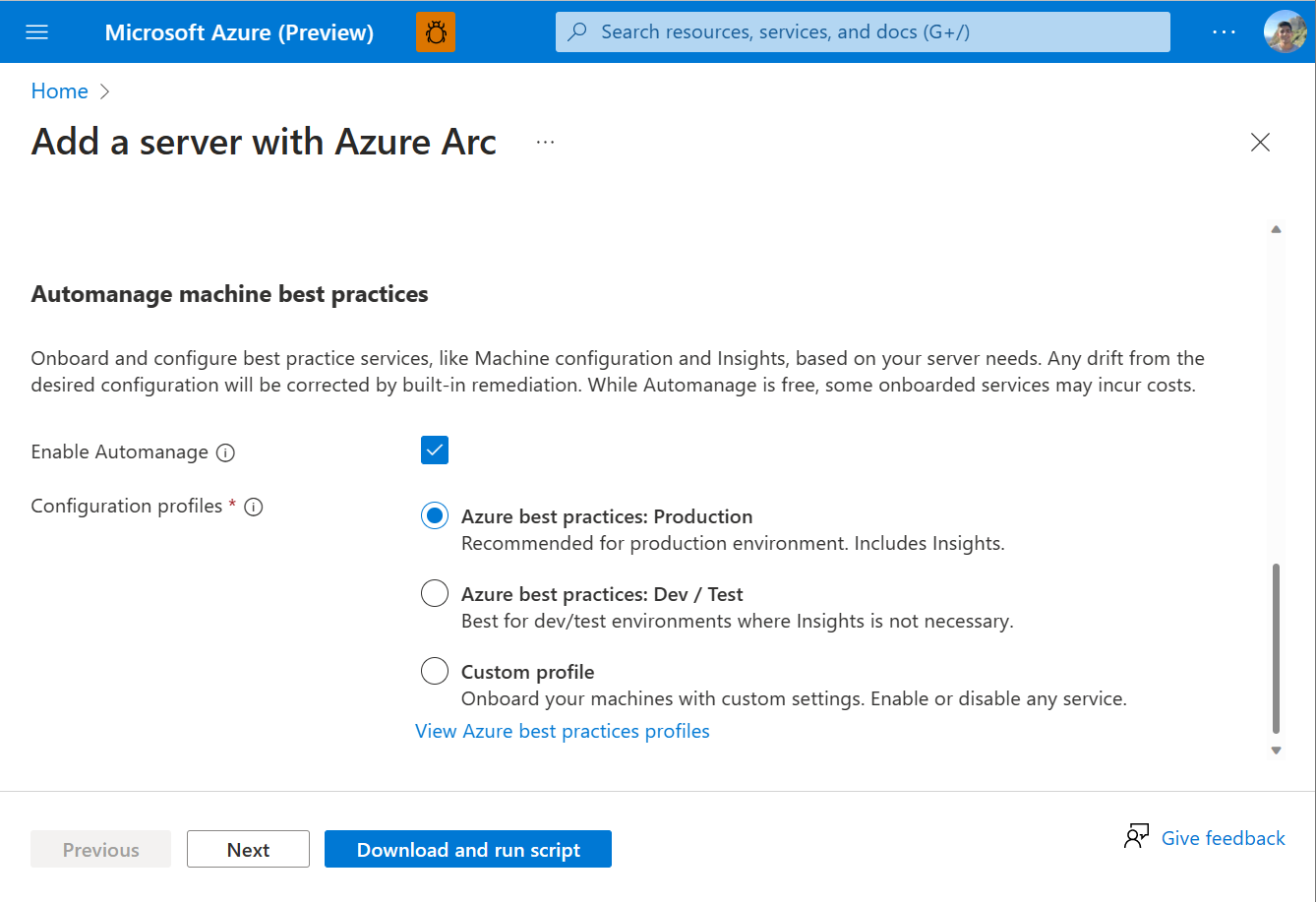
Tired of manually onboarding and configuring Azure services for your Arc-enabled servers? With Azure Automanage Machine Best Practices, you can point, click, set, and forget to extend Azure security, monitoring, and governance services to servers anywhere.
Directly from Azure portal, you can generate an extensible onboarding script can be run on Windows and Linux servers running on-premises or other clouds like AWS, GCP, and Oracle Cloud Infrastructure. Within the single server onboarding experience for Azure Arc, you can select to enable Azure Automanage as you onboard machines to Azure Arc. This means you can go onboard your Azure Arc-enabled servers to Azure services from Day 1.
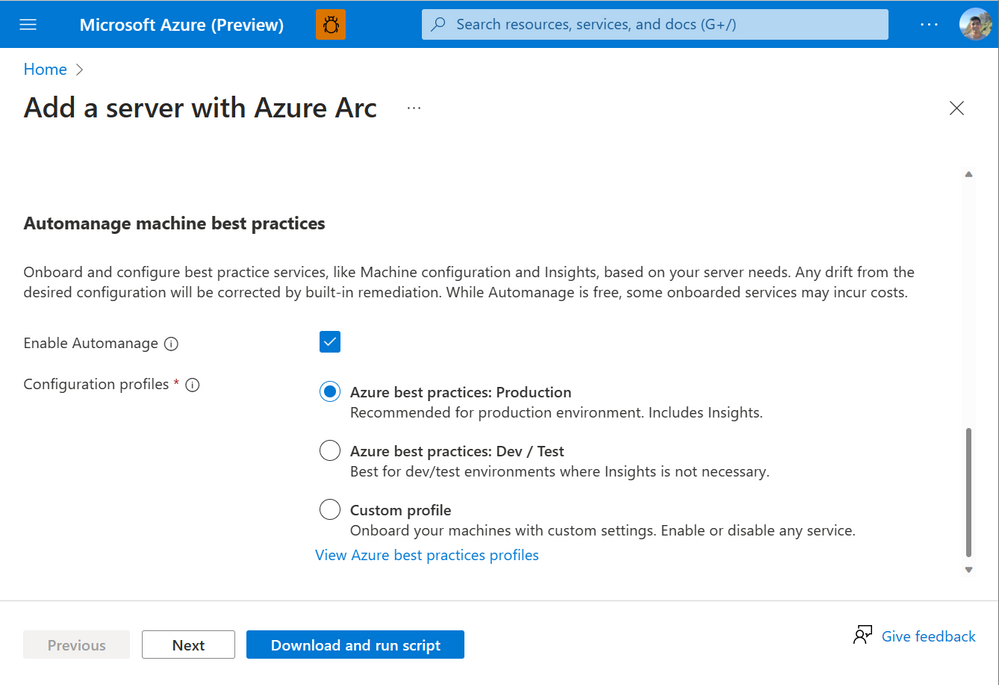
Azure Automanage offers you the flexibility to onboard to all or a customized subset of these Azure services.
- By connecting to an Azure Log Analytics workspace and Azure Automation account, you can unlocking capabilities across security and management without needing to plan for deployment.
- Through Machine Insights Monitoring, we capture key operating system performance indicators related to processor, memory, network adapter, and disk utilization helping to identify bottlenecks.
- Through Update Management, we deliver patching helping to quickly assess the status of available OS updates and manage the process of installing OS updates.
- Through Azure Automanage Machine Configuration, we deliver an Azure security baseline in audit-only mode to enhance security compliance and posture management.
- Through Change Tracking and Inventory Management, change tracking across services, daemons software, registry, and files in your environment to help you diagnose unwanted changes and raise alerts. Inventory support allows you to query in-guest resources for visibility into installed applications and other configuration items.
By coupling Azure Automanage Machine Best Practices with Azure Arc-enabled servers, you can seamlessly deliver the best of Azure management to servers anywhere. Try it today at https://aka.ms/ArcOnboard!
Published on:
Learn moreWe can help you with Azure Best Practices delivered to machines anywhere with new Azure Arc and Automanage integration.
If you want help implementing, troubleshooting, or improving this product, contact us and we’ll point you in the right direction.
Related posts
Azure Adaptive Cloud Pre-Days at Microsoft Ignite 2024
As the excitement builds for Microsoft Ignite 2024, tech enthusiasts and professionals worldwide are eagerly anticipating the Azure Adaptive C...
Launching the Arc Jumpstart Newsletter: October 2024 Edition
👋 Welcome! We are excited to kick off this monthly newsletter, where you can get the latest updates on everything happening in the Arc Jumpst...
Announcing Public Preview of Windows Server Hotpatch enabled by Azure Arc
We’re excited to announce the Public Preview of Hotpatch enabled by Azure Arc for Windows Sever 2025 Datacenter and Standard editions! ...
Public Preview of Azure Container Storage enabled by Azure Arc Edge Volumes
Release Summary We are thrilled to announce the Public Preview of Azure Container Storage enabled by Azure Arc Edge Volumes, a groundbre...
Introducing ArcBox 3.0 General Availability
Today, the Arc Jumpstart team is excited to announce the general availability of ArcBox 3.0! Since it was first introduced in 2021, Ar...
CloudCasa for Azure Arc
Azure Arc is a platform that helps users build and develop their applications by extending Azure to their datacenters, edge, or even to multic...
Generally Available: Transition to WS2012 / R2 ESUs enabled by Azure Arc from Volume Licensing
Customers that have enrolled in WS2012/ R2 ESUs through Volume Licensing for Year 1 can transition to Azure Arc for Year 2 of the program. Ext...
Comparing feature sets for AKS enabled by Azure Arc deployment options
This article shows a comparison of features available for the different deployment options under AKS enabled by Azure Arc. ...
Increasing Security for SQL Server Enabled by Azure Arc
Back in November 2023, the least privileges deployment model was introduced as a public preview. After thorough testing, we are excited to ann...
Five Key Updates on WS2012 ESUs enabled by Azure Arc
We have a myriad of key updates for customers enrolled in WS2012/R2 ESUs enabled by Azure Arc! As we continue to refine and expand the offer, ...