
Announcing the public preview of the devtunnel CLI
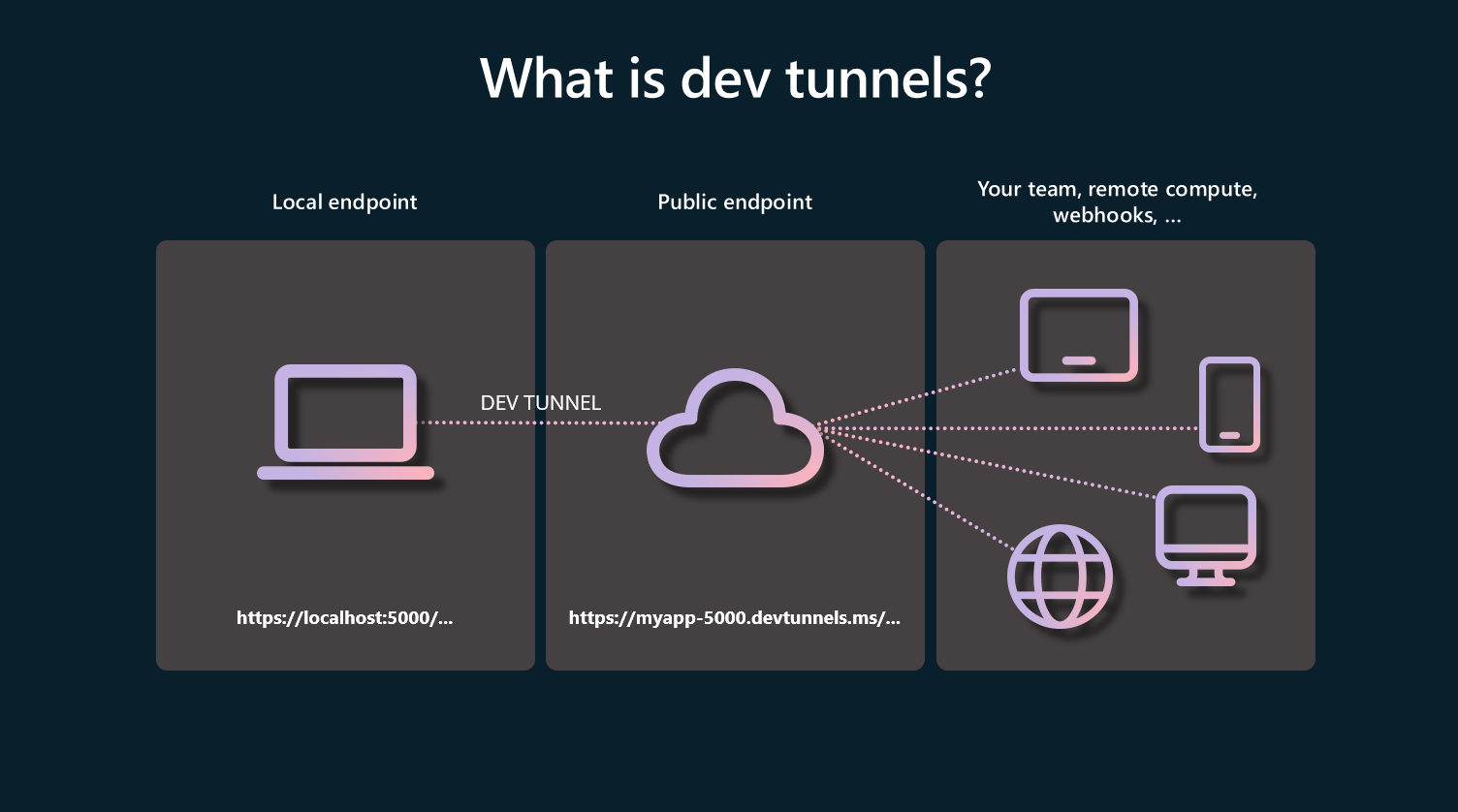
Dev tunnels are a powerful tool to securely open your localhost to the internet and control who has access, so you can easily test and debug your web apps and webhooks from virtually anywhere. With dev tunnels, you can also share your local work in-progress with colleagues or clients to get feedback asynchronously without the hassle of deploying. Previously, the only way you could use dev tunnels was through Visual Studio 2022.
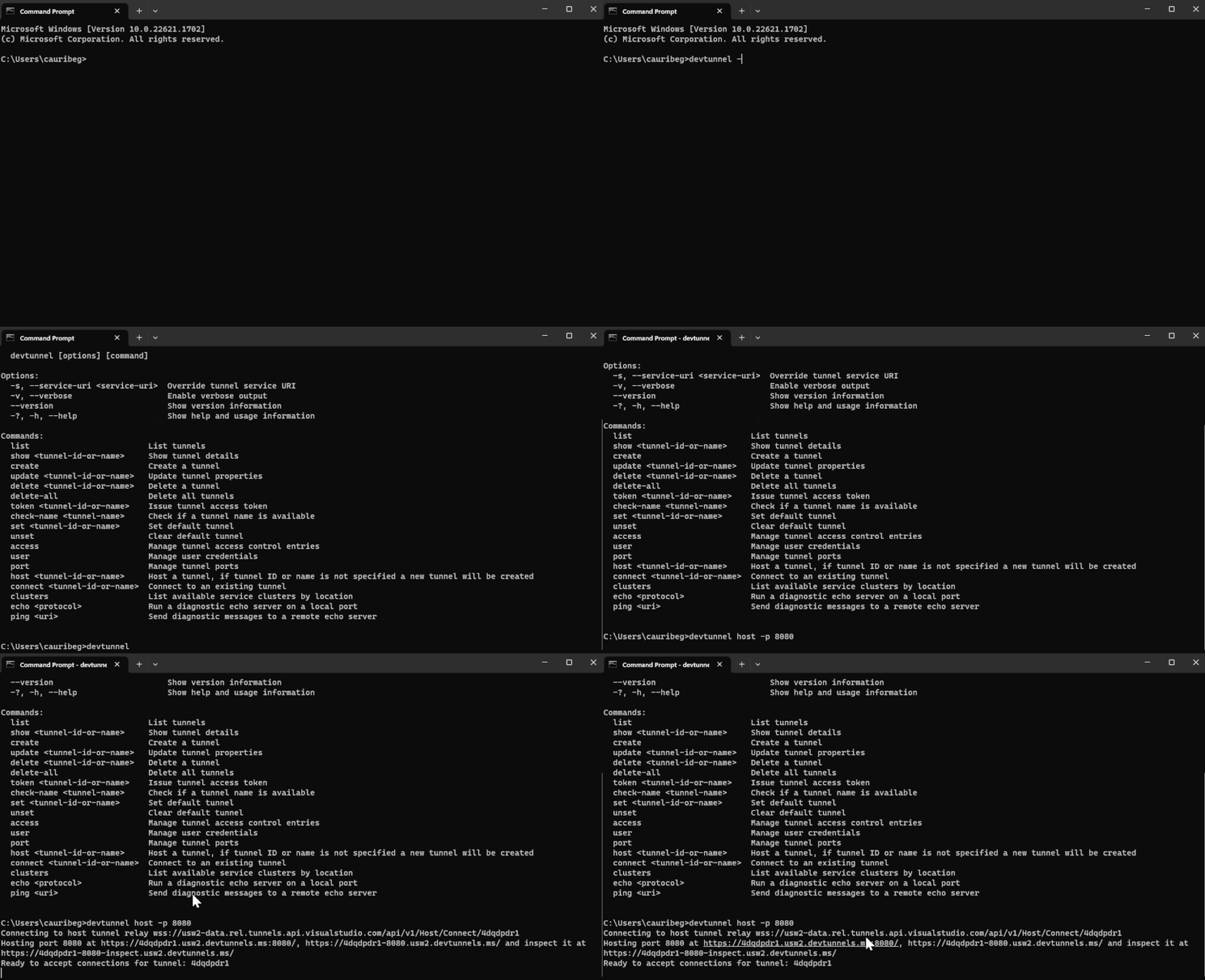
Today, we are thrilled to announce the public preview of the devtunnel CLI! To create, host, and connect to your first dev tunnel in seconds, please follow the documentation on Microsoft Learn.
Use cases
Here are some of the scenarios that dev tunnels enable with the devtunnel CLI or dev tunnels in Visual Studio 2022.
- Test an app with external services. For instance, test and debug Power Platform connectors, Azure Communication Services APIs, or Twilio webhooks.
- Test and debug a web app on other devices, like mobile phones and tablets.
- Make an app temporarily available to others to review your work in progress on a web app or API.
Benefits
- Secure by default – Each dev tunnel you create is only accessible to you using your Microsoft, Microsoft Azure Active Directory or GitHub account.
- Persistent URLs - Retain the same tunnel URL for extended periods of time.
- Support for multiple simultaneous ports - Host multiple ports on a single tunnel at the same time.
- Global service availability - The dev tunnels service is available globally. Tunnels are automatically created in the closest available region to ensure optimal performance.
- Tunnel inspection - Inspect tunnel traffic in a familiar interface, browser DevTools, to monitor and manage your web apps or webhooks.
To improve the devtunnel CLI, we encourage you to connect with us through GitHub issues to request a feature or submit a bug. We look forward to hearing your feedback!
Published on:
Learn moreRelated posts
This Month in Azure Static Web Apps | 09/2024
We are back with another edition of the Azure Static Web Apps Community! :party_popper: September was yet another month ...
GitHub Copilot for Azure: 6 Must-Try Features
As developers, we are constantly seeking tools that streamline our workflows and boost productivity. … Enter GitHub Copilot for Azure, now in ...
Responsible AI Mitigation Layers
Generative AI is increasingly being used in various kinds of systems to augment humans and infuse intelligent behavior into existing and new a...
Streamline Your Azure Workflow: Introducing GitHub Copilot for Azure in VS Code
I'm excited to announce the public preview of GitHub Copilot for Azure - a new addition to your toolkit that seamlessly integrates with G...
Build Intelligent Apps Code-First with Prompty and Azure AI
Building Generative AI applications can feel daunting for traditional app developers. What does the end-to-end applicati...
Certificación AI-900 (Fundamentos de IA) con Chicas en IA
La inteligencia artificial ha llegado para quedarse, ¡y más aún con la revolucionaria IA generativa! Para ayudar a los profesionales a especia...
Get certified with Learn Live GitHub series!
GitHub Universe is coming, and Microsoft and GitHub are partnering to offer a new special Learn Live series in Brazilian Portuguese, English a...
Certifícate con Learn Live GitHub en Español
Microsoft y GitHub se han unido para ofrecer una nueva serie especial de Learn Live en inglés y español: GitHub 2024. Del 10 al 24 de Octubre,...
Evaluating generative AI: Best practices for developers
As a developer working with generative AI, you've likely marveled at the impressive outputs your models can produce. But how do you ensure the...
Introducing Azure Product Retirement Livestreams
The Azure Retirements team, in collaboration with key partner groups, is excited t...