
Identifying Risks: Docker Scout's Vulnerability Scan on GitLab
Containerization has changed the way applications are built, shipped and run in modern software development. Container image A containerized software package that provides a lightweight, portable and self-sufficient method for packaging applications or services. Those images consist of layers, and each layer contains the image state from different moment.
Although container images have many advantages, they are not without security flaws. This vulnerabilities can come from old application binaries, misconfiguration or artifacts in the underlying operating system layers. Also these vulnerabilities can potentially be exploited to conduct unauthorized access, data breaches and various security incidents thus putting the container as well applications running inside them at risk.
Analyzing Container Images with Docker Scout
Docker Scout is a tool designed to enhance container image security by analyzing their content against known vulnerabilities. Every layer and software package making up an image is scanned for potential issues related to security, producing detailed reports on their nature and severity. This helps developers and DevOps engineers enforce the security of containerized applications.
Importing OWASP Juice Shop Project and Scanning with Docker Scout
Creating a Private Repository in Docker Hub:
Before setting up the CI/CD pipeline, I created a private repository on Docker Hub where the scanned and secure images would be pushed.
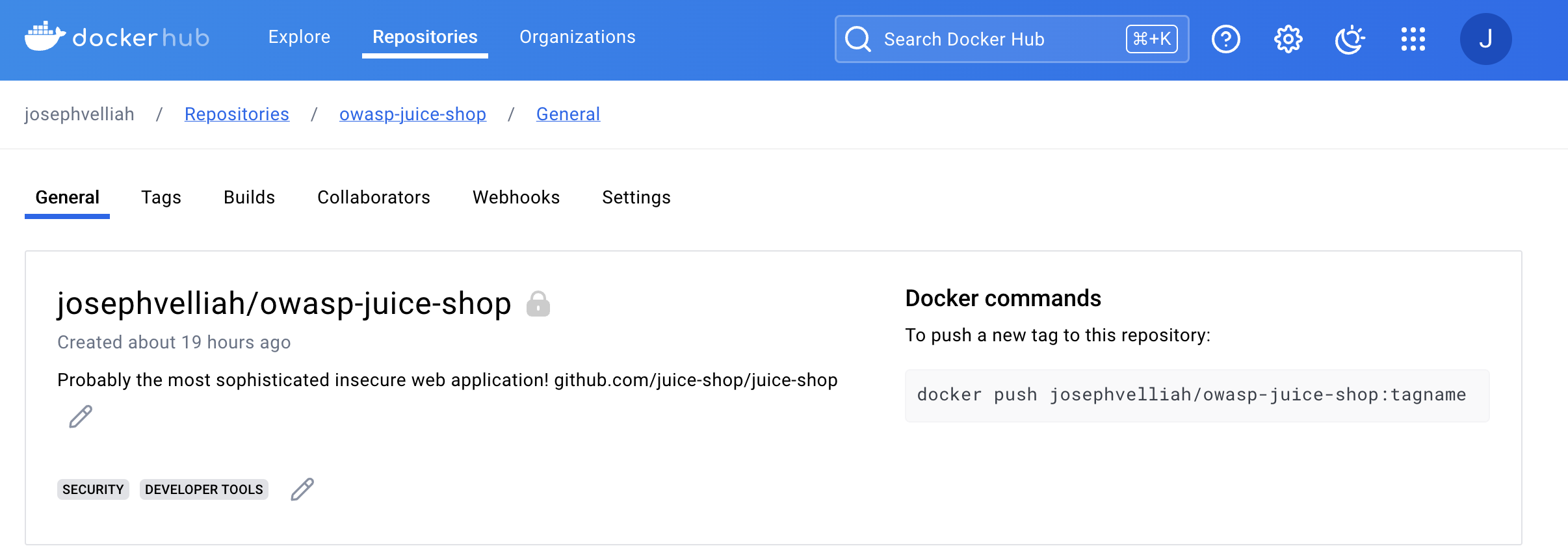
Importing the Project:
First, I imported the OWASP Juice Shop project from its repository on GitHub. Juice Shop is a very popular project for practicing web application security, as it contains a wide range of intentionally vulnerable code.
GitLab repository setup I did it in the most intuitive way using the interface of GitLab, created a new project, and imported the project from another Git repository. After that, I provided it with https://github.com/juice-shop/juice-shop.git to clone. GitLab cloned the repository and hence made it accessible for further operations.
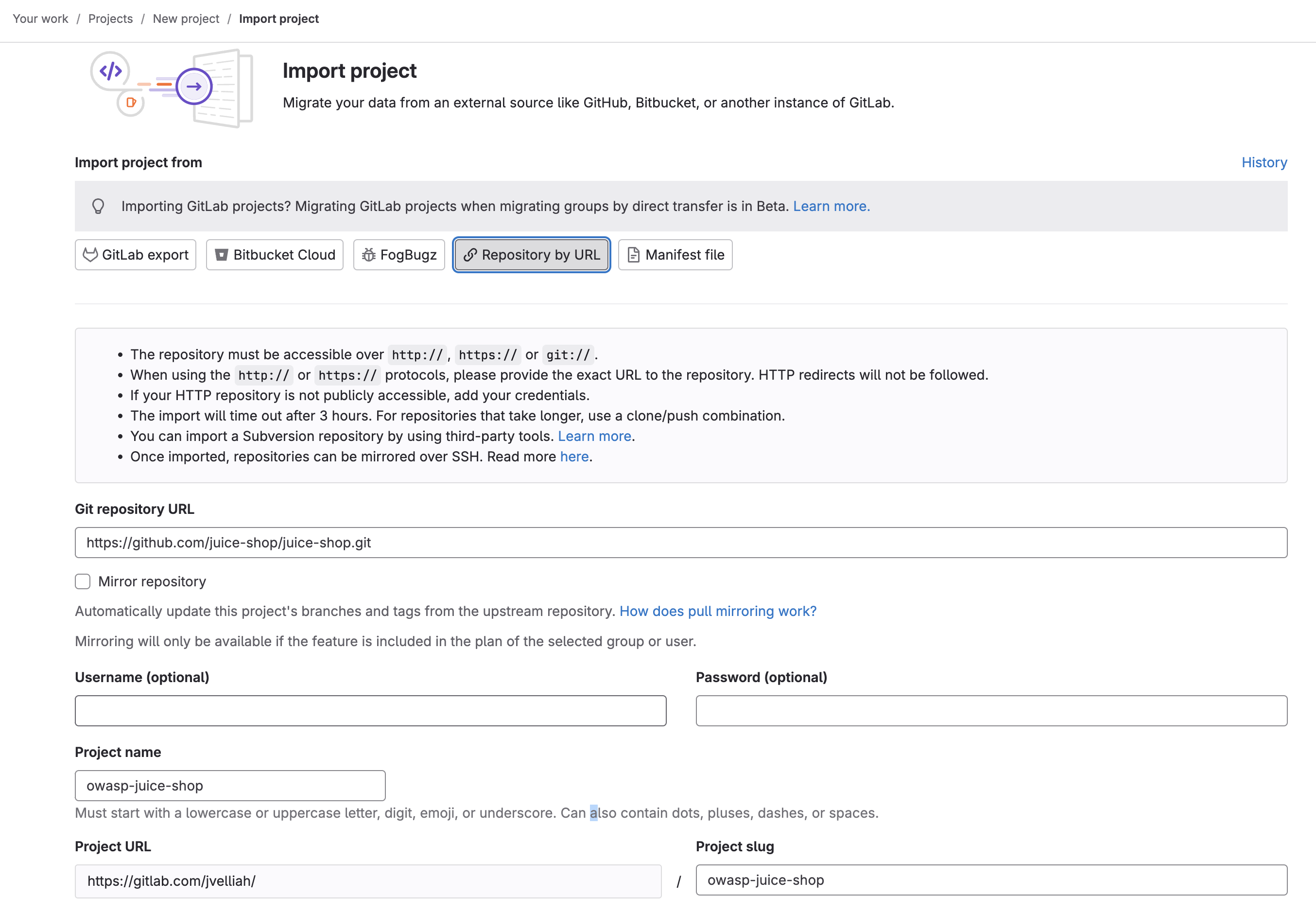
Setting Up Environment Variables:
To securely manage the credentials and other necessary information for the CI/CD pipeline, I configured environment variables in GitLab. These variables included:
CI_REGISTRY:https://index.docker.io/v1/CI_REGISTRY_IMAGE:docckerhub-username/docckerhub-repo-nameDOCKER_HUB_USER:docckerhub-usernameDOCKER_HUB_PAT:docckerhub-user-personal-access-token
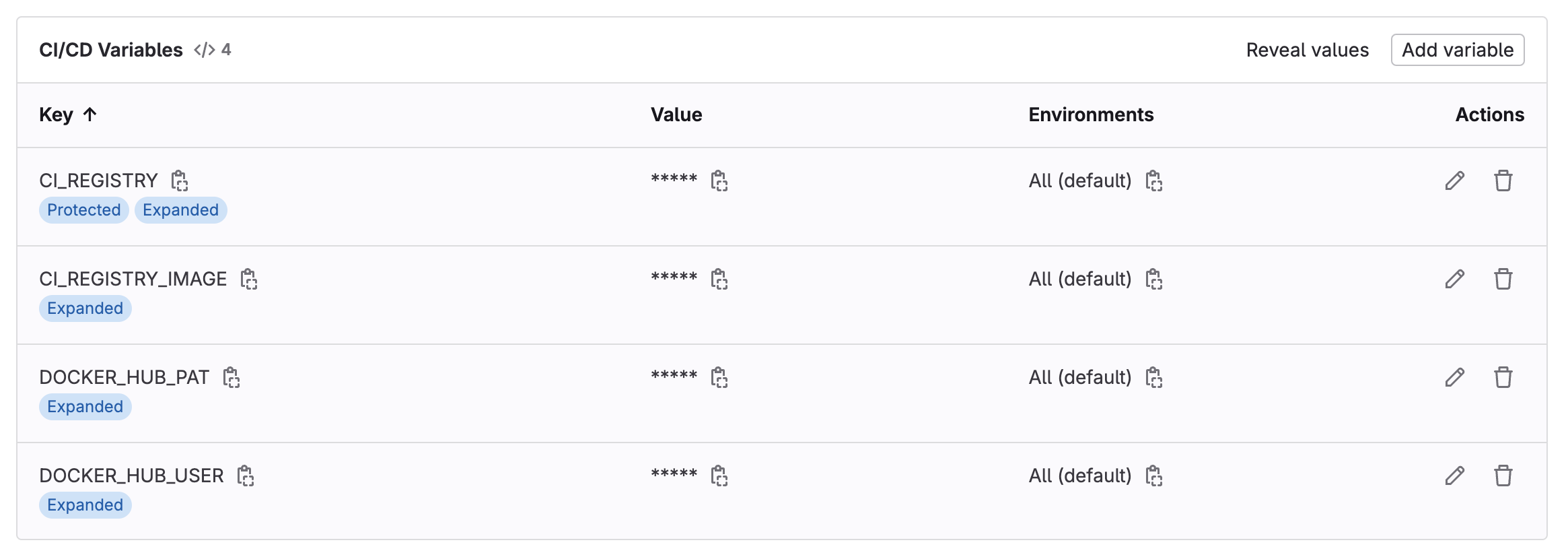
These variables were added in settings in the GitLab project under CI/CD > Variables.
Configuring the CI/CD Pipeline:
I created a .gitlab-ci.yml file describing the stages for building, scanning, and pushing the Docker image. Stages were structured as follows:
- Build Stage: This compiles the Docker image from the repository.
- Scan Stage: The constructed image’s vulnerability checking is done by Docker Scout.
- Push Stage: If the scan passes, it will push to Docker Hub.
The .gitlab-ci.yml file is as follows :
stages:
  - build
  - scan
  - push

variables:
  DOCKER_DRIVER: overlay2
  DOCKER_IMAGE_NAME: $CI_REGISTRY_IMAGE:$CI_COMMIT_SHA

build_image:
  stage: build
  image: docker:latest
  services:
    - docker:dind
  before_script:
    - echo "$DOCKER_HUB_PAT" | docker login --username "$DOCKER_HUB_USER" --password-stdin
  script:
    - docker buildx build --pull -t "$DOCKER_IMAGE_NAME" .
    - docker save -o "$CI_PROJECT_DIR/image.tar" "$DOCKER_IMAGE_NAME"
  artifacts:
    paths:
      - image.tar

scan_image:
  image: docker:latest
  stage: scan
  services:
    - docker:dind
  needs:
    - build_image
  before_script:
    - docker login -u "$DOCKER_HUB_USER" -p "$DOCKER_HUB_PAT" $CI_REGISTRY
    - |
      apk add --update curl
      curl -sSfL https://raw.githubusercontent.com/docker/scout-cli/main/install.sh | sh -s --
      apk del curl
      rm -rf /var/cache/apk/*
    - docker login -u "$DOCKER_HUB_USER" -p "$DOCKER_HUB_PAT"
  script:
    - docker load -i image.tar
    - docker scout cves "$DOCKER_IMAGE_NAME" --exit-code --only-severity critical,high,medium --format gitlab --output gl-docker-scout-scanning-report.json
  artifacts:
    reports:
      container_scanning: gl-docker-scout-scanning-report.json
    paths:
      - image.tar

push_image:
  stage: push
  image: docker:latest
  services:
    - docker:dind
  needs:
    - build_image
    - scan_image
  before_script:
    - echo "$DOCKER_HUB_PAT" | docker login --username "$DOCKER_HUB_USER" --password-stdin
  script:
    - docker load -i image.tar
    - docker push "$DOCKER_IMAGE_NAME"
Scanning with Docker Scout:
After the pipeline configuration was done, I triggered it to build, scan, and push the Docker image. While scanning, Docker Scout analyzed the image and gave an in-depth report of the vulnerabilities detected.
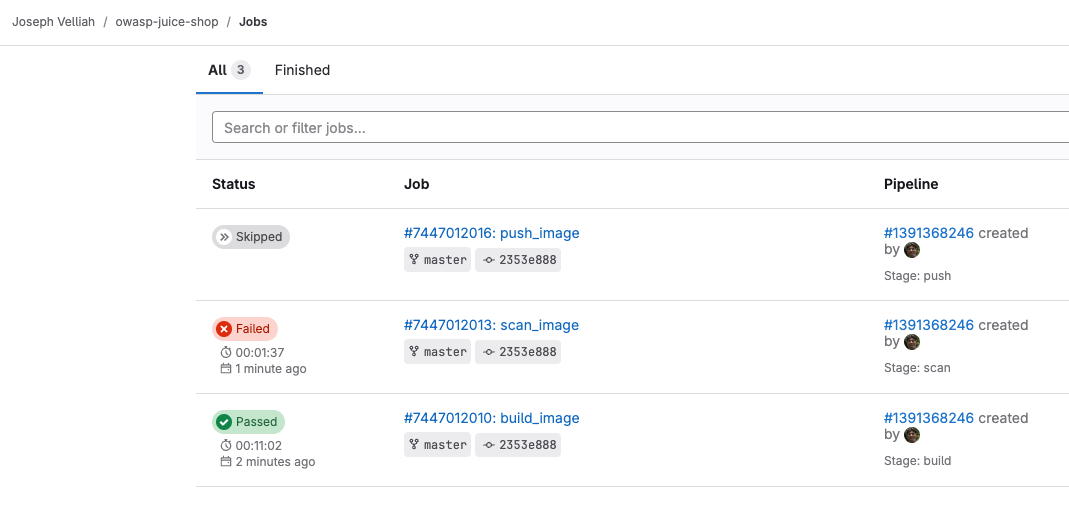
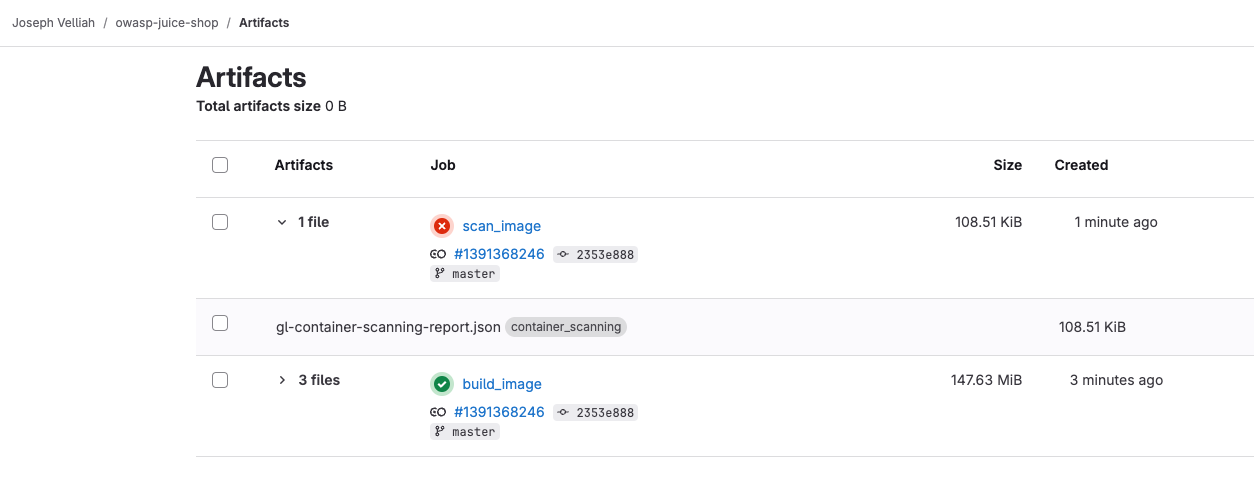
Vulnerabilities Detected
These vulnerabilities, according to the scan, are ranked by their severity levels: critical, high, medium, and low. In this example, it’s supposed to enforce a higher security standard pipeline passed, hence only critical, high, and medium-severity vulnerabilities are addressed.
Addressing the Vulnerabilities
Review the Report:
Study the detailed report of vulnerabilities that Docker Scout generates. Know which packages and layers should be treated as critical.
Update Dependencies:
Update your software packages and dependencies regularly to their latest versions to eliminate known vulnerabilities. Also consider using base images with minimum attack surfaces.
Continuous Monitoring:
Integrate Docker Scout with your CI/CD pipeline and registries for continuous monitoring against new vulnerabilities. Configure the setting of alerts and notifications on high and critical issues.
Best Practices: Follow best practices for container security, such as least privilege in running containers, trusted base images, and runtime security tools.
Automation: Automate processes wherever possible for remediation, like auto-updating dependencies or rebuilding images after finding vulnerabilities.
These imply we are going to have containerized applications that can hence be made secure, resilient, and compliant with industry norms and standards. For our container images to finally have integrity in security, how about we integrate Docker Scout into the CI/CD pipeline?
Published on:
Learn moreWe can help you with Identifying Risks: Docker Scout's Vulnerability Scan on GitLab
If you want help implementing, troubleshooting, or improving this product, contact us and we’ll point you in the right direction.
Related posts
I Asked God to Hold My Hand
Almost 20 years ago, I was waiting outside my company to collect my documents and start my first IT job. I sat under a banyan tree. That day ...
Identity-Aware SRE Agents with kagent on Akamai LKE
I wanted a reason to put an AI agent in front of a real Kubernetes cluster and watch what happens when two different people ask it to fix the ...
Vasanam Studio: How I Built a Bible Verse Video Generator for My Church as a Hobby Project
Every morning at 5 AM, the women of my church gather for prayer. At the end of the session, our pastor’s wife shares a Bible verse and sends a...
The demo worked. That was the problem.
Over a weekend I built a small Kubernetes demo to play with zero trust. Three little services calling each other in a chain, a login page in f...
Notes from building an agent on AgentCore end to end
I wanted a reason to use AgentCore end to end. Runtime, memory, guardrails, identity, the whole thing. A Bible Q&A agent felt like a good ...
Building a Rust gRPC AI Security Gateway for LLM Traffic
I wanted a small, honest implementation of the GenAI governance shape in code: a component on every LLM call that applies policy first, option...
Claude Code Security: The Smart Way to Integrate AI
Anthropic just dropped Claude Code Security, and if you’re anywhere near AppSec or DevSecOps, you’ve probably already seen the debate lighting...
How I Built a Semantic Cache Using Only AWS Services
LLM calls are expensive and slow, but here’s the thing - users ask the same questions in different ways all the time. “What’s your refund poli...
How to Build Better AI Agent Tools: Cut Costs by 70% (MCP Server Case Study)
Building tools for AI agents isn’t the same as building regular APIs. This guide shows you how to design tools that reduce token costs by 60-7...
Building a DevSecOps Pipeline on AWS (And You Can Too)
I have been working with CI/CD pipelines for a while now, and honestly, most of them just focus on getting code deployed fast. But what about ...