
ADF\Synapse Analytics - Replace Columns names using Rule based mapping in Mapping data flows
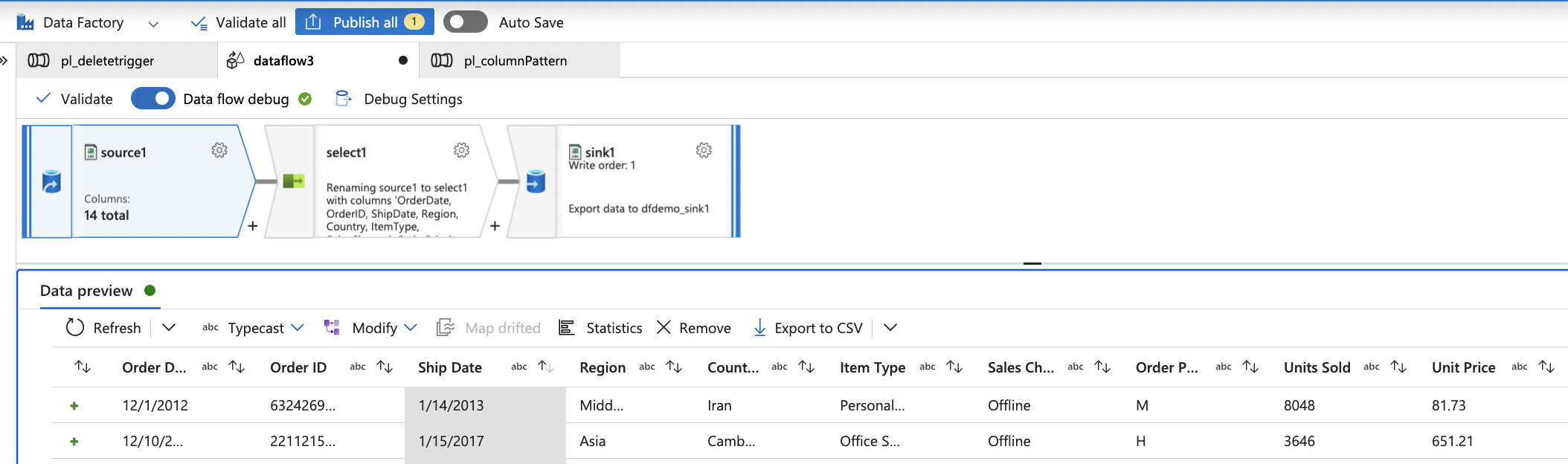
In real time, the column names from source might not be uniform, some columns will have a space in it, some other columns will not.
For example,
- Sales Channel
- Item Type,
- Region
- Country
- Unit Price
It is a good practice to replace all the spaces in a column name before doing any transformation for easy handling. This also helps with auto mapping, when the sink column names do not come with spaces!
Select transformation in data flow makes it simpler to automatically detect spaces in column names and then remove them for the rest of the dataflow.
Consider the below source, with the given column names.
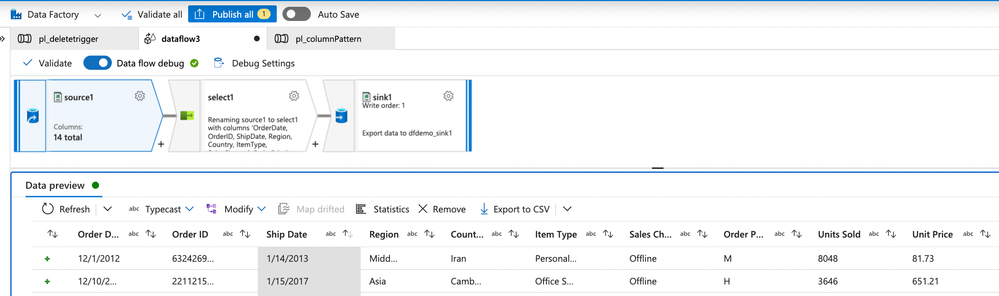
Here as we can see, few columns have spaces, few columns like Region and Country do not have spaces in it.
Using the below configuration in select transformation, we can get rid of the spaces in the column names with a simple expression.
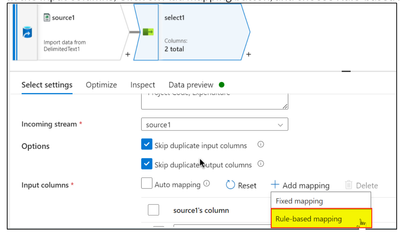
In the Input columns, Click on Add mapping button, and choose Rule-based Mapping.
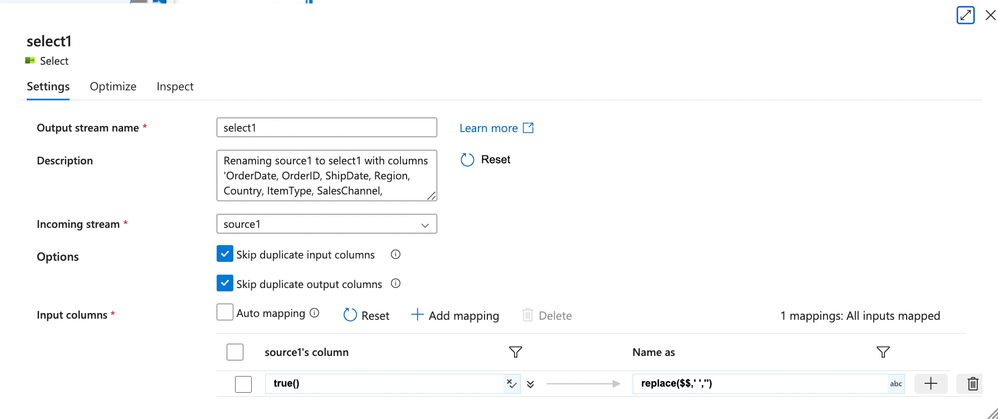
Then give the below expression:
on Source1's column: true()
on Name as column: replace($$,' ','')
What it does?
It will return true() for all the columns which have ' ' (space) in it and replace it with '' (no space).
Upon data preview, we get to see the below result,
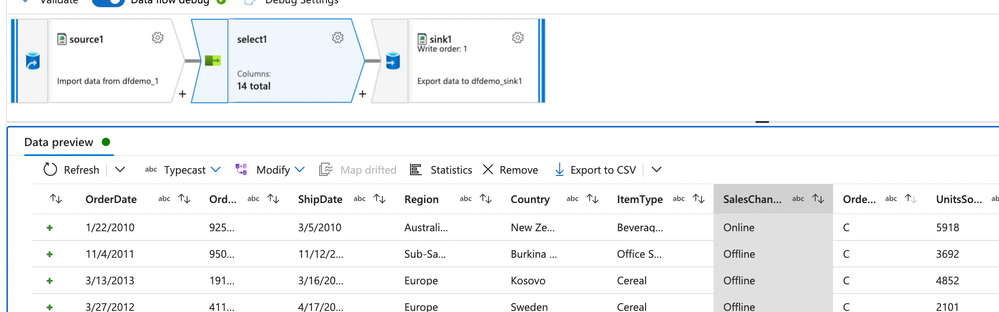
As we are seeing here, all the columns with spaces are coming without spaces in between.
If not for the Rule based mapping, one would have to manually remove space from all the columns. It would be a nightmare if the number of columns are more! Thanks to rule-based mapping!
Published on:
Learn moreWe can help you with ADF\Synapse Analytics - Replace Columns names using Rule based mapping in Mapping data flows
If you want help implementing, troubleshooting, or improving this product, contact us and we’ll point you in the right direction.
Related posts
This Month in Azure Static Web Apps | 09/2024
We are back with another edition of the Azure Static Web Apps Community! :party_popper: September was yet another month ...
GitHub Copilot for Azure: 6 Must-Try Features
As developers, we are constantly seeking tools that streamline our workflows and boost productivity. … Enter GitHub Copilot for Azure, now in ...
Responsible AI Mitigation Layers
Generative AI is increasingly being used in various kinds of systems to augment humans and infuse intelligent behavior into existing and new a...
Streamline Your Azure Workflow: Introducing GitHub Copilot for Azure in VS Code
I'm excited to announce the public preview of GitHub Copilot for Azure - a new addition to your toolkit that seamlessly integrates with G...
Build Intelligent Apps Code-First with Prompty and Azure AI
Building Generative AI applications can feel daunting for traditional app developers. What does the end-to-end applicati...
Certificación AI-900 (Fundamentos de IA) con Chicas en IA
La inteligencia artificial ha llegado para quedarse, ¡y más aún con la revolucionaria IA generativa! Para ayudar a los profesionales a especia...
Get certified with Learn Live GitHub series!
GitHub Universe is coming, and Microsoft and GitHub are partnering to offer a new special Learn Live series in Brazilian Portuguese, English a...
Certifícate con Learn Live GitHub en Español
Microsoft y GitHub se han unido para ofrecer una nueva serie especial de Learn Live en inglés y español: GitHub 2024. Del 10 al 24 de Octubre,...
Evaluating generative AI: Best practices for developers
As a developer working with generative AI, you've likely marveled at the impressive outputs your models can produce. But how do you ensure the...
Introducing Azure Product Retirement Livestreams
The Azure Retirements team, in collaboration with key partner groups, is excited t...