
Investigate URLs and domains more efficiently with the new URL page

In today's ever-evolving cybersecurity landscape, the threat posed by attacks such as phishing attacks continues to intensify. A prominent hallmark of these attacks is the use of URLs to facilitate their objectives. Microsoft Threat Intelligence data shows that 417,678 URLs were taken down by Microsoft Digital Crimes Unit between May 2022 to April 2023. Speed and efficiency matter to security operations center (SOC) analyst’s daily work and central to the success of cybersecurity efforts is the effective investigation and management of URLs. SOC analysts must be equipped with cutting-edge tools to effectively mitigate the risks posed by malicious URLs.
That’s why we are excited to announce the new URL page in Microsoft 365 Defender. This new experience is designed to help SOC analysts investigate URLs and domains more effectively and take remediation actions in one place, all within a unified and seamless experience. No longer will you need to navigate across multiple interfaces.
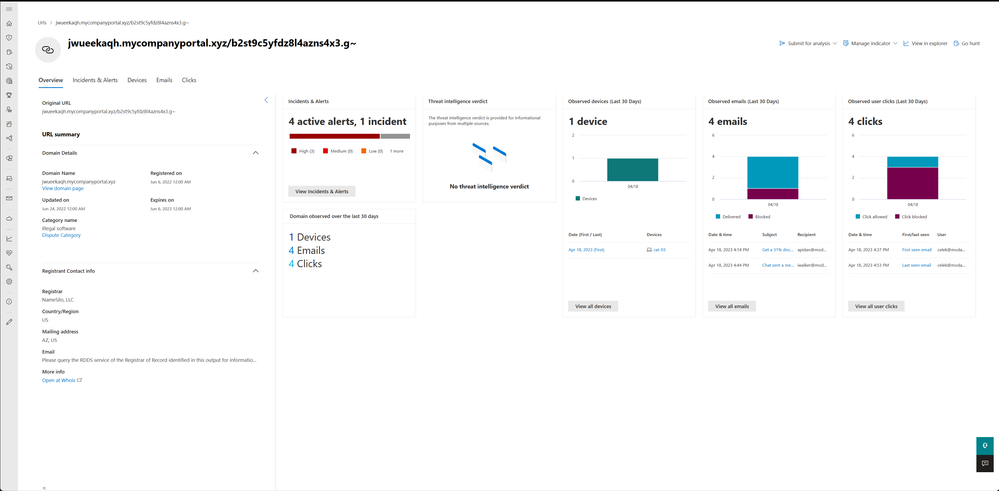
View all the data from the URLs
Whether it’s pivoting to emails, user clicks, or devices associated with URLs and fully qualified domain names (FQDNs), the enhanced functionality of the URL page reduces the need for context switching and ultimately enables faster investigation and response times. If you want to dive deeper into related entities like emails or users, you can seamlessly pivot to the relevant tabs and continue the investigation from there.
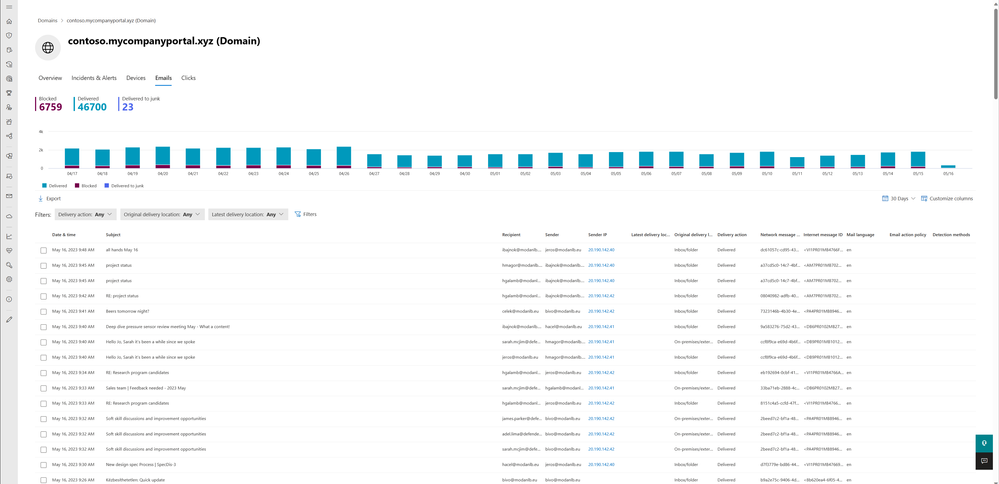
Tag, submit, and block URLs with ease
If you disagree with Microsoft’s verdict for a particular URL, you have the option to tag and submit the URL as clean, phishing, or malicious. Furthermore, you can even block the URL by adding it to the Defender for Endpoint indicator list or Defender for Office 365 block list with just one click in the actions bar.
Investigate URLs and domains with rich context
The new URL page offers valuable insights into both the popularity and reputation of the URL and domain, providing users with the necessary context to make informed decisions.

You are able to see whether the URL domain is widely recognized and known or rare and questionable.
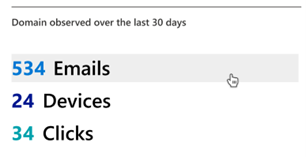
You can navigate to the URL and domain pages from the incident attack story, device timeline, advanced hunting, email side panel and page, or search in the top bar.
Microsoft 365 Defender is uniquely positioned to empower SOC teams to match the powerful techniques of adversaries and provide protection with the full context of an attack as the leading XDR solution that delivers unified protection across endpoints, hybrid identities, email, collaboration tools, and SaaS apps. The new URL page in Microsoft 365 Defender further streamlines the workflows and improves the efficiency for SOC teams.
Learn more:
- Check out our documentation to learn more about the new URL page in Microsoft 365 Defender
- Want to learn more about Microsoft XDR platform? Go to our website
- Learn more about how to allow or block URLs using the tenant allow/block list
Published on:
Learn moreRelated posts
Monthly news - November 2024
Microsoft Defender XDRMonthly newsNovember 2024 Edition This is our monthly "What's new" blog post, summarizing product updates and v...
Monthly news - August 2024
Microsoft Defender XDRMonthly newsAugust 2024 Edition This is our monthly "What's new" blog post, summarizing product updates and var...
Defender for Identity: the critical role of identities in automatic attack disruption
In today's digital landscape, cyber-threats are becoming increasingly sophisticated and frequent. Advanced attacks are often multi-workload an...
New Security Copilot skill: Identity Summary
“Can you summarize Defender insights about this user over the last two days?” Microsoft’s latest innovation for Copilot for Security, sim...
Demystify potential data leaks with Insider Risk Management insights in Defender XDR
In today's complex security landscape, understanding and mitigating data exfiltration risks is more critical than ever. Earlier this year, we ...
Monthly news - October 2024
Microsoft Defender XDRMonthly newsOctober 2024 Edition This is our monthly "What's new" blog post, summarizing product updates and va...
AI-Driven Guided Response for SOCs with Microsoft Copilot for Security
In today's evolving cybersecurity landscape, security operation centers (SOCs) are constantly bombarded with incidents ranging from minor aler...
Identity Summary: New Security Copilot skill within Defender XDR
“Can you summarize Defender insights about this user over the last two days?” Microsoft’s latest innovation for Copilot for Security, sim...
Detecting browser anomalies to disrupt attacks early
Detecting browser anomalies is crucial for early identification and prevention of cyber threats, preventing data breaches and attacks by monit...
Microsoft Defender for Identity: the critical role of identities in automatic attack disruption
In today's digital landscape, cyber-threats are becoming increasingly sophisticated and frequent. Advanced attacks are often multi-workload an...