
Dataverse for Teams: sharing Canvas Power Apps
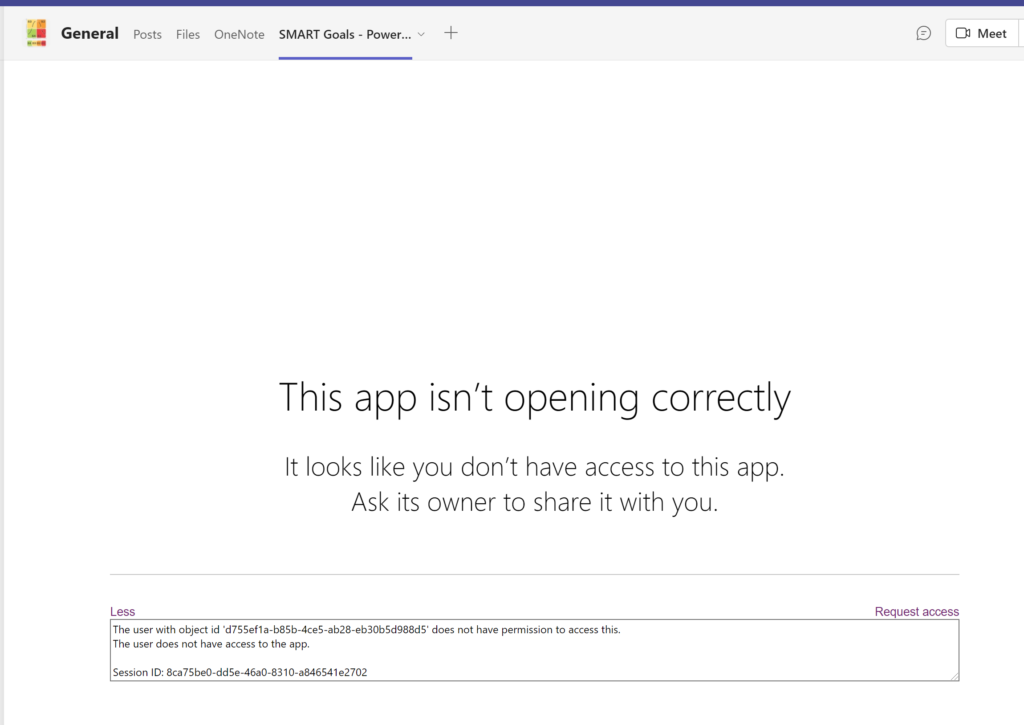
Why? Ever since it was introduced as Project Oakdale, I have followed the development of Dataverse for Teams (Microsoft Dataverse for Teams overview – Power Apps | Microsoft Learn) with much interest. One of the features I liked very much was about sharing Canvas Power Apps beyond a team (You can now share Dataverse for … Continue reading Dataverse for Teams: sharing Canvas Power Apps
The post Dataverse for Teams: sharing Canvas Power Apps appeared first on Knowhere365.
Published on:
Learn moreWe can help you with Dataverse for Teams: sharing Canvas Power Apps
If you want help implementing, troubleshooting, or improving this product, contact us and we’ll point you in the right direction.
Related posts
Power Automate: Associate a Flow within context of Power Apps
Why? In one of my previous blog posts Power Automate: Flows within context of Power Apps, I already explained that Microsoft will enforce Powe...
Power Platform: Dataverse in Microsoft Fabric
Why? There have been a lot of cool announcements last month, but Microsoft Fabric (Introducing Microsoft Fabric: The data platform for the era...
Microsoft MVP Summit: what is that all about?
Why? If you are following any Microsoft Most Valuable Professional on social media, you may have noticed that in the last few weeks there have...
Dataverse: use the force of the API in your browser
Why? When I started using Dataverse with Power Automate, I was always using the Power Apps Portal to lookup the definition schema of a Table. ...
Power Automate: Flows within context of Power Apps
Why? It has been quite some while now since Microsoft announced that Power Automate Flows using premium functionalities, could run within the ...
ESPC22 Session: Automating ALM of Power Platform with Azure DevOps
Why? Last week the great European SharePoint Office365 & Azure Conference in Copenhagen took place. I was given the opportunity to speak a...
Microsoft Certifications and free renewals
Why? You either love it or you hate it, but everyone who monitors Microsoft topics knows of the Microsoft Certifications that people can achie...
Idea: Power Automate Action Notes in historic Flow run
Why? Microsoft has been moving around the tech community, user voice and idea options quite a bit in the last few years. Even though it is oft...
Power Automate: Object must implement IConvertible in SharePoint
Why? I have seen the error of ❌“Object must implement IConvertible.” ❌ on multiple places in the Power Platform. Like this Power Apps User For...
Power Platform: Current Value of an Environment Variable in the Modern Maker Portal
Why? I like the updated Modern Maker Portal experience of Power Apps a lot. However updating the Current Value of an Environment Variable in t...