
Microsoft Stream is moving to Microsoft 365!
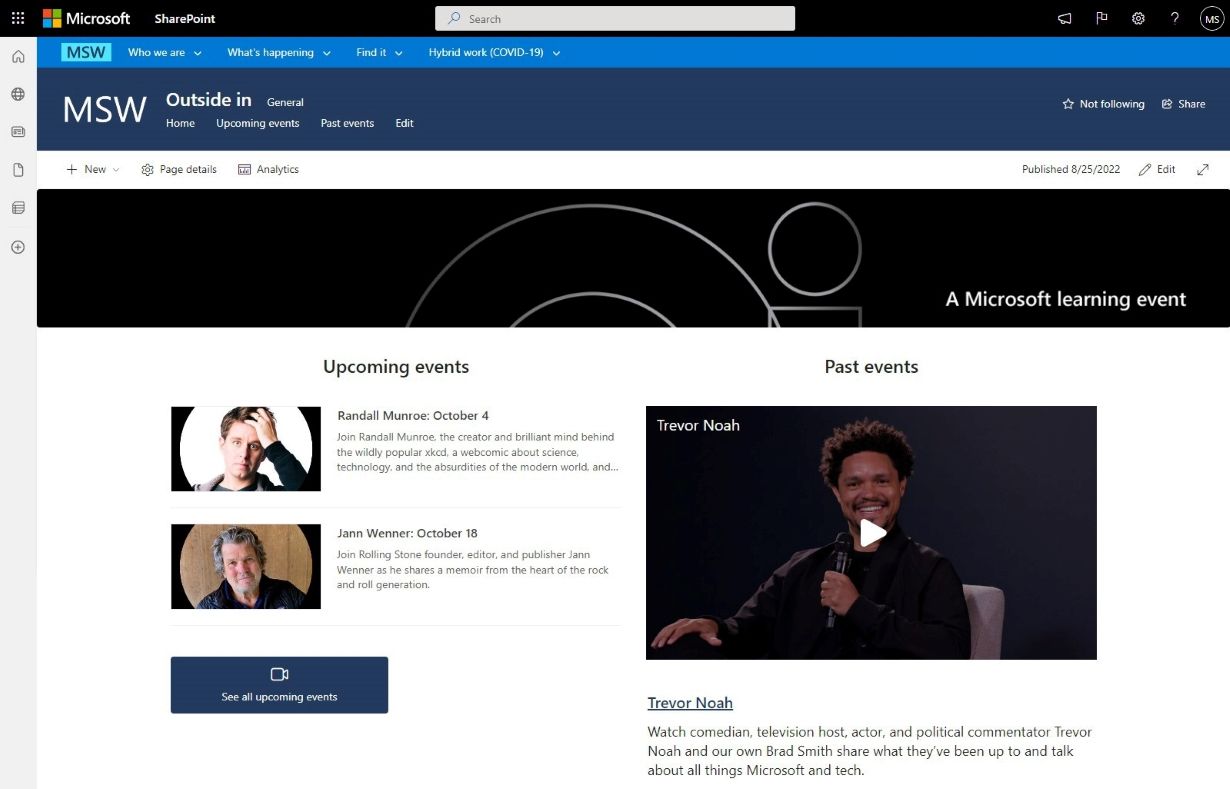
We’re not shy about using our own products and services internally here at Microsoft, and as such, we’re already taking advantage of recently moving our internal video platform—Microsoft Stream—under the Microsoft 365 umbrella.
The transformation of our corporate video platform has made it easier for our employees to create, upload, edit, and publish enterprise videos, says Marc Mroz, a product manager for Microsoft’s Office Media group, who explained that the new, modern Microsoft Stream experience is benefitting from now being located within SharePoint specifically.
“Many people were already familiar with what they can do in SharePoint,” says Mroz, who has been showing teams at Microsoft what they can now do with internal video. “We just helped connect the dots and showed them how to make a video destination, how to organize by folder, keyword, or metadata.”
The Microsoft Digital Employee Experience team has been working with Mroz and the product group team on deploying the modern Microsoft Stream experience across the company, with the team that publishes the company’s internal employee portal among those taking the lead on trying it first.
Using video to connect with employees in more meaningful ways has become more important as companies like Microsoft adjust to a new hybrid workstyle where employees aren’t working in the office as much as they used to, says Farnaz Hafezi, a program manager with Microsoft Digital Employee Experience.
“The last few years have really shown the importance of video for hybrid work,” Hafezi says. “It helps us collaborate, communicate, and educate. We’ve seen a significant increase in video within our tenant.”
Folding Microsoft Stream directly into Microsoft 365 and SharePoint using OneDrive for storage has made it more useable and accessible within Microsoft, Mroz says, adding that it also ensures that the product stays more current.

Microsoft’s Customer Zero
The Microsoft Digital Employee Experience team plays a significant internal role here at Microsoft as Customer Zero. What does this mean? It’s about trying out the company’s new technology offerings first—in this case, that means deploying the new Microsoft Stream internally to early adopters before it is broadly deployed to customers, listening to feedback from our early users, and then feeding those insights back to the product group. This virtuous circle gives the product group important feedback that makes the product stronger before it gets to customers.
One of the early adopters was the team that runs MSW, the company’s internal employee portal.
“There are things we can do in modern Stream that were difficult to do in classic,” says David Potts, a site administrator for MSW. “Our team is a mix of employees and vendors at any given time, but the whole team needs to be able to do authoring and manage videos. Anything you can do in SharePoint, including guest permissions, is now available to us.”
The feedback from Potts and other early users of the product has made the modern Microsoft Stream experience stronger, Mroz says.
“It’ll look better and be more purpose fit than classic could ever do,” he says. “Now we have an out-of-the-box video platform built into SharePoint, and when we show it to customers, they get it.”
To learn more and to find out how you can deploy the modern Microsoft Stream experience at your company, read the full story here: Corporate video at Microsoft gets a big upgrade thanks to the modern Microsoft Stream experience. You can also check out this helpful guide for using Microsoft Stream at your company.
If you're thinking about upgrading to the new Microsoft Stream experience, here a few things for you to consider:
- When moving from classic to the modern Microsoft Stream experience, take stock of your current inventory, especially if you have a large archive of Microsoft Teams recordings. Not every video is going to be worth the effort of bringing along.
- Thanks to the way SharePoint sites populate content, you can elegantly use parent and child sites to share content to targeted audiences without having to duplicate efforts
- Keep your SharePoint organized; this was true before Microsoft Stream came to Windows 365 and it’s still true after
- Video is a great way to onboard new employees or offer just-in-time training. Microsoft Stream’s compatibility with Microsoft Search makes it easy for connections to be made
Visit Microsoft Inside Track to learn more about how Microsoft uses its own technology and services as well as the company's Customer Zero journey.
Continue the conversation by joining us in the Microsoft 365 community! Want to share best practices or join community events? Become a member by "Joining" the Microsoft 365 community. For tips & tricks or to stay up to date on the latest news and announcements directly from the product teams, make sure to "Follow" or subscribe to the Microsoft 365 Blog space!
Published on:
Learn moreRelated posts
Announcing the General Availability of the Microsoft 365 Document Collaboration Partner Program
Empowering Seamless Collaboration for Modern Workforces We are thrilled to announce the general availability of the Microsoft 365 Docume...
Favorite Copilot Prompts
(Amber Plumb interviewing Michael Morales and Allison Sweet) The power of M365 Copilot is transforming the way our support team operates...
Favorite Microsoft 365 Copilot Prompts
(Amber Plumb interviewing Michael Morales and Allison Sweet) The power of M365 Copilot is transforming the way our support team operates...
Boost digital event engagement with Voting and Archiving in Teams Q&A
Managing and delivering effective town halls is key to enabling two-way dialogue with leaders in today’s hybrid world. Microsoft Teams Q&A...
Prepare now for key end of support moments in 2025
One year from today, on October 14, 2025, support will end for all Office 2016 and 2019 suites, standalone apps, and servers. This includes:&n...
Everything you should know about Visio 2016 and Visio 2019 end of support
On October 14, 2025, Visio 2016 and Visio 2019 will reach end of support. After this date, Visio 2016 and Visio 2019 will no longer receive se...
Limit frontline worker access to Teams when off shift
We’re excited to announce that the frontline working time feature is now generally available! This feature allows admins to block or warn acce...
We are removing Feed on Microsoft 365 (Office)
As part of our ongoing efforts to streamline and enhance user experiences, we will be retiring the Feed feature (shown in figure 1 below) on t...
Leveraging Partner Apps to Deliver on the Promise of AI-Led Productivity
The advent of generative AI is driving a rethink of what outcomes we deserve from our productivity software – from gains in efficiency to more...
What’s new in FLW shared devices
Discover the Latest Enhancements in Shared Device Mode (SDM) We are excited to announce a series of new features in Shared Device Mode ...