How to open a Dataverse record on mobile from a canvas app
Learn how to open a Dataverse record in a model-driven app on mobile in the Power Apps app from within a canvas app! The post How to open a Da...
11 months ago
Unleash your creativity in app development with our curated collection of Microsoft Canvas Apps blogs. Stay informed about the latest updates, tips, and best practices to create intuitive and powerful business apps using Microsoft Power Apps Canvas.
Learn how to open a Dataverse record in a model-driven app on mobile in the Power Apps app from within a canvas app! The post How to open a Da...
In many business scenarios, apps need to show or hide features based on the roles of logged-in users. Power Apps Canvas apps do not have built...
The public preview of a new coauthoring feature within Canvas Designer has been announced, allowing multiple makers to collaborate in real-tim...
In Power Apps, sharing a canvas app with a Microsoft 365 group and any associated SharePoint lists is now made easier and quicker. This tutori...
This post is a video presentation about enhancements to Copilot controls in Power Apps Canvas. The video covers the exciting new features and ...
In this informative video, you'll explore the key differences between model-driven and canvas Power Apps, helping you determine which type of ...
The Live Share SDK now includes the Teams Live Canvas package, allowing developers to publish their apps to the Teams App Store. This update m...
In this informative #PowerShot tutorial, you'll learn how to leverage the new Upload Excel PCF developed by @agarwal_ritika and team. ...
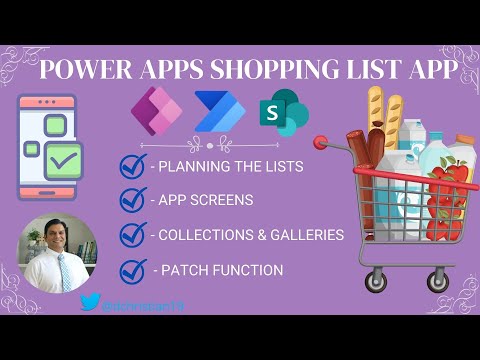
In this video tutorial, you'll learn how to create a shopping list app using Power Apps Canvas and Power Automate. The tutorial walks you thro...
If you're working with PowerApps and need to highlight the first record in a list gallery, look no further than this video tutorial. With step...
 Azure
Dynamics 365
Azure
Dynamics 365
 Dynamics 365 Business Central
 Dynamics 365 Customer Engagement
 Dynamics 365 Customer Service
 Dynamics 365 Field Service
 Dynamics 365 Finance & Operations
 Dynamics 365 Marketing
 Dynamics 365 Project Service Automation
 Dynamics 365 Sales
Microsoft 365
Dynamics 365 Sales
Microsoft 365
 Microsoft 365
 Microsoft 365 Graph
 Microsoft 365 Sharepoint
 Microsoft 365 Teams
 Microsoft Copilot
Power Platform
Microsoft Copilot
Power Platform
 AI Builder
 Canvas Apps
Power Apps
Canvas Apps
Power Apps
 Power Automate
 Power BI
 Power Fx
 Power Pages
 Power Platform
 Power Virtual Agent