
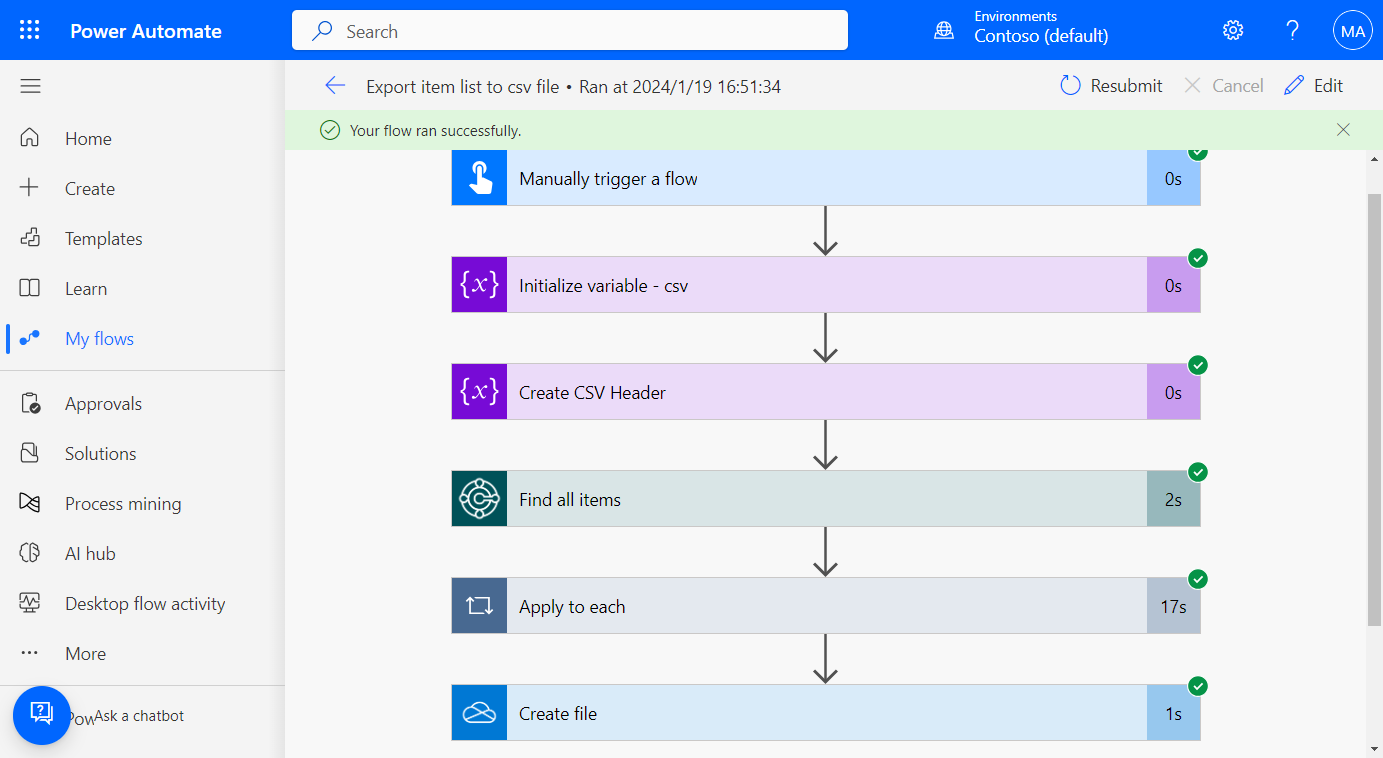
How to export data from Business Central to a csv file with Power Automate (No customization) – JSON to csv
Published on:
Learn moreWe can help you with How to export data from Business Central to a csv file with Power Automate (No customization) – JSON to csv
If you want help implementing, troubleshooting, or improving this product, contact us and we’ll point you in the right direction.
Related posts
Business Central 2026 release wave 2 (BC29): AL developers can turn indexes on/off in AL code
Hi, Readers.Dynamics 365 Business Central 2026 wave 2 (BC29) is generally available. More details: General Availability: Dynamics 365 Bus...
Business Central 2026 release wave 2 (BC29): Retained DEV extensions (DEV extensions remain installed during environment update)
Hi, Readers.Dynamics 365 Business Central 2026 wave 2 (BC29) is generally available. More details: General Availability: Dynamics 365 Bus...
Business Central 2026 release wave 2 (BC29): Calculate multiple excise duties per item
Hi, Readers.The public preview for Dynamics 365 Business Central 2026 release wave 2 (BC29) is available. Learn more: Link. I will contin...
Business Central 2026 release wave 2 (BC29): Faster data loading with improved data model for table extensions (all fields on an AL table are stored in the same table)
Hi, Readers.Dynamics 365 Business Central 2026 wave 2 (BC29) is generally available. More details: General Availability: Dynamics 365 Bus...
Cumulative Update Summary for Microsoft Dynamics 365 Business Central (October, 2026)
Cumulative Update (October, 2026) for Microsoft Dynamics 365 Business Central is now released. BC29: CU00 Cloud (SaaS): Managing Production an...
Business Central 2026 release wave 2 (BC29): Run data queries with MCP Server (no APIs required)
Hi, Readers.The public preview for Dynamics 365 Business Central 2026 release wave 2 (BC29) is available. Learn more: Link. I will contin...
General Availability: Dynamics 365 Business Central 2026 release wave 2 (BC29)
Dynamics 365 Business Central 2026 wave 2 (BC29) is generally available. New customers will automatically get the latest builds of Business Ce...
Business Central 2026 release wave 2 (BC29): Migrate table fields from Integer to BigInteger (Support for BigInteger field migration)
Hi, Readers.The public preview for Dynamics 365 Business Central 2026 release wave 2 (BC29) is available. Learn more: Link. I will contin...
Dynamics 365 Business Central: How to turn off feedback on AI-generated content
Hi, Readers.Today I would like to share another mini tip about Business Central, how to turn off feedback on AI-generated content. Copilot is ...
Business Central 2026 release wave 2 (BC29): Reduce complexity of report datasets (Company information dataitem in Word layouts)
Hi, Readers.The public preview for Dynamics 365 Business Central 2026 release wave 2 (BC29) is available. Learn more: Link. I will contin...