
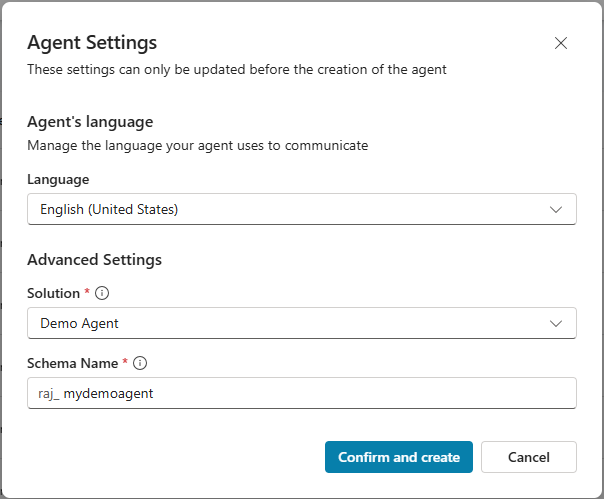
Copilot Studio | Create Agents with Advanced Settings
Published on:
Learn moreWe can help you with Copilot Studio | Create Agents with Advanced Settings
If you want help implementing, troubleshooting, or improving this product, contact us and we’ll point you in the right direction.
Related posts
Step by Step | Copilot Studio MCP – Create, test and publish an agent from any coding agent
We build Copilot Studio agents in the Copilot Studio portal by adding Instructions, Tools, Knowledge manually. With Copilot Studio MCP, we can...
Step by Step | Managed Identity – Read Dataverse records from an Azure Function
If you have connected to Dataverse from an Azure Function, you most likely used Server-to-Server (S2S) authentication. We create an Entra R...
Microsoft IQ Explained: Work IQ, Fabric IQ, Foundry IQ, and Web IQ
Let’s say you use Microsoft Copilot to prepare for a customer meeting. You ask it to summarize recent discussions, review outstanding or...
Work IQ Dev Tools (WIQD) – Build a Microsoft Copilot Cowork Plugin
Work IQ Dev (WIQD) Tools provides commands to build, validate, deploy, and share extensions for Microsoft 365 Copilot. In this article lets us...
Step by Step | Rayfin Fabric App – Display Lakehouse table data
In my previous post Step by Step: Build your first Fabric App using Rayfin CLI, we built a Todo app where Rayfin created the SQL database for ...
Step by Step | Deploy your C# MCP Server to Azure and use it in GitHub Copilot CLI
Model Context Protocol (MCP) lets AI agents call your own tools. In an earlier post we built our first MCP server in C# and tested it inside V...
Power App Code App | Pay-as-you-go Is a Valid Way to License Code App Users
Did you know that to run a Power Apps code app, each end user needs a premium entitlement?. Most makers know this and assign a Power Apps Prem...
Step by Step | Build your first Copilot Managed Runtime app with the SDK
Copilot Managed Runtime is a Microsoft-hosted service for building business apps that comply with your organization’s governance. Consi...
Microsoft Copilot | Save and Schedule Prompts
Did you know that you can save a prompt in Microsoft Copilot and reuse it anytime? You can also schedule the same prompt to run on its own. Th...
Quick Tip | Create Standard agents in a GitHub Copilot harness enabled environment
Enabling the GitHub Copilot harness on an environment does not remove the Standard harness. You can still create Standard agents and agent flo...