
Azure Kubernetes Service and Azure Container Registry Service on Azure Stack Hub

There are bright spots in the middle of Seattle’s winter rains, one is the fact that the Public Preview availability of two new services is out and ready for customers to install and test. Customers can now install Azure Stack Hub’s 2108 Update with Hotfix 4 and then take full advantage of the following two services:
- Azure Kubernetes Service (AKS)
- Azure Container Registry Service (ACR)
For customers that already have invested in Azure Stack Hub, they can now take advantage of AKS and ACR directly from the Portal and CLI.
It simplifies deploying a managed Kubernetes cluster by automating the operational overhead and providing the functionality you need to maintain your clusters. When you deploy an AKS cluster, the Kubernetes control plane and all nodes are deployed and configured for you. The service will monitor the cluster’s infrastructure health, it will attempt to remediate issues and notify the Azure Stack Hub operator when your AKS clusters infra runs into problems. AKS enables you to manage the complete lifecycle of your Kubernetes clusters using the same User Interface, Command Line, API, and templates available in Azure AKS.
Azure Container Registry (ACR) on Azure Stack Hub allows users to store and retrieve OCI images, assign role-based access control (RBAC) permissions, and create webhooks. Used in conjunction with AKS on Azure Stack Hub, it provides an easy way to locally store and deploy container images to your AKS Kubernetes clusters.
AKS Benefits
- You can adopt AKS as your Kubernetes provider for both the cloud and the edge. This allows you to use the same lift-and-shift and application modernization strategies regardless of where your workloads need to run.
- With AKS-HCI you can easily deploy Kubernetes clusters inside your edge facility and manage them together with your Azure clusters from the Azure control plane using Azure Arc.
- If your edge facility has limited or no network connectivity, you can take advantage of AKS on Azure Stack Hub (ASH). AKS-ASH includes the AKS control plane to manage the lifecycle of your cluster from Azure. With its own instance of Azure Resource Manager (ARM) and the Azure Portal, Azure Stack Hub allows you to use the same CLI scripts and templates that you would use in Azure without requiring a connection back to the public cloud.
- With Azure AKS, AKS-HCI, and AKS-ASH your cloud computing plans can include workloads running on the Cloud, hybrid, and disconnected Edge.
Comparing AKS on Hub with AKS on Azure and AKS Engine on Hub
AKS on ASH is a subset of the functionality you find in Azure AKS. This is because the two platforms differ on the available features and services:
|
Feature |
AKS on Azure |
AKS on Hub |
AKS Engine on Hub |
|
Create, Upgrade, Scale, Delete |
Yes |
Yes |
Yes |
|
AKS Managed VM Image |
Yes |
Yes |
Yes |
|
Ux, CLI, API, Template experience |
Yes |
Yes |
No |
|
Monitoring and Remediation of Control Plane |
Yes |
Yes |
No |
|
Cluster Metrics |
Yes |
Yes |
No |
|
Diagnostic settings |
Yes |
Yes |
No |
|
Kubernetes Control Plane Logs |
Yes |
Yes |
Yes |
|
Kubenetes and Azure CLI network plugins |
Yes |
Yes |
Yes |
|
CNCF-certified |
Yes |
Yes |
Yes |
|
Cluster auto-scaler |
Yes |
No |
No |
|
Multiple node pool management |
Yes |
No |
No |
|
Integrated AAD/ADFS Auth and RBAC |
Yes (AAD) |
No |
No |
|
Security Center Integration |
Yes |
No |
No |
|
Integrated Azure Monitoring (Insights, Logs, Metrics, Alerts) |
Yes |
No |
No |
|
ASH Operator Ux and PS experience |
No |
Yes |
No |
|
|
|
|
|
ACR Benefits & Feature Comparison to ACR in Azure
ACR on Hub enables fast local retrieval of container workloads. ACR on Azure Stack Hub handles private Docker container images as well as related content formats, such as Helm charts, OCI artifacts, and images built to the OCI image format specification. A highlight of available benefits includes:
- OCI artifact repository for adding Helm charts, Singularity support, and new OCI artifact-supported formats
- Integrated security with Azure Active Directory (Azure AD) or ADFS/Graph authentication, role-based access control, Docker Content Trust, and virtual network integration
- Connected & Disconnected Support for Azure Stack Hub deployments, enabling container workloads for customers of all internet connectivity types.
For a full list of features available on Azure Stack Hub and comparison to ACR on Azure, visit our ACR on Hub Overview.
AKS Operator's Experience
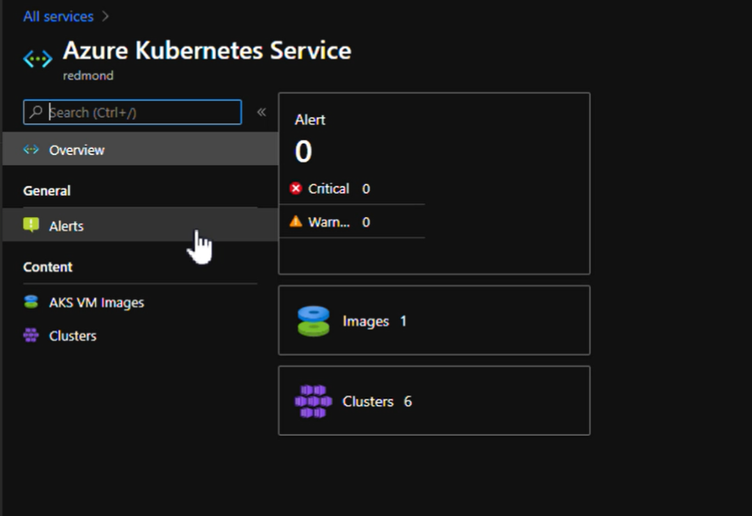
The one item that you will not find in Azure AKS is the Hub Operator experience. On Hub customers must manage the available services, that includes AKS. The service comes with a specific UI to help you view the AKS service state, alerts, clusters, and images:
AKS Tenant Experience
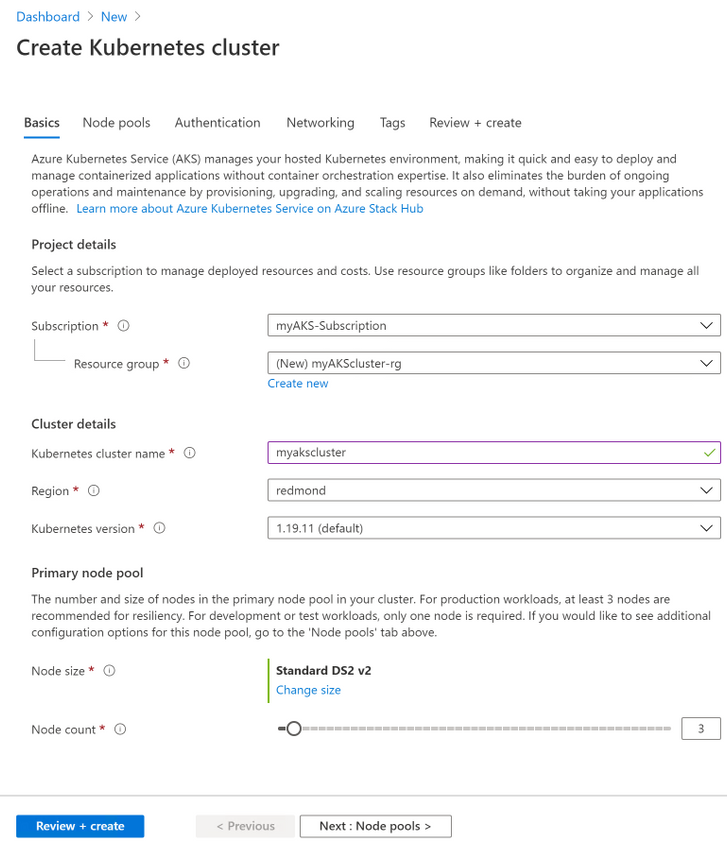
If you are familiarized with Azure AKS you will see that on Hub the AKS tenant experience is a subset of Azure’s AKS. It provides the core functionality available in Azure so that you can manage the complete lifecycle of your Kubernetes clusters with ease.
ACR Experiences
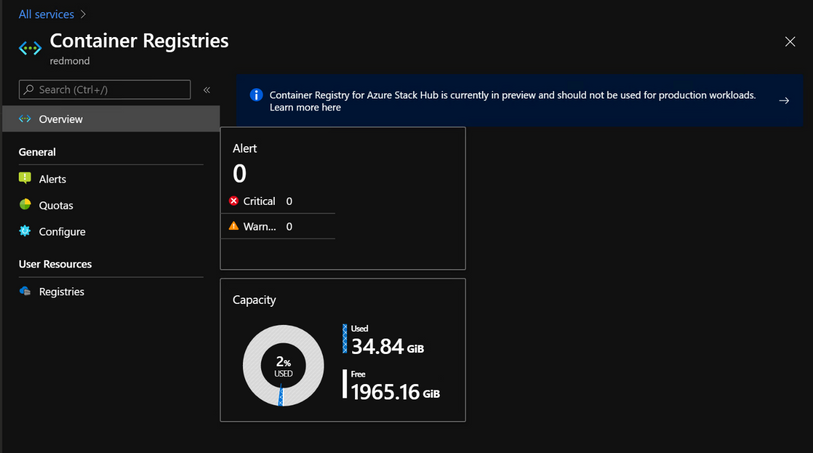
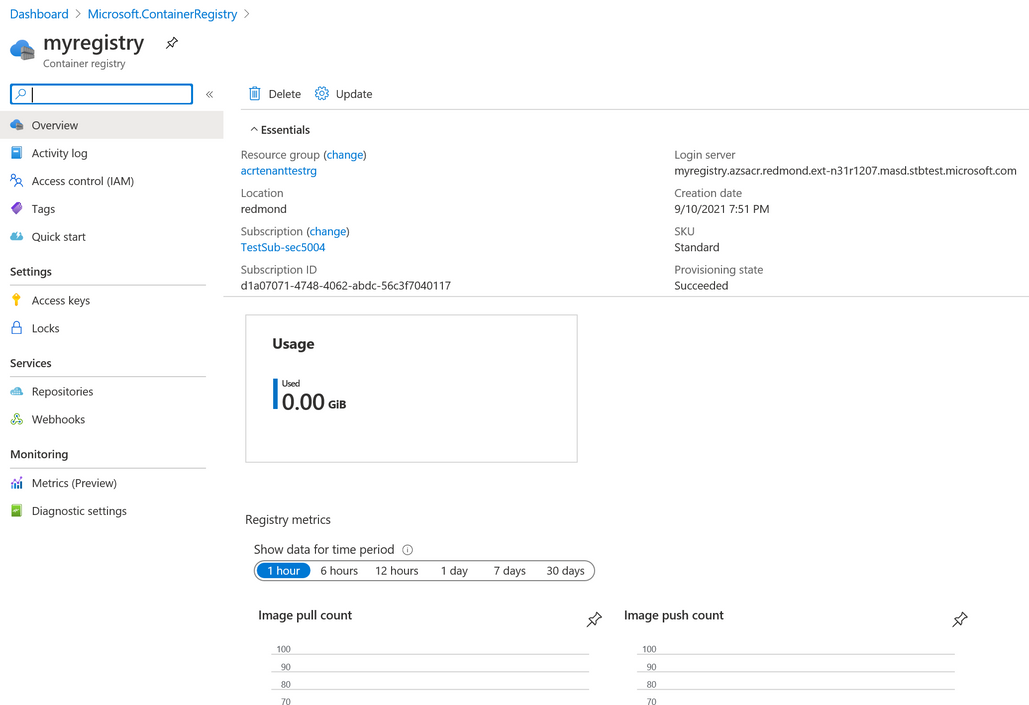
ACR on Azure Stack Hub provides the same UX and CLI experiences from Azure public but exposing only a subset of features which are available on Hub. Additionally, ACR on Hub provides an experience for operators in the admin portal to enable and manage the container registry service.
ACR Operator Experience
Learn more about Operating ACR on Azure Stack Hub here: https://aka.ms/ash-acr-operator-docs
ACR Tenant Experience
Learn more about using ACR on Azure Stack Hub here: https://aka.ms/ash-acr-docs
Helpful Links
- AKS on Hub Operator documentation: https://aka.ms/aks-ash-operator
- AKS on Hub User documentation: https://aka.ms/aks-ash-docs
- AKS on Hub Feedback: https://aka.ms/aks-ash-feedback
- ACR on Hub Operator documentation: https://aka.ms/ash-acr-operator-docs
- ACR on Hub User documentation: https://aka.ms/ash-acr-docs
Published on:
Learn moreRelated posts
Public Preview of Azure Migrate from VMware to Azure Stack HCI
Today, we are thrilled to announce the public preview of the Azure Migrate functionality to migrate VMs from VMware to Azure Stack HCI, a sign...
Sneak peek at new Azure edge infrastructure at Hannover Messe 2024
Written by Cosmos Darwin, Principal Group Manager on the Azure Edge & Platform team This week is Hannover Messe 2024, the world’s biggest ...
Apply critical update for Azure Stack HCI VMs to maintain Azure verification
Azure verification for VMs on Azure Stack HCI makes it possible for Azure-exclusive benefits to work outside of the cloud and in on-premises a...
Logical Networks in Azure Portal for HCI: Setting the Stage for Software Defined Networking
At this past Microsoft Ignite 2023, we officially announced the public preview of logical networks in Azure Portal for Azure Stack HCI. These ...
Introducing Azure Virtual Desktop workload in Azure Stack HCI Sizer!
Earlier in February 2024, we announced the general availability of Azure Virtual Desktop for Azure Stack HCI which extends the capabilities of...
Hyper-V VM Migration to Azure Stack HCI, version 23H2
Written by Kerim Hanif, Senior Program Manager on the Azure Edge & Platform team Azure Migrate is a unified platform t...
Possible MAC address assignment strategies for tenant VMs running on Stack-HCI environment
Azure Stack HCI is a hyperconverged infrastructure (HCI) cluster solution consists of windows servers (Hyper-V), Storage Spaces Direct, a...
Azure Stack HCI version 23H2 is generally available
Written by Cosmos Darwin, Principal PM Manager on the Azure Edge & Platform team Today we’re announcing the general availab...
AKS enabled by Azure Arc is now available on Azure Stack HCI 23H2
Azure Kubernetes Service (AKS) allows you to run a managed Kubernetes solution at the edge wherever you need it, with built-in support...
MAC address assignment strategies for tenant VMs running on Stack-HCI environment
Azure Stack HCI is a hyperconverged infrastructure (HCI) cluster solution consists of windows servers (Hyper-V), Storage Spaces Direct, a...