
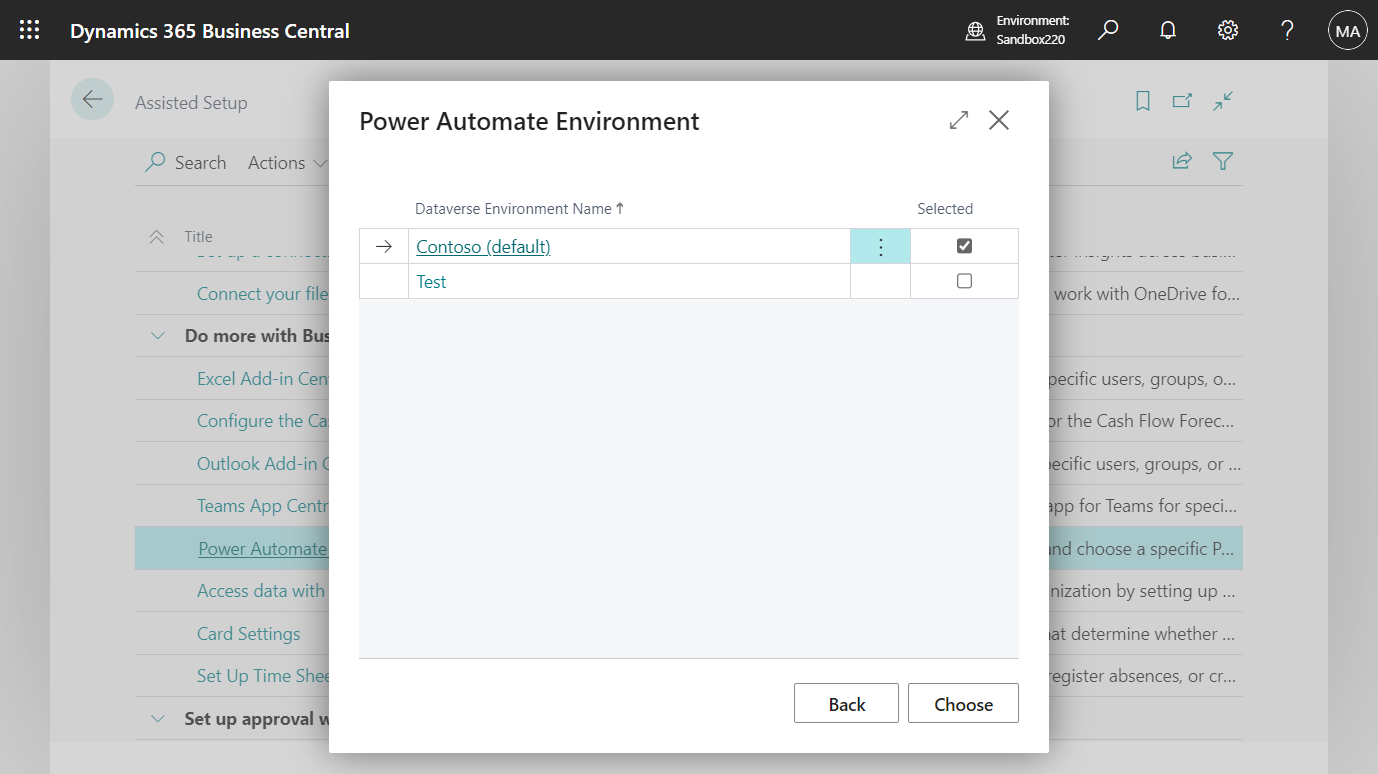
Business Central 2023 wave 1 (BC22): Select a Dataverse environment used for actions based on Power Automate flows (Power Automate Environment picker)
Published on:
Learn moreWe can help you with Business Central 2023 wave 1 (BC22): Select a Dataverse environment used for actions based on Power Automate flows (Power Automate Environment picker)
If you want help implementing, troubleshooting, or improving this product, contact us and we’ll point you in the right direction.
Related posts
Business Central 2026 release wave 2 (BC29): Custom Report Layouts are now deprecated and have been removed
Hi, Readers.Dynamics 365 Business Central 2026 wave 2 (BC29) is generally available. More details: General Availability: Dynamics 365 Business...
Business Central 2026 release wave 2 (BC29): Page Scripting enters General Availability with two new capabilities
Hi, Readers.Dynamics 365 Business Central 2026 wave 2 (BC29) is generally available. More details: General Availability: Dynamics 365 Bus...
Dynamics 365 Business Central: An error occurred when communicating with Dataverse (User does not have required privileges to access the org when it is in Admin Only mode)
Hi, Readers.Today I would like to share an error handling of Business Central, an error occurred when communicating with Dataverse (User does ...
Dynamics 365 Business Central: The AL Table Proxy Generator is distributed in the Microsoft.Dynamics.BusinessCentral.Development.Tools.Altpgen NuGet package (altpgen.exe missing from AL Language extension)
Hi, Readers.Today I would like to briefly talk about a qustion I saw in the Dynamics 365 Community before, the AL Table Proxy Genera...
Business Central 2026 release wave 2 (BC29): Evolve AL interfaces with default implementations (Default interface method implementations)
Hi, Readers.Dynamics 365 Business Central 2026 wave 2 (BC29) is generally available. More details: General Availability: Dynamics 365 Bus...
Business Central 2026 release wave 2 (BC29): New “Recent Record” virtual table (2000000174)
Hi, Readers.Dynamics 365 Business Central 2026 wave 2 (BC29) is generally available. More details: General Availability: Dynamics 365 Bus...
Dynamics 365 Business Central: How to quickly copy a report layout (Create a copy of the selected layout)
Hi, Readers.Today I would like to share another mini tip about Business Central, how to quickly copy a report layout (Create a copy of the sel...
The Early Access Preview for Dynamics 365 Business Central 2027 release wave 1 (BC30) is available
Hi, Readers.The Early Access Preview environment for Dynamics 365 Business Central 2027 release wave 1 (BC30) is available today.This informat...
Business Central 2026 release wave 2 (BC29): Cancelling a scheduled PTE update install (Next Major/Next Minor) in admin center
Hi, Readers.Dynamics 365 Business Central 2026 wave 2 (BC29) is generally available. More details: General Availability: Dynamics 365 Bus...
Dynamics 365 Business Central Blog Series: Working with Translations and Languages
A collection of articles about translations, languages, localization, multilingual development, and language-related features in Dynamics 365 ...