
Microsoft 365 & Power Platform Call - April 30, 2024 | Screenshot Summary
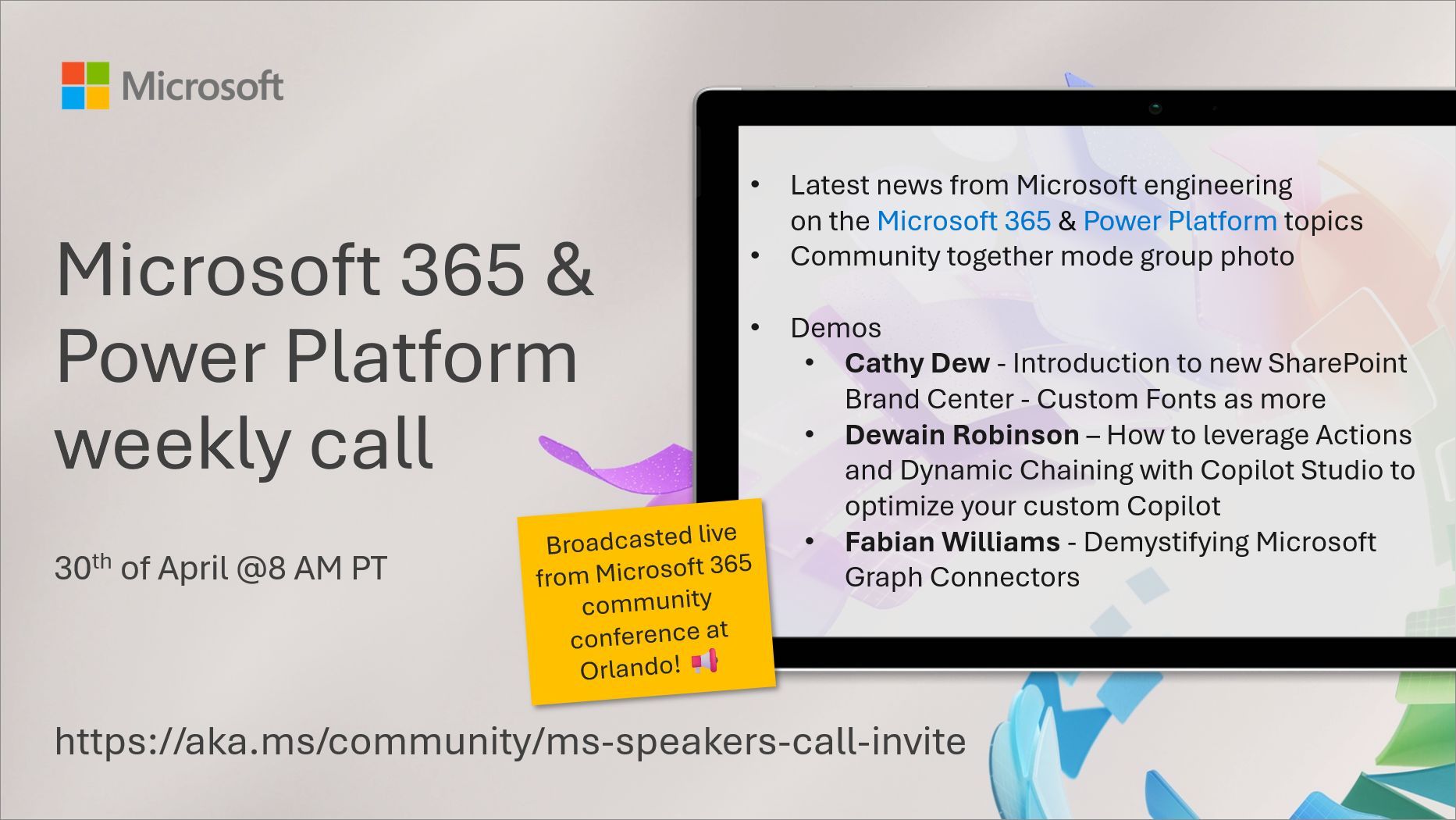
This article gives a screenshot summary of the Microsoft 365 and Power Platform community call that took place on April 30th, 2024. The call included updates and demos from Microsoft speakers, such as Cathy Dew introducing the new SharePoint Brand Center and custom fonts, Dewain Robinson highlighting how to optimize custom Copilot with Actions and Dynamic Chaining with Copilot Studio, and Fabian Williams demystifying Microsoft Graph Connectors.
The article also provides resources for SharePoint Quicklinks, documentation, guidance, and videos, as well as the "Sharing Is Caring" community initiative that seeks to foster collaboration and knowledge-sharing within the community.
The post Microsoft 365 & Power Platform Call (Microsoft Speakers) – April 30th, 2024 – Screenshot Summary originally appeared on Warner Digital - David Warner II.
Published on:
Learn moreWe can help you with Microsoft 365 & Power Platform Call - April 30, 2024 | Screenshot Summary
If you want help implementing, troubleshooting, or improving this product, contact us and we’ll point you in the right direction.
Related posts
Microsoft 365 & Power Platform Community Call – October 22nd, 2026 – Screenshot Summary
Call Highlights SharePoint Quicklinks: Primary PnP Website: https://aka.ms/m365pnp Documentation & Guidance SharePoint Dev Videos Issues...
Power Platform & Copilot Studio – October 2026 – Screenshot Summary
Community Call Highlights Quicklinks: Power Platform Community: Power Apps Power Automate Power BI Power Virtual Agents Power Pages M365 Pla...
Microsoft 365 & Power Platform Call (Microsoft Speakers) – October 20th, 2026 – Screenshot Summary
Call Highlights SharePoint Quicklinks: Primary PnP Website: https://aka.ms/m365pnp Documentation & Guidance SharePoint Dev Videos Issues...
Microsoft 365 & Power Platform Community Call – October 8th, 2026 – Screenshot Summary
Call Highlights SharePoint Quicklinks: Primary PnP Website: https://aka.ms/m365pnp Documentation & Guidance SharePoint Dev Videos Issues...
Microsoft 365 & Power Platform Call (Microsoft Speakers) – October 6th, 2026 – Screenshot Summary
Call Highlights SharePoint Quicklinks: Primary PnP Website: https://aka.ms/m365pnp Documentation & Guidance SharePoint Dev Videos Issues...
Microsoft 365 & Power Platform Community Call – October 1st, 2026 – Screenshot Summary
Call Highlights SharePoint Quicklinks: Primary PnP Website: https://aka.ms/m365pnp Documentation & Guidance SharePoint Dev Videos Issues...
Microsoft 365 & Power Platform Call (Microsoft Speakers) – September 29th, 2026 – Screenshot Summary
Call Highlights SharePoint Quicklinks: Primary PnP Website: https://aka.ms/m365pnp Documentation & Guidance SharePoint Dev Videos Issues...
Microsoft 365 & Power Platform Community Call – September 24th, 2026 – Screenshot Summary
Call Highlights SharePoint Quicklinks: Primary PnP Website: https://aka.ms/m365pnp Documentation & Guidance SharePoint Dev Videos Issues...
Microsoft 365 & Power Platform Call (Microsoft Speakers) – September 22nd, 2026 – Screenshot Summary
Call Highlights SharePoint Quicklinks: Primary PnP Website: https://aka.ms/m365pnp Documentation & Guidance SharePoint Dev Videos Issues...
Microsoft 365 & Power Platform Community Call – September 17th, 2026 – Screenshot Summary
Call Highlights SharePoint Quicklinks: Primary PnP Website: https://aka.ms/m365pnp Documentation & Guidance SharePoint Dev Videos Issues...