
Workload deployment shouldn’t be different on cloud & on-premises infrastructure
A hybrid strategy in IT infrastructure shouldn’t be cumbersome for your application team. The fact that your IT needs to span across cloud and on-premises infrastructure shouldn’t mean that your app owners have 2X more work in order to provision & manage their applications.
In Azure, we believe that the concepts of provisioning & managing a workload should be the same no matter where it is being deployed. The tools should not change whether you are managing your workload in Azure public cloud or on Azure Stack HCI in your datacenter or edge location. And that is why we are introducing Azure Resource Manager (ARM) templates for end-to-end automated deployment of your workloads.
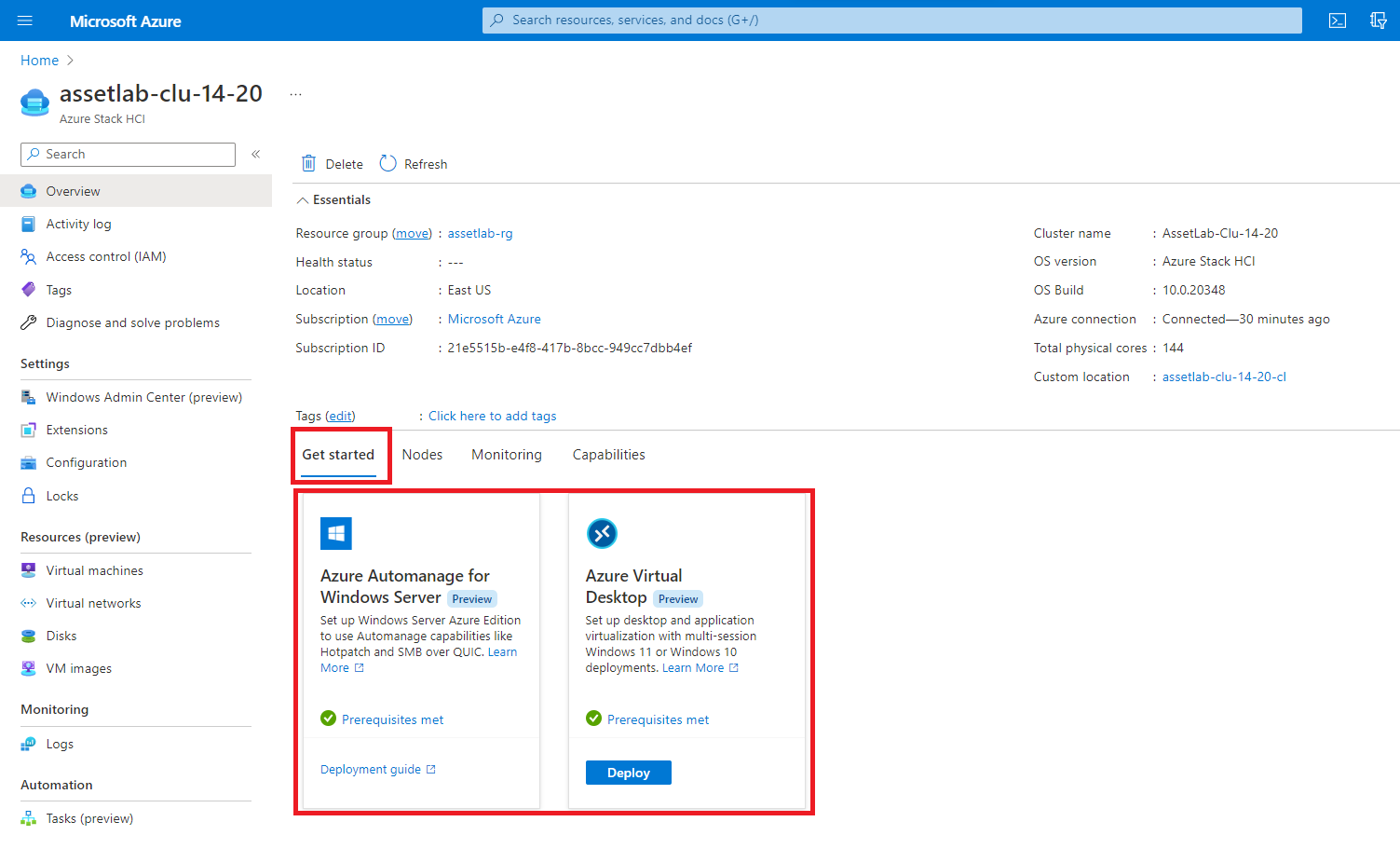
In this blog, I will show the deployment of one of Azure’s most popular & fast-growing service `Azure Virtual Desktop` on your on-premises Azure Stack HCI. Azure Virtual Desktop on Azure Stack HCI is in preview since November 2021. The integration with ARM templates provides a huge step-up to the preview experience. On your Azure Stack HCI cluster that is registered to Azure, you will notice a `Get Started` tab on the cluster’s resource page in Azure portal.
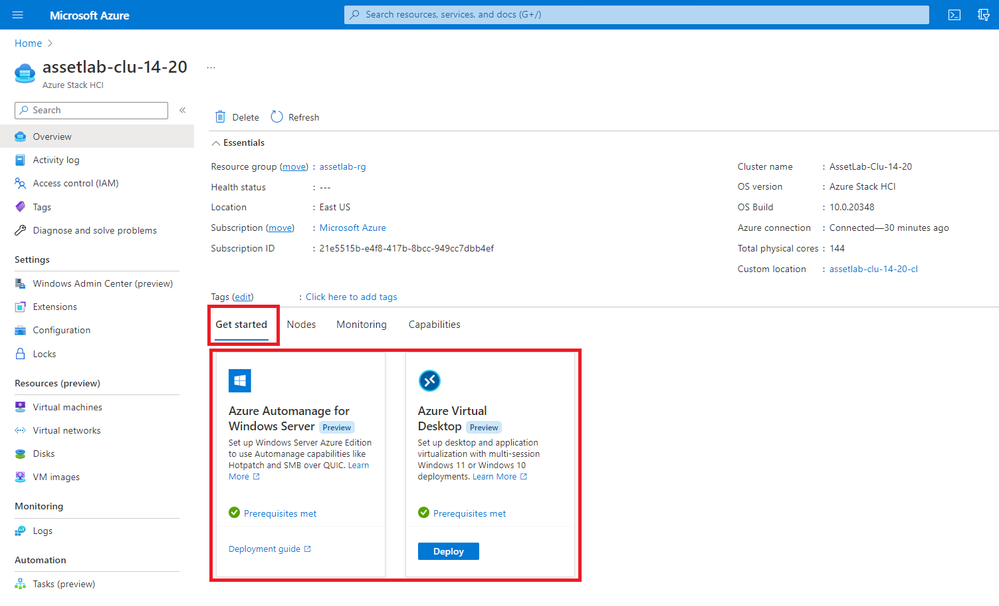
The tiles in this `Get Started` tab help with quick navigation to product documentation for the application or service, they also provide a way to deploy them with just a few mouse clicks.
These tiles extend the Arc VM management feature of Azure Stack HCI by using:
- Azure Marketplace images – which lets you download the same image on your on-premises cluster as you use in Azure public cloud.
- Arc VM extensions – which allows integration with tools that help run configuration scripts after a VM is created.
- ARM resources – which make every on-premises VM & its disks & network a first-class Azure resource.
Now, let me walk you through the deployment of Azure Virtual Desktops on Azure Stack HCI.
It starts by clicking the deploy button on the Azure Virtual Desktop tile. This button will only be available if at least one Windows OS image has been projected to Azure from your Azure Stack HCI cluster. This image could be an Azure Marketplace image, or it could be a custom Windows image that has all your applications pre-installed.
In the next step, you provide information for the deployment:
Azure details: Azure subscription, resource group & region where the resources must be deployed.
Azure Virtual Desktop resource details: Host pool, workspace.
VM resources: Custom location, VM image & virtual network. You can find the resource IDs for each of them from the Arc VM management configuration for your HCI cluster.
VM configuration: Number of vCPUs, Memory & Admin credentials.
VM post deployment configuration: Join the VM to a domain.
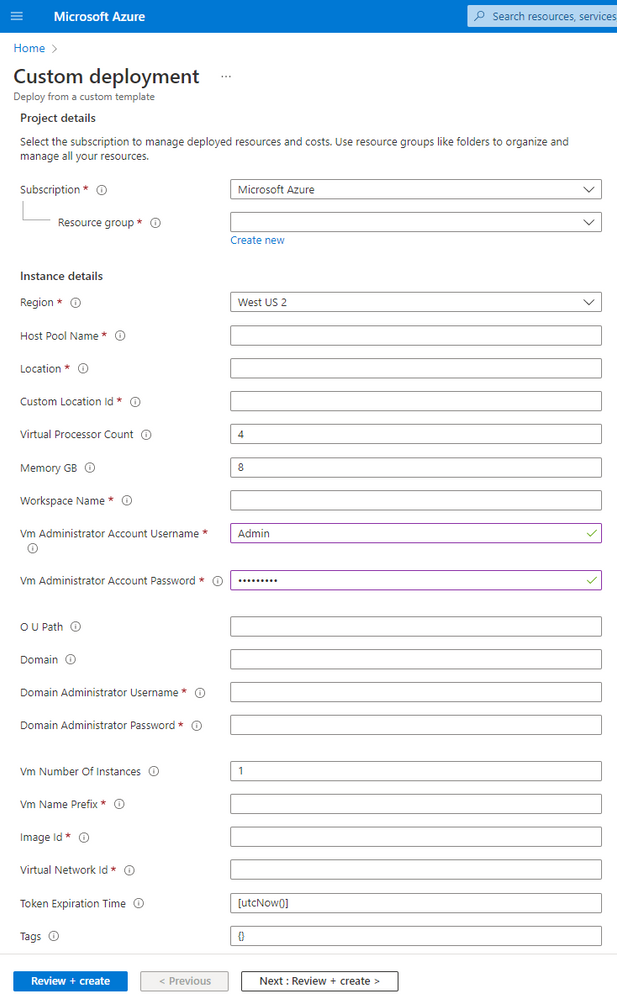
With just this information, you can get a full deployment of Azure Virtual Desktop on Azure Stack HCI. The ARM template behind this form will create the Azure Virtual Desktop resources such as Host Pool & Workspace. Next, it creates the specified number of virtual machines with the OS image along with adding network interface to them.
After the VM has been created & has acquired an IP address, the ARM template joins the VM to a domain & also adds a custom script extension. This extension automatically downloads & installs Azure Virtual Desktop agents on every virtual machine. Using these agents, the extension also registers the virtual machine to the Azure Virtual Desktop host pool.
You can now assign users to the created workspace. When users log-in, their sessions will be served from the session host virtual machines that were deployed through the ARM templates on your Azure Stack HCI cluster.
If you have used Azure Virtual Desktop in Azure public cloud, you will notice that the tools for deployment & management are just the same. All actions can be done from Azure’s management plane. All virtual machines deployed on the Azure Stack HCI cluster can be managed from the same management plane as the Azure services that they are running. That is true hybrid.
To get started with this, go to your Azure Stack HCI cluster in Azure portal.
If you are new to Azure Stack HCI, here are some helpful links:
Published on:
Learn moreWe can help you with Workload deployment shouldn’t be different on cloud & on-premises infrastructure
If you want help implementing, troubleshooting, or improving this product, contact us and we’ll point you in the right direction.
Related posts
Public Preview of Azure Migrate from VMware to Azure Stack HCI
Today, we are thrilled to announce the public preview of the Azure Migrate functionality to migrate VMs from VMware to Azure Stack HCI, a sign...
Sneak peek at new Azure edge infrastructure at Hannover Messe 2024
Written by Cosmos Darwin, Principal Group Manager on the Azure Edge & Platform team This week is Hannover Messe 2024, the world’s biggest ...
Apply critical update for Azure Stack HCI VMs to maintain Azure verification
Azure verification for VMs on Azure Stack HCI makes it possible for Azure-exclusive benefits to work outside of the cloud and in on-premises a...
Logical Networks in Azure Portal for HCI: Setting the Stage for Software Defined Networking
At this past Microsoft Ignite 2023, we officially announced the public preview of logical networks in Azure Portal for Azure Stack HCI. These ...
Introducing Azure Virtual Desktop workload in Azure Stack HCI Sizer!
Earlier in February 2024, we announced the general availability of Azure Virtual Desktop for Azure Stack HCI which extends the capabilities of...
Hyper-V VM Migration to Azure Stack HCI, version 23H2
Written by Kerim Hanif, Senior Program Manager on the Azure Edge & Platform team Azure Migrate is a unified platform t...
Possible MAC address assignment strategies for tenant VMs running on Stack-HCI environment
Azure Stack HCI is a hyperconverged infrastructure (HCI) cluster solution consists of windows servers (Hyper-V), Storage Spaces Direct, a...
Azure Stack HCI version 23H2 is generally available
Written by Cosmos Darwin, Principal PM Manager on the Azure Edge & Platform team Today we’re announcing the general availab...
AKS enabled by Azure Arc is now available on Azure Stack HCI 23H2
Azure Kubernetes Service (AKS) allows you to run a managed Kubernetes solution at the edge wherever you need it, with built-in support...
MAC address assignment strategies for tenant VMs running on Stack-HCI environment
Azure Stack HCI is a hyperconverged infrastructure (HCI) cluster solution consists of windows servers (Hyper-V), Storage Spaces Direct, a...