
Updating your Query syntax in Power Query to show the entire query in M
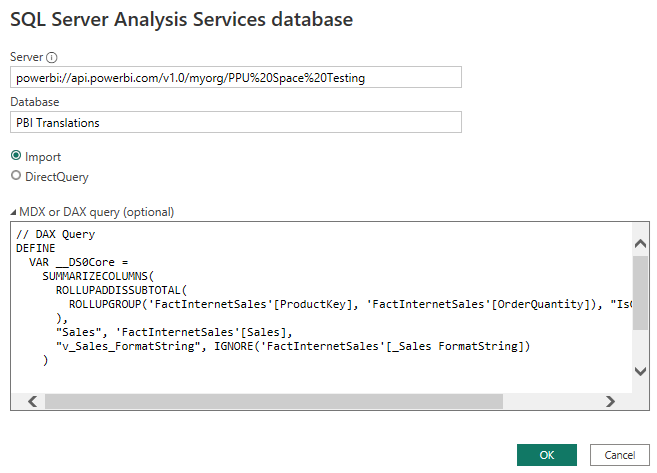
Welcome to 2023, I am looking forward to an amazing year! I have seen this come up a few times in Twitter where there is an option to put in your own TSQL Query or DAX Query and the input box is very small and often you cannot see the entire query as shown below. I will show you how...
The post Updating your Query syntax in Power Query to show the entire query in M appeared first on FourMoo | Power BI | Data Analytics.
Published on:
Learn moreRelated posts
Remove Hardcoded Workspace and Item IDs with Fabric Variable Libraries to use Across Dev/Test/Prod
In this blog post I’m going to show you how you can use variable libraries with connection strings as well as items. This approach allows you ...
Using Python Notebooks to Merge Data into a Microsoft Fabric Lakehouse
In this blog post I am going to show you how to use a Fabric Python runtime notebook (This is the notebook which only uses Pure Python functio...
Using GitHub Copilot CLI to Build a Microsoft Fabric Lakehouse Table Health Pipeline
In this post I will show how I used GitHub Copilot CLI / Agent mode in VS Code to create a Microsoft Fabric pipeline that checks Lakehouse tab...
Seamlessly Moving Fabric Notebooks Across Workspaces with Lakehouse Auto-Binding and Git Integration
With the new Lakehouse Auto-Binding capability in Notebook Git integration, Fabric can now intelligently preserve and resolve the binding betw...
Accessing data between Private Link and Public Fabric Workspace using the Private Endpoint
In this blog post I show how it is possible to access data between a Private Link Workspace, where I want to read the data from my Public Work...
Creating a Private Link in Microsoft Fabric — No Public Access
In this blog post, I am going to walk through how I created a Private Link in Microsoft Fabric so that access routes over Microsoft’s private ...
How to set up a SharePoint Folder Shortcut using Workspace Identity in Microsoft Fabric
I really think it is ideal to use a workspace identity in Microsoft Fabric. This is because not only is it secure by default but not having to...
How I Built a Full Power BI Semantic Model in Minutes Using Agentic AI and GitHub Copilot
In this second part of my blog series, I will show you how I edited the required files and then created my semantic model by using the Agentic...
How to Set Up Agentic Semantic Model Development for Power BI Using GitHub Copilot on Windows
I was inspired and in awe after watching the video that Rui Romano posted in LinkedIn where Rui shared a video on how he used Agentic model de...
Setting up Power BI Version Control with Azure Dev Ops
In this blog post is a way set up version control for Power BI semantic models (and reports) using the PBIP (Power BI Project) format, Azure D...