
What is Azure Maps? - Welcome to the Tech Blog


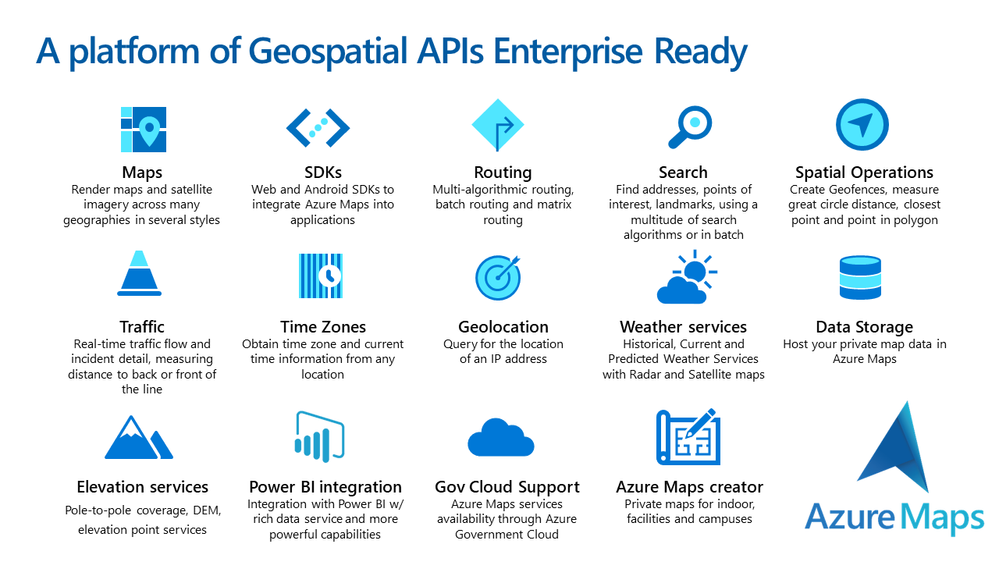
Almost every application needs location capabilities. Whether you want to look up or validate an address, visualize a map control, calculate a route or even more complex scenarios like integrating with Internet of Things (IoT) for indoor mapping in a Smart Building solution. Azure Maps is here for you to fulfill:
Azure Maps lets you pay for only what you use, a key benefit for companies adopting Cloud technologies. Just last month (April 2021) we introduced a new dynamic pricing model providing “pay per API”, and you can get more details about the new “Gen 2” pricing and the different tiers available here.
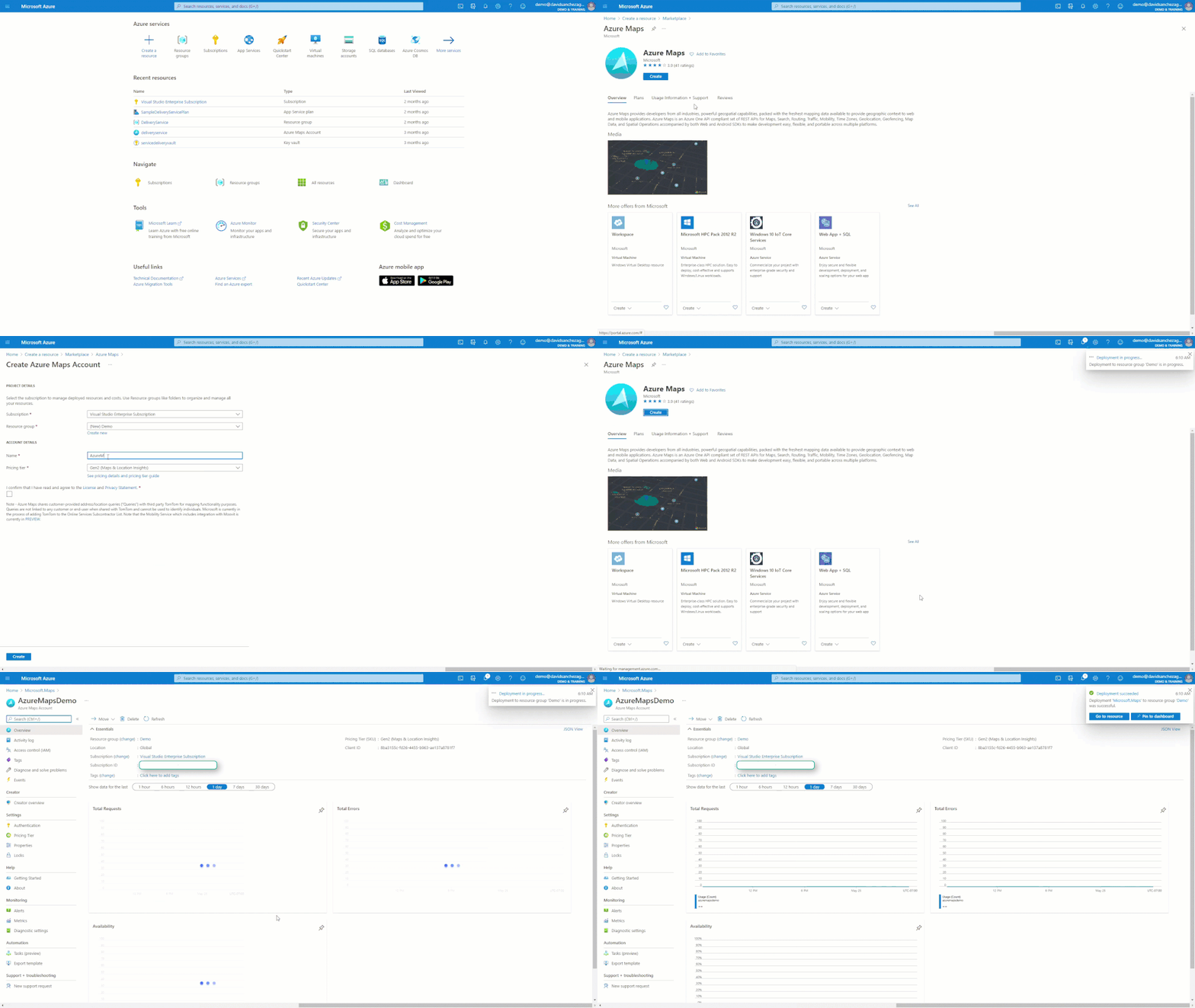
In less than a minute you can create Azure Maps to your Azure Subscription, adding a scalable and reliable GIS solution with a 99.9% SLA.
In this Tech Blog you will get frequent tips and tricks about Azure Maps, but here you can find some of the resources we have available for you:
- https://aka.ms/AzureMapsSamples
- https://aka.ms/AzureMapsGettingStarted
- https://aka.ms/AzureMapsDocs
- https://aka.ms/AzureMapsBlog
- https://aka.ms/AzureMapsVideos
- https://aka.ms/AzureMapsCaseStudies

Thank you for your interest in Azure Maps. If you have any questions feel free to post them in our Q&A section, we are here to help!
Published on:
Learn moreRelated posts
Introducing the Data-Bound Reference Layer in Azure Maps Visual for Power BI
Imagine managing a nationwide sales team and needing to understand how your sales align with factors like population density, competitor locat...
Enhance Azure Maps with Overture Maps Data using PMTiles!
Supercharge Azure Maps with Overture Maps Data using PMTiles! We’ve got some exciting news. Azure Maps now supports PMTiles! This me...
Where do I go if I have questions about Azure Maps?
As you might expect, just looking around on your own, or asking Co-pilot, you can find comprehensive help like Samples.AzureMaps.com, wit...
Tailor your Reference Layers in Azure Maps Visual for Power BI
We’re excited to share the latest enhancements to the Azure Maps visual in Power BI, designed to make your data visualization even mor...
Enhancing Logistics with Azure Maps and NVIDIA cuOpt for Multi-Itinerary Optimization
The logistics industry is always finding ways to optimize vehicle routing to enhance efficiency. The Vehicle Routing Problem (VRP) and Pickup ...
Introducing the Unified Azure Maps Experience
Microsoft has recently announced the unification of Bing Maps for Enterprise (BME) with Azure Maps, marking a remarkable advancement in their ...
Power BI Azure Maps Visual: Enhanced Reference Layer & Embedded Support
The Power BI Azure Maps visual has received a major update which includes an expansion of the reference layer and the addition of Power BI Emb...
Enhance your indoor maps with real-time map feature styling
The ability to dynamically update and visualize the state of rooms or areas within a building is critical to understanding the status of any b...
Dynamic Clustering Aggregation with Custom Styling in Bubble Layer
The Power BI Azure Maps visual allows you to create stunning geospatial visualizations with your data. Today, we are excited to announce a new...
HO HO HO Two Point OH!
You might notice some big changes have come to the North Pole experience at NORADSanta.ORG this year. Developer elves have implemented a...