
Azure Data Share is now in GA!
Todays most successful organizations have one thing in common: they are tirelessly data driven at their core. The ability to easily and securely share and consume data from customers and partners is critical for organizations looking to unlock transformational insights and make critical business decisions.
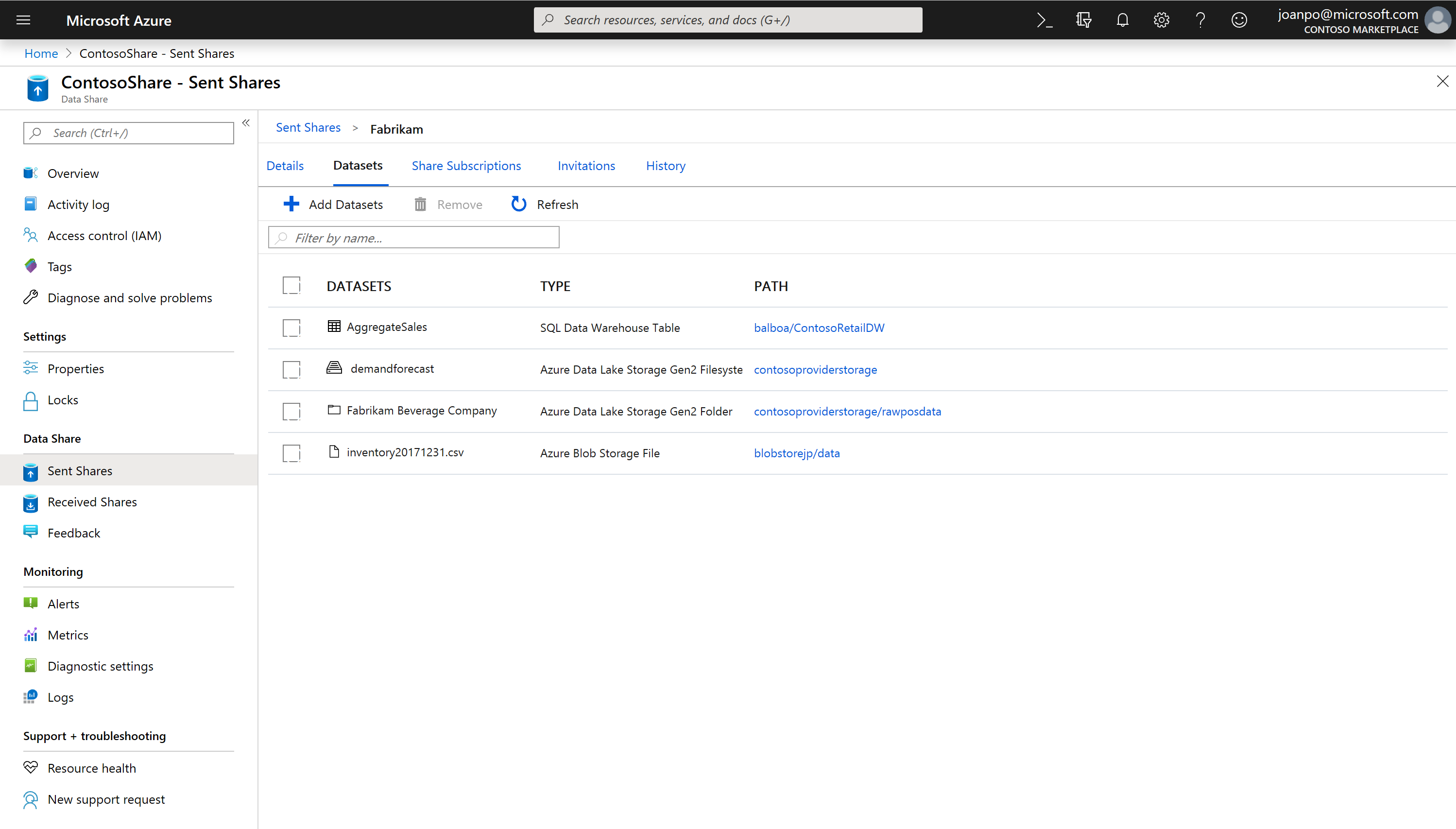
The Azure Data Share product team is pleased to announce the general availability of snapshot-based sharing for Azure Data Lake Store and Azure Blob Storage. In just a few clicks, organizations can share data stored in their data lakes with third party organizations outside their Azure tenancy. Data providers wanting to share data with their customers/partners can easily create a new share, populate it with data residing in a variety of stores and add recipients.
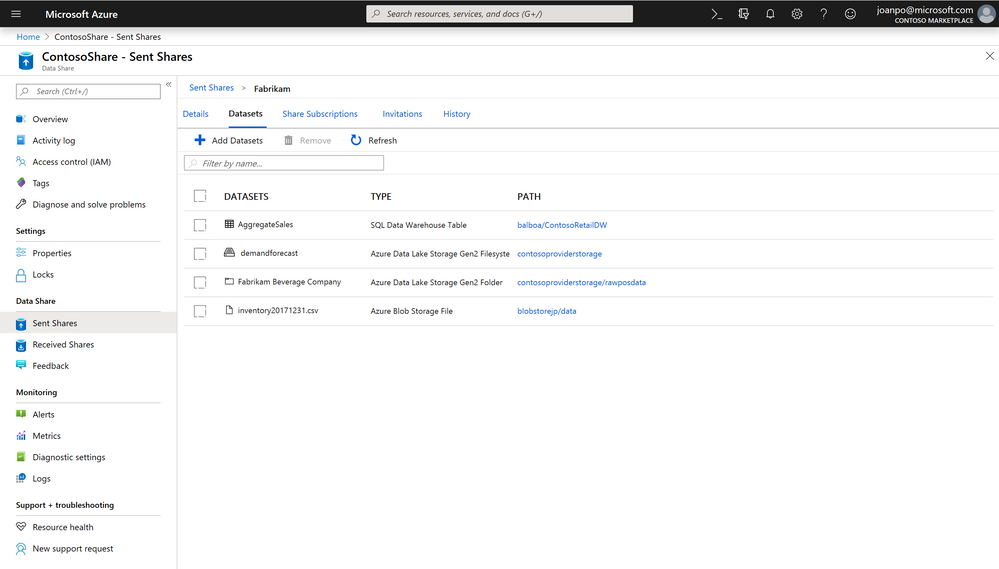
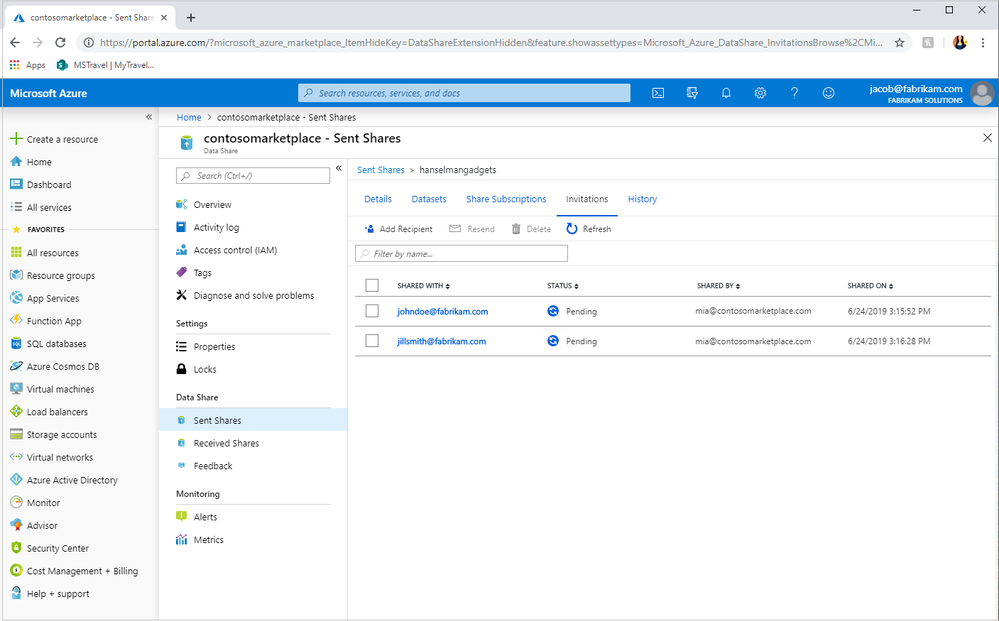
Data providers always stay in control of their data sharing relationships. They are able to track who they've shared with and whether the data consumers have started consuming their data. If they no longer want their data consumers to receive new data, they can revoke their access to future updates. Azure Data Share offers a hassle-free way to manage data – organizations pay only for what they share, with no code to write and no infrastructure to manage.
Azure Data Share uses Managed Identities for Azure Services to authenticate to the underlying data store, ensuring that no exchange of credentials occurs between data providers and data consumers.
We're also excited to announce that snapshot-based sharing from Azure SQL-based sources including Azure SQL Database and Azure SQL Data Warehouse is now in public preview. Data providers that want to share data from SQL-based sources no longer need to be concerned about how their data consumers will receive the data. The ability to share from one source, receive in another is a capability which many customers have been eagerly awaiting and one that offers customers flexibility of choice. Providers can share tables and views from an Azure SQL Data Warehouse, and their data consumers can receive this in parquet or csv directly to their data lake. Alternatively, data consumers can choose to receive SQL-based data into a SQL-based source, another option which provides customers with data fluidity previously unseen in the market.
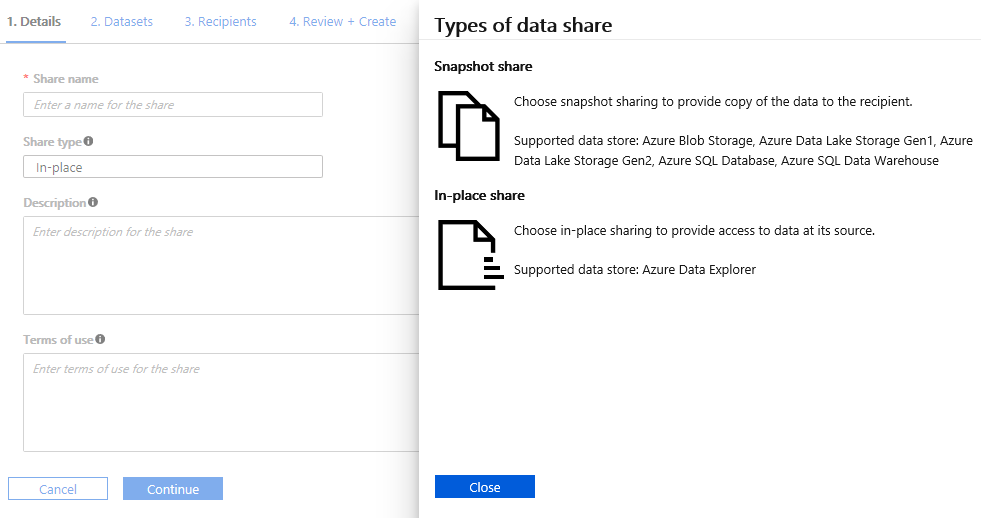
Customers that have been seeking out the ability to perform in-place sharing - sharing data without data movement - will be delighted to learn that we are now in limited public preview with in-place sharing from Azure Data Explorer. In-place sharing works by establishing a symbolic link to where the data resides, enabling customers to run their compute workloads against data in real-time. This feature is not to be missed - click here to join!
Secure, code free, pay for what you share, no infra to manage - it's as simple as that. Start sharing today!
Published on:
Learn moreWe can help you with Azure Data Share is now in GA!
If you want help implementing, troubleshooting, or improving this product, contact us and we’ll point you in the right direction.
Related posts
Data for now and next: Powering a new era of AI apps
The era of AI has arrived and the organizations that are primed for learning, adapting, and scaling quickly hold the power to transform human ...
Announcing the General Availability of AMD-based Confidential VMs on Azure Databricks
We are excited to announce the general availability of AMD-based confidential virtual machines (VMs) for cluster nodes on Azure Databricks. Co...
A Data Professional's Guide to Build 2023
ChatGPT and Microsoft Copilot are stealing headlines worldwide—but data is the force that drives them both. That’s why this year at Microsoft ...
Introducing the Microsoft Intelligent Data Platform Partner Ecosystem
Microsoft Intelligent Data Platform Partner Ecosystem In May, we introduced the Microsoft Intelligent Data platform which deeply integr...
Microsoft and Databricks deepen partnership for modern, cloud-native analytics
In May, we introduced the Microsoft Intelligent Data platform which deeply integrates our databases, analytics, BI and data governance product...
SQL DB maintenance activity using Automation accounts for Azure SQL DBs(Different scenarios)
Infrastructure: Multiple Azure SQL DB instances Multiple databases in total Multiple instances consist of multiple databases Different subscr...
Zero to Hero: Your Guide to Getting Skilled on Azure Data and AI
We are excited to highlight the Zero to Hero guide, our very own journey to help developers and engineers get started on Azure. We have a larg...
A Data and AI guide to Build 2022
Microsoft Build will begin Tuesday, May 24 at 8:30 AM PDT with our annual keynote. Attendees can then participate in live segments, breakout ...
Azure Data Factory CI-CD using YAML template
Purpose of this Blog Defined the end to end Git integration and Deployment flow using YAML template from a project implementation...
Azure Data Components Network Architecture with secure configurations
Use Case : •When there is a need for the Data Components – ADF,ADB and SQL-Pool code to be promoted to higher environment se...