
We <3 OneNote for Android

Last November, we talked about how you should be able to take your notes, your way and that’s no different for our Android users. Whether you are at your desk, lounging on the couch, or multitasking at soccer practice, you should be able to take notes how you want on your Android phone or tablet. So we’re announcing four updates to OneNote for Android rolling out now — read on for all the details!
Dark Mode
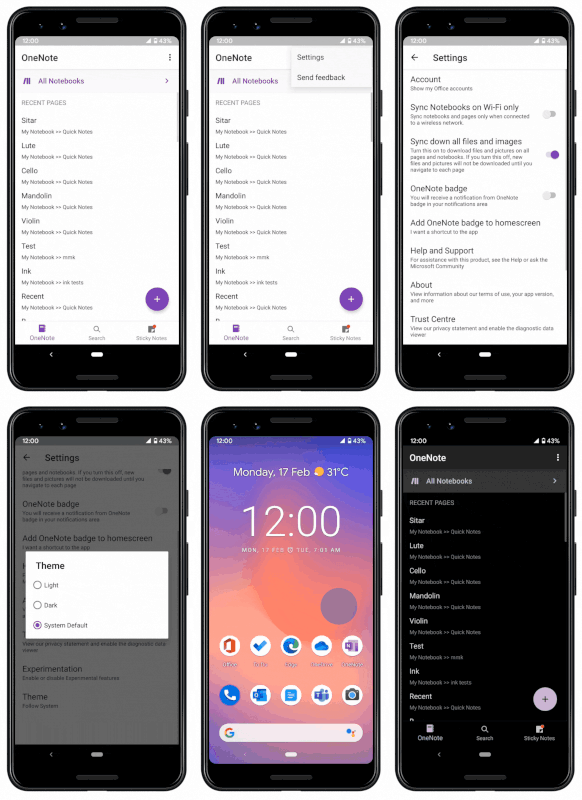
Get ready, because Dark Mode is coming to Android phones and tablets! Dark Mode allows you to toggle your background from light to dark. Whether you want to do this for better readability of just personal preference, it’s easy to do in the app settings.
Modern Inking Experience
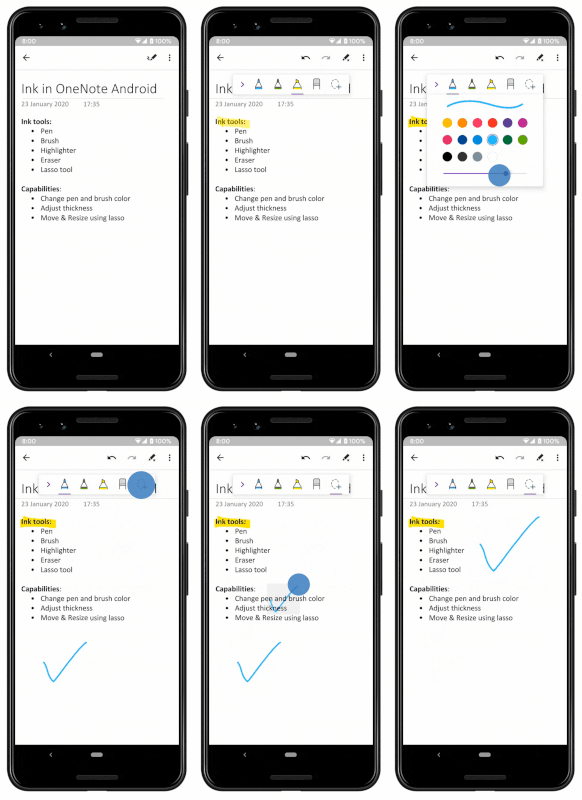
Depending on where you are and what you are doing, you likely want to switch how you take notes from typing to inking whenever its easiest which is why we have refreshed the Inking experience to support bright new colors. Continue leveraging the two types of pens, highlighters, and erasers. And check out the Lasso tool to resize and re-position objects on the page too.
Re-order Sections and Pages
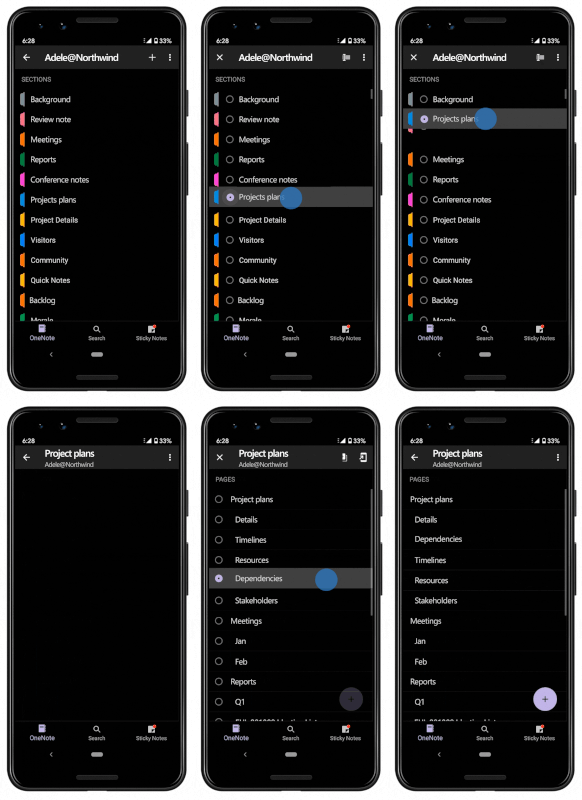
We all have different ways of organizing. OneNote allows you to organize your content in the way that makes sense to you. We previously added the ability to re-order pages and this month, we’re rolling out the ability to re-order sections as well so that you can organize your notes your way. Just tap and hold on a section or page name and drag to reposition, voilà!
Drag to Sync
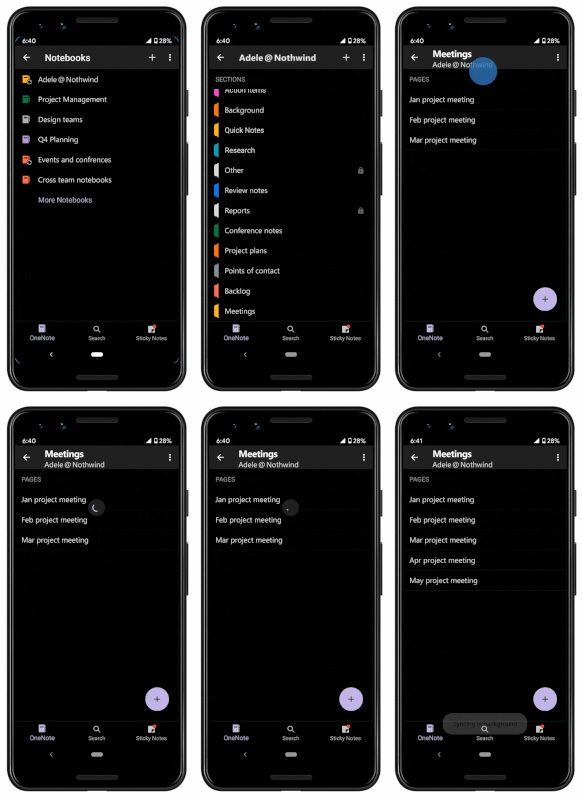
Ever want an easy refresh in life? We can’t redo your day, but we can refresh your OneNote page! We’re rolling out drag to sync so you can simply drag your finger down the page to refresh your OneNote page.
All of these updates are rolling out now, so expect to see them soon! Besides these updates, we have also been listening to your feedback and have worked hard to improve your note taking experience on OneNote for Android so you can copy/paste, undo/redo, and move objects easily and accurately as well as take advantage of the improved inking experience. We hope you enjoy these updates for OneNote for Android — we love our users and want to improve your OneNote experience, so please give us your feedback right in the OneNote app. Want to try our Google Beta? Sign up here. And be sure to join our Tech Community to stay up to date with the latest!
Published on:
Learn moreRelated posts
Troubleshooting Office Cloud Policy Service (OCPS)
The Office cloud policy service (OCPS) is a cloud-based service that enables you to apply policy settings for Office 365 ProPlus on a user’s d...
Security Baseline recommendations now available in Office Cloud Policy Service
We are pleased to announce a new feature in the Office Cloud Policy Service that will allow you to easily find and configure policies that are...
Streamline deployment and management of Microsoft Teams with Office 365 ProPlus
As more and more Office 365 customers adopt Microsoft Teams, we’ve heard from many of you that you want to deploy and manage Teams the same wa...
Introducing – and Managing – Microsoft Search in Bing through Office 365 ProPlus
Important! Based on customer feedback, we’re making a few changes to the plan to roll out the extension for Microsoft Search in Bing. Based on...
Office Cloud Policy Service integrated with the Microsoft Endpoint Manager portal
The latest update to Microsoft Endpoint Manager includes integration with the Office Cloud Policy Service, giving admins the ability to create...
Updates to Office.com and the Office 365 app launcher
Office.com is the URL for an experience that we’ve been building for a couple of years. We designed it to be your work hub experience and help...
Update to Microsoft Search in Bing through Office 365 ProPlus
On January 22, 2020 we announced in advance that the Microsoft Search in Bing browser extension would be made availab...
Calendaring is Tricky and That Might be Why You Were An Hour Late to that Meeting
Writing code for calendaring features is hard. Some of you might say writing any kind of code is hard, and you might have a point, but cale...
Update to the background image of the Office 365 sign-in screens
I’d like to give you an early heads up on a visual design update that is coming to the Office 365 sign-in experience. These are the screens us...
How to quickly optimize Office 365 traffic for remote staff & reduce the load on your infrastructure
Update 02 April 2020. A genuine thank you all for your feedback around this article. Given the enormous popularity of this subject in t...