
Advanced Text Area
Intro
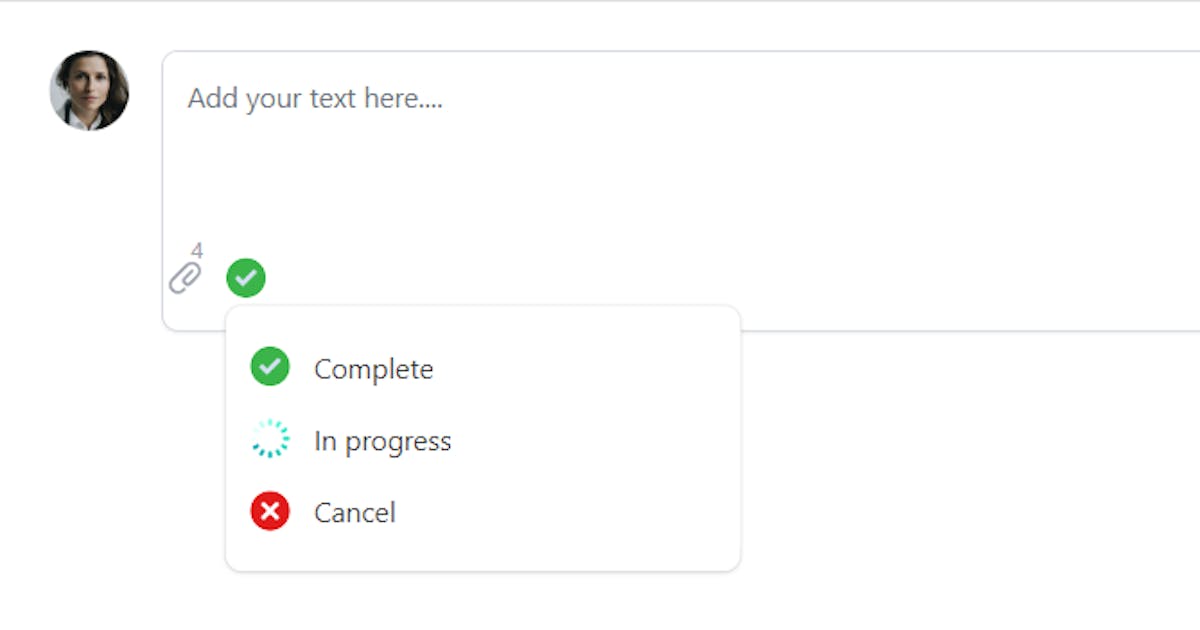
Advanced Text Area is a control that speeds up creating records.
Why advanced?
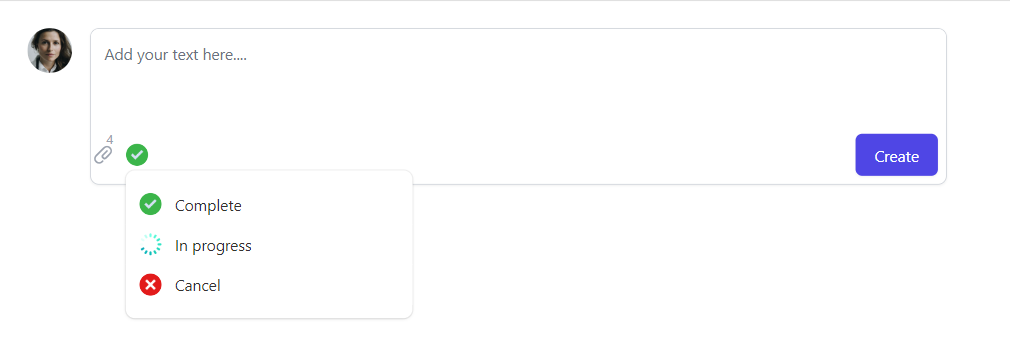
The control can be configured to let users attach files and set statuses
For installation follow the link here
Parameters
Control Key
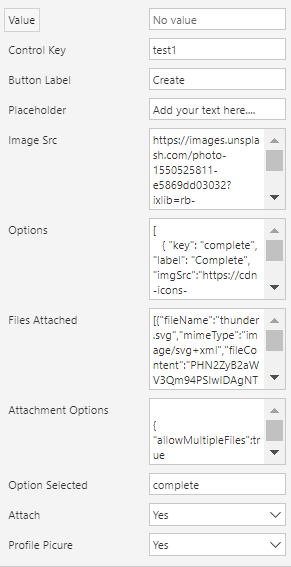
This is a required input, and it must be unique if you use the control multiple times in the same screen
Button Label
Label of the button of the text area
Placeholder
Placeholder of the text area
ImgSrc
The source of the image, this will be passed to an "img" tag, so you can set a url or a base64 image
Profile Picutre
Display or hide the profile picture on the control
Options
The additional options the user can select from
For example: status of the record that will be created
For example: Sentiment indication, happy, neutral, unhappy
This is a JSON field, below is an example
[
   { "key": "complete", "label": "Complete", "imgSrc":"https://cdn-icons-png.flaticon.com/512/845/845646.png"},
   { "key": "pending", "label": "In progress", "imgSrc":"https://cdn-icons-png.flaticon.com/512/189/189792.png" },
   { "key": "cancel", "label": "Cancel", "imgSrc":"https://cdn-icons-png.flaticon.com/512/399/399274.png"}
]
Option Type:
{
  key:string; //required
  label:string; //required
  imgSrc:string; //image url of the option
}
Attach
To enable or disable attaching files with the control, the attached files are stored in an array in the Attached Files parameter
Attachment Options
Attaching configurations in json, refer to this link to see configurations options
{
    "allowMultipleFiles":true //enable multiple attachments
}
Output Parameters
Value
Entered text value
Option Selected
Select option key if any
Files Attached
Attached files by the user in array json object
Please refer to this link
[{"fileName":"thunder.svg","mimeType":"image/svg+xml","fileContent":"filecontent","fileSize":213}]
Published on:
Learn moreRelated posts
Fast configuring security roles for your Dataverse project
If you're working on a Dataverse project specially without Dynamics 365 apps, you can make it easy to configure security roles for the project...
Display Omnichannel chat widget in the footer of your portal
The combination of PowerPortals, Dynamics 365 Omnichannel and Power Virtual Agents increases the level of customer engagement for customers, i...
Process & visualize Dynamics 365 marketing data
When Marketing emails and journeys are active, you start seeing the analytics in Dynamics 365 for Marketing, like the below The analytics are...
State management simplified with zustand
zustand is a small, fast and scalable state management package that you can use with your react applications, it can be used as your data stor...
What is powerapps-modals?
Overview powerapps-modals gives you the tool to build attractive modals in Model-driven apps fast & easy. You just need to configure the m...
How to use powerapps-modals
In this blog, I'm writing some examples that power-apps modals can be used. 🧑💻 Source code Main function to call modals here function displa...
Tailwind CSS for your PCF control
What is TailwindCSS? Tailwind CSS is a utility-first CSS framework packed with classes like that can be composed to build any design, directly...
Combo Box Control
Intro ComboBox control is an auto-complete dropdown where users are able to search and navigate between options. For installation follow the ...
Radio Group
Intro Radio group control is a control that represents single select options in different radio representations For installation follow the l...
Advanced Text Area
Intro Advanced Text Area is a control that speeds up creating records. Why advanced? The control can be configured to let users attach files ...