
Tailwind CSS for your PCF control
What is TailwindCSS?
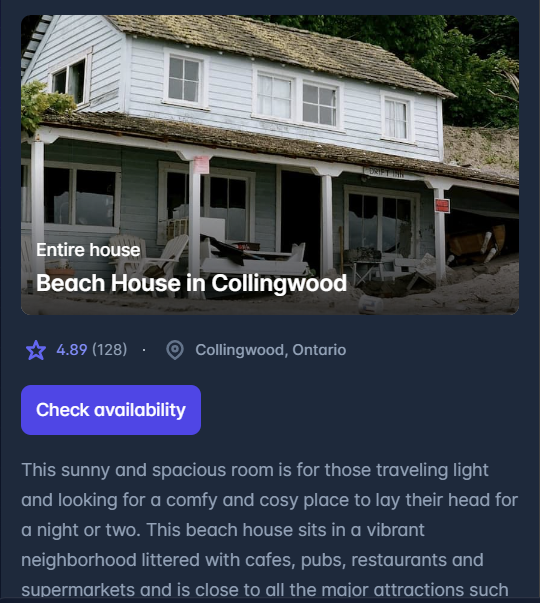
Tailwind CSS is a utility-first CSS framework packed with classes like that can be composed to build any design, directly in your markup.


How it works?
Tailwind CSS works by scanning all of your HTML files, JavaScript components, and any other templates for class names, generating the corresponding styles and then writing them to a static CSS file.
It's fast, flexible, and reliable with zero-runtime.
Why?
Tiny size files, ship only used css
Light weight attractive components
Build fully responsive components easy!
VSCode intellisense
Fully customizable
Available plugins available
You work on your component, css file gets updated automatically!
Lots of ready components from Tailwind or from developer communities
Installation
Follow the installation docs here but in step number 5 do the below,
in the manifest file in your PCF control, load the generated css file (the one you generated from step 4)
<resources>
      <code path="index.ts" order="1"/>
      <css path="generated/style.css" order="1" />
    </resources>
Usage
After you install the Tailwind extension on VS code, just write css in your tsx, or jsx and the terminal session running from step 4 will take care of it.
<p className="mt-2 text-sm text-gray-700">
these will be translated to the below automatically!
.mt-2 {
    margin-top: 0.5rem/* 8px */;
}
.text-sm {
    font-size: 0.875rem/* 14px */;
    line-height: 1.25rem/* 20px */;
}
.text-gray-700 {
    --tw-text-opacity: 1;
    color: rgb(55 65 81 / var(--tw-text-opacity));
}
powerapps-modals with Tailwind CSS
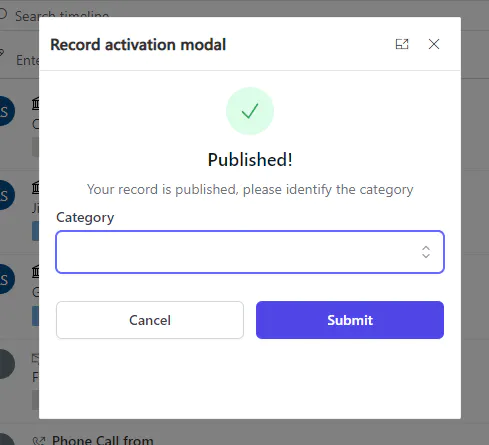
💻 powerapps-modals built with TailwindCSS, it was easy to build attractive dynamic modals.
🧑💻 Check source code here
Useful links
📃 Docs
Happy PCFing!
Published on:
Learn moreWe can help you with Tailwind CSS for your PCF control
If you want help implementing, troubleshooting, or improving this product, contact us and we’ll point you in the right direction.
Related posts
Alert Control
Intro Use Alerts to create non-intrusive alerts that do not interrupt the user. For installation follow the link here Parameters Title The t...
Alert Control
Intro Use Alerts to create non-intrusive alerts that do not interrupt the user. For installation follow the link here Parameters Title The t...
Improve site speed in PowerPages
What is CDN? In short, Content Delivery Network (CDN) caches your public assets of your site in distributed servers, so if you have a website ...
Improve site speed in PowerPages
What is CDN? In short, Content Delivery Network (CDN) caches your public assets of your site in distributed servers, so if you have a website ...
Advanced Text Area
Intro Advanced Text Area is a control that speeds up creating records. Why advanced? The control can be configured to let users attach files ...
Advanced Text Area
Intro Advanced Text Area is a control that speeds up creating records. Why advanced? The control can be configured to let users attach files ...
Radio Group
Intro Radio group control is a control that represents single select options in different radio representations For installation follow the l...
Radio Group
Intro Radio group control is a control that represents single select options in different radio representations For installation follow the l...
Combo Box Control
Intro ComboBox control is an auto-complete dropdown where users are able to search and navigate between options. For installation follow the ...
Combo Box Control
Intro ComboBox control is an auto-complete dropdown where users are able to search and navigate between options. For installation follow the ...