
Announcing General Availability of Autoscale for Pooled Host Pools on Azure Virtual Desktop
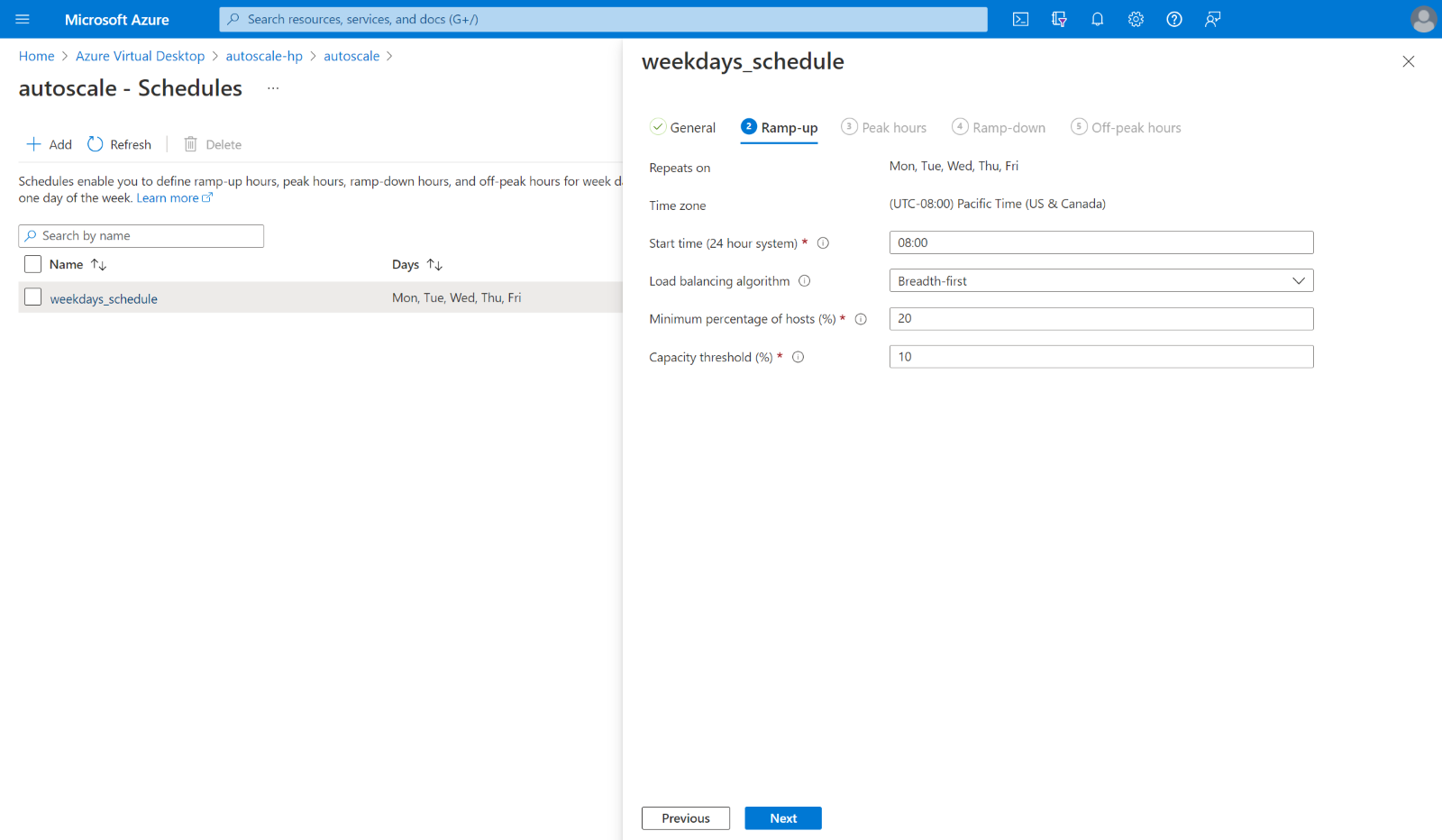
We shared at Microsoft Inspire that one of our most anticipated features, Autoscale for pooled host pools, will soon be Generally Available on Azure Virtual Desktop. Today, we are happy to announce that Autoscale for pooled host pools is officially Generally Available!
Autoscale for Pooled Host Pools
Autoscale on Azure Virtual Desktop is a native automated scaling solution that automatically turns session host virtual machines on and off according to the schedule and capacity thresholds that you define to fit your workload. With Autoscale, you can save costs by shutting down idle session hosts during off-peak hours while ensuring there’s enough capacity to meet your users’ needs during peak hours.
The following capabilities are now generally available with Autoscale for pooled host pools:
- You can now use the Desktop Virtualization Power On Off Contributor built in RBAC role instead of a custom RBAC role to grant permissions to Azure Virtual Desktop to scale the session hosts in your host pool.
- Scaling plans are now available in almost all regions where Azure Virtual Desktop host pool objects are, including Australia East and all US and Canada regions.
In addition, stay tuned for announcements on the following capabilities that are coming soon:
- Scaling plans in UK and Japan regions.
- The ability to port Autoscale diagnostics logs to Log Analytics for analysis and parsing.
- The ability to create schedules as proxy resources in PowerShell for easier configuration.
Getting Started
To enable this feature, simply create a scaling plan, define schedules for when virtual machines should be turned on or off, and assign the scaling plan to one or more host pools.
Learn more about setting up autoscale and how Autoscale works. Watch this Inspire session for a demo.
Published on:
Learn moreRelated posts
App attach now integrates with partner solutions
For many IT admins, application delivery management is one of their most complex tasks. However, with the recent general availability of App a...
New features for Azure Virtual Desktop for Azure Stack HCI
Today, we’re excited to announce new features and capabilities for Azure Virtual Desktop for Azure Stack HCI that will benefit admins responsi...
MMR Call Redirection for Azure Virtual Desktop, Windows 365 now available
Today, I am pleased to share the launch of Multimedia Redirection (MMR) Call Redirection for Azure Virtual Desktop and Windows 365. Call Redir...
OneDrive support for RemoteApp in Azure Virtual Desktop
We are excited to announce that Microsoft OneDrive support is now available for RemoteApp in Azure Virtual Desktop! Previously, OneDrive could...
Custom Shortpath settings for host pools now available
We are excited to announce the general availability of custom Shortpath settings at the host pool level. Now you can granularly control how RD...
Recovery options for Azure Virtual Desktop session host VMs
Last week an update issue caused unresponsiveness and startup failures on Windows machines using the CrowdStrike Falcon agent, including some ...
Connection Reliability in Azure Virtual Desktop Insights
We are thrilled to announce that the Connection Reliability tab in Azure Virtual Desktop Insights is now generally available. IT administrator...
Preferred app group type settings enhance user feed display
In line with our commitment to provide seamless and efficient experiences for Azure Virtual Desktop users, we've recently implemented Preferre...
App attach for Azure Virtual Desktop now generally available
App attach for Azure Virtual Desktop allows IT admins to dynamically attach applications from an application package to a user session in Azur...
Hibernation support now available for Azure Virtual Desktop
Today we are happy to announce the general availability of hibernation support in Azure Virtual Desktop. Explore additional capabilities that ...