
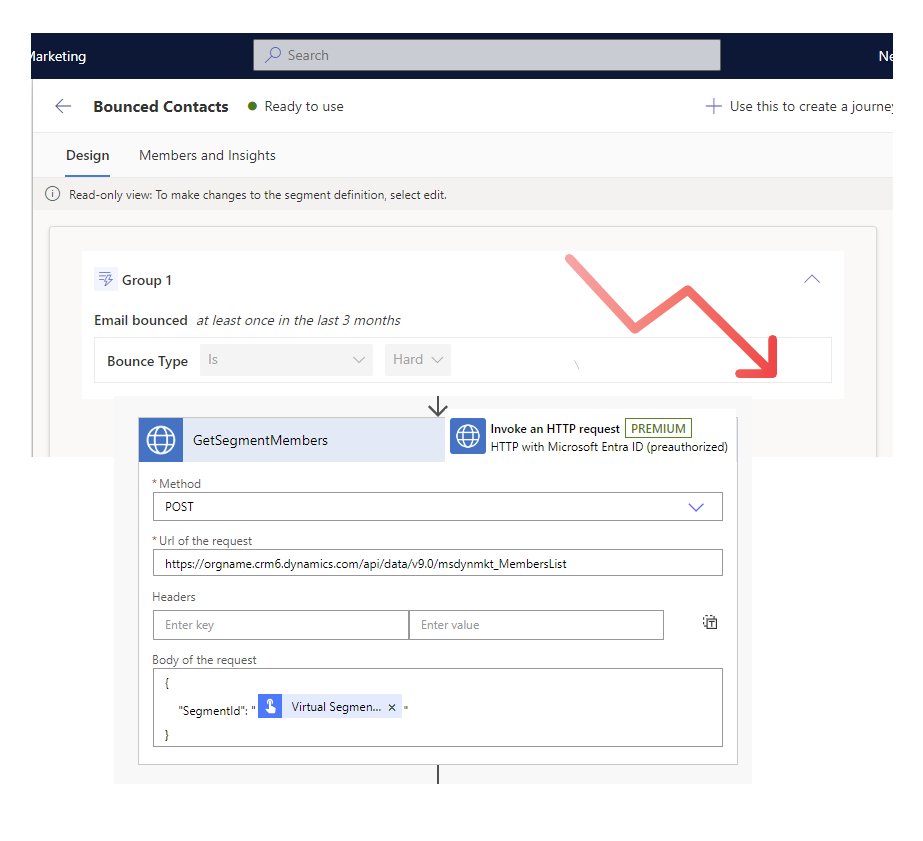
List Segment Members from Customer Insights - Journeys in Power Automate
Published on:
Learn moreRelated posts
UPDATED: Form Submission and Event Registration Summaries in Customer Insights - Journeys
Struggling to use form submission and event registration data in Customer Insights – Journeys? Learn how to automate readable and JSON struct...
Customise Double Opt-In Confirmation Email {{OptedInPurposeTopic}} - Customer Insights - Journeys
If you are struggling with the unformatted, semicolon-separated list of selected topics and purposes from {{OptedInPurposeTopic}} in your dou...
Trigger a flow when a Power Automate Approval is complete (Accepted or Rejected)
Stop waiting on approvals—trigger a flow the moment a decision is made The post shows how to trigger a Power Automate flow when an Power Auto...
Respond to a Power Automate Flow Approval in a Power Apps Custom Page or Canvas App
How to respond to Power Automate approval requests directly within a Power Apps custom page or canvas app, rather than email buttons or in Mi...
Unique Join Link for Teams Meetings and Webinars in Dynamics 365 Customer Insights - Journeys
Dynamics 365 Customer Insights – Journeys integrates with Microsoft Teams to enable attendee‑level tracking through unique join links for mee...
ReCAPTCHA V3 and Cloudflare Turnstile for Customer Insights - Journeys Forms
How to implement Google ReCAPTCHA v3 or Cloudflare Turnstile for Customer Insights - Journeys marketing or event forms with minimal form con...
Change the appearance of Marketing and Event forms using URL parameters in Customer Insights - Journeys
How to change the appearance of a Customer Insights - Journeys form based on URL parameters, for when you want to (or have to) use the same f...
Automated weekly product emails in Customer Insights - Journeys
How to automatically and dynamically generate email content in Customer Insights - Journeys using product data in Dataverse No power automate...
Export exact copies of emails sent, including personalisation and conditional content, from Customer Insights - Journeys
This post will show you how to export the exact copies of emails from Dynamics 365 Customer Insights - Journeys using Power Automate with the...
Segments in Customer Insights - Journeys: Bulk delete with Power Automate
Currently its not possible to delete segments more than one at a time from the view in Dynamics 365 Customer Insights - Journeys. Why? I don’...