
Enhance File Management with the Attachment Control in Dynamics 365
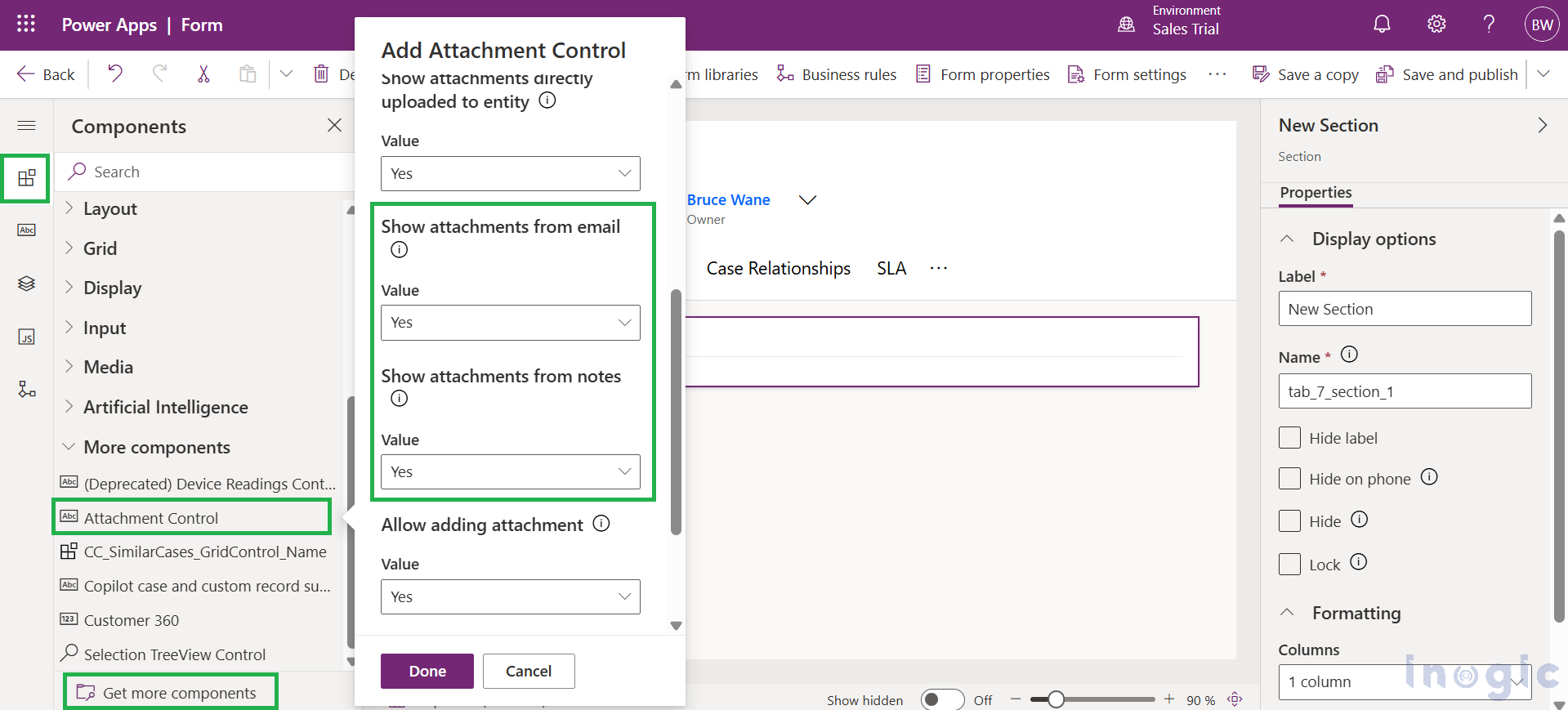
Managing customer interactions efficiently requires having all related information, documents, screenshots, and other supporting files, readily accessible. One way to streamline this process in Dynamics 365 is by leveraging the Attachment Control component on forms. The Attachment Control is a powerful UI component that allows customer service representatives (also called agents or service reps) to… Read More »
The post Enhance File Management with the Attachment Control in Dynamics 365 first appeared on Microsoft Dynamics 365 CRM Tips and Tricks.
Published on:
Learn moreWe can help you with Enhance File Management with the Attachment Control in Dynamics 365
If you want help implementing, troubleshooting, or improving this product, contact us and we’ll point you in the right direction.
Related posts
Restrict Dataverse Record Access by Column Value Using Filtered Record Ownership
Imagine managing sales teams across four states. Your California sales reps should see California accounts, your Arizona reps should see Arizo...
How to Fix Your Dynamics 365 and SharePoint Permission Audit Findings
In our previous post, [How Aligned Are Your Dynamics 365 and SharePoint Permissions? Take This Quick Audit], we walked through a self-assessme...
How to Reuse Web Templates as Components in Power Pages
Copying the same Liquid and HTML block onto page after page works fine until the first design change, when you have to edit every copy. Web te...
How to Plan a Better Field Sales Week with Microsoft Dynamics 365 Maps
Every B2B sales team knows the feeling of a week that got away from it. Monday starts with good intentions, a few meetings move, a customer ca...
Enhancing Customer Service Automation with AI Agents in Dynamics 365 CRM – Part 2
In Part 1 of this series, we explored how to eliminate inbox noise and automate case triage using AI Email Classification, ARC Rules, and the ...
Spot What Matters Fast: Card Colour Is Now in Kanban Board for Dynamics 365
“See how Sales and Customer Service teams use coloured cards to find hot leads, urgent cases and big deals the moment they open the board.” Yo...
How to Use Verbatim Responses in Dynamics 365 Customer Service Copilot
What happens when Copilot rewrites a safety instruction or changes the wording of a legally approved statement? A small change in wording can ...
Your Dynamics 365 CRM Has the Data. Can AI Turn It Into the Next Action?
Dynamics 365 CRM captures customer conversations, sales activities, opportunities, and service cases. Yet employees often spend valuable time ...
Managing Dataverse Attachments Without a Form Using the Modern Attachments Control in Canvas App
The modern Attachments control in canvas apps lets users add, download and remove files on a record, and unlike the classic control, it no lon...
Dynamics 365 QuickBooks Integration: What Disconnected Data Really Costs You
Why does your sales pipeline never match your finance team’s revenue report? If reps work in Dynamics 365 while accountants work in Quic...