
Adjusting VM Size in Classic Cloud Services Without .csdef access for Migration to CSES

Co-Authors: David Padilla, Pablo Castro
Scenario
Customers migrating from Classic Cloud Service to Cloud Service (Extended Support) often face a challenge if they have been running Classic Cloud Services for years without changes, leading to lost source code or only having access to the final product (package and .cscfg files).
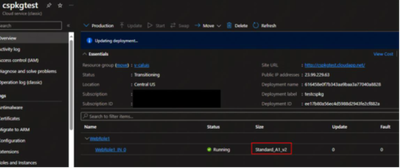
A frequent migration issue arises when the Classic Cloud Service utilizes a deprecated VM SKU Family like (A-Series), and without the source code, customers are unable to modify the VM size in the Service Definition File and repackage the project.
The following Blog will help in this specific scenario to allow the migration without the need for the source code.
Requirement
Access to the config files. If you do not have access to these files, please reference the following blog about How to retrieve Cloud Service Packages from an existing Classic Cloud Service.
Step #1
Change the package extension .cspkg to .zip.

Step #2
Unzip the .cspkg file and change the extension of the .csdx file to zip.

Step #3
Unzip the .csdx file.
Step #4

Access the Service Definition file

Step #5
Open and edit the VM size (in this case we changed from "Standard_A1_v2" to "Standard_D1_v2") and save it.

Step #6
Since the file has changed, it is necessary to get the new hash, this is possible using the PowerShell command Get-FileHash.

Step #7
On same directory where the Definition file is, the .csman file is available, this is the Manifest.
Step #8
Edit the .csman file, changing the hash of the .csdef using the new one obtained from PowerShell on Step #6.


Step #9
IMPORTANT. It is necessary to zip again all the files, however, if we zip the folder unzipped it will fail:
- You need to be inside the unzipped folder where you did the changes of csdef and csman file
- Select all the files and zip them.
- After, you should move this new zip file outside from "cspkgchangetest\SDPackage_56bee6e2-6455-4f15-b8b5-c5328044988c" to "cspkgchangetest\" and rename it and change de extension to csdx Example: SDPackage_56bee6e2-6455-4f15-b8b5-c5328044988c.csdx
- Delete the old "SDPackage_56bee6e2-6455-4f15-b8b5-c5328044988c" zip file and unzipped folder

Step #10
At "cspkgchangetest\" level having the new modified csdx file, you should repeat the steps that you did with the csdef file:
- Use the PowerShell command Get-FileHash the get a new hash to "SDPackage_56bee6e2-6455-4f15-b8b5-c5328044988c.csdx"
- Edit de csman file changing the hash of "SDPackage_56bee6e2-6455-4f15-b8b5-c5328044988c.csdx"

- Now, we are ready to zip the package and deploy.

Step #11 Finally, it should be able to update the cloud service deployment using the new files, to update the VM Size.
DISCLAIMER
While the process described is indeed functional and accurate, it is advisable to employ it only as a contingency measure or as a way to obtain the original csdef file to later use these files as a reference for the creation of a new solution and subsequently create a new deployment
Published on:
Learn moreWe can help you with Adjusting VM Size in Classic Cloud Services Without .csdef access for Migration to CSES
If you want help implementing, troubleshooting, or improving this product, contact us and we’ll point you in the right direction.
Related posts
Azure Storage - TLS 1.0 and 1.1 retirement
Overview TLS 1.0 and 1.1 retirement on Azure Storage was previously announced for Nov 1st, 2024, and it was postponed recently to 1 year later...
Efficient Management of Append and Page Blobs Using Azure Storage Actions
Overview In Azure Storage, Blob Lifecycle Management (BLM) allows you to automate the management of your data based on rules defined by...
[Azure AI Search] Internal Server Error when creating CMK encrypted objects
Scenario Customers follow the Microsoft doc to create CMK encrypted objects (data source, index etc.), but get the 500 Internal Serv...
Optimizing Azure Table Storage: Automated Data Cleanup using a PowerShell script with Azure Automate
Scenario This blog’s aim is to manage Table Storage data efficiently. Imagine you have a large Azure Table Storage that accumulates logs from ...
Optimizing Azure Table Storage: Automated Data Clean-up using a PowerShell script with Azure Automat
Scenario This blog’s aim is to manage Table Storage data efficiently. Imagine you have a large Azure Table Storage that accumulates logs from ...
Restoring Soft-Deleted Blobs with multithreading in Azure Storage Using C#
Blob soft delete is an essential feature that safeguards your data against accidental deletions or overwrites. By retaining deleted data for a...
Performing simple Azure Table Storage REST API operations using curl command.
The blog provides guidance to perform simple Table Storage REST API operations such as Create table, Delete Table, Insert entity, Delete entit...
Bulk delete all the old jobs from the batch account
Deleting a Job also deletes all Tasks that are part of that Job, and all Job statistics. This also overrides the retention period for Task dat...
Utilizing Azure Storage and Runbooks for scheduled automated backups of Azure SQL Databases
In this article, we are going to provide detailed steps to create a scheduled Azure SQL Database backup to storage account using automation. T...
[Azure Service Bus] JMS messages getting dead-lettered
The article discusses a problem where numerous messages end up in the dead letter queue (DLQ) when the JMS service bus consumer connects to th...