
Announcing the limited general availability of Accelerated Connections
This is the first blog in a series of detailed efforts and offerings addressing network disaggregation in the datacenter and how it intersects with Azure’s new Accelerated Connections offering.
- Part1: Introduction to Accelerated Connections.
- Part2: How did we get here, where are we going?
- Part3: How can I tell which Azure Networking options are right for me?
- Part4: Optimizing your Azure workloads to take advantage of Accelerated Connections (NVAs, VMSS, Web Front End, Etc.).
We are pleased to announce limited GA of Accelerated Connections, a new Azure Network feature that delivers highest connections per second (CPS) and total active connections (TAC) performance to the most demanding VM workloads through specialized hardware in the Azure fleet. Our technologies enhance VMs to perform at previously unattainable levels (up to 10-25 times previous perf). This is targeted at customers requiring high amounts of connections held over time or quickly being established such as network virtual appliances, web front ends, and other connection heavy critical infrastructure. This offering is part of a Microsoft technology stack enabling our customers to enhance and build network functionality with high amounts of flexibility and performance in the cloud.
Microsoft previously released Accelerated Networking which provides high bandwidth, packets/sec, with ultra-low latency and jitter. We recently augmented our offerings with Azure Boost which enables faster storage and networking performance for Azure VM customers (among other benefits). As part of the continued cloud story and delivery to customers, Accelerated Connections can be enabled to enhance both offerings. Currently, Accelerated Connections works with Accelerated Networking and Boost support will roll in later this year. Both will receive enhanced CPS and TAC along with additional improvements explained in benefits area below. Together these offerings allow Azure customers to scale to the most demanding cloud workloads and achieve near bare metal network performance in the cloud.
To learn more, watch the Ignite Video, read our industry papers or experience Accelerated Connections today by provisioning VMs listed in the documentation.
Continue reading to learn more about the benefits of using Accelerated Connections.
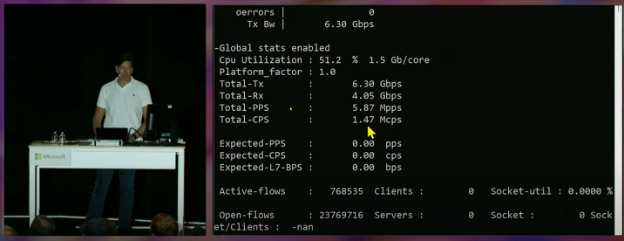
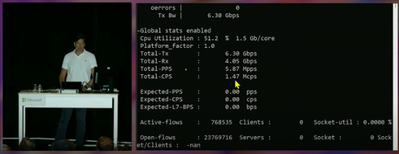
Pictured: Mark Russinovich demonstrating 1.5 Million Connections per second on single Azure VM at Ignite using Accelerated Connections technologies.
Below, we continue to explore the benefits of enabling this feature…
Accelerated Connection Benefits:
- Increased CPS
- Increased TAC
- Increased simultaneous active connections (SAC) and better connection handling
- Increased reliability through disaggregation
- Compatible with most VMs and highly configurable
- Complementary to Boost and Network Acceleration
- Potential cost savings by using fewer VMs for same workloads
Increased CPS:
- Up to 25x improvement in CPS performance for NVAs in the Azure Marketplace versus current NVA capabilities
- Up to 10x CPS performance on single VM versus current VM capabilities
- Increased performance for both UDP and TCP protocols confirmed and attested to by customers in public preview
Increased TAC:
- Increased number of TAC (Flow Table) for VMs dependent on auxiliary SKU selection
Increased SAC and better connection handling:
- Latency and connection handling improvement for high demand workloads like voice/video in need of multiple connections connection processing
- Consistent throughput across a very large number of active connections
- Reduced jitter on connection creation
Increased reliability through disaggregation:
- Further isolation of complex networking operations by moving off the host resulting in improved overall VM performance on Azure Host in the fleet
Compatible with most VM sizes in Azure and highly configurable:
- Accelerated Connection uses a new vNIC attributes on VM’s for ‘auxiliary mode’ and ‘auxiliary sku’ that let you pick performance level of VM.
- Future offering: Can be configured on existing VMs in your network without needing to create new VM to support feature
- Runs on a wide list of compatible VM types that have 4 vCPU and higher
- See Accelerated Connections for more details
Complementary to Boost and Network Acceleration:
- We allow customers to select a performance level and attributes they desire on a VM
- Accelerated Networking, Boost, and Accelerated Connections work together to increase levels of performance on VM to suit customers individual needs
Potential cost savings by using fewer VMs for large network workloads:
- For highly scaled workloads behind a load balancer, or in VMSS (example web front end) we allow lesser amount of VMs to scale to higher network connections capability
- For NVAs in the Azure fleet we allow scaling to upper performance bounds of the NVA
Published on:
Learn moreRelated posts
Enable IP restriction for a public facing App service
In this blog article, we will cover how to control the app service deployment to support only public facing app service with IP restriction en...
Selecting the Optimal Container for Azure AI: Docker, ACI, or AKS?
Deploying Azure AI services in containers like Docker, Azure Container Instances (ACI), or Azure Kubernetes Service (...
Securing Hardware and Firmware Supply Chains
In the modern cloud data center, ensuring the authenticity, integrity, and security of hardware and firmware is paramount. Firmware is the low...
Liquid Cooling in Air Cooled Data Centers on Microsoft Azure
With the advent of artificial intelligence and machine learning (AI/ML), hyperscale datacenters are increasingly accommodating AI accelerators...
Mt Diablo - Disaggregated Power Fueling the Next Wave of AI Platforms
Authors: Jason Adrian – General Manager, Azure Platform Architecture Laurentiu Olariu – Power Architect, Azure Platform Architecture Banha Sok...
Deny inbound NSG Rule creation via Azure Policy
In this blog article, we will cover how to deny the creation of inbound Network Security Group Rules if the inbound NSG Rule contains&n...
Azure Extended Zones: Optimizing Performance, Compliance, and Accessibility
Azure Extended Zones are designed to bring the power of Azure closer to end users in specific metropolitan areas or jurisdictions, cate...
Inside Maia 100: Revolutionizing AI Workloads with Microsoft's Custom AI Accelerator
Authored by: Sherry Xu, Partner Lead SoC Architect, Azure Maia Chandru Ramakrishnan, Partner Software Engineering Manager As the advanc...
Accelerate Cloud Potential for Your SAP Workloads on Azure with these Learning Paths
Accelerate Cloud Potential for Your SAP Workloads on Azure with these Learning Paths In today's rapidly evolving digital landsc...
Azure Role Assignments Audit Report
Overview: Azure Administrators often come across challenges while tracking multiple Azure role assignments and removals. At present Azur...