
Use Rdbtools to Generate Memory Report for Azure Cache for Redis and Convert Dump Files to JSON
Scenario:
The rdbtools is a handy utility that can parse Redis dump.rdb files, analyze memory, and export data to JSON. This tutorial shows a quick example using rdbtools to generate report for Azure cache for Redis, on memory usage and number of keys categorized by data type and data encoding.
Objective:
To showcase how to use the rdbtools to analyze memory use and data dumps from an Azure Cache for Redis. It is easy to use and gives more insights than the Memory Usage metrics available on the Azure portal.
Pre-requisites:
For this example, you would need:
- An Azure Cache for Redis in the Premium, Enterprise, or Enterprise Flash tiers.
Steps:
- Install rdbtools
- Add some data in the Redis
- Export data to dump
- Generate memory report
- Convert dump file to JSON
[STEP 1]: Install rdbtools
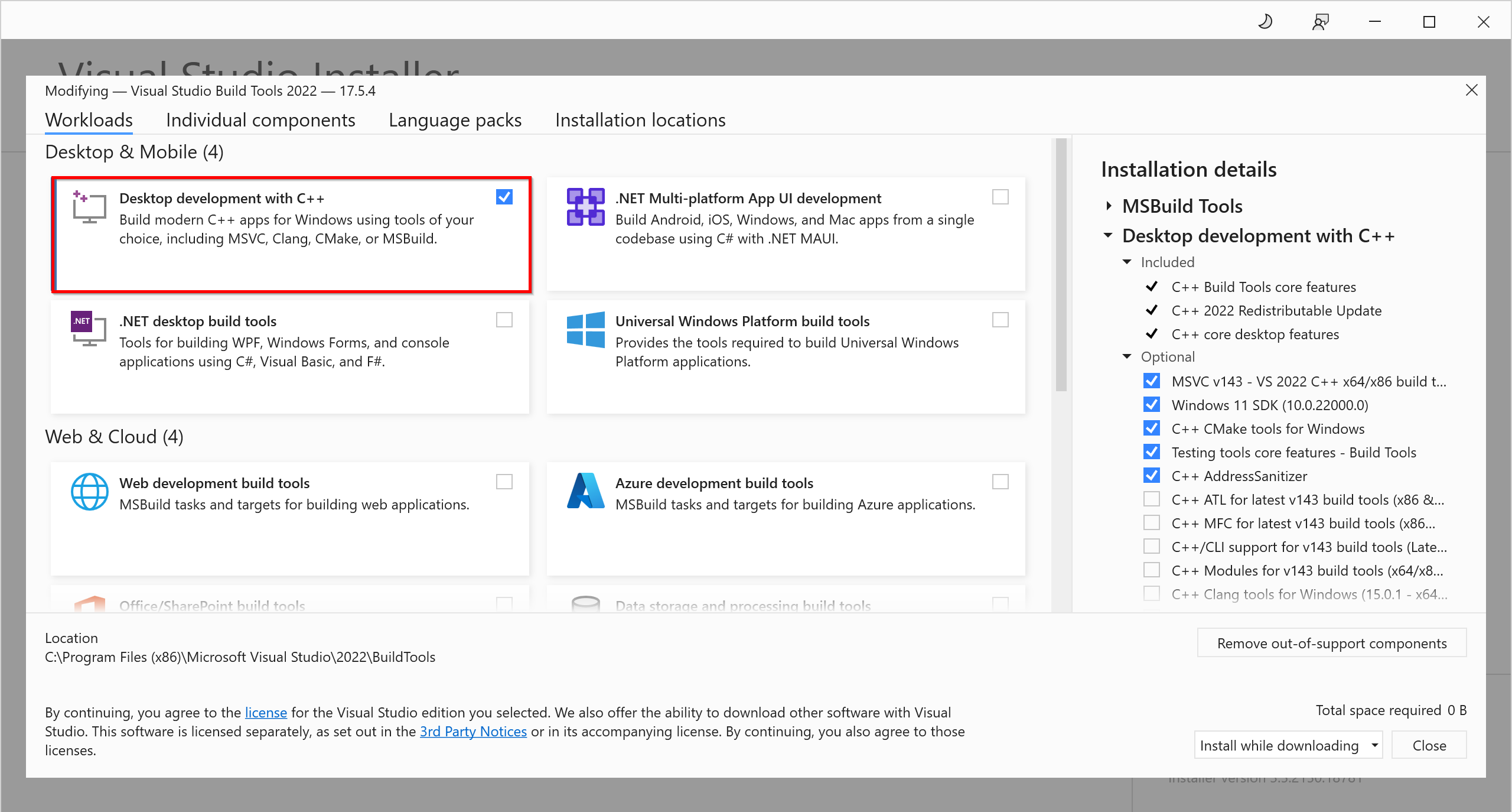
Note: Run the "pip install" command from the PowerShell. The "python-lzf" package accelerates the report generation. If you encounter the "Microsoft Visual C++ 14.0 is required" error, please install the C++ Build Tools from Visual Studio Installer as shown below. After installation in completed, add the script path which contains rdb.exe and redis-profiler.exe into the Path environment variable. For me, the script path is C:\Users\xxxxxx\AppData\Local\Programs\Python\Python39\Scripts.


[STEP 2]: Add some data in the Redis
Open "Console" from the Azure portal and run the following:
Note: Here I added 13 keys with various data types such as strings, lists, hashes, sets, and sorted sets.
[STEP 3]: Export data to rdb dump
Browse to the cache in the Azure portal and select "Export data" from the left menu. Pick a blob name prefix, select an output storage container, and then click "Export". After export is done, browse to the storage container and download the dump file.


[STEP 4]: Generate memory report
charlesredis1-report.html:

[STEP 5]: Convert dump file to JSON
Conclusion:
This example shows how to use the rdbtools to generate a memory report from an Azure Cache for Redis and convert the exported dump to JSON. The rdbtools analyzes the memory consumption of Redis keys as well as their data types. When it comes to improving the memory efficiency of a Redis cache, the rdbtools becomes a useful utility.
References:
Published on:
Learn moreWe can help you with Use Rdbtools to Generate Memory Report for Azure Cache for Redis and Convert Dump Files to JSON
If you want help implementing, troubleshooting, or improving this product, contact us and we’ll point you in the right direction.
Related posts
Azure Storage - TLS 1.0 and 1.1 retirement
Overview TLS 1.0 and 1.1 retirement on Azure Storage was previously announced for Nov 1st, 2024, and it was postponed recently to 1 year later...
Efficient Management of Append and Page Blobs Using Azure Storage Actions
Overview In Azure Storage, Blob Lifecycle Management (BLM) allows you to automate the management of your data based on rules defined by...
[Azure AI Search] Internal Server Error when creating CMK encrypted objects
Scenario Customers follow the Microsoft doc to create CMK encrypted objects (data source, index etc.), but get the 500 Internal Serv...
Optimizing Azure Table Storage: Automated Data Cleanup using a PowerShell script with Azure Automate
Scenario This blog’s aim is to manage Table Storage data efficiently. Imagine you have a large Azure Table Storage that accumulates logs from ...
Optimizing Azure Table Storage: Automated Data Clean-up using a PowerShell script with Azure Automat
Scenario This blog’s aim is to manage Table Storage data efficiently. Imagine you have a large Azure Table Storage that accumulates logs from ...
Restoring Soft-Deleted Blobs with multithreading in Azure Storage Using C#
Blob soft delete is an essential feature that safeguards your data against accidental deletions or overwrites. By retaining deleted data for a...
Performing simple Azure Table Storage REST API operations using curl command.
The blog provides guidance to perform simple Table Storage REST API operations such as Create table, Delete Table, Insert entity, Delete entit...
Bulk delete all the old jobs from the batch account
Deleting a Job also deletes all Tasks that are part of that Job, and all Job statistics. This also overrides the retention period for Task dat...
Utilizing Azure Storage and Runbooks for scheduled automated backups of Azure SQL Databases
In this article, we are going to provide detailed steps to create a scheduled Azure SQL Database backup to storage account using automation. T...
[Azure Service Bus] JMS messages getting dead-lettered
The article discusses a problem where numerous messages end up in the dead letter queue (DLQ) when the JMS service bus consumer connects to th...