
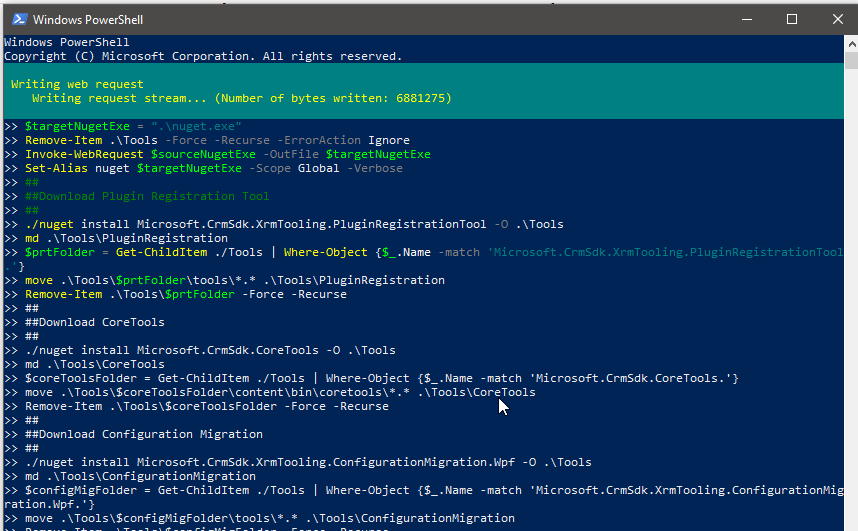
Configuration Migration Tool Download – Using PowerShell for Power Platform/ Dynamics 365
Read more
Published on:
Learn moreWe can help you with Configuration Migration Tool Download – Using PowerShell for Power Platform/ Dynamics 365
If you want help implementing, troubleshooting, or improving this product, contact us and we’ll point you in the right direction.
Related posts
Microsoft Copilot Studio: How to Design Conversations That Collect Missing Information Before Taking Action
Introduction Copilot Studio conversation design is essential for building intelligent AI agents that understand user intent, identify missing ...
Azure Monitor Alerting Best Practices: How to Build Actionable Alerts That Distinguish Real Incidents from Temporary Spikes
Introduction Azure Monitor alerts play a critical role in identifying production incidents, detecting abnormal application behaviour, and main...
How to Manage Long-Running Operations Without Freezing the User Interface
Introduction Long-Running Operations are a common challenge in C# Full Stack application development. When applications perform intensive calc...
How to Diagnose Applications That Can Resolve a Hostname but Cannot Reach the Service
Introduction Azure Networking Troubleshooting is an essential skill for Azure administrators, cloud engineers, and network professionals worki...
How to Handle Ambiguous User Requests Without Sending Them Down the Wrong Workflow in Microsoft Copilot Studio
Introduction A conversational AI agent can understand a user’s question, identify an appropriate topic and execute a business process. B...
How to Evaluate Document Extraction Accuracy Before Automating a Business Process
Introduction Document extraction accuracy is a critical consideration when organisations use Azure AI to automate document-intensive business ...
C# Full Stack: How to Diagnose Slow Database Calls in an Interactive Web Application
Introduction Modern web applications are expected to respond quickly, even when multiple users are accessing complex business data simultaneou...
Azure DevOps: Prevent Deployment of Unapproved Builds Using Approval Gates
Introduction Azure DevOps approval gates provide an additional layer of release authorisation for enterprise applications. Azure DevOps approv...
Copilot Studio: How to Design Topic Routing When Users Ask Multiple Questions in One Conversation
Copilot Studio topic routing is an important part of designing intelligent conversational agents that can understand and handle multiple user ...
Azure API Management: How to Apply Different Policies to Internal and External API Consumers
Introduction: One API, Different Security Requirements Azure API Management Security is a critical consideration when organizations expose ent...