
Announcing public preview: Azure Change Tracking & Inventory using Azure Monitor agent (AMA)
What’s New?
The Change Tracking and Inventory service tracks changes to Files, Registry, Software, Services and Daemons and uses the MMA (Microsoft Monitoring Agent)/OMS (Operations Management Suite) agent. This preview supports the new AMA agent and enhances the following:
- Security/Reliability and Scale - The Azure Monitor Agent enhances security, reliability, and facilitates multi-homing experience to store data.
- Simplified onboarding- You can onboard to Virtual Machines directly to Change Tracking (add link) without needing to configure an Automation account. In new experience, there is
- Rules management – Uses Data Collection Rules to configure or customize various aspects of data collection. For example, you can change the frequency of file collection. DCRs let you configure data collection for specific machines connected to a workspace as compared to the "all or nothing" approach of legacy agents.
How to get started?
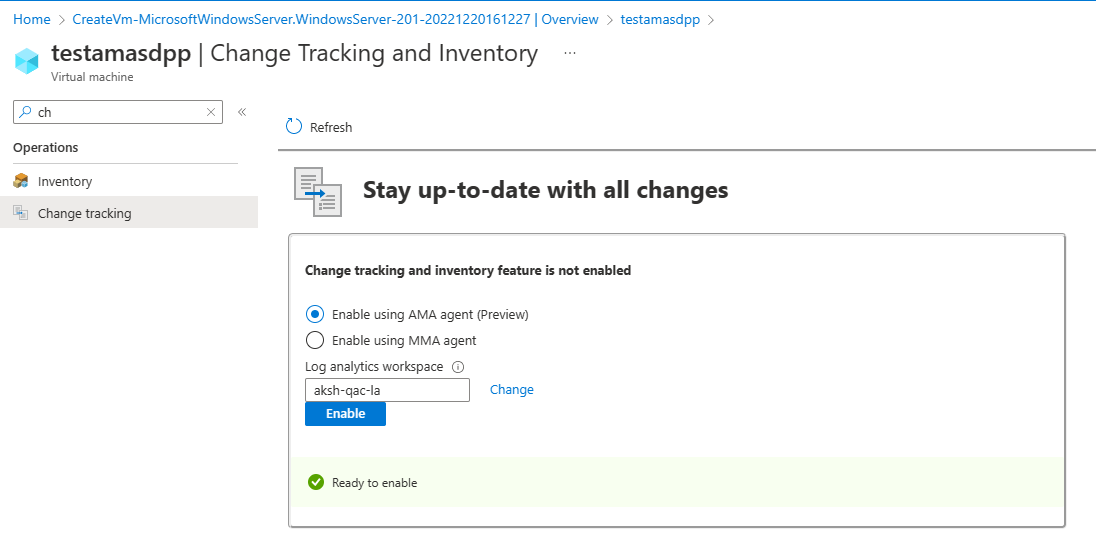
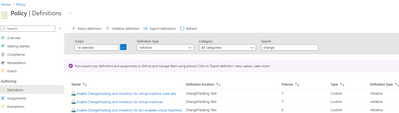
You can onboard to Change Tracking & Inventory with AMA either via Azure Portal or by using Azury Policy (to onboard at scale). To onboard single VM via portal, click on specific VM name from Virtual Machines -> Change Tracking -> Enable using AMA agent (Preview). To know more about the various methods to enable Change Tracking, click here
Onboarding from Single VM view
Onboarding via DINE Policies (at scale onboarding)
In the public preview, Change Tracking with AMA supports Window Files, Windows Registry and Software data types. We are working towards facilitating the support of Windows services & Linux Daemons by GA. The data configuration can now be regulated at DCR level now. Click here to know more about Data Collection Rules.
You can check out our complete documentation to get more details. We’d love to hear what you like and don’t like about this feature, and where you’d like us to take it. Please click here to Sign Up and try out the new enhancements.
Published on:
Learn moreWe can help you with Announcing public preview: Azure Change Tracking & Inventory using Azure Monitor agent (AMA)
If you want help implementing, troubleshooting, or improving this product, contact us and we’ll point you in the right direction.
Related posts
Azure Landing Zones - Policy Refresh Q1 FY25
ALZ - Policy Refresh Q1 FY25 is here! As you may be aware, the ALZ team release cadence is now on quarterly basis to help customers and partne...
Custom Policy- Reusable Logs Templates
Reusable Templates for Sending Logs to Log Analytics Workspace Challenge: When it comes to developing custom policies for sendin...
Enhancements to Azure Monitor Baseline Alerts for Azure Landing Zones
Introduction Welcome to our latest blog post where we dive into a number of exciting new key updates, highlight the new portal accelera...
Introducing the Azure Policy Community Repo
Introducing the Azure Policy Community Repo What is the Azure Policy Community Repo? The Azure Policy Community Repo is a collaborativ...
General Availability: Vaulted backups for Azure Blob Storage
We are excited to announce the general availability of vaulted backups for Azure Blob Storage. Vaulted backups can help you achieve complete p...
Azure Update Manager to support CIS hardened images among other images
What’s coming in by end of July 2024: Azure Update Manager will add support for 35 CIS hardened images. This is the first time that Update Man...
Mastering your cloud journey: Essentials to Innovating, Migrating and Modernizing, on Azure
We are living during a time of rapid growth in AI technologies and seeing cloud complexity increase as a result of those advanced workloads, w...
Public Preview Announcement: Azure Policy Built-in Versioning
Welcome to a new era of policy management, where policy definitions are more agile, adaptable, and accessible than ever before! We are thrille...
Announcing Azure Monitoring Agent support in Azure Landing Zones
Introduction Hello and welcome to another blog post about Azure Landing Zones, the best practice framework for accelerating your cloud...
Announcing the General Availability of Change Actor
Change Analysis Identifying who made a change to your Azure resources and how the change was made just became easier! With Change Analys...